Wallet recovery using the mnemonic (recovery words) from the Ledger wallet
Both the Ledger wallet and the DCENT wallet follow the same BIP standards for wallet recovery. However, each wallet service may use a different derivation path to generate the private key for each type of digital asset.
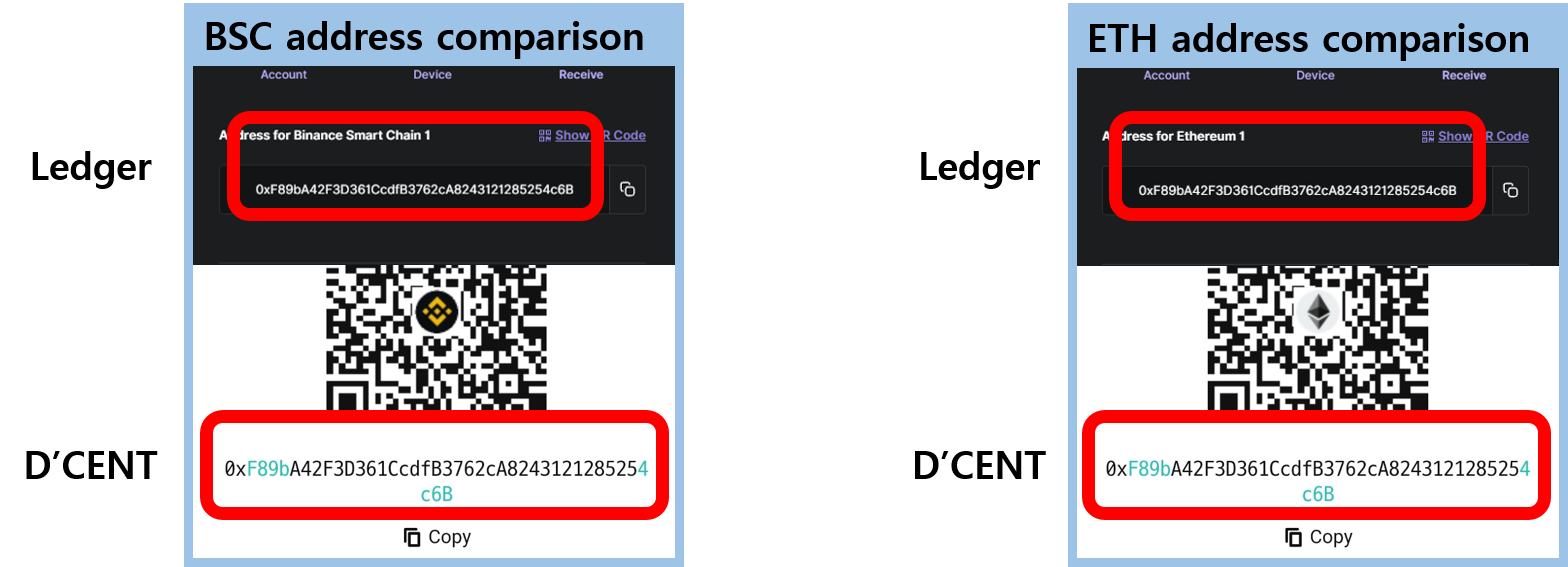
The screenshot below compares account addresses (BSC and ETH) between Ledger and DCENT. In this example, the DCENT wallet was recovered using the Ledger wallet's mnemonic. Because both services use the same derivation path for these assets, the BSC and ETH addresses match.
List of recovery-compatible assets (mainnets)
The derivation paths for the following cryptocurrencies are identical between the Ledger wallet and the DCENT wallet. This means that using your Ledger mnemonic code on a DCENT wallet generates the same accounts (private keys).
- Binance Smart Chain (BSC - BNB)
- Bitcoin Cash (BCH)
- Cosmos (ATOM)
- DASH (DASH)
- Dogecoin (DOGE)
- Ethereum (ETH)
- Ethereum Classic (ETC) - select 'Ethereum Classic - Legacy' when adding to DCENT wallet.
- Horizen (ZEN)
- Polygon (MATIC)
- Solana (SOL)
- Stellar (XLM)
- XRP (XRP)
- Zcash (ZEC)
- TRON (TRX)
How to recover token assets (ie: ERC20, BEP20, TRC10, ...Etc.)
You may have also held token assets in your Ledger wallet. Tokens are digital assets issued by blockchain projects via smart contracts on EVM-compatible networks such as Ethereum, BNB Smart Chain, Tron, Polygon, and others.
Each network uses its own token standard — for example, ERC20 on Ethereum, BEP20 on BNB Smart Chain, TRC10 and TRC20 on Tron, Polygon-ERC20 on Polygon, and so on. These standards make it easy to identify which network a token was issued on.
For example, suppose you held ETH coins and USDT tokens (ERC20) in your Ledger wallet. To recover both, you'll add two accounts to your DCENT wallet: first, add the Ethereum account to recover your ETH; then add a USDT (ERC20) account linked to that Ethereum account, and your USDT tokens will appear.
You can browse the full list of digital assets supported by the DCENT wallet at the link below.
If the token you're looking for isn't on the list, you can add it manually as a custom token account. See the guide below for detailed instructions.