Step 1: Set up your Backup Card
This guide is based on DCENT mobile app version 10.0.0.
Change the factory PIN of the Backup Card
Before you can use the Backup Card, you must replace its factory PIN with your own PIN.
If you prefer, you can set the Backup Card to use the same PIN as your All-in-One Wallet.
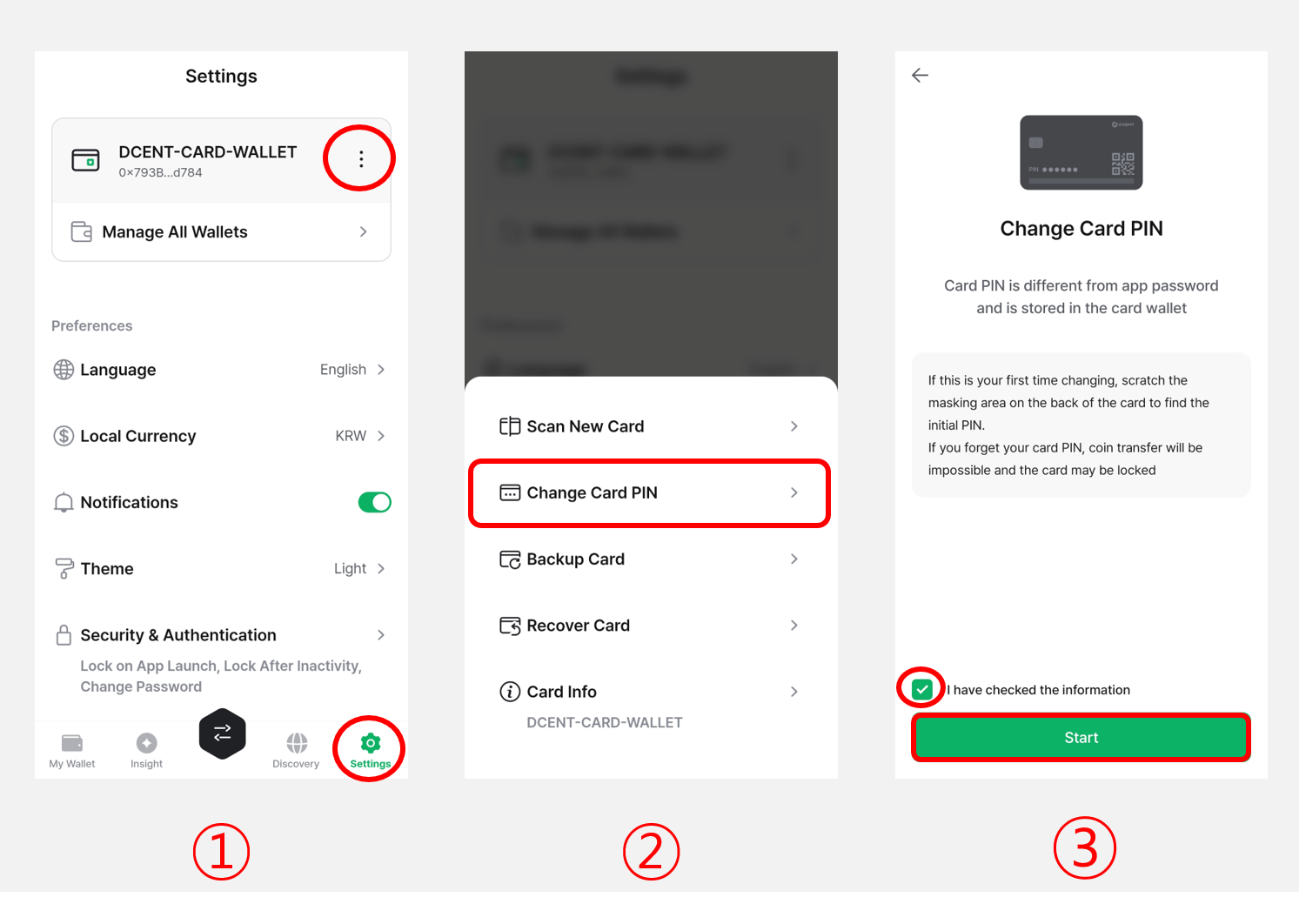
1) Open the Settings tab and tap the More (⋮) button.
2) Select "Change Card PIN".
3) Check "I have checked the information", then tap "Start".
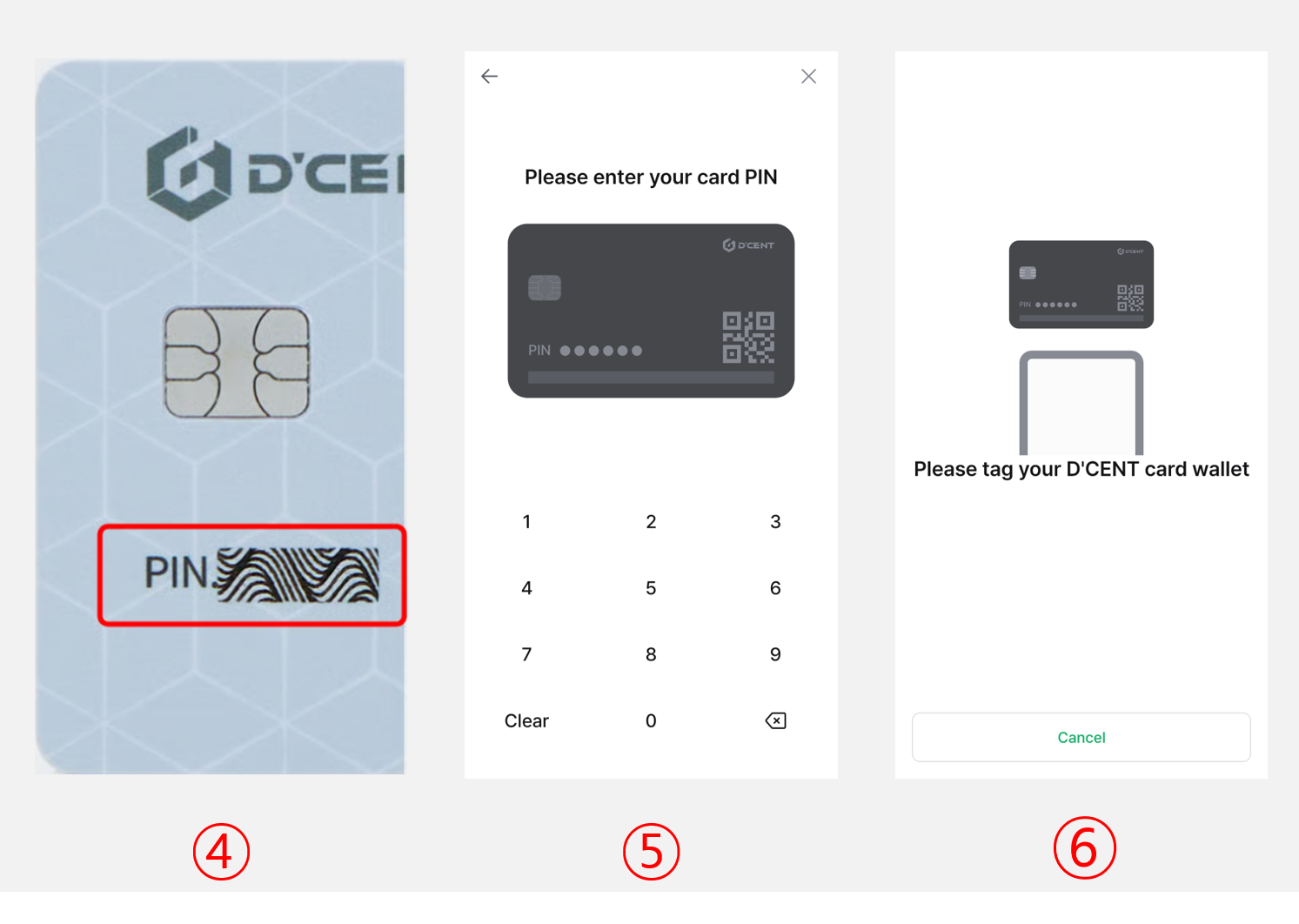
4) Reveal the factory PIN by gently scratching off the ribbon masking on the Backup Card.
Use your fingernail or a blunt tool to remove the ribbon masking. Do not use sharp objects—they may damage the card.
5) Enter the 6-digit factory PIN (for example: 130478).
6) Enter a new 6-digit PIN for your Backup Card (for example: 123456).
.png)
7) Re-enter the same new PIN to confirm it.
8) Hold the Backup Card against the back of your phone to scan it.
9) Tap "Confirm" to finish changing the PIN.
The card PIN of the Backup Card is different from the 6-digit app password used in the DCENT mobile app. Mixing them up can lock you out of your wallet, so be sure to remember the Backup Card PIN.