Step 2: Create backup image
You MUST create a backup copy of your All-in-One Wallet before an unfortunate situation occurs—such as the card being lost, stolen, damaged, or blocked after 10 or more failed PIN attempts.
This guide is based on DCENT mobile app version 10.0.0.
How to create the backup image of the All-in-One Wallet
Before you start, have your All-in-One Wallet and Backup Card ready.
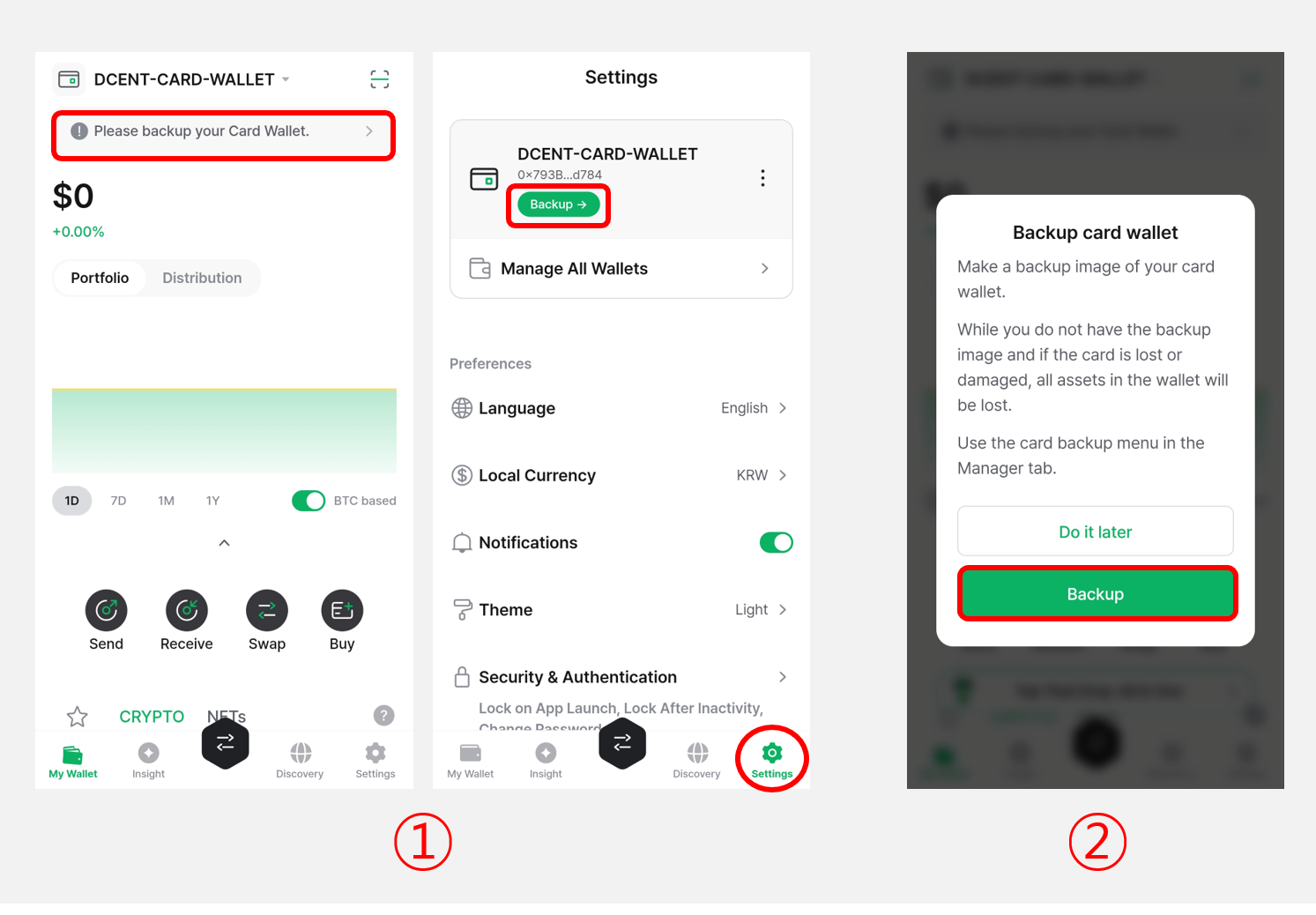
1) Tap the banner at the top of the My Wallet tab.
2) Tap "Backup".
3) Tap "Start Backup".
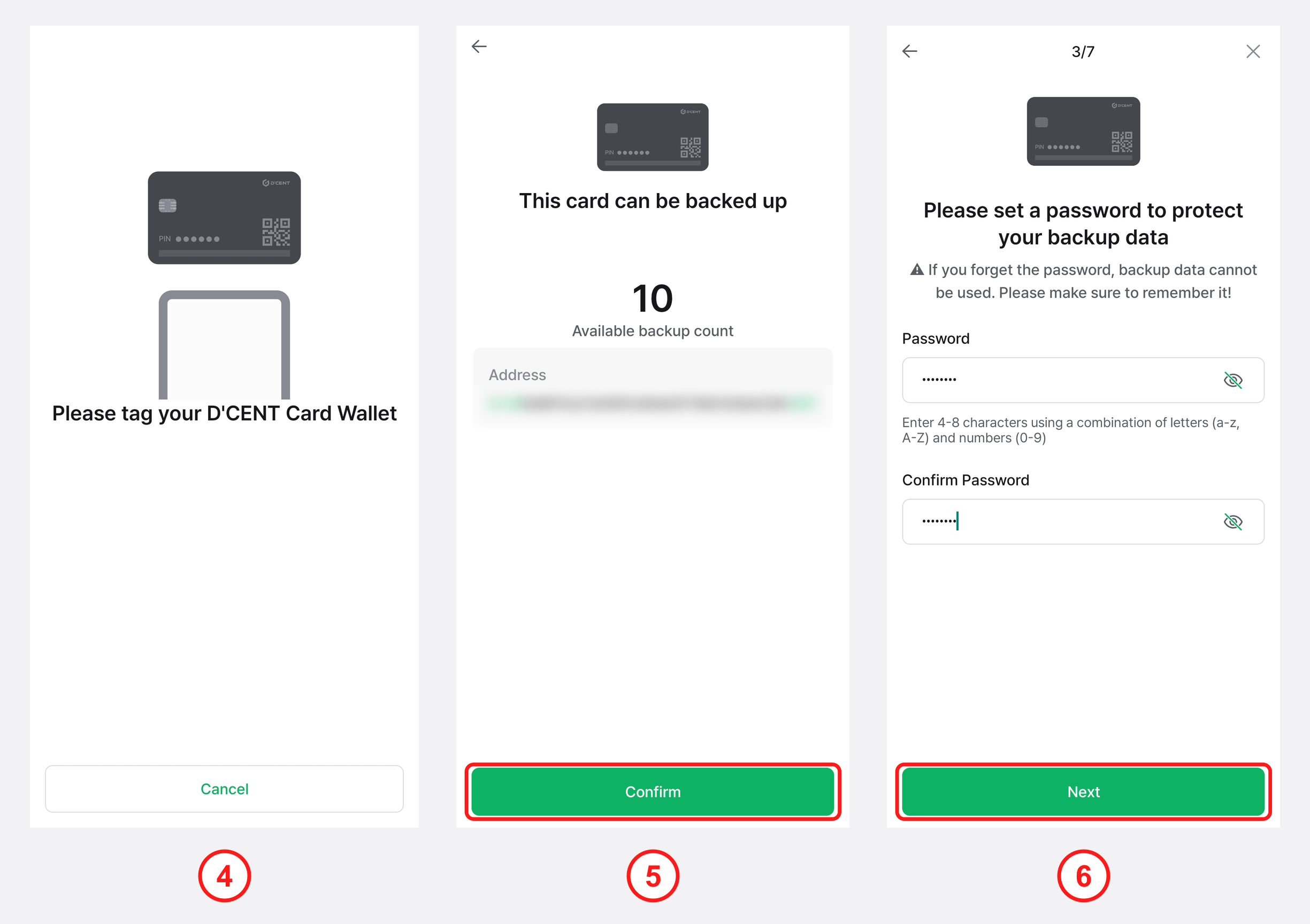
4) Hold the All-in-One Wallet against the back of your phone to scan it.
At this step, make sure to scan your All-in-One Wallet—not the Backup Card.
5) The message "This card can be backed up" appears, along with the remaining backup count for your All-in-One Wallet. Tap "Confirm" to continue.
The remaining backup count is the number of backup images you can still create from this All-in-One Wallet. Each card supports up to 10 backups in total.
6) Enter an encryption password to protect the backup image. Re-enter the same password, then tap "Next".
The encryption password must be 4 to 8 characters long and contain letters (a–z, A–Z) and numbers (0–9). Remember it exactly as you set it—without this password, your wallet cannot be recovered.
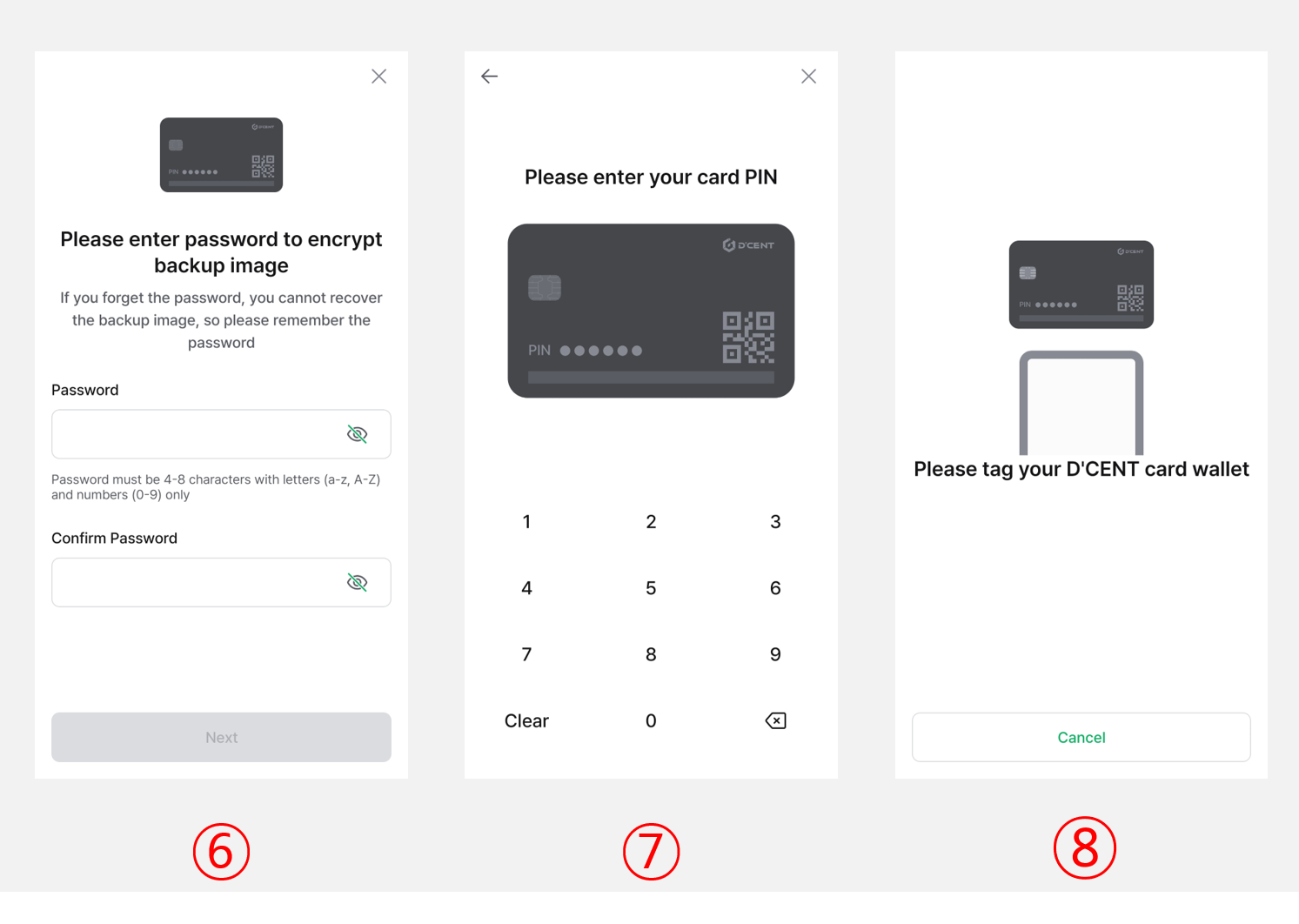
7) Enter the card PIN of the All-in-One Wallet.
8) To extract the encrypted backup data from the card, hold the All-in-One Wallet against the back of your phone to scan it.
At this step, make sure to scan your All-in-One Wallet—not the Backup Card.
9) Enter the PIN of your Backup Card (6-digit number).
If you don't have a Backup Card, see here for how to back up.
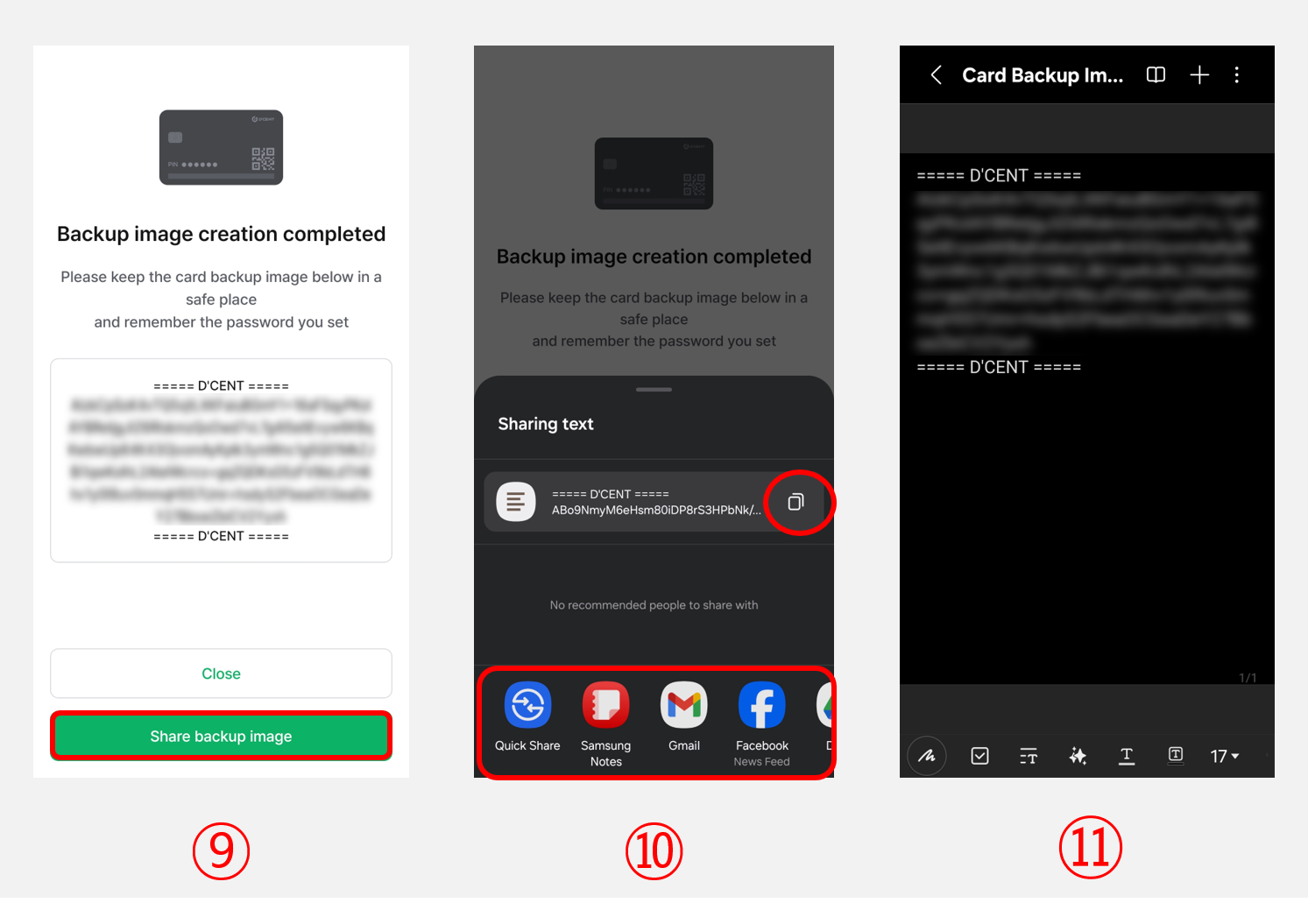
10) To save the backup data onto the Backup Card, hold the Backup Card against the back of your phone to scan it.
At this step, make sure to scan your Backup Card—not the All-in-One Wallet.
11) The backup data of your All-in-One Wallet is saved onto the Backup Card. Tap "Close" to complete the backup.
Backup without a Backup Card
Even if you don't have a Backup Card yet, you can create the backup image data and store it safely, then restore it onto a Backup Card later.
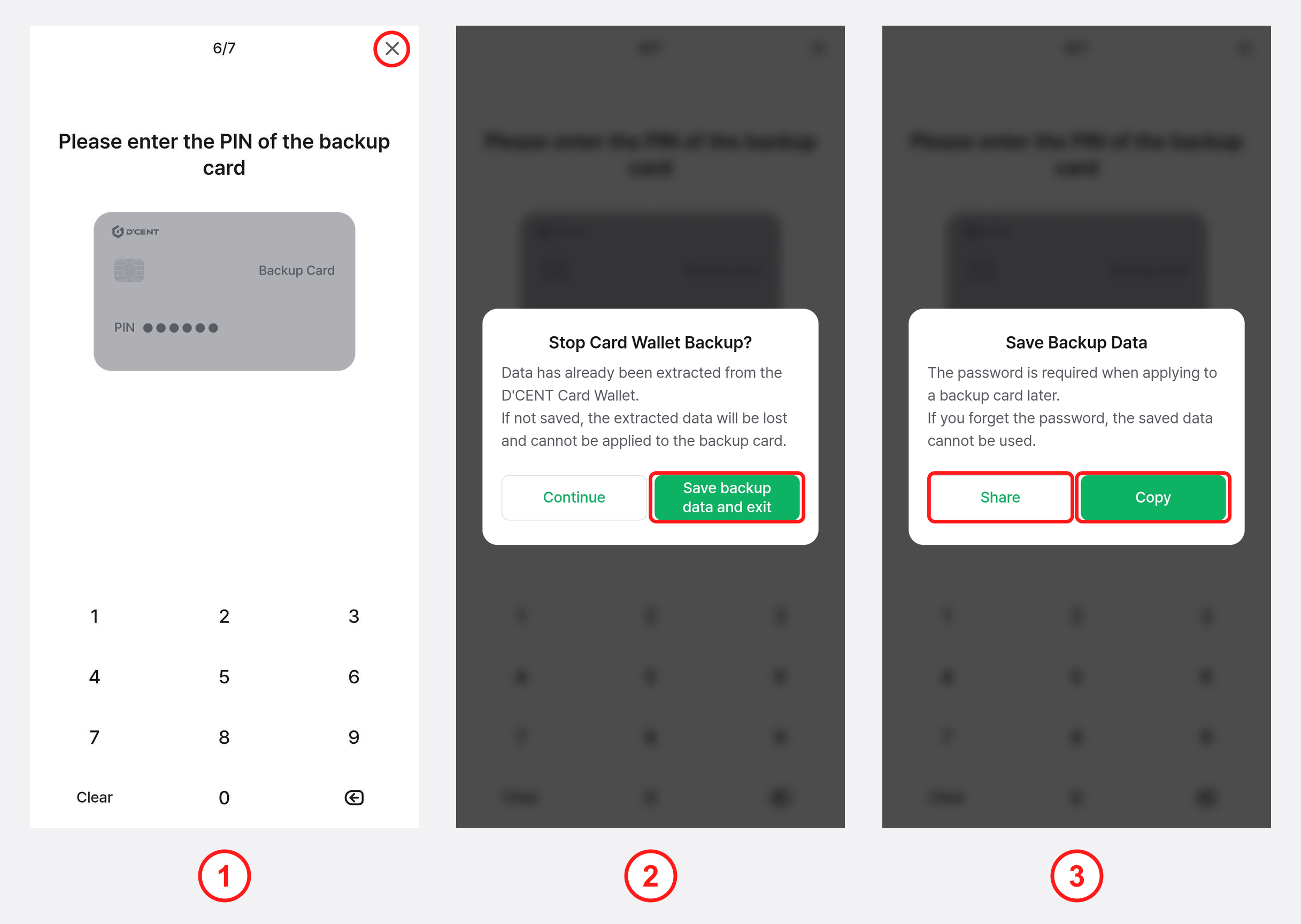
1) On the Backup Card PIN entry screen (step 9 above), tap the "X" button at the top right to stop.
2) To save the backup data extracted from your All-in-One card, tap "Save backup data and exit".
3) Select "Share" or "Copy".
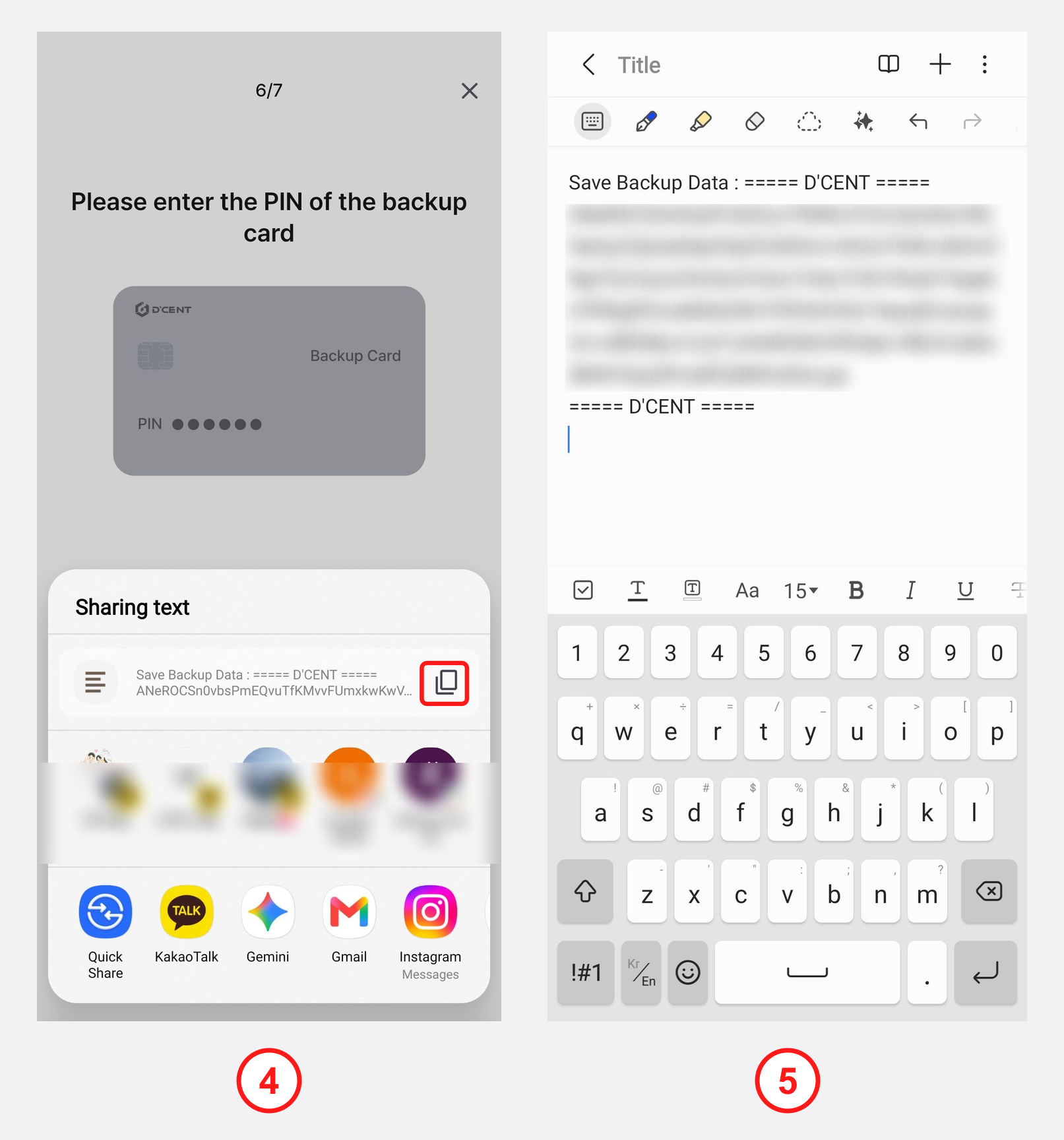
4) If you tap "Copy", the backup image data is copied to your clipboard. If you tap "Share", you can tap the copy icon in the share sheet or choose an app or channel (messaging, email, cloud, etc.).
5) Paste the copied backup image data into a safe place, such as a memo or notes app.
You MUST save this encrypted backup image somewhere safe—for example, by sending it to yourself by message or email. You can restore it onto a Backup Card later. Be sure to remember the encryption password exactly. If you forget the password, your wallet cannot be recovered.
You can also buy a Backup Card later to recover your wallet. See here for details.