How to use the All-in-One Wallet
How to add coin/token accounts
Adding a new cryptocurrency account is easy. Tap the (+) button in the bottom-right corner of the app and choose the asset you want to add.
The All-in-One Wallet supports all ERC-20 tokens. More than 3,000 tokens are pre-listed in DCENT Wallet—just search for the one you want and add it. If a token is not on the list, you can add it manually as a custom token.
How to receive or send cryptocurrency assets
Receiving crypto is simple—just share your wallet address with the sender.
Sending crypto is just as easy—you only need the recipient's wallet address.
How to use the Collectibles Tab (NFTs gallery)
The All-in-One Wallet securely stores ERC-721 and ERC-1155 NFTs. The Collectibles tab in the DCENT app lets you view your NFTs and manage them (send, receive, and check transaction history).
For details on using the Collectibles tab, see the guide below.
How to use the Discovery Tab (dApp browser)
The Discovery tab is the built-in dApp browser inside the DCENT app. It lets you connect to a wide range of blockchain services, including games, NFTs, NFT marketplaces, DeFi, lending and borrowing, the metaverse, and more.
For details on using the Discovery tab, see the guide below.
🚨 Caution: Permanent blocking of the All-in-One Wallet
When using the All-in-One Wallet, you will be asked to enter the card PIN in the following cases:
1) When signing a transaction
2) When changing your current PIN to a new one
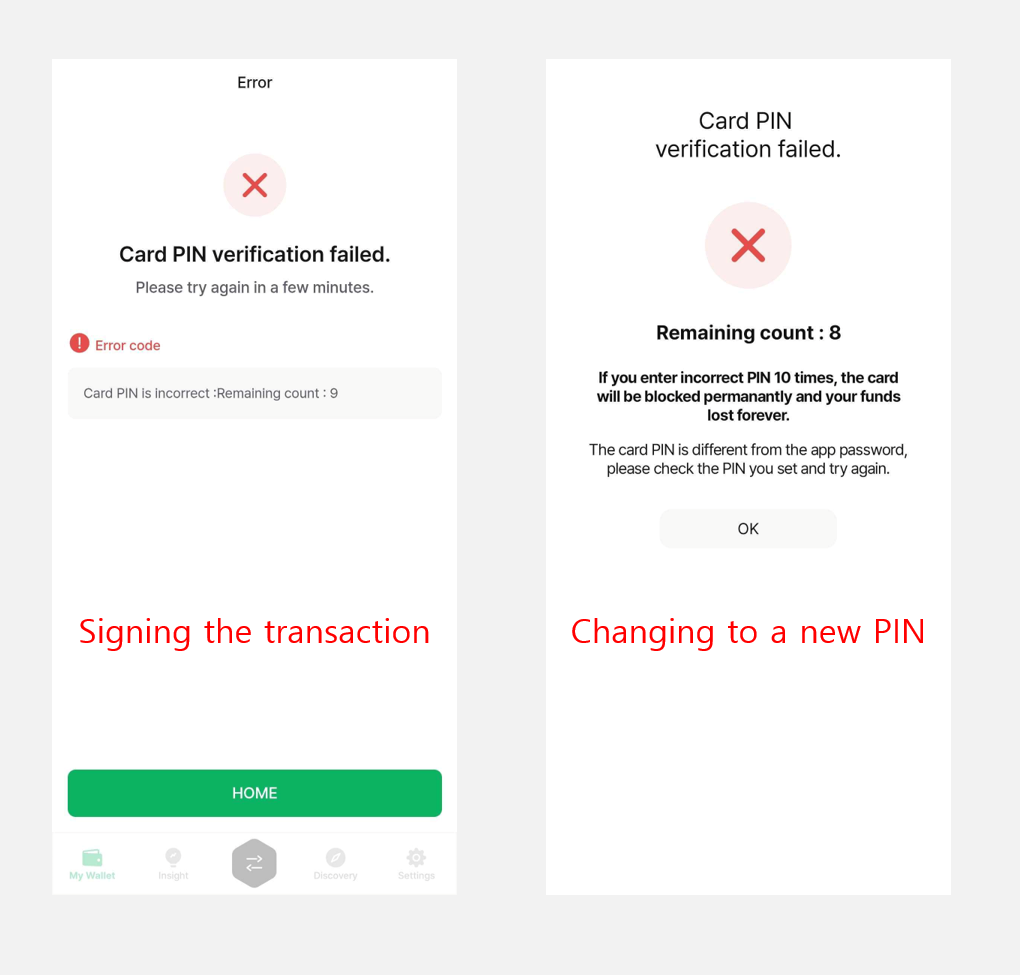
As a security measure, you have a total of 10 attempts to enter the correct card PIN.
The secure chipset on the All-in-One Wallet counts every failed PIN attempt. If the wrong PIN is entered 10 times in a row, the secure chipset is permanently blocked. When that happens, any crypto assets stored on the card become inaccessible and are lost forever.
To stay safe, always create a backup of your All-in-One Wallet onto a spare DCENT Backup Card in advance.