How to use Binance (BNB) account
How to create a Binance account
If you do not yet have a Binance Chain account, create one in the app. The coin name to look for is Binance chain (BNB).
For full account-creation steps, see the link below.
Binance (BNB) Memo
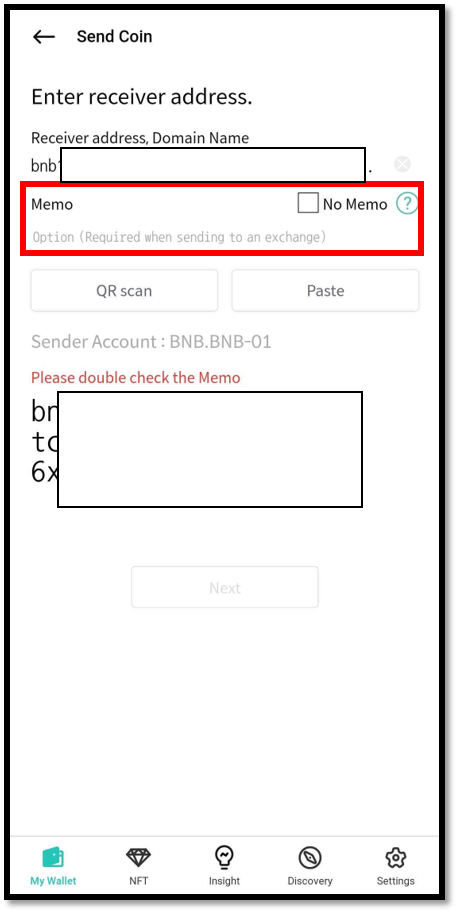
Exchanges typically use a single shared BNB deposit address for all of their users. To tell each user's deposit apart, the exchange assigns each account a unique Memo.
When sending BNB to an exchange address, you MUST enter the correct Memo. Otherwise, the exchange cannot credit your deposit.
Receive Binance (BNB) coin
On your BNB account, tap Receive to view the account address.
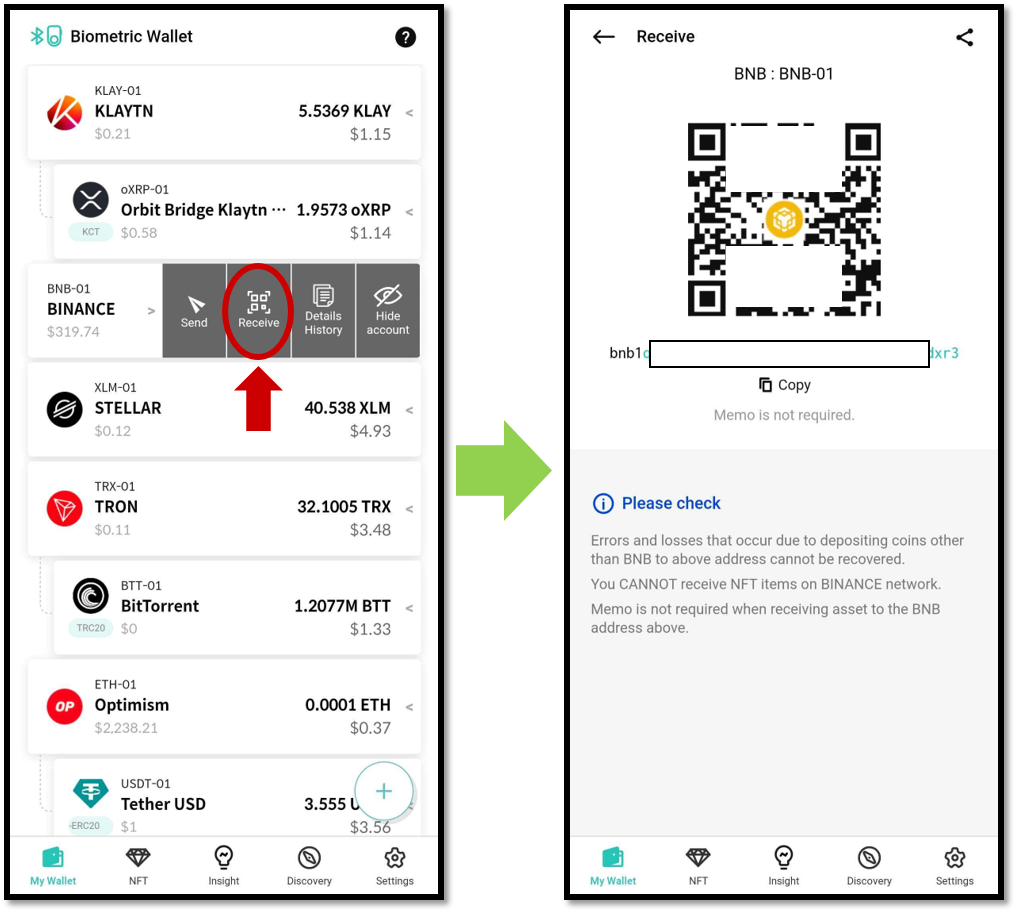
For more details of receiving coin, click below link.
Send Binance (BNB) Coin
When sending BNB to an exchange account, you MUST enter the Memo. When sending to a personal wallet such as D'CENT Wallet, the Memo is optional — you can leave a free-form note or check No Memo.
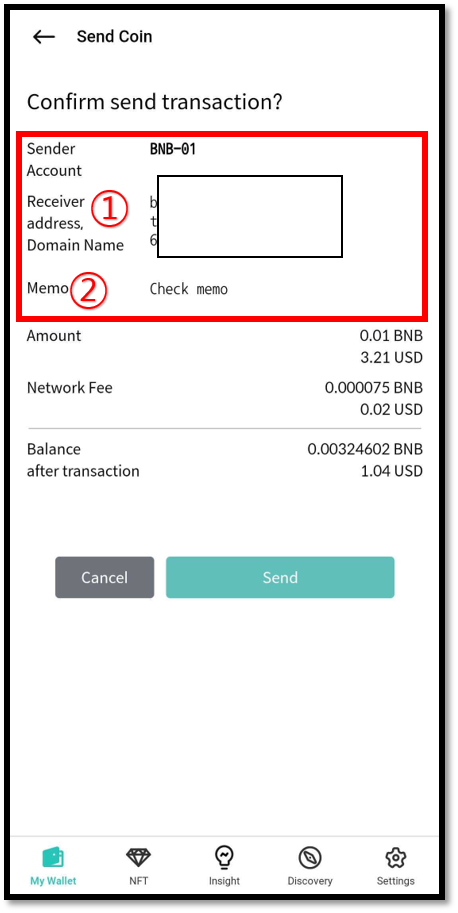
Before final confirmation, double-check both the address and the Memo.
The fee for Binance (BNB)
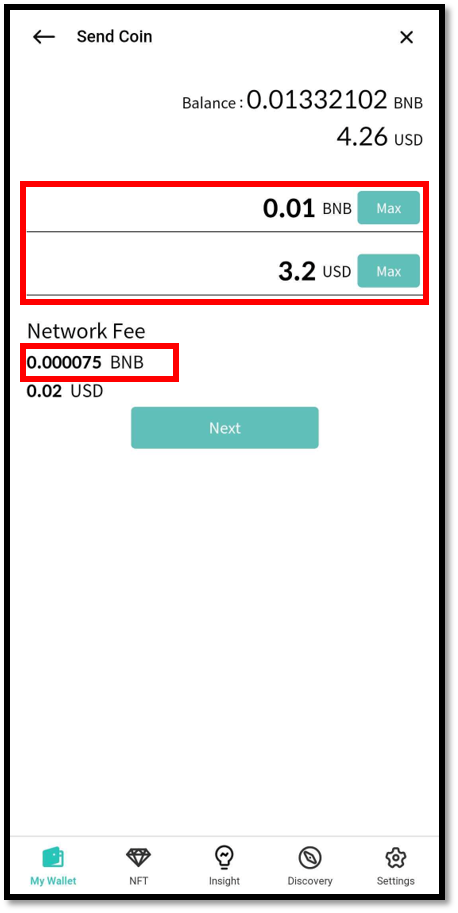
The BNB transaction fee is fixed at 0.000075 BNB per transaction.