How to use MONA account
How to create a MONA account
If you do not yet have a Monacoin account, create one in the app. The coin name to look for is Monacoin (MONA).
For full account-creation steps, see the link below.
Receive Monacoin
On your MONA account, tap Receive to view the account address.
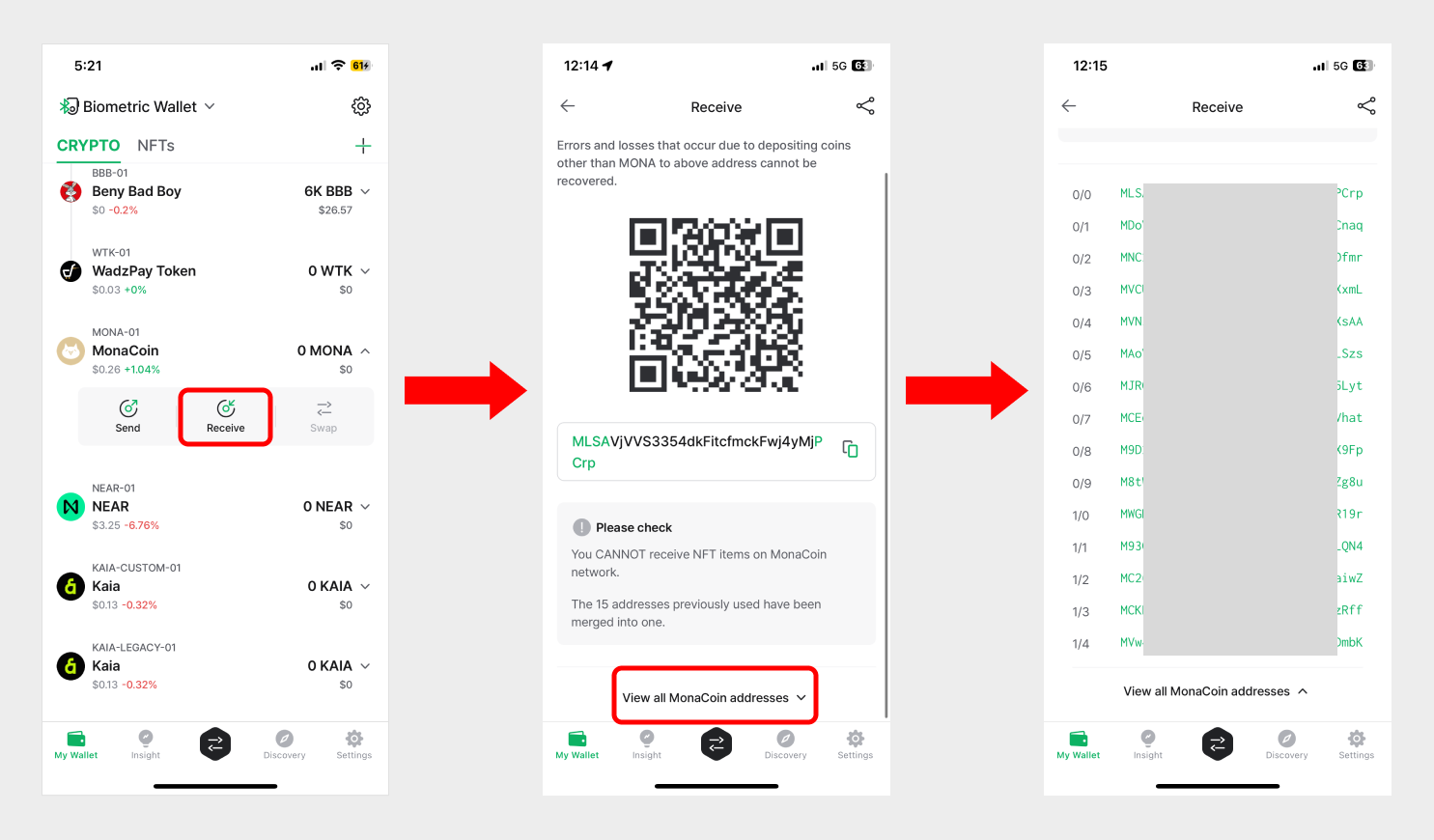
A Monacoin account is an HD wallet — the standard defined in BIP-44 (Bitcoin Improvement Proposals). Each MONA account in D'CENT Wallet manages 15 addresses, and any of them can be used to receive coins.
Tap the down arrow (∨) next to View all MONACOIN addresses to see the full list.
By default, the Receive screen shows the first address in that list.
For more information about receiving coins, see the link below.
Sending Monacoin
Sending MONA follows the same flow as sending any other coin. See the general send guide below.
Set the fee for Monacoin
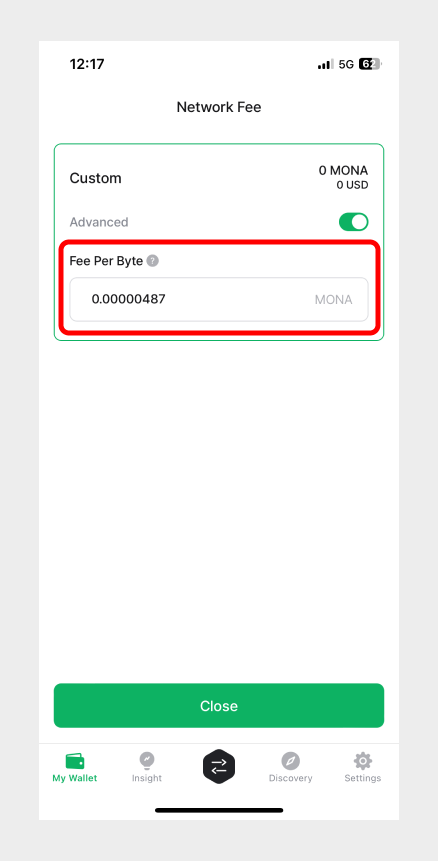
The Monacoin fee is calculated automatically once you enter the amount to send, using the current average network fee. You can fine-tune it under the advanced fee settings if needed.
If the fee is set too low, the transaction may never be confirmed by the network.