Using TrustLine for XLML
How to add a TrustLine
NOTE: Adding a TrustLine on the Stellar (XLM) ledger reserves 0.5 XLM. This amount stays locked in your XLM account for as long as the TrustLine exists.
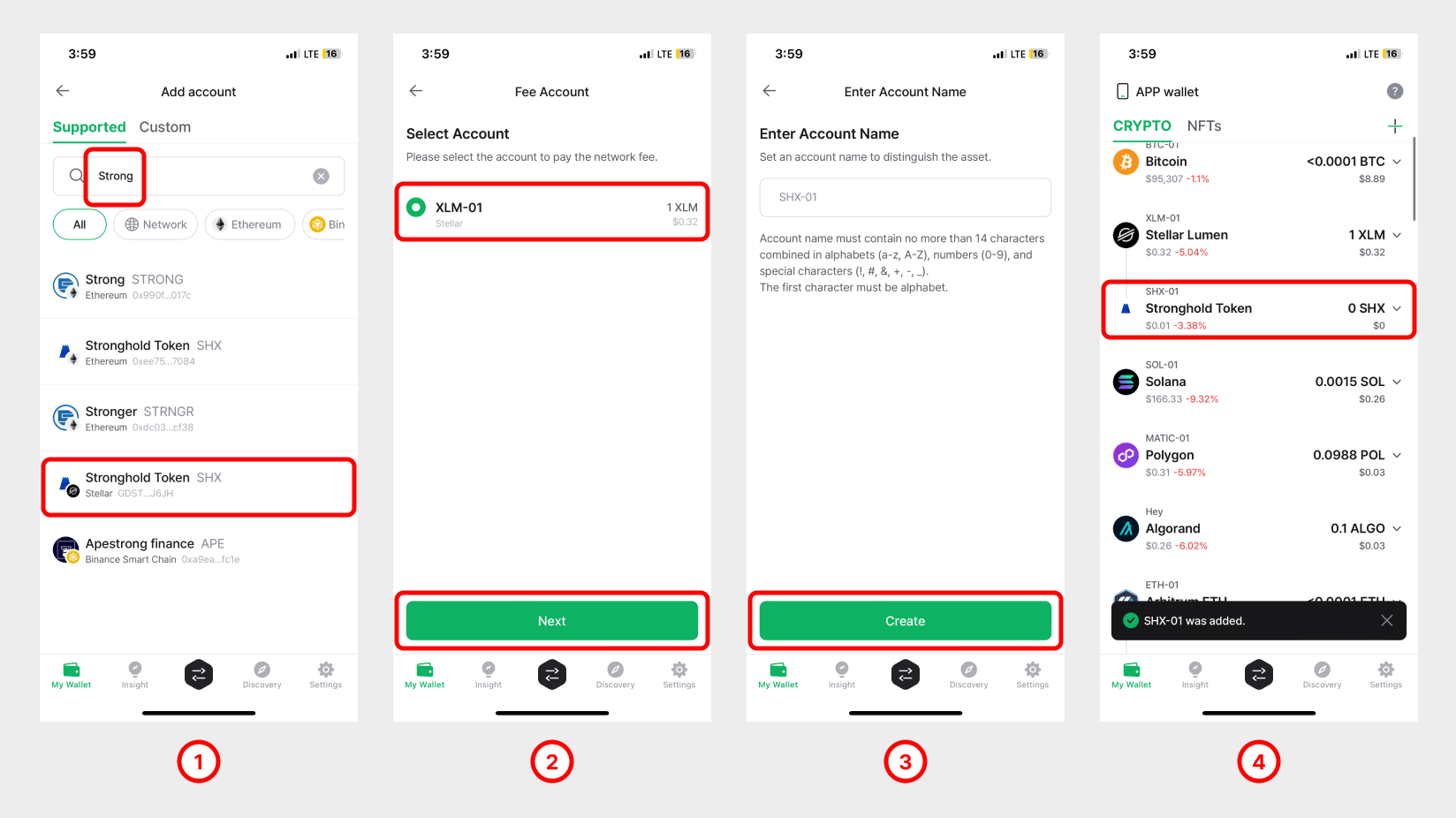
1) Add a TrustLine by searching for the asset's name. In this example, we add Stronghold Token (SHX).
2) Choose the XLM mainnet account that will pay the network fees for TrustLine activity, then tap Next.
3) Tap Create.
4) Stronghold Token (SHX) now appears underneath your XLM mainnet account.
(IMPORTANT!!) How to set (activate) a TrustLine
Adding a TrustLine alone does not let you receive the trust asset (issued currency). You must first SET (activate) the TrustLine before you can receive funds.
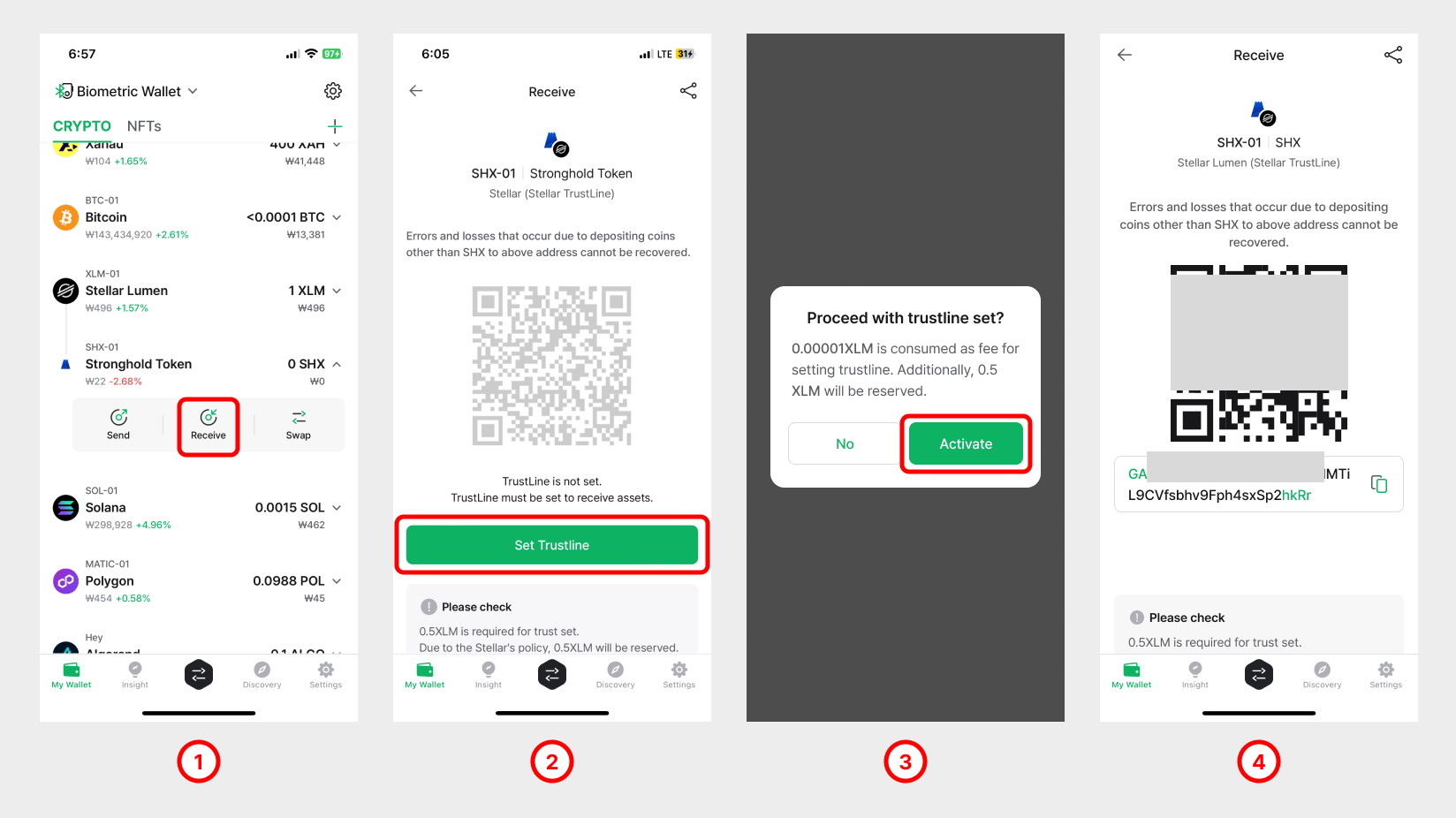
1) Open the TrustLine account and tap Receive.
2) Before activation, the address is hidden. Tap Set Trustline to start the activation.
3) Note that setting (activating) a TrustLine reserves 0.5 XLM (at the time of writing). Tap OK to confirm.
4) Once activated, the account displays its receiving address.
How to disable a TrustLine
A TrustLine can be disabled at any time, but only when its balance has been emptied completely. Once disabled, the 0.5 XLM that was reserved becomes spendable again.
👉 Disabling a TrustLine account frees up the 0.5 XLM reserved (locked) in your XLM account.
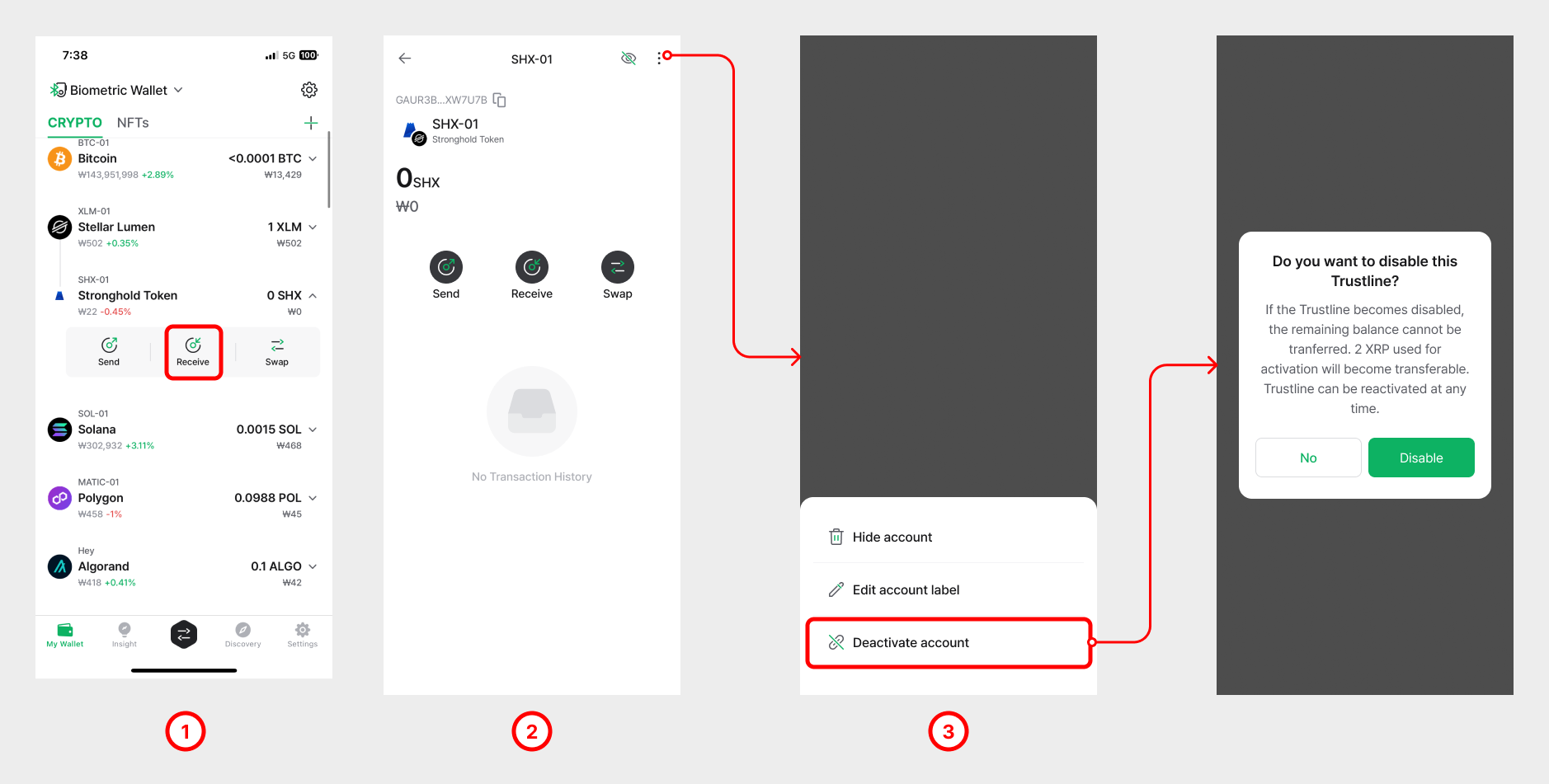
1) Open the TrustLine account you want to disable (for example, SHX) and tap Details History.
2) Tap the [︙] (More) button in the top-right corner and choose Disable Trustline.
3) Tap Disable Trustline.
4) Tap Disable to confirm.
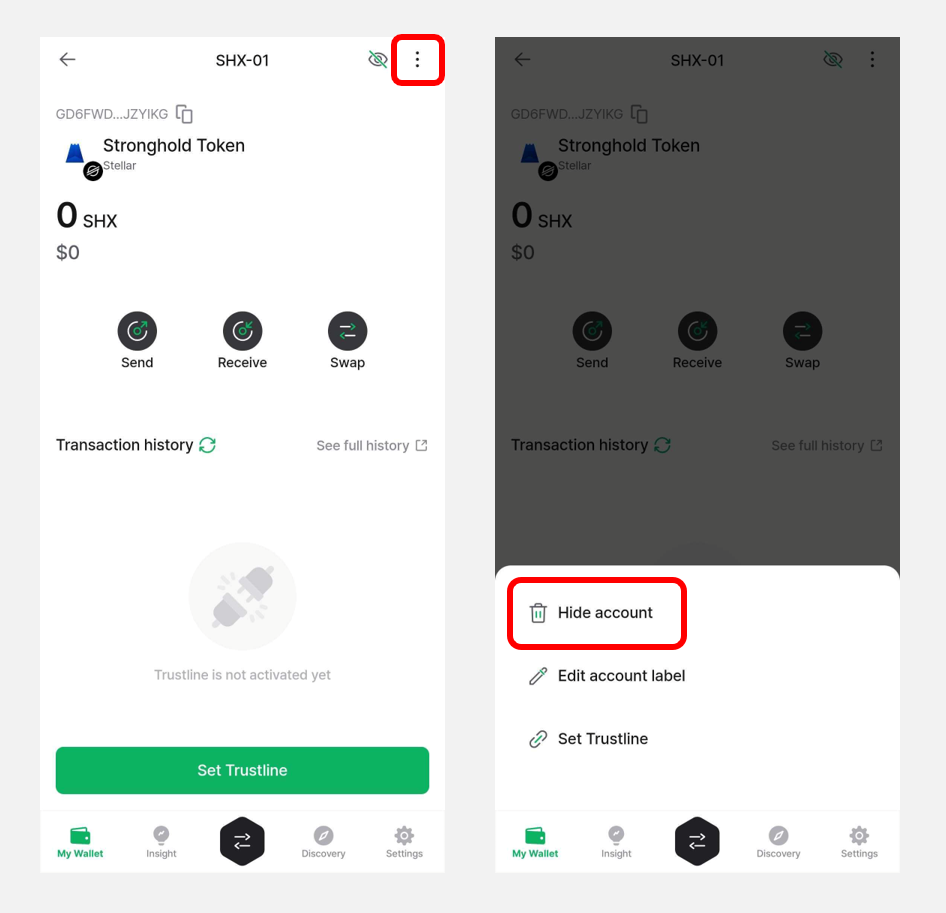
How to remove a TrustLine account
To remove an unused TrustLine account, open it and tap Hide account.