How to use TRON account (TRX, TRC10, TRC20, TRC721)
How to create a Tron (TRX) account
If you do not yet have a Tron account, create one in the app. The coin symbol to look for is TRX.
For full account-creation steps, see the link below.
When you add a new Tron account in DCENT Wallet, the account does not yet exist on the Tron blockchain. To use it, you first need to pay the 1 TRX account generation fee required by Tron's policy. The account also needs to be activated before its information can be queried via API or shown on a blockchain explorer.
Tron account creation
To create the account on-chain, simply send more than 1 TRX to your Tron address in the wallet.
Tron account creation fee = 1 TRX
Tron account activation
To keep the account active, you must maintain a balance of at least 0.1 TRX. If the balance drops below 0.1 TRX, the account becomes deactivated and stops returning information from the Tron blockchain.
Tron account activation fee = 0.1 TRX
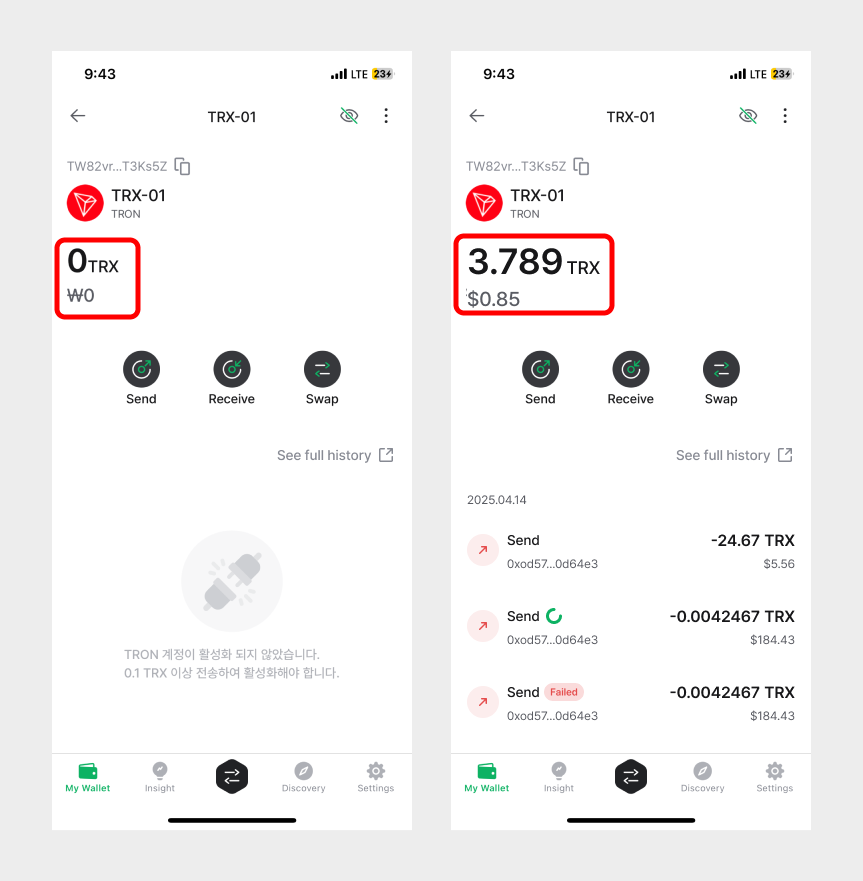
Frequently asked question
Q. My USDT (TRC20) balance is not showing up in my Tron account. What do I do?
A. If your TRX balance falls below 0.1 TRX, the account is deactivated and its information — including TRC10 and TRC20 token balances — stops appearing. Top up to at least 0.1 TRX to reactivate the account; the TRX balance and all token balances will reappear.