How to view all the BTC public addresses
Viewing all the BTC addresses
Each BTC account in DCENT Wallet automatically generates 15 public addresses. To see the full list, open the mobile app and follow the steps below.
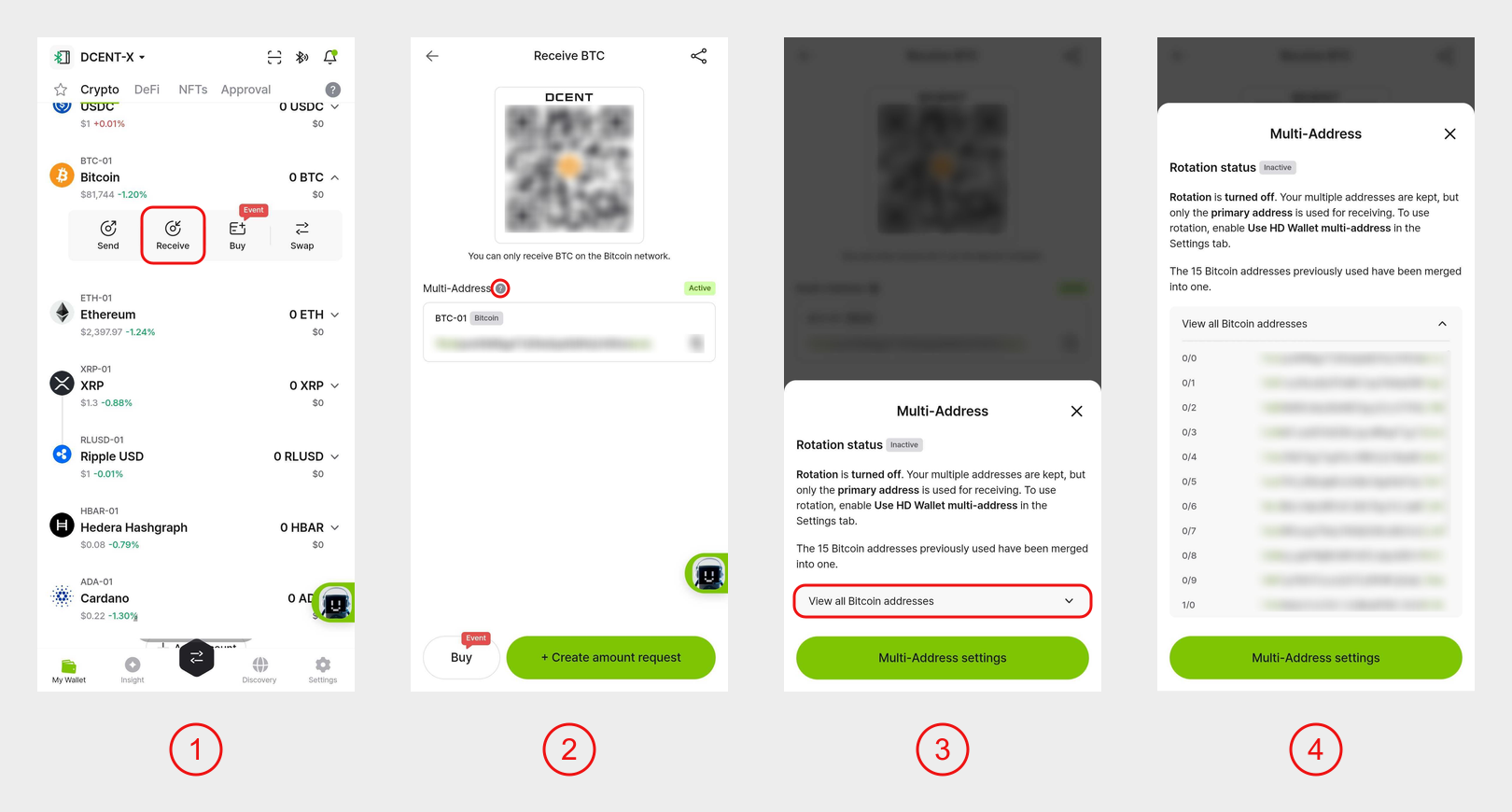
1) In the My Wallet tab, tap your BTC account to expand it, then tap Receive.
2) On the receive screen, tap the question mark (?) button next to Multi-Address.
3) On the Multi-Address screen, tap the down arrow (∨) next to View all Bitcoin addresses.
4) All 15 public addresses are shown. The address displayed on the receive screen is the primary address (the first of the 15), and funds sent to any of these addresses arrive in the same account.
info
For more on Multi-Address (address rotation) settings, see the FAQ below.