How to use KAIA account
How to create a KAIA account
If you do not yet have a Kaia account, create one in the app. The coin name to look for is Kaia (KAIA).
For full account-creation steps, see the link below.
Receive KAIA coin
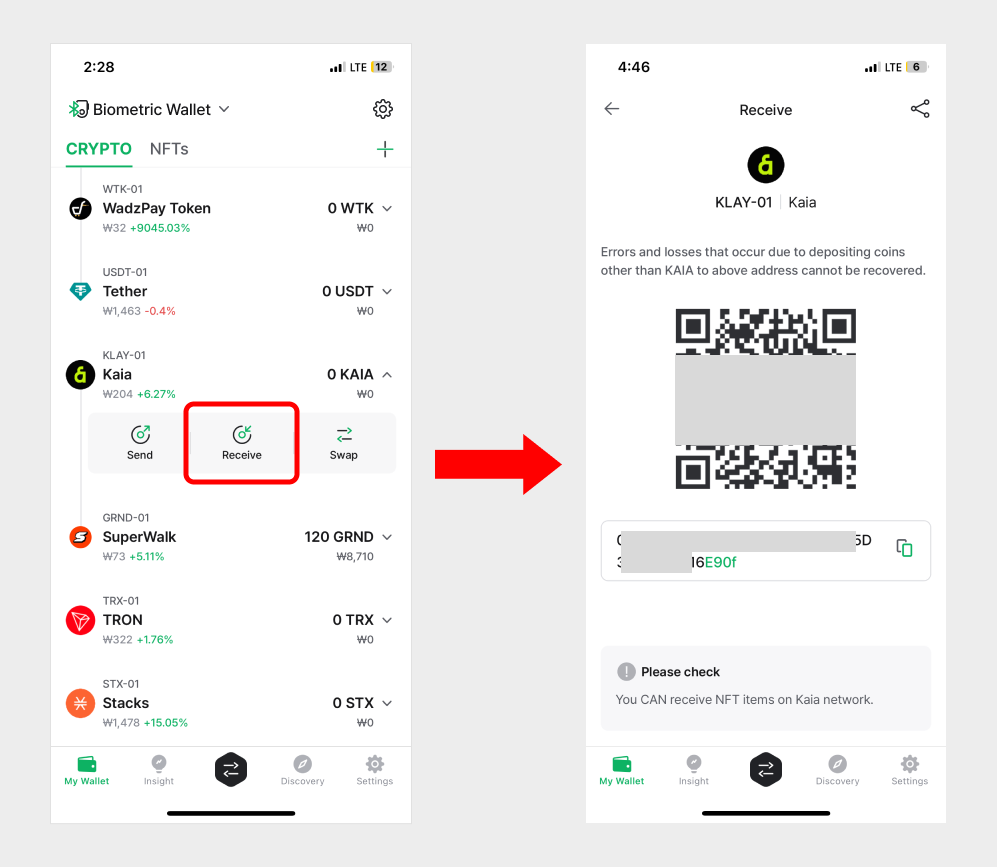
On your KAIA account, tap Receive to view the account address.
For more details on receiving coins, see the link below.
Sending KAIA Coin
Sending KAIA follows the same flow as sending any other coin. See the general send guide below.
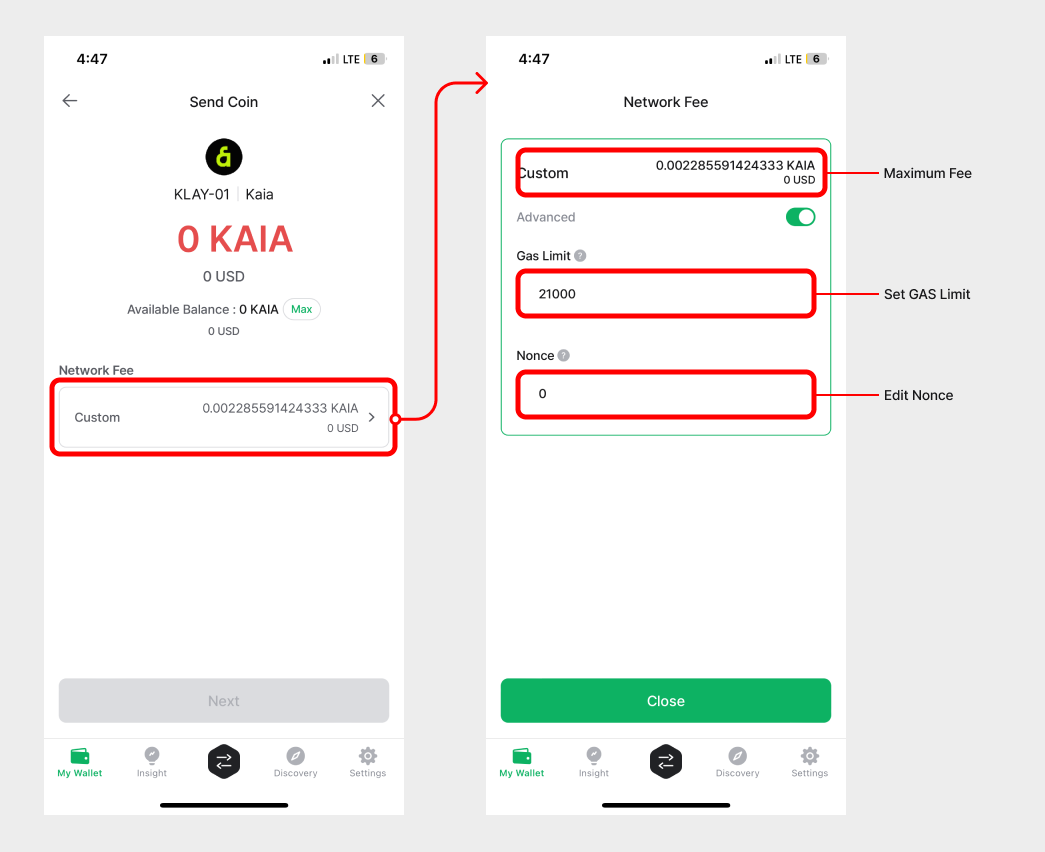
Set the fee for Kaia
The Kaia fee has two parts: the GAS fee (price per unit of gas) and the GAS Limit (maximum gas the transaction may consume). GAS fee is denominated in Ston, a sub-unit of KAIA:
1 KAIA = 1,000,000,000 ston
The actual fee paid is Gas used × GAS fee.
On Kaia, the GAS fee is fixed by the network, but you can adjust the GAS Limit during the fee setup step.
The DCENT mobile app calculates the GAS Limit for you automatically.