How to use XRP account
Ripple (XRP) account activation
When you first add a Ripple (XRP) account, it is inactive. Ripple's policy requires you to receive at least 1 XRP at the address before it becomes active on the XRP Ledger. That 1 XRP is permanently locked in the account as a minimum reserve.
In practice, this means that if you receive 100 XRP, only 99 XRP can ever be sent out — the 1 XRP reserve always stays in the account.
Some exchanges may restrict transfers to inactive XRP addresses.
XRP Destination Tag
Exchanges typically share a single XRP deposit address across all of their users. For example, User #1, User #2, and User #3 all see the same XRP address. To tell each user's deposit apart, the exchange assigns each account a unique Destination Tag (a numeric identifier).
When sending XRP to an exchange address, you MUST enter the correct Destination Tag. Otherwise, the exchange cannot credit your deposit.
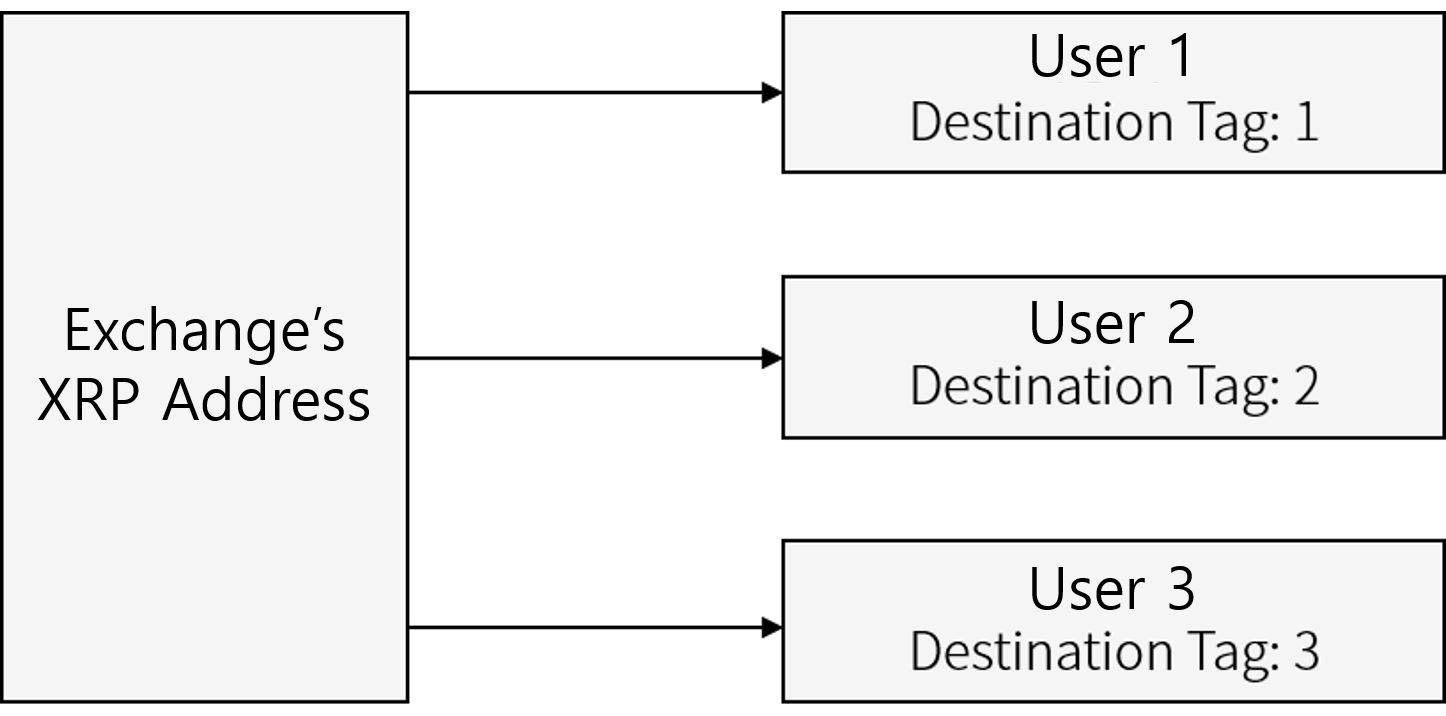
Example of XRP account created from an Exchange
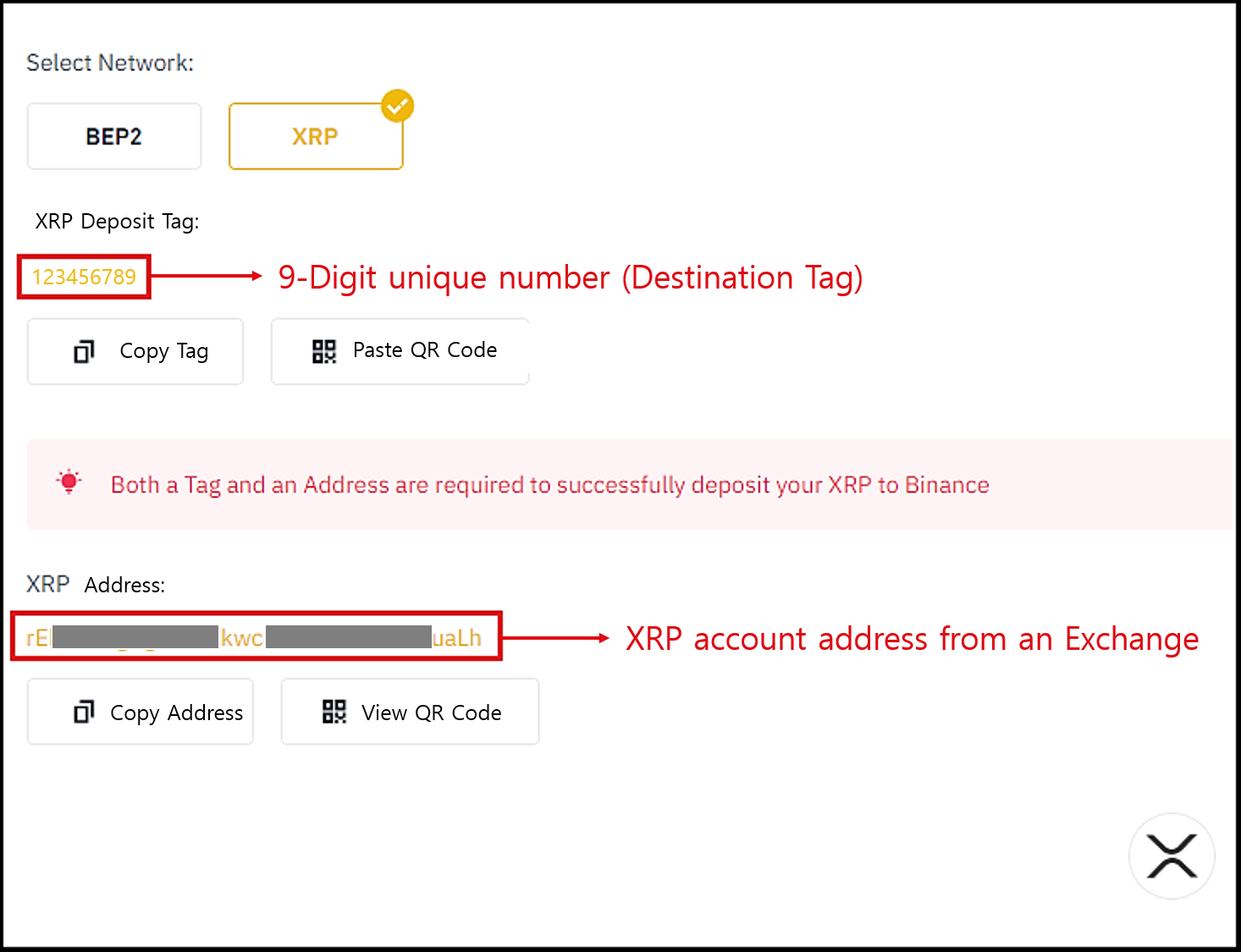
The picture above shows an example XRP deposit page from an exchange such as Binance.
When you tap Deposit for XRP, the exchange shows your 9-digit Deposit Tag (Destination Tag) along with the XRP address below it.
When sending XRP to an exchange address, you must always include the Destination Tag.
XRP wallets created in DCENT Wallet
XRP accounts created in personal wallets such as DCENT Wallet only have an address — there is no Destination Tag.
Personal wallets like DCENT Wallet do not use a Destination Tag on their XRP accounts.