How to receive or send an NFT token
Receiving an NFT token to DCENT Wallet
This section shows how to move an NFT from another wallet to DCENT Wallet. The example uses MetaMask connected to the Rarible NFT marketplace, but the steps are similar when transferring from other wallets or exchanges.
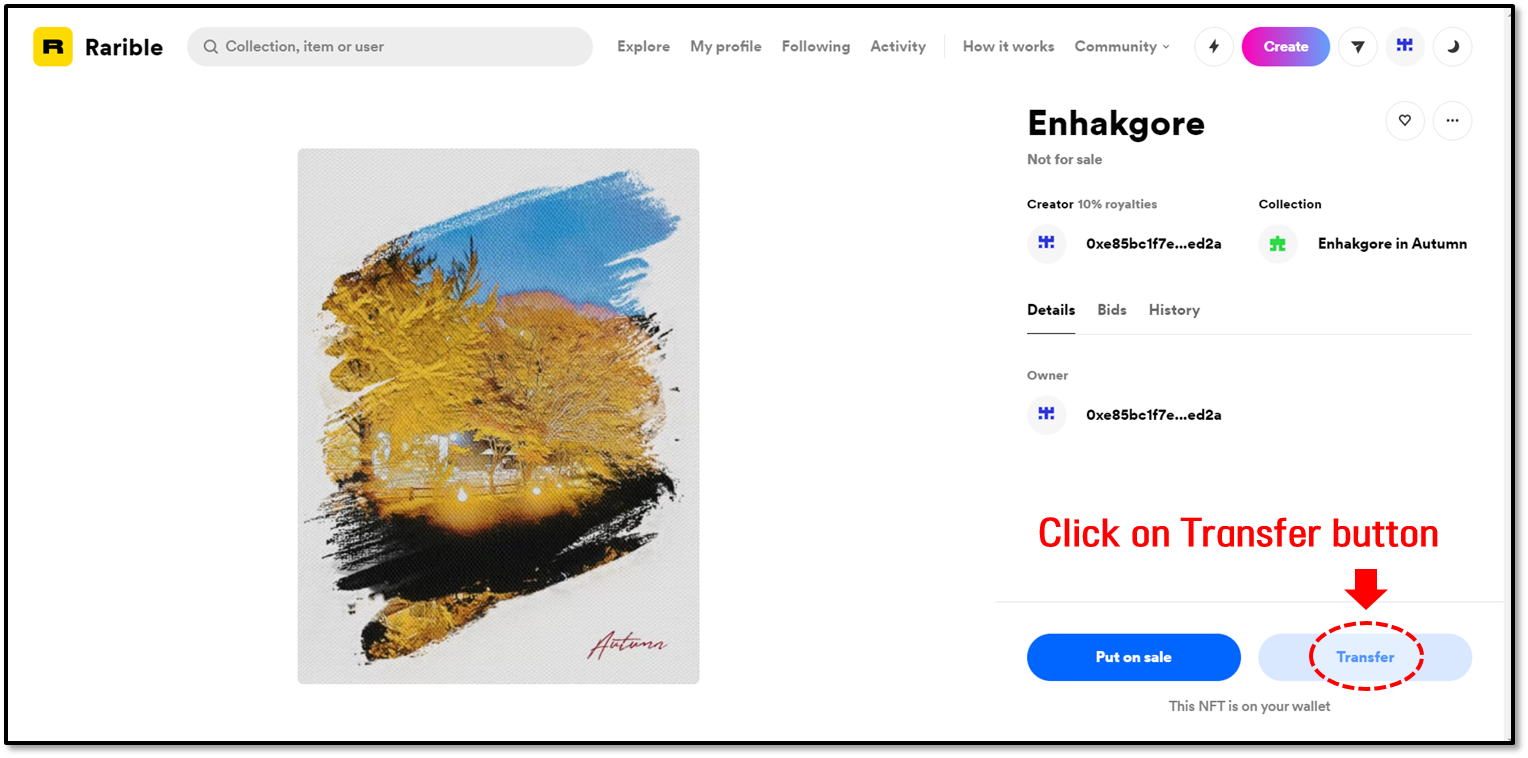
1. Open the NFT you want to move. In this example, the NFT is held in the MetaMask wallet connected to Rarible. Click Transfer to begin sending it to DCENT Wallet.
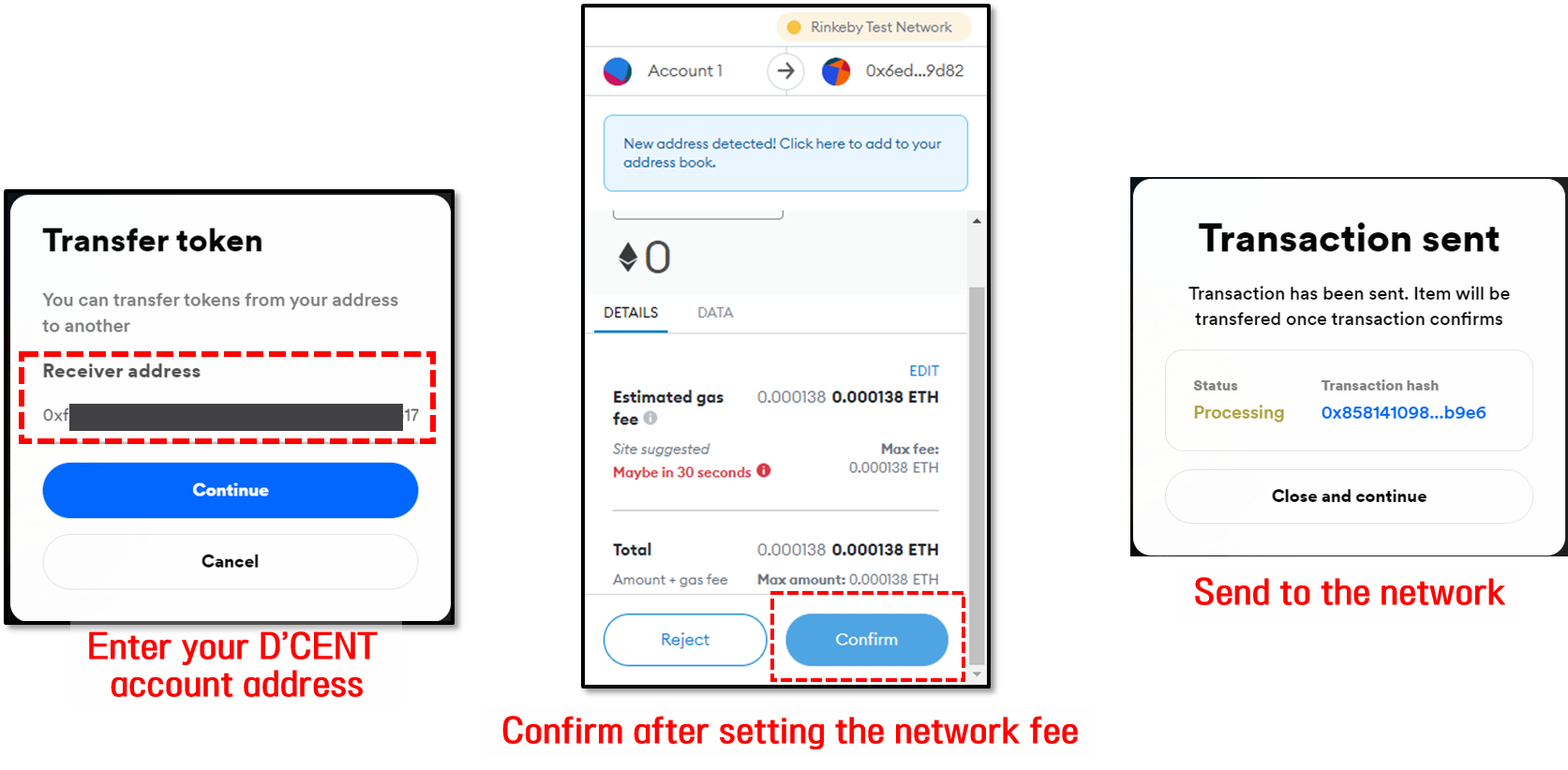
2. MetaMask (or whichever wallet is connected to the service) opens a send transaction. Enter your DCENT Wallet address, set the fee, and confirm. This broadcasts the NFT transfer to the blockchain network (Ethereum, in this example).
3. Once the transaction is confirmed on the blockchain, the received NFT appears on the Collectibles tab of your DCENT Wallet.
.png)
Sending an NFT token from DCENT Wallet to another wallet
This section shows how to send an NFT from DCENT Wallet to another wallet or exchange. The example sends to MetaMask connected to Rarible; the same flow applies to other destinations.
1. On the Collectibles tab in DCENT Wallet, open your NFT collection and tap Send. On the next screen, enter the recipient's address.
-c14625f0eaf890575ac554cebe18b704.png)
2. Verify the recipient's address, set the network fee, and review the final transaction details before sending.
-ed80e335cdc242c0da9a997ad7b26682.png)
3. After the transaction is broadcast, wait for the network to confirm it. Once confirmed, the NFT no longer appears in your collectibles list.
-6b71759cdc2c701dd5e4d7828db210fd.png)