How to receive coin
To receive crypto assets, first create the matching coin account so you have an address to share.
Make sure the account you add in DCENT Wallet uses the same network as the sender's coin. If the networks do not match, the coins will not arrive.
Receive coin on DCENT X
On DCENT X, tap the account you want on the home screen to see its address. On a main network that has tokens, tap the token you want in the token list once more. Swipe to see the same address as a QR code, which the other party can scan to get your address directly.
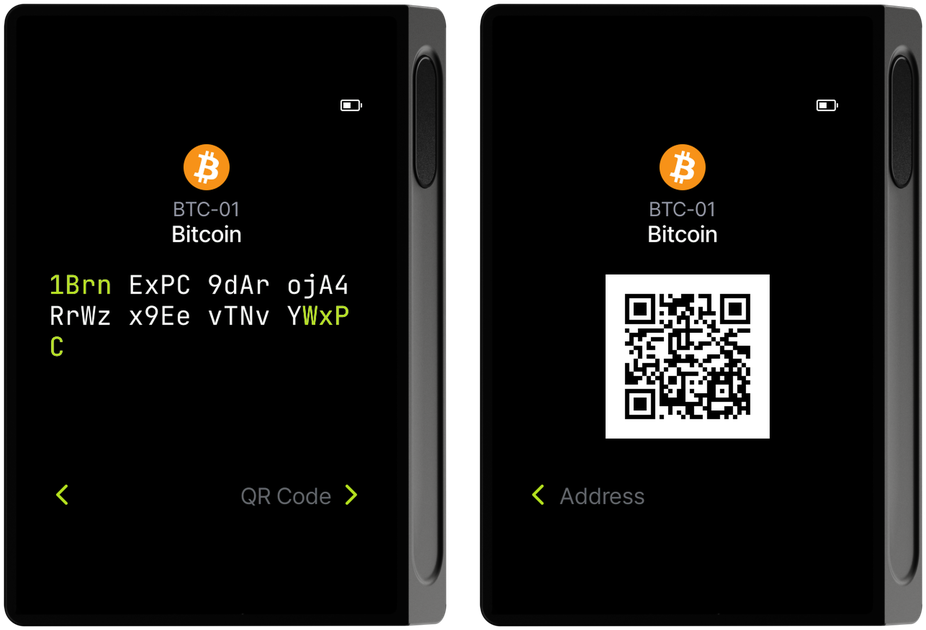
Receive coin using Biometric Wallet
The DCENT Biometric Wallet can display your account address as a QR code right on the device.
- On the main screen, select the coin account you want and press the OK button to open the account info.
- Press OK again to view the address in text form (numbers + letters).
- Press OK one more time to view the same address as a QR code.
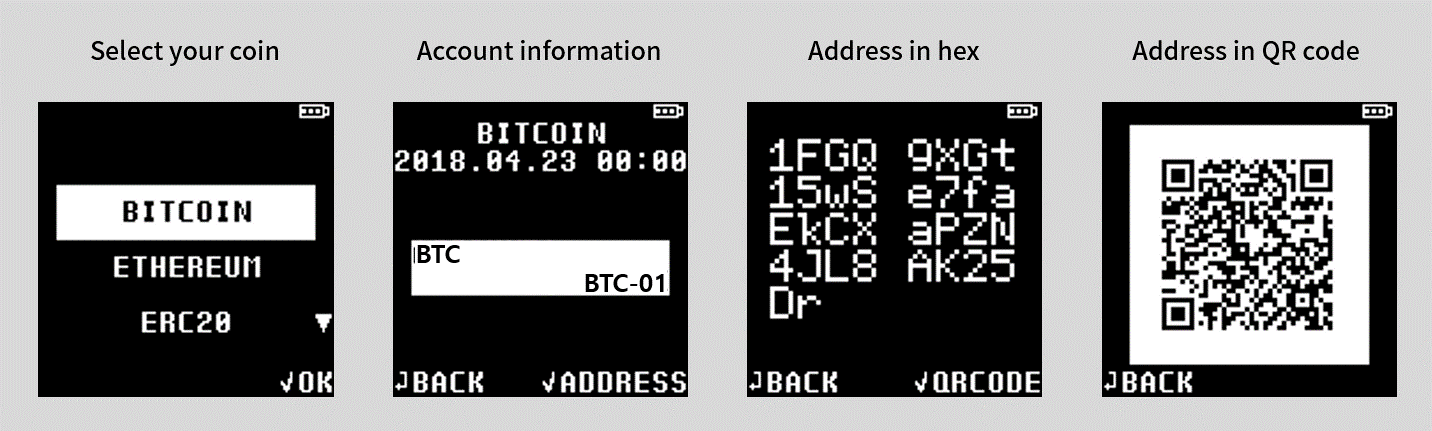
- Show the QR code to the sender so they can scan it with their phone camera.
- When the QR code is scanned correctly, your address is filled in automatically on the sender's side.
Receive coin using Mobile App
Open the mobile app to see your accounts on the My Wallet tab.
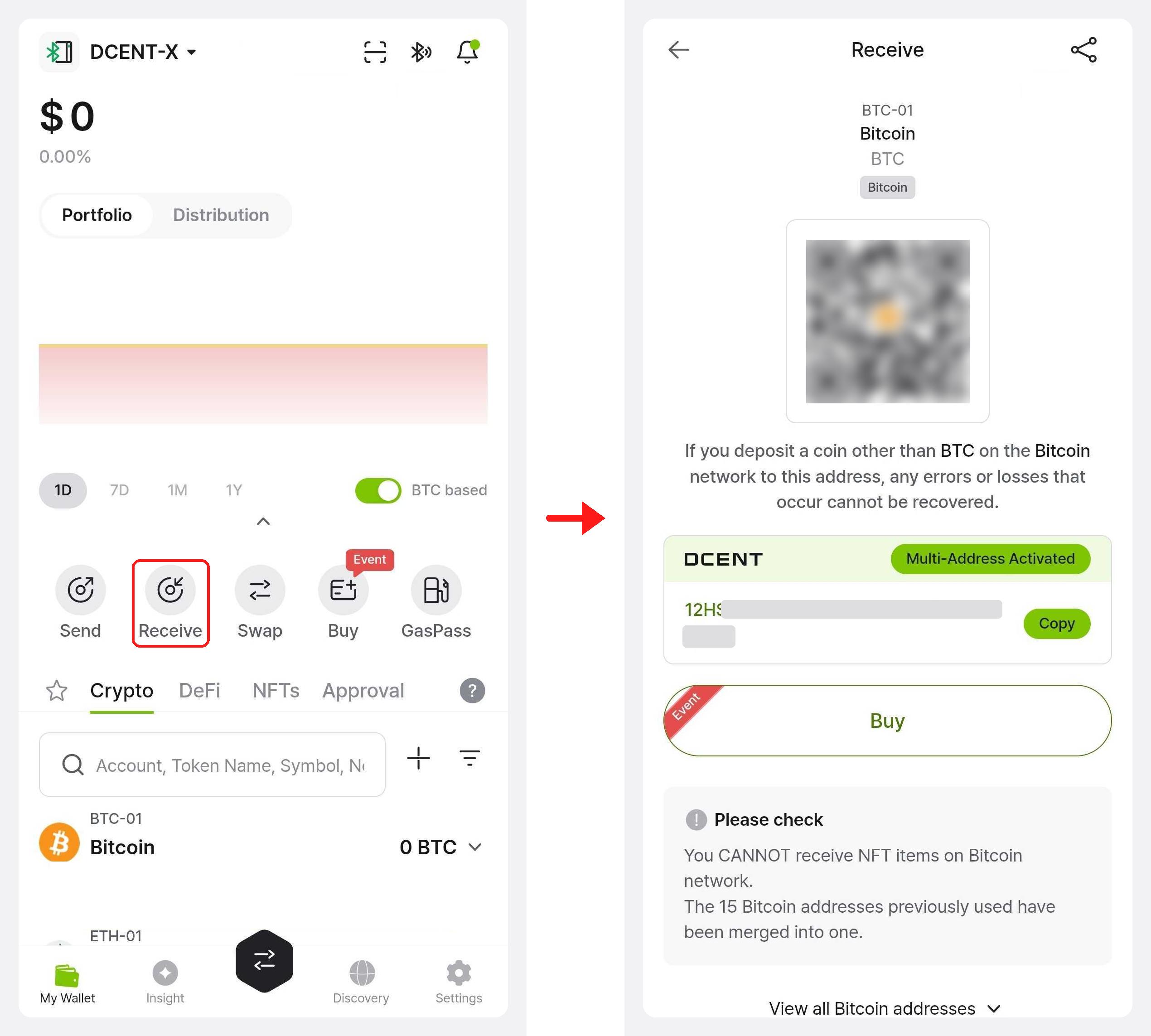
- On your coin account, tap Receive to view the account address.
- The sender can scan the QR code directly with their camera.
- To share the text address, use the Copy or Share button.
The mobile app alone is enough to view your address.
For extra safety, double-check the same address on your Biometric Wallet before sharing it.