Card type Wallet mode
This guide explains how to send coins from the DCENT S Card Wallet and the All-in-One Card Wallet.
To use the Card Wallet, NFC must be enabled in your phone's settings.
This guide is based on DCENT mobile app v9.2.0.
Enter the recipient address
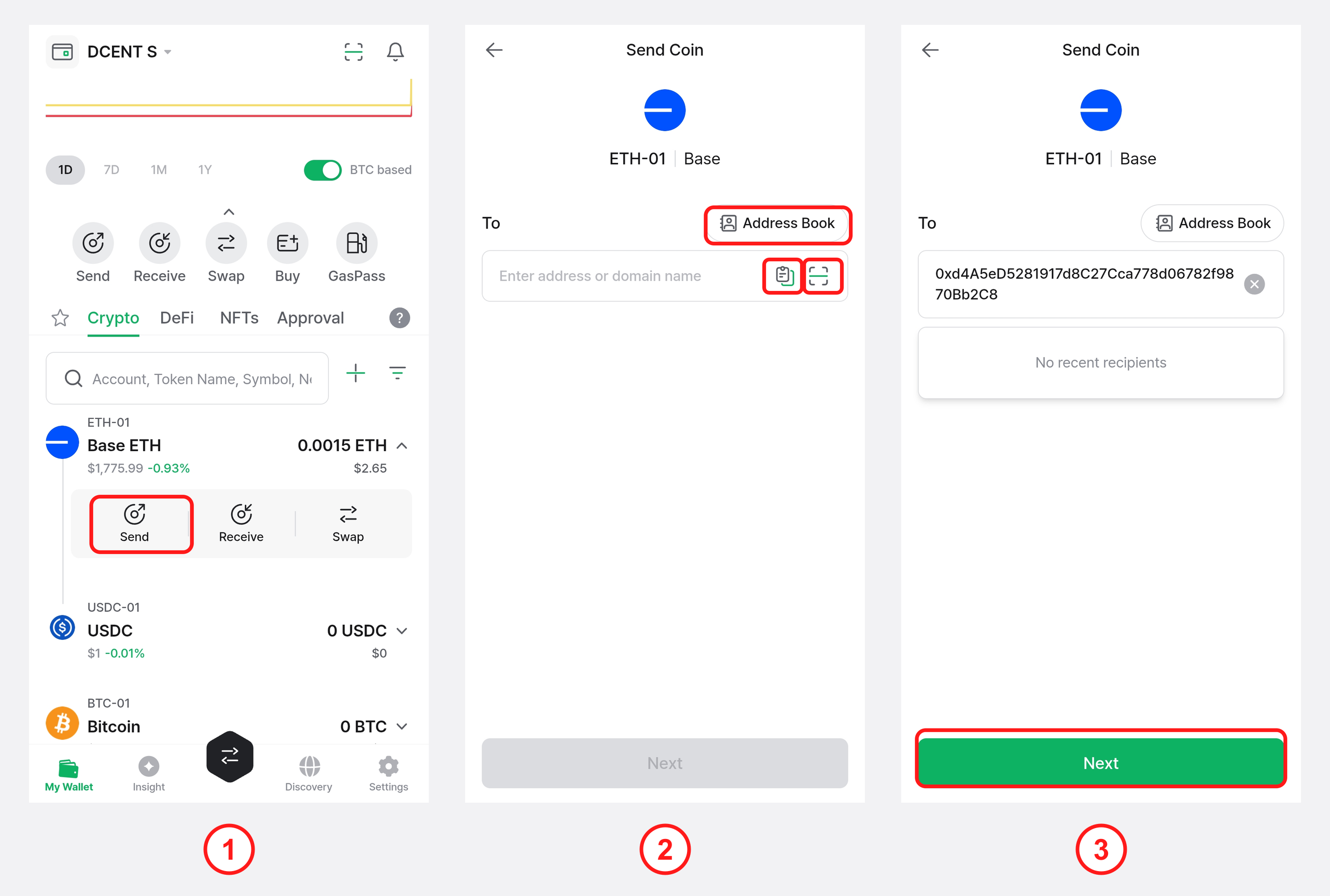
1) In the mobile app, tap Send on the coin account you want to use.
2) Type the recipient address into the address field, or tap Paste (fills in an address you copied earlier), QR Scan (opens the camera to scan an address in QR code format), or Address Book (select an address you saved previously).
3) Once the address is entered, tap Next.
Enter the amount and set the fee
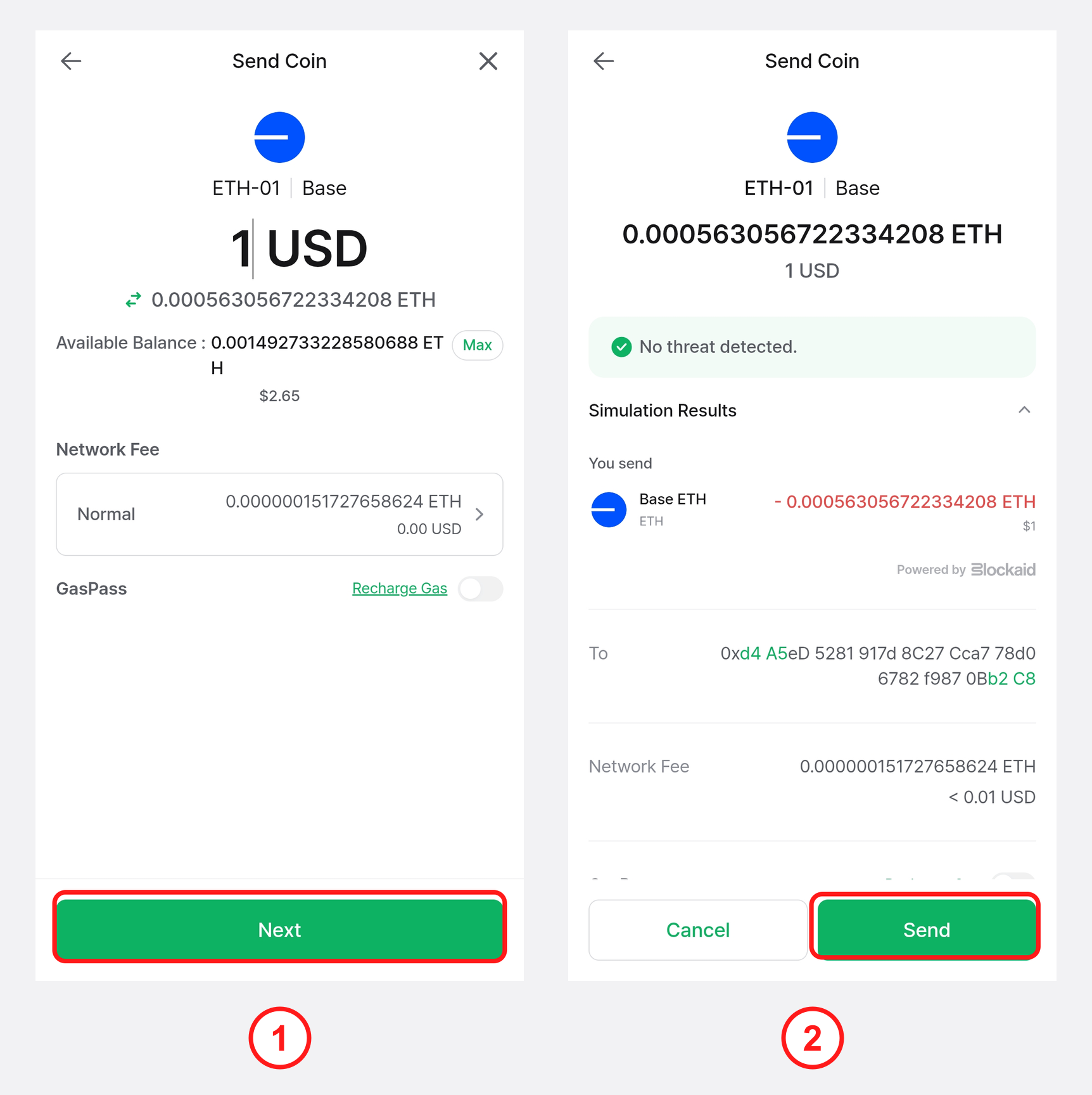
1) Enter the amount to send (in the coin's units or in your local currency) and choose a network fee level: Slow, Normal, or Fast. Choosing Fast pays a higher fee and usually shortens processing time. When done, tap Next.
2) Review the transaction details on screen and tap Send.
Final confirmation on your Card Wallet
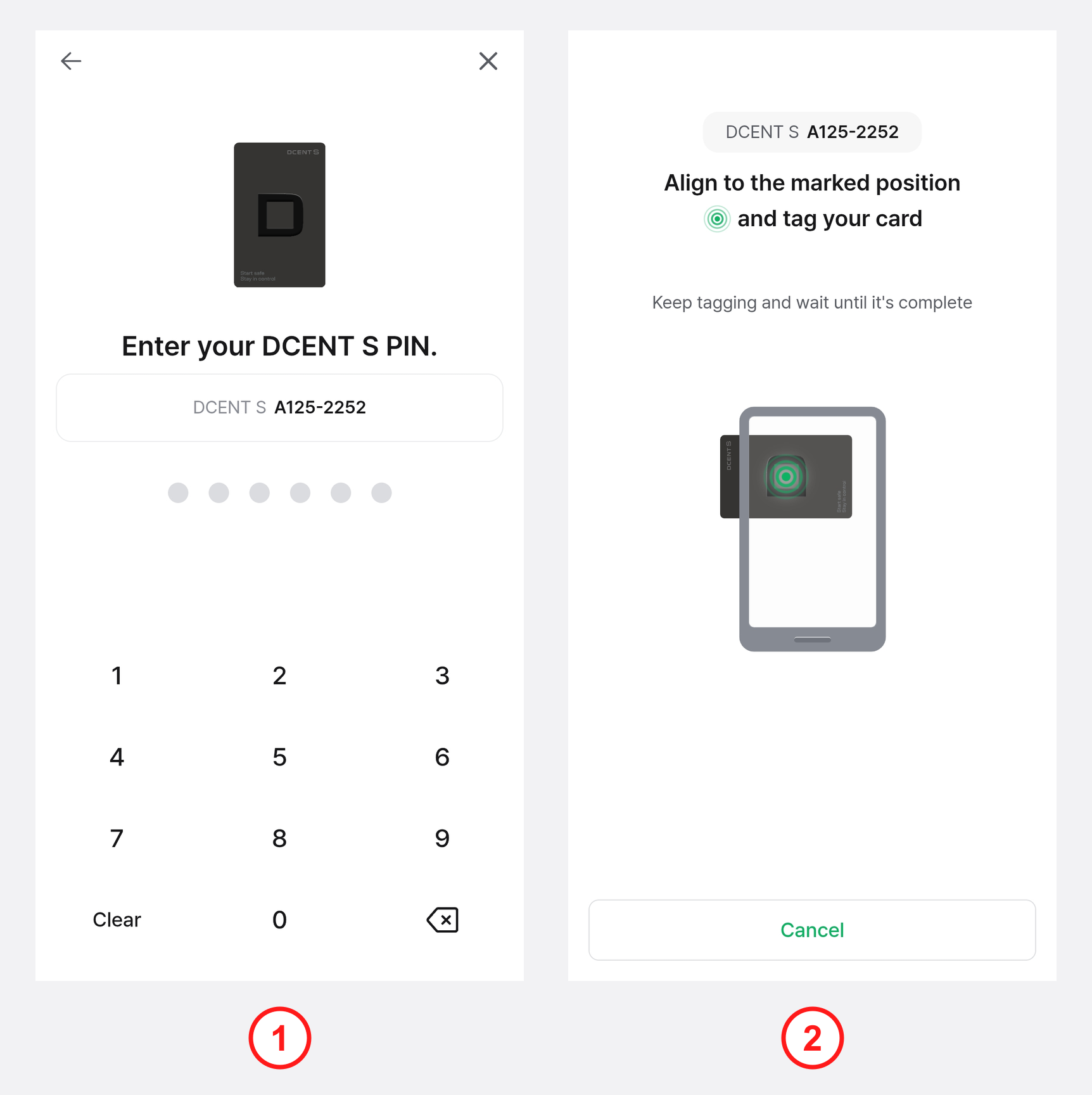
1) Enter the PIN for your Card Wallet.
You have up to 10 attempts to enter the correct PIN. After 10 or more failed attempts, the DCENT S Card Wallet will be reset, while the All-in-One Card Wallet will be permanently locked and can no longer be used. Make sure you remember your Card Wallet PIN.
2) Tag the Card Wallet against the NFC antenna on the back of your phone. The exact antenna position depends on the phone model.
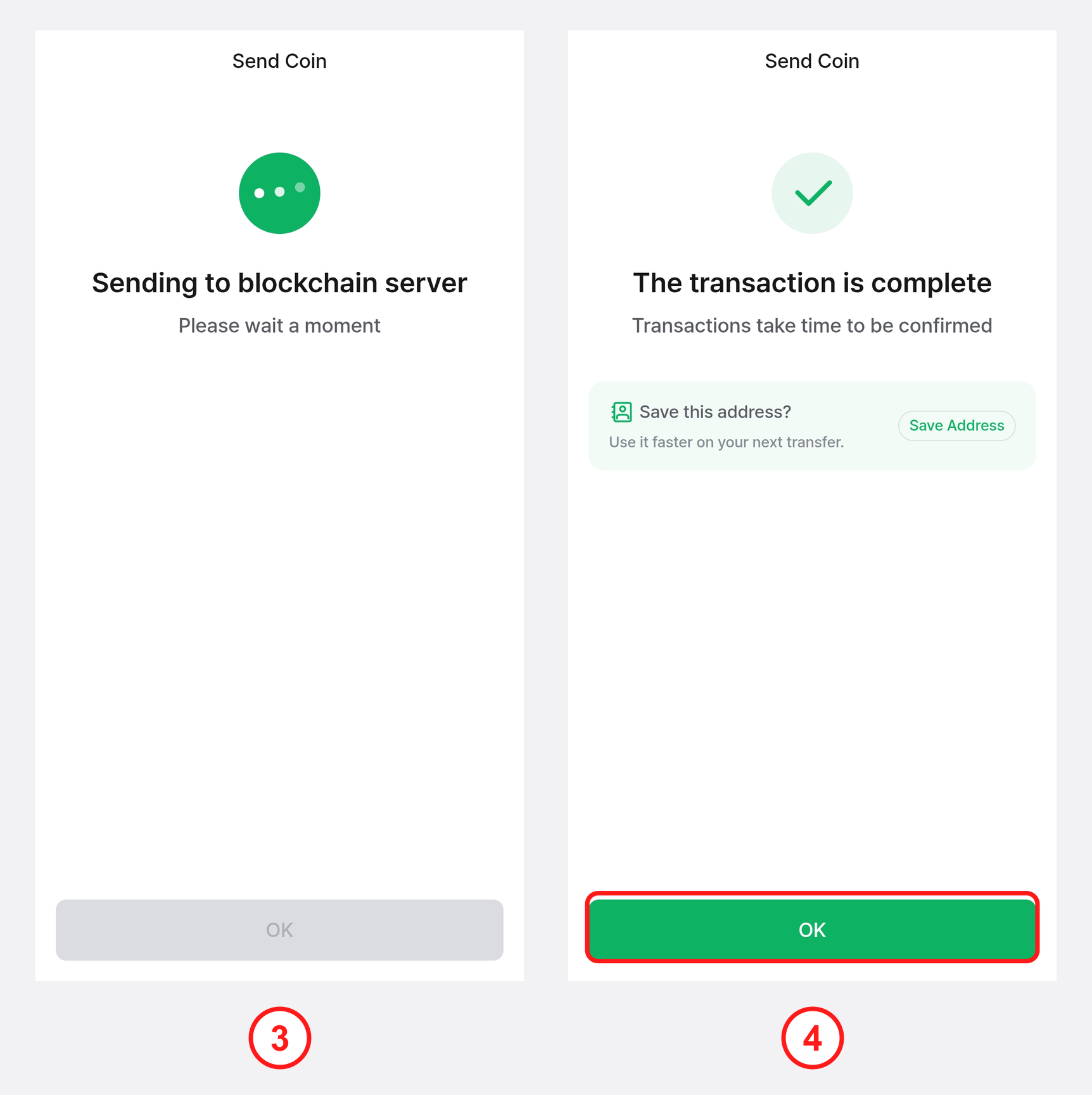
3) Wait a moment while the transaction is broadcast to the blockchain server.
4) When the "The transaction is complete" message appears, tap OK to return to the main screen.