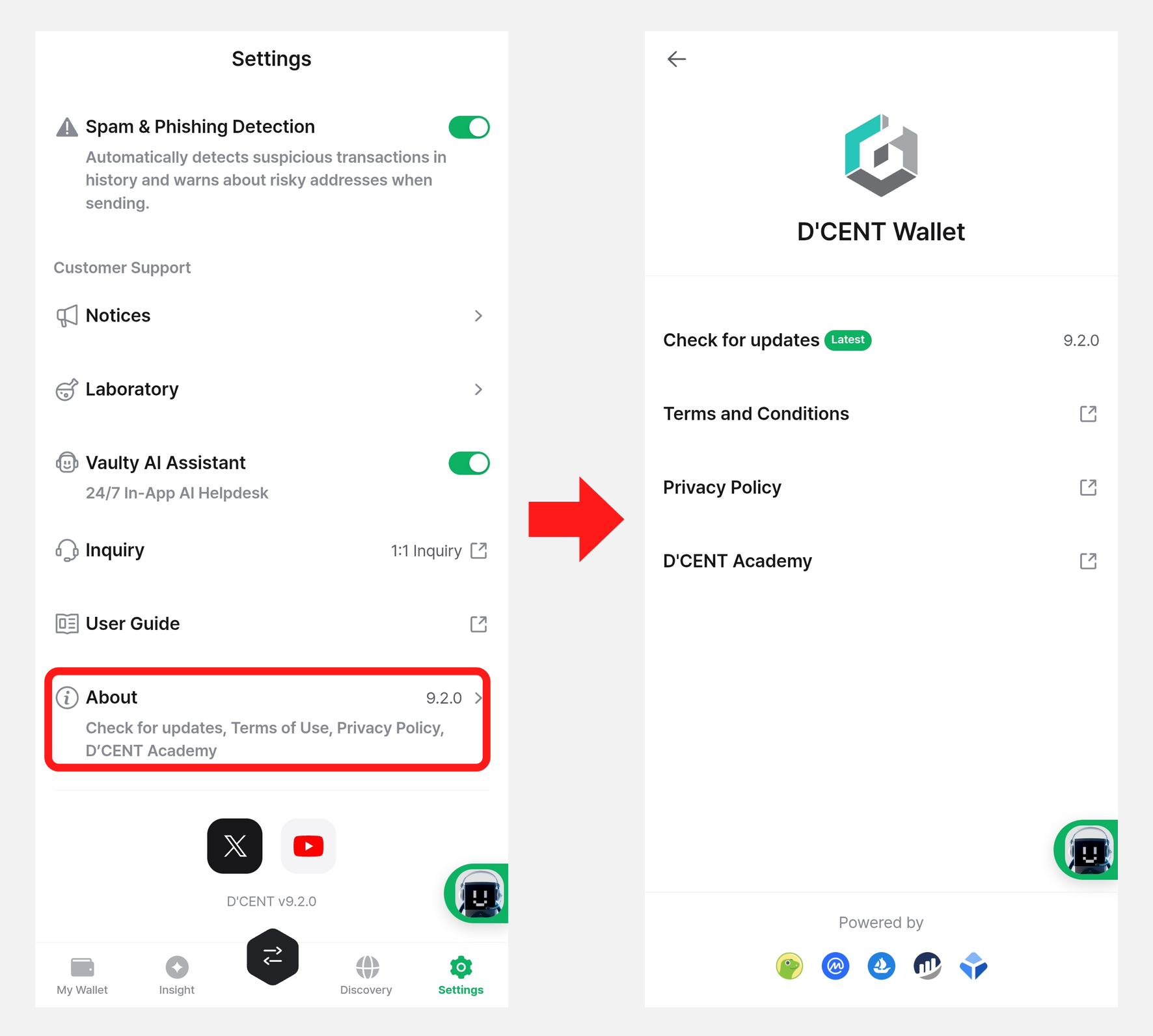
Mobile App "Settings" menu
This guide is based on DCENT mobile app version 9.2.0.
From the "Settings" tab, you can change various options of the DCENT mobile app.
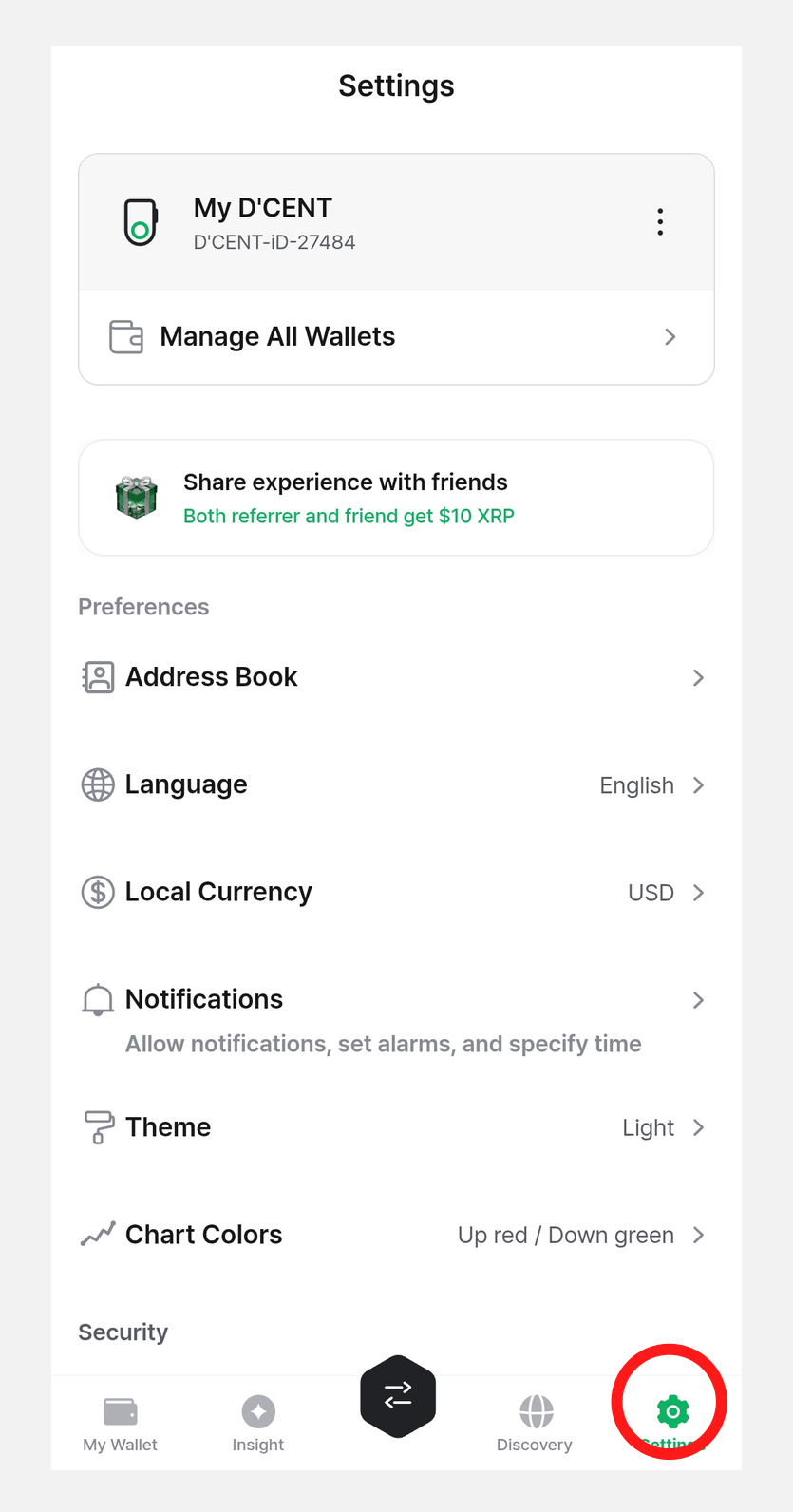
Manage All Wallets
You can manage every wallet currently registered in the app—Biometric Wallets, Card Wallets, and App Wallets—in one place, and register new wallets as well.
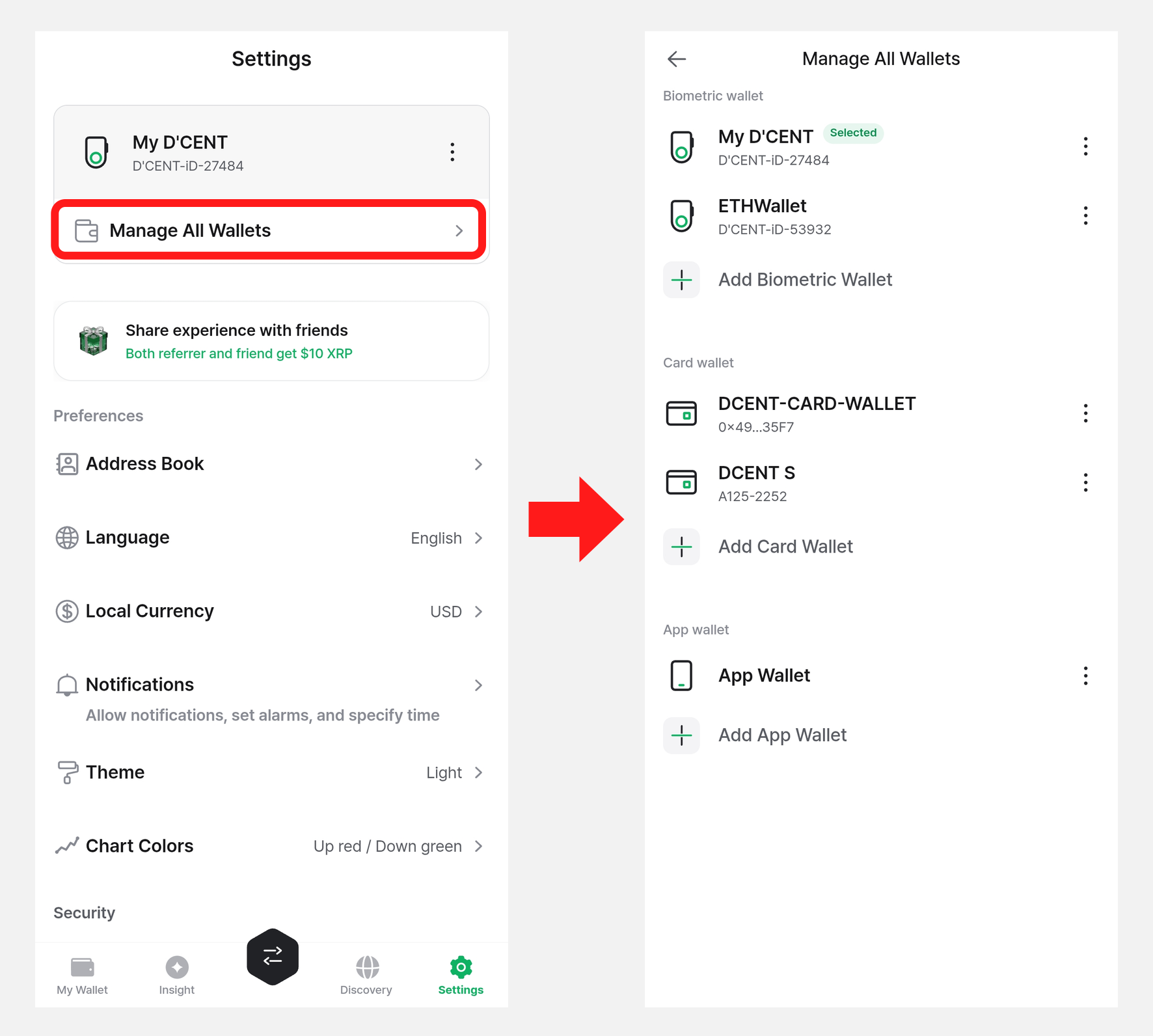
For more details on the Manage All Wallets menu, see the guide below.
Address Book
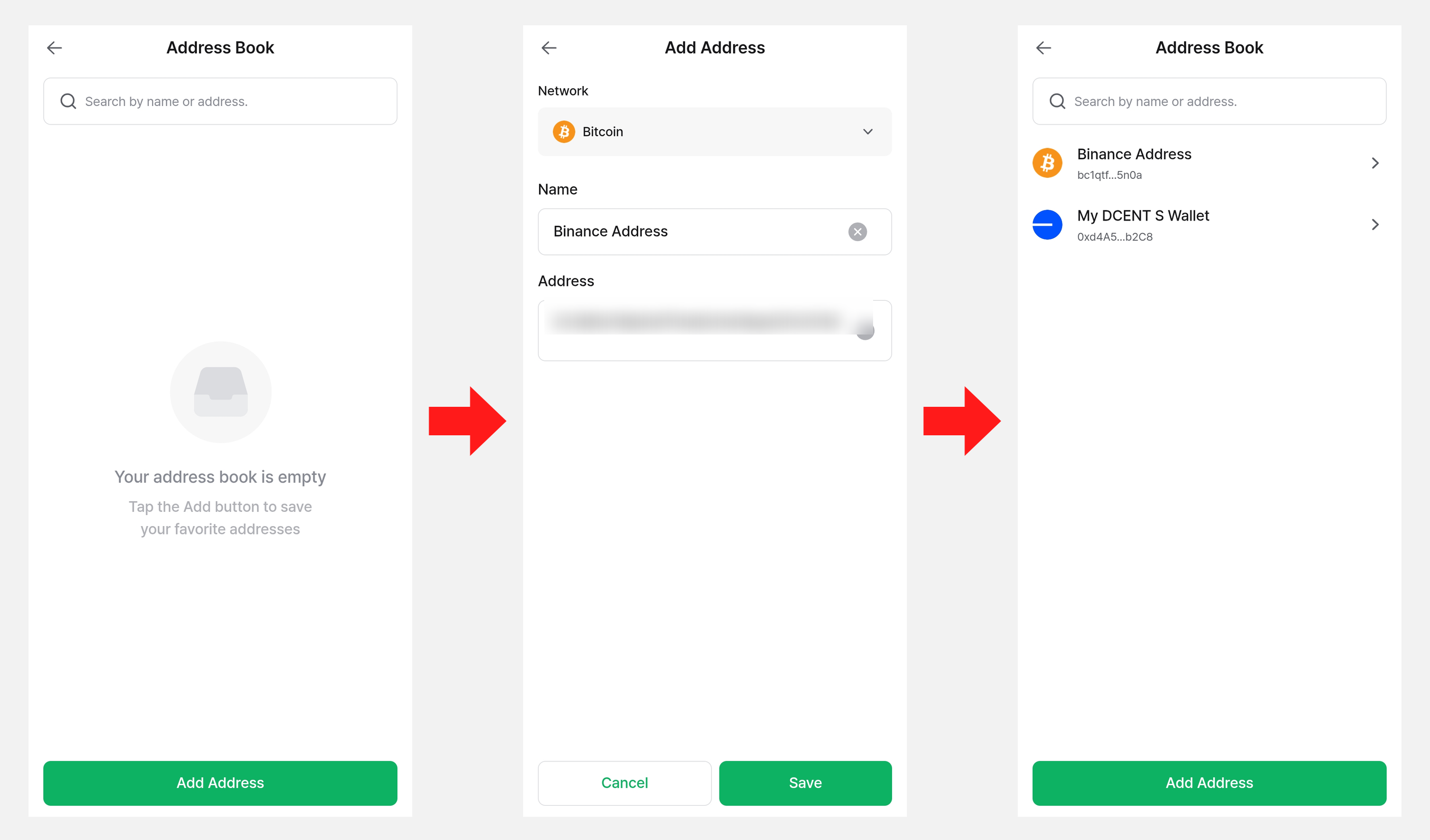
If you save frequently used wallet addresses in the Address Book, you can select them easily when sending coins instead of typing the address by hand.
On the Address Book screen, tap "Add Address", enter the network, name, and address, and save. The saved address is then added to the list.
Sending Coins with a Saved Address
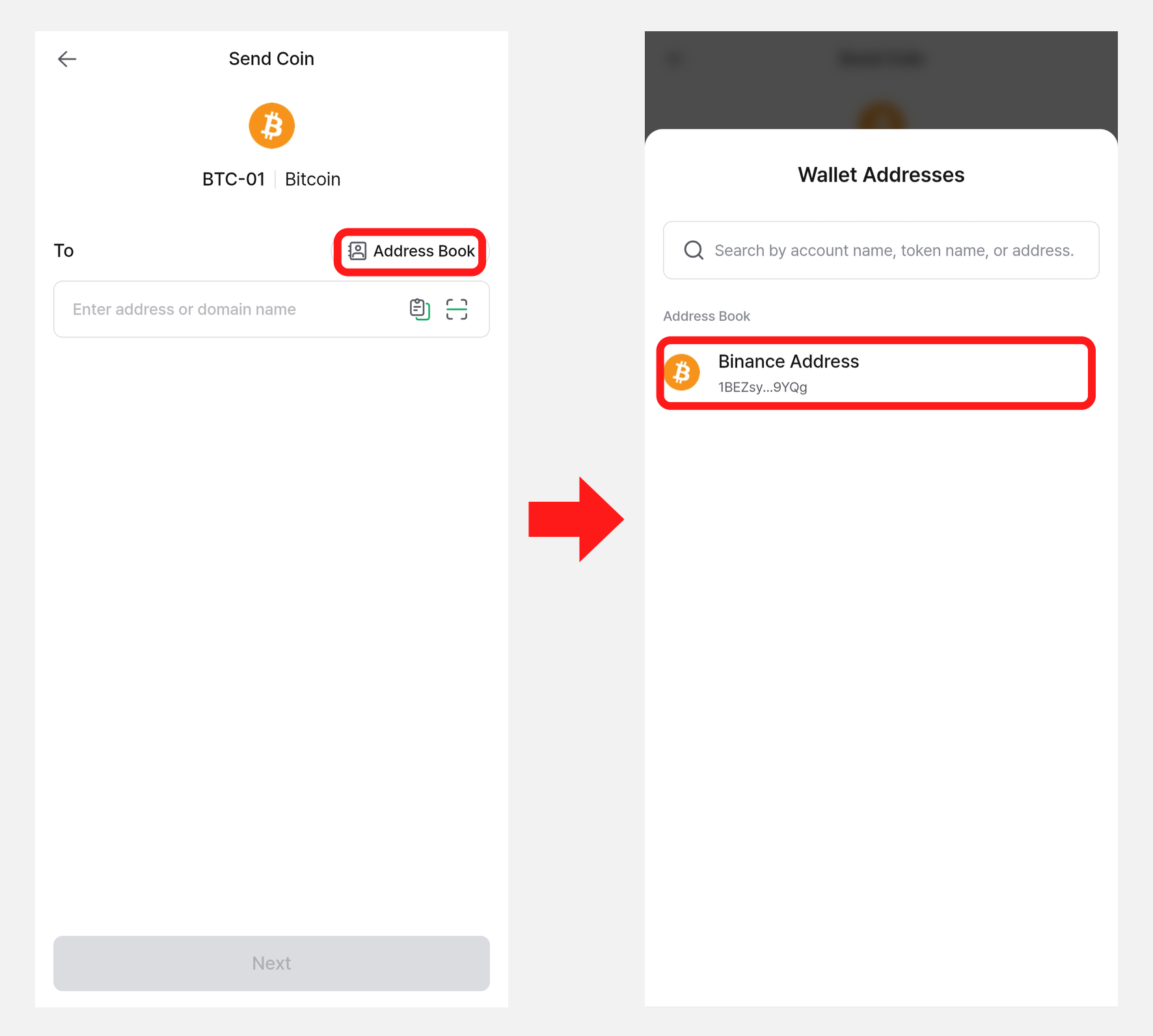
On the Send Coin screen, tap the "Address Book" button to load a saved address and use it as the recipient right away.
Deleting a Saved Address
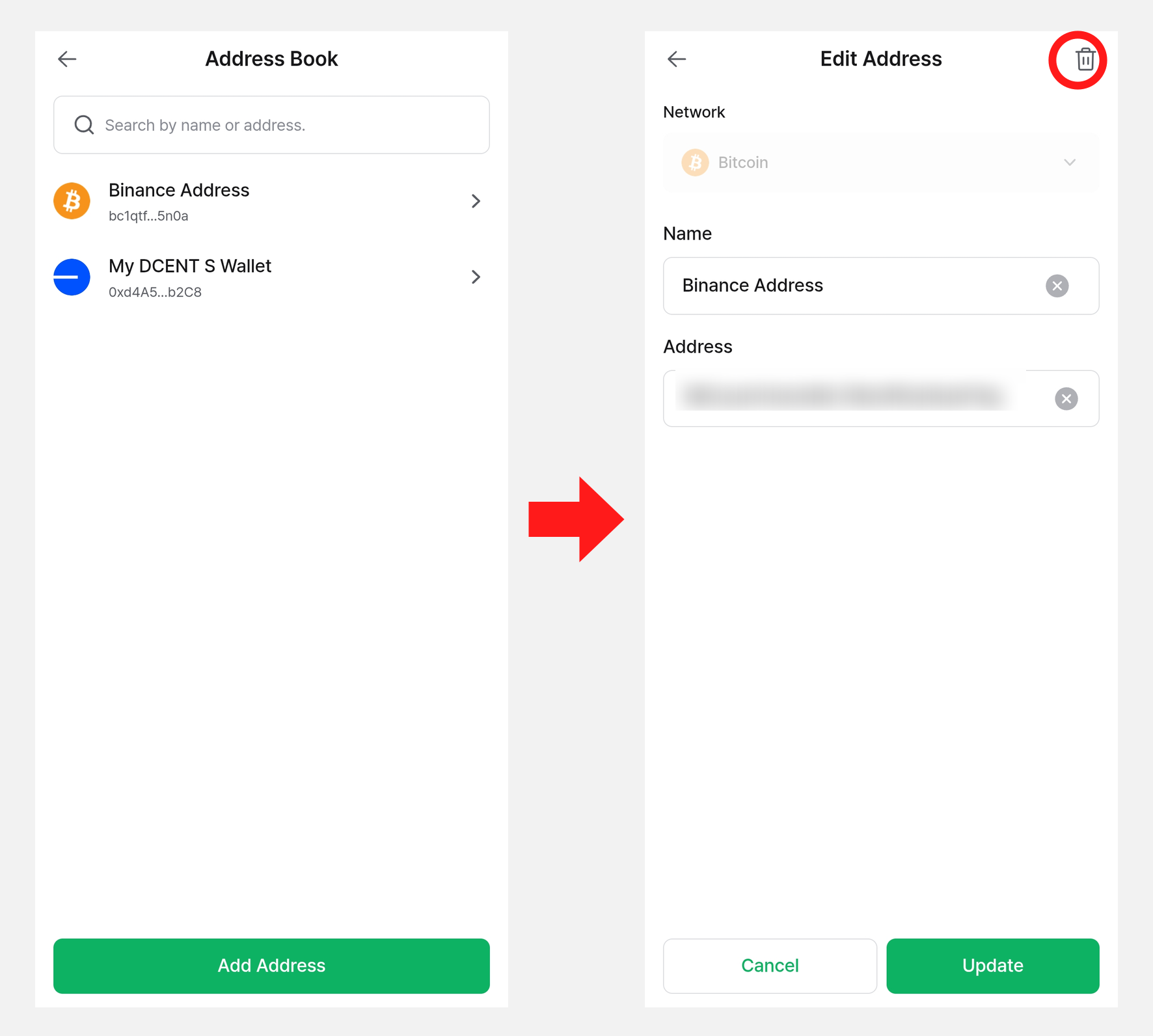
Select the address you want to remove from the list to open the Edit Address screen. Tap the trash icon at the top right to delete the saved address.
Change Language
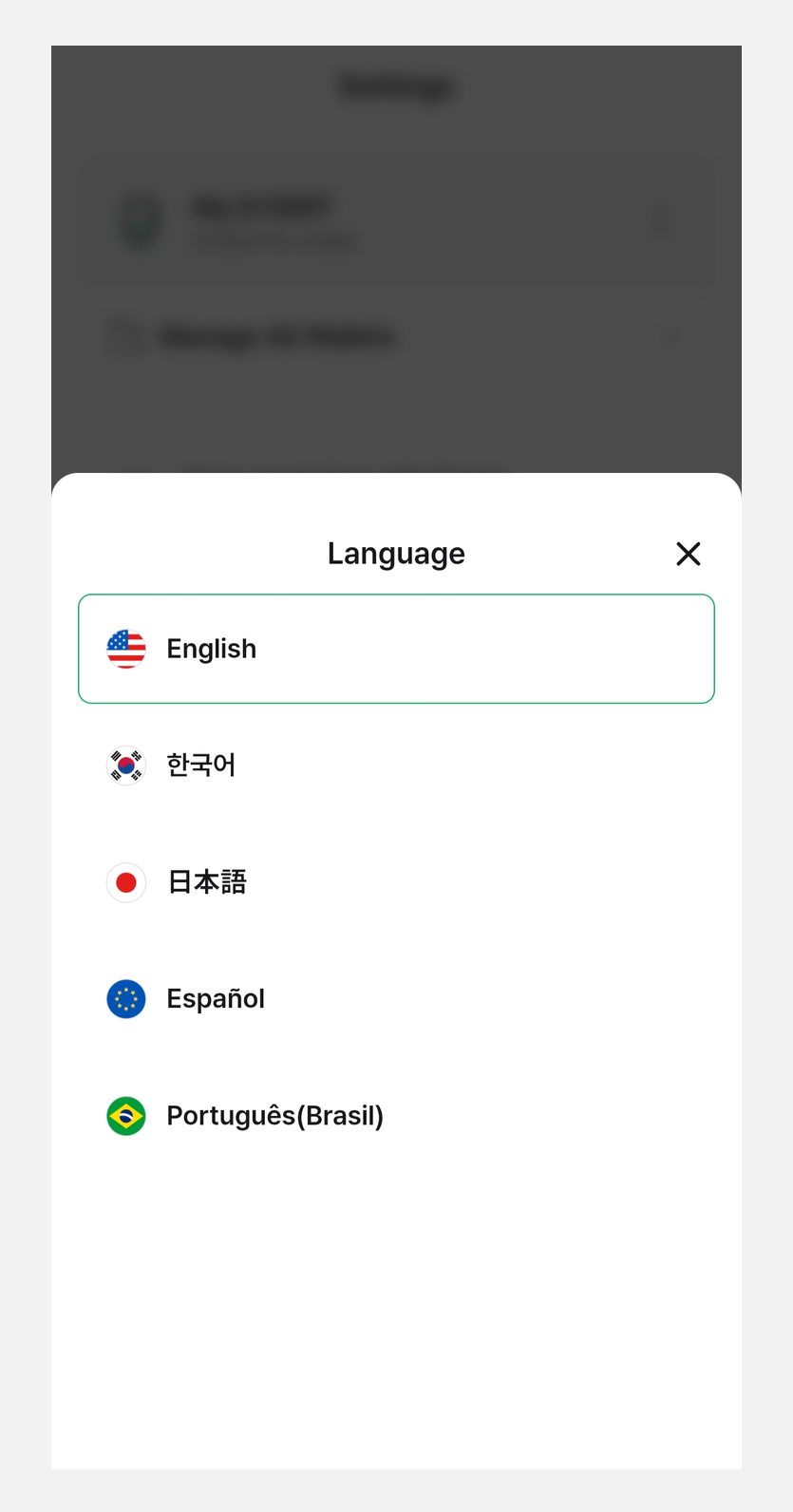
You can change the display language of the DCENT mobile app. The following languages are supported:
- English
- Korean
- Japanese
- Spanish
- Portuguese (Brazil)
Local Currency
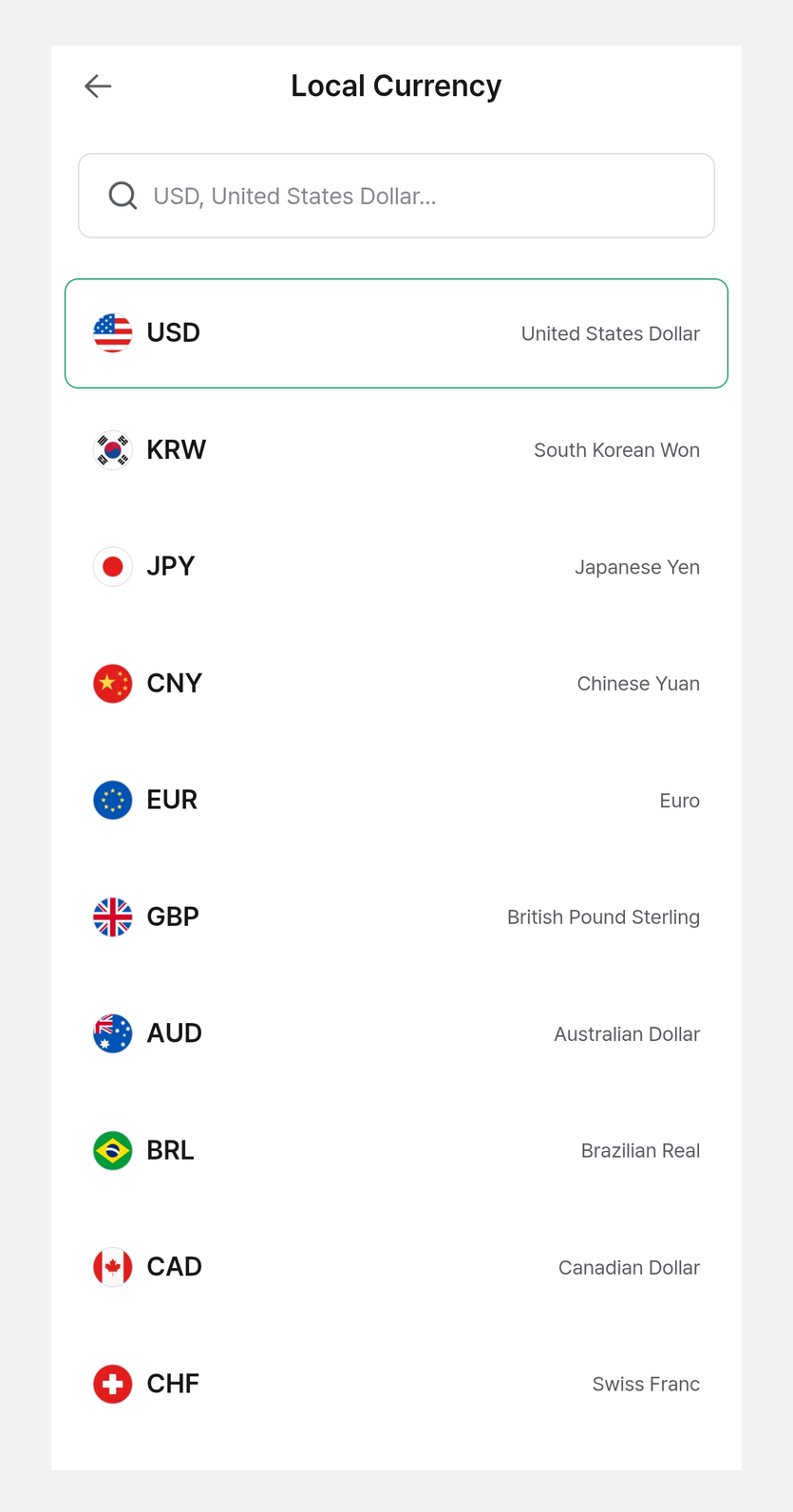
Set the base currency used to display coin and token prices.
A total of 39 fiat currencies are supported, including KRW (South Korean Won), USD (US Dollar), JPY (Japanese Yen), EUR (Euro), GBP (British Pound), and CNY (Chinese Yuan). You can also display values in BTC (Bitcoin) or ETH (Ethereum).
Notification
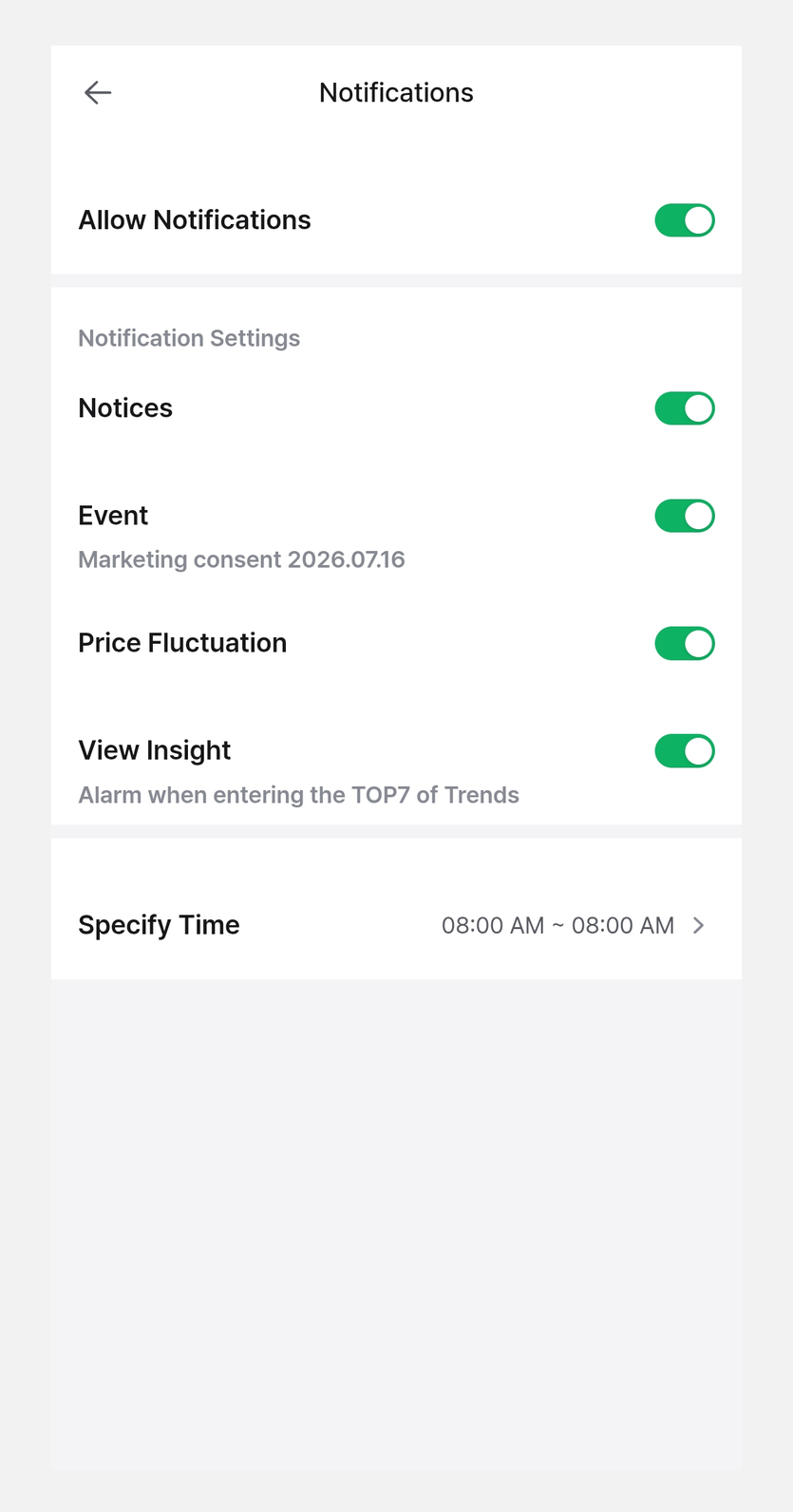
Set the push notifications for the DCENT mobile app.
- Allow Notifications: Turns app notifications on or off overall.
- Notification settings: Turn each notification type on or off.
- Specify Time: Set the start time and end time during which you want to receive notifications.
Theme
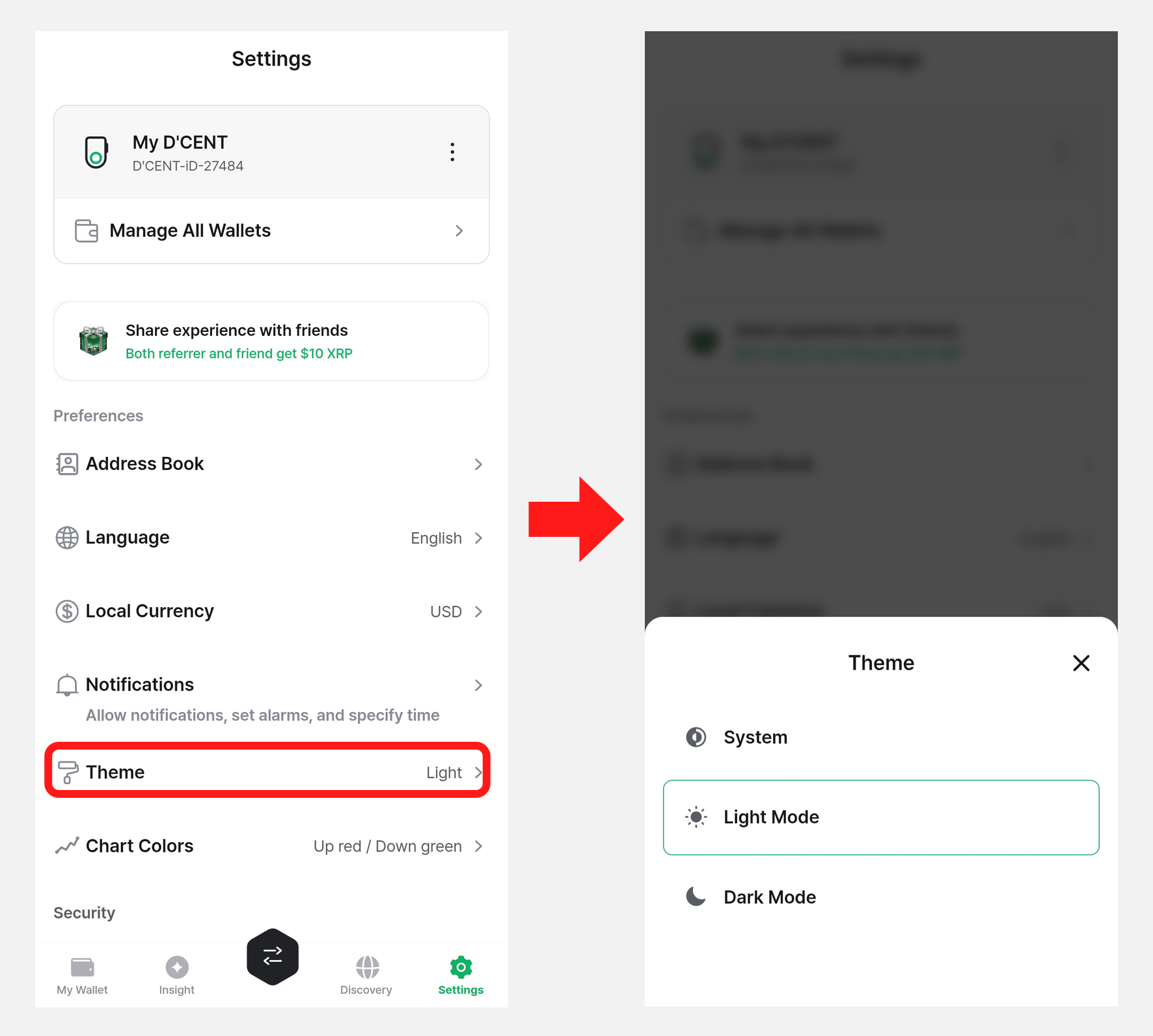
You can set the DCENT mobile app to Light Mode or Dark Mode. The default is Light Mode.
(If you select System, the app automatically follows your phone's Light or Dark Mode setting.)
Tap the "Theme" menu to open the theme settings screen.
The selected theme is applied across the app as shown below.
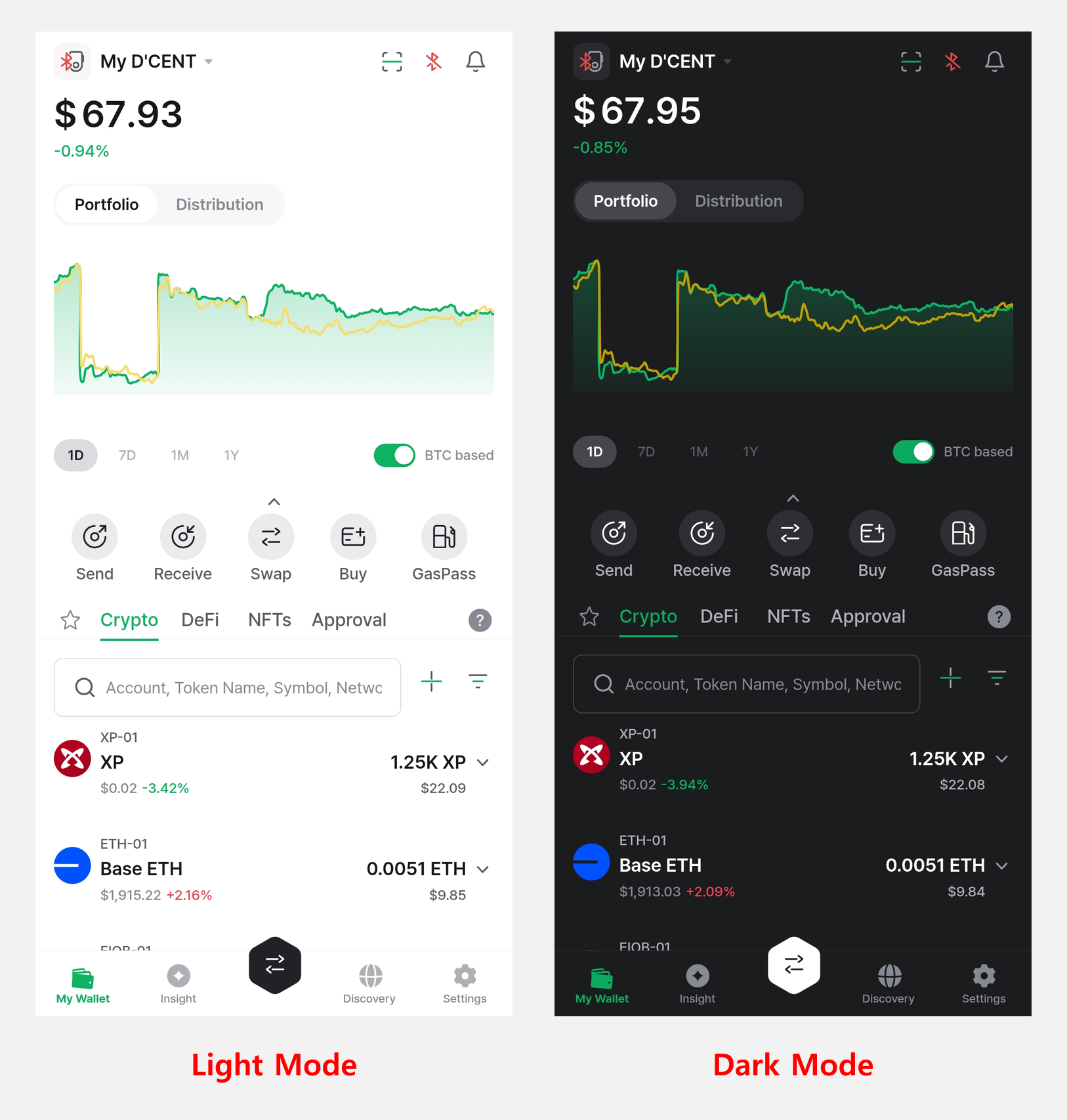
Chart Colors
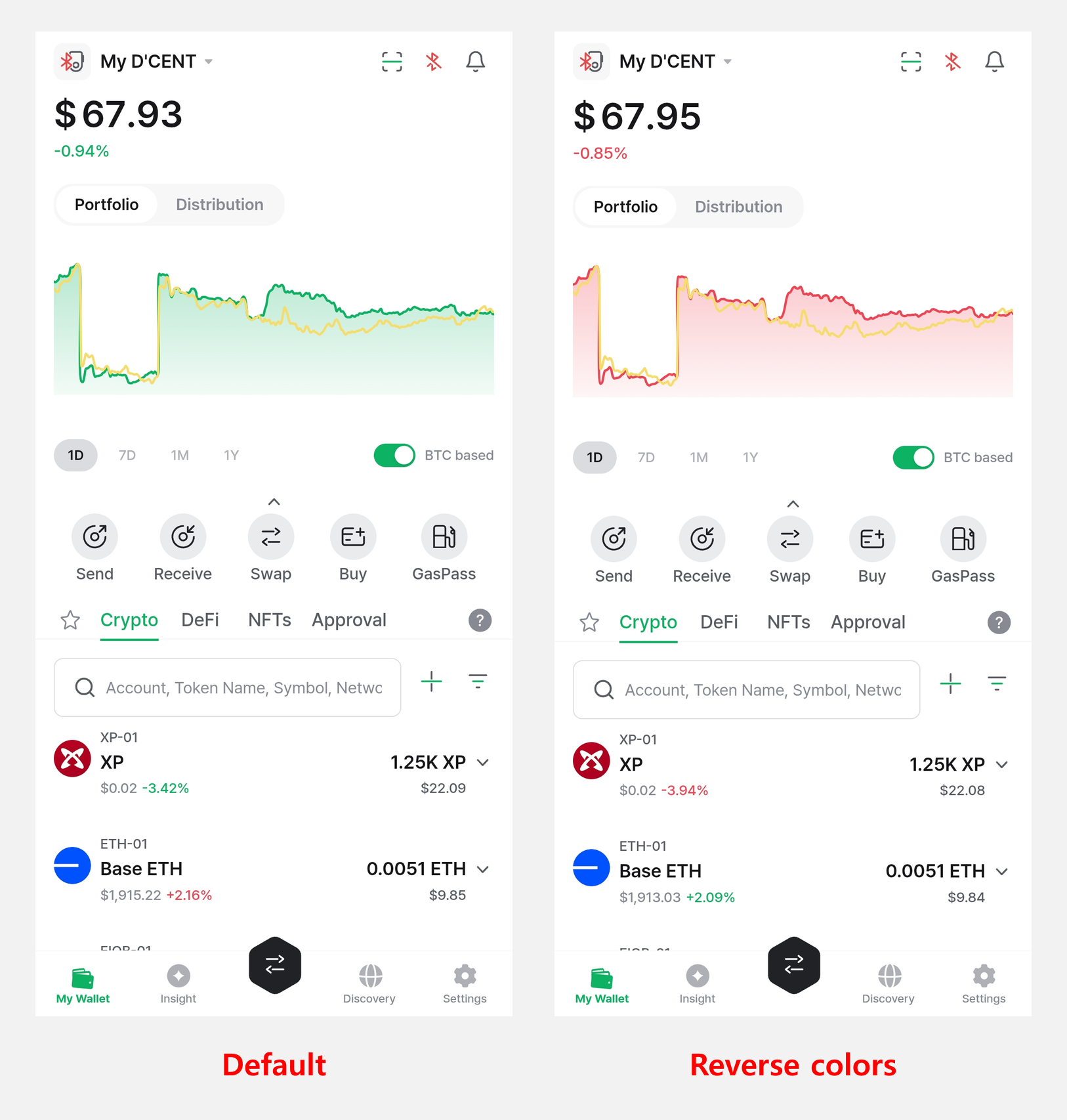
Set the up/down colors of the portfolio chart. The default is Up red / Down green, and you can turn on Reverse colors (Up green / Down red). Swipe left to choose the Modern chart style.
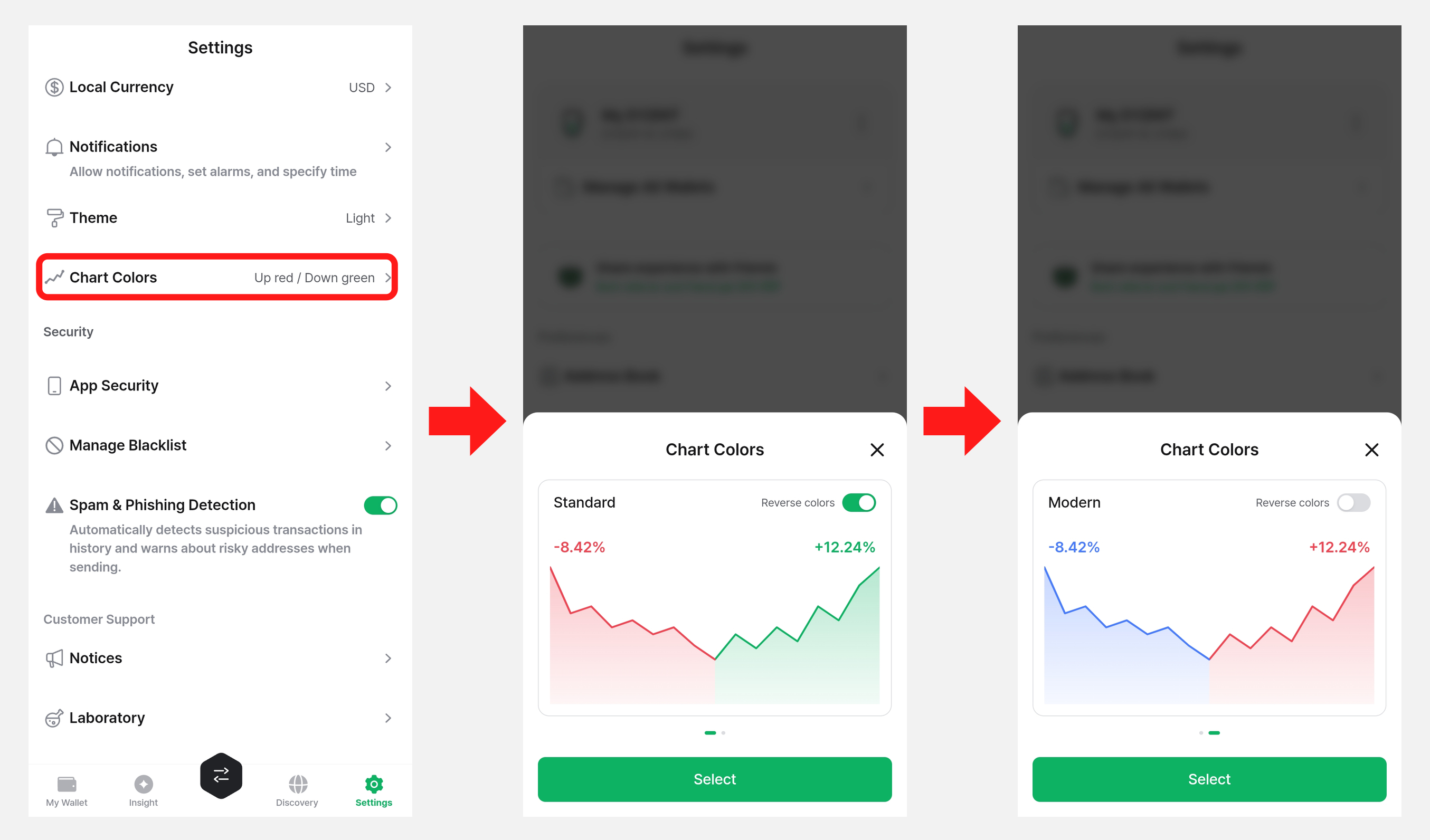
The colors you set are applied to the portfolio chart on the "My Wallet" tab as shown below.
App Security
From this menu you can manage security options for the DCENT mobile app, including app lock, password change, and biometric authentication.
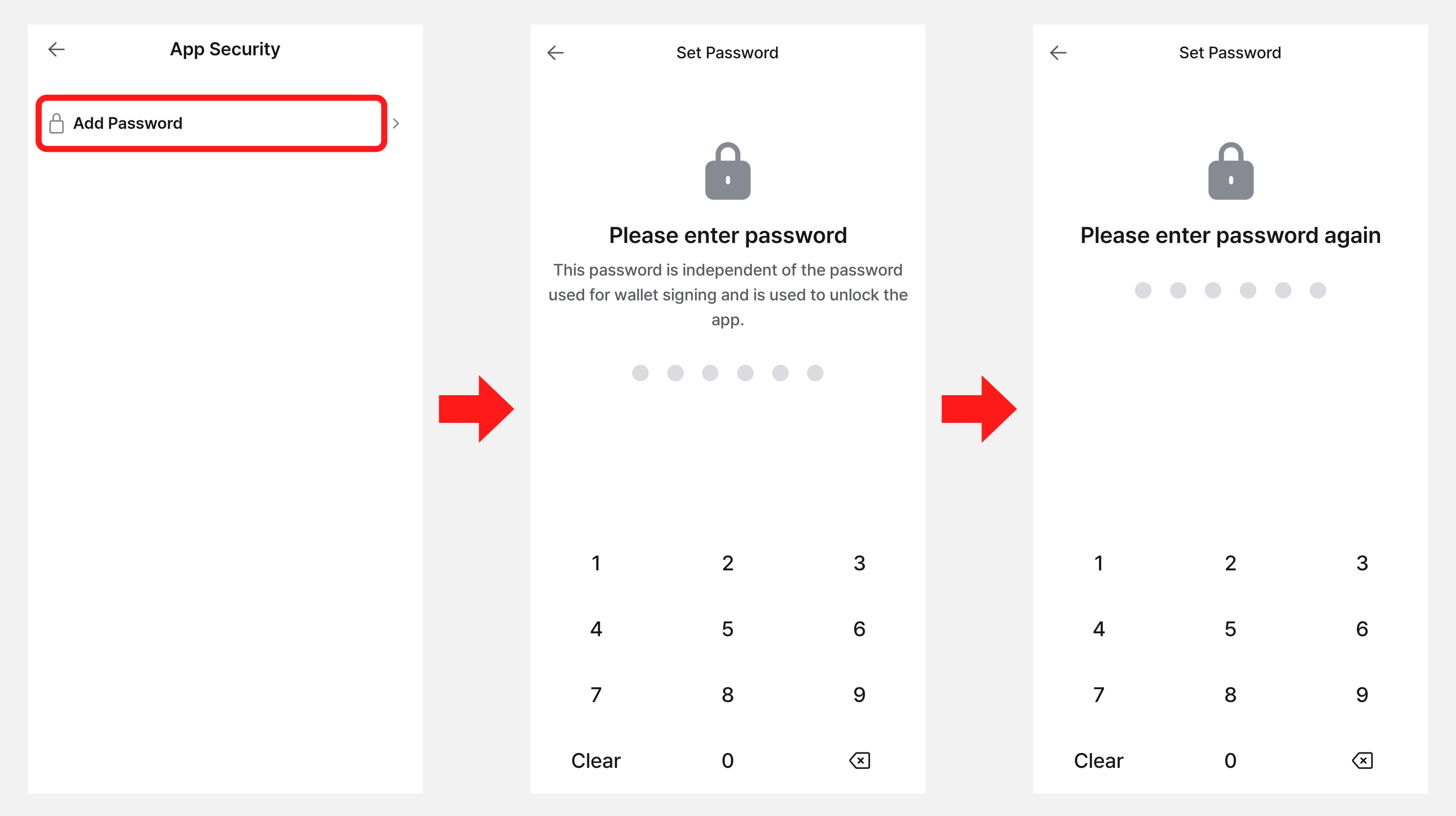
Add Password
If you install the DCENT app for the first time and add only Biometric or Card Wallets (DCENT S, All-in-One), no password is set during the initial setup, so an "Add Password" menu appears on the "App Security" screen. In that case, you must register a 6-digit password first before you can use the other security options.
To keep your assets safe, we recommend registering and using a password. Once a password is set, you can combine Lock on App Launch with Biometrics to prevent others from accessing the app or sending your assets without permission.
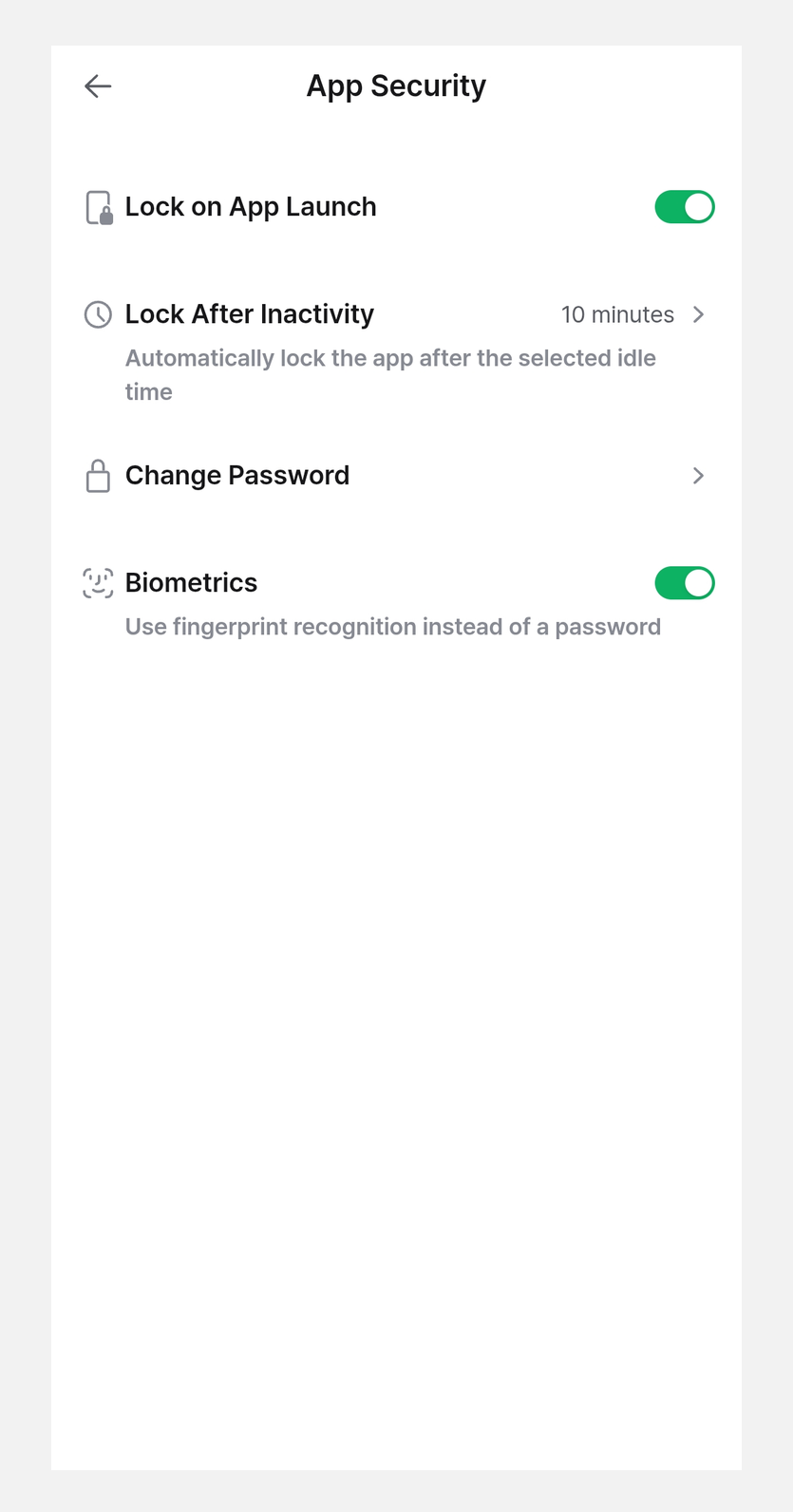
Once you register a password, you can use the Lock on App Launch, Lock After Inactivity, Change Password, and Biometrics options.
Lock on App Launch
This setting controls whether the app lock screen appears when you launch the DCENT mobile app. It is on by default.
If you turn it off, the app opens without asking for the 6-digit password or biometric authentication (fingerprint or Face ID).
Lock After Inactivity
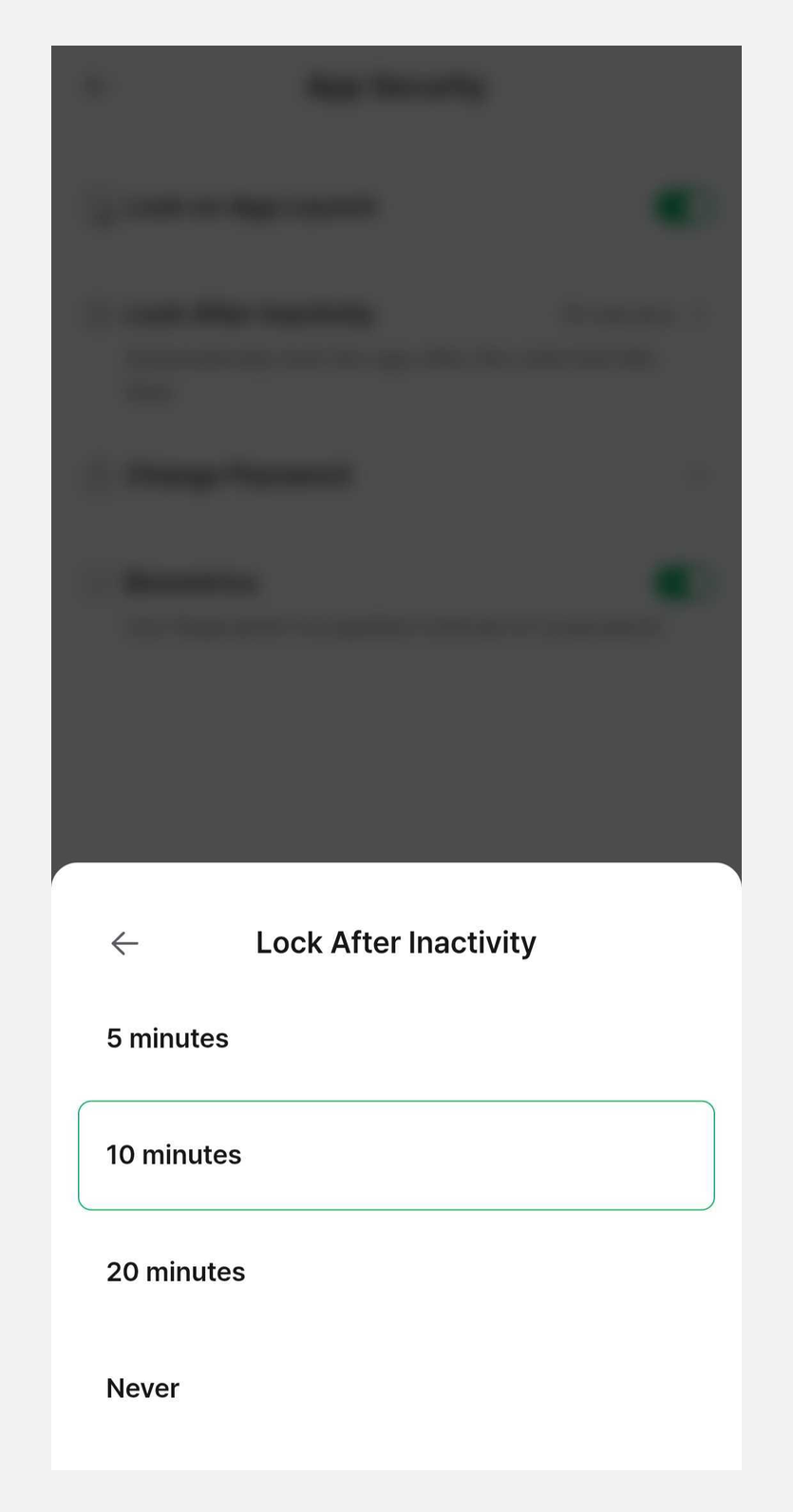
This setting makes the DCENT mobile app lock itself automatically after a period of inactivity.
The default is 10 minutes, and you can choose 5 minutes / 10 minutes / 20 minutes / Never.
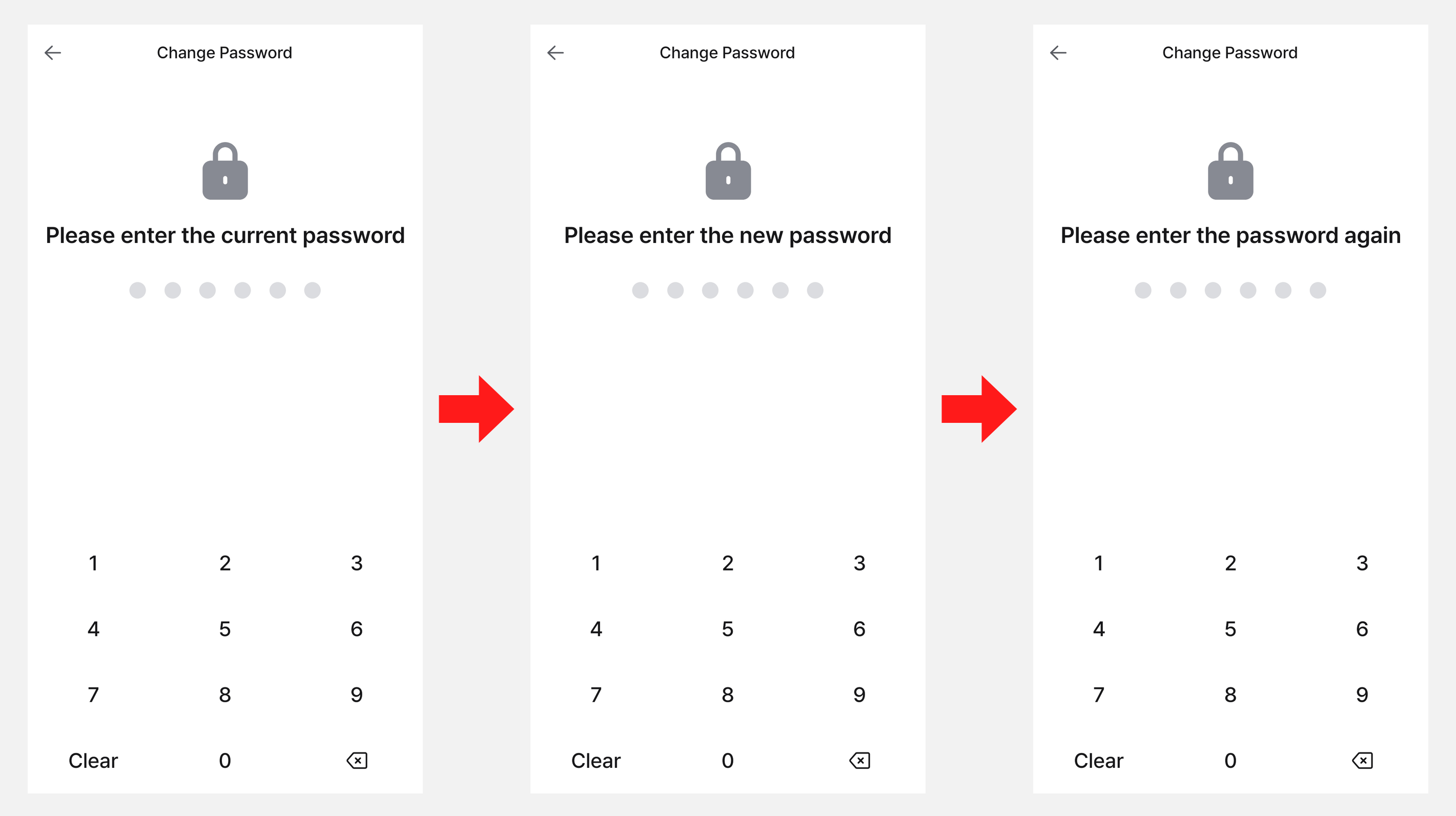
Change Password
You can change the 6-digit password you registered for the DCENT mobile app.
Biometrics
In addition to the 6-digit password, you can use the biometric authentication set on your phone to unlock the DCENT mobile app.
- Android: fingerprint authentication
- iPhone: Touch ID or Face ID
If biometric authentication is canceled or fails, you will be asked to enter your 6-digit password instead.
Manage Blacklist
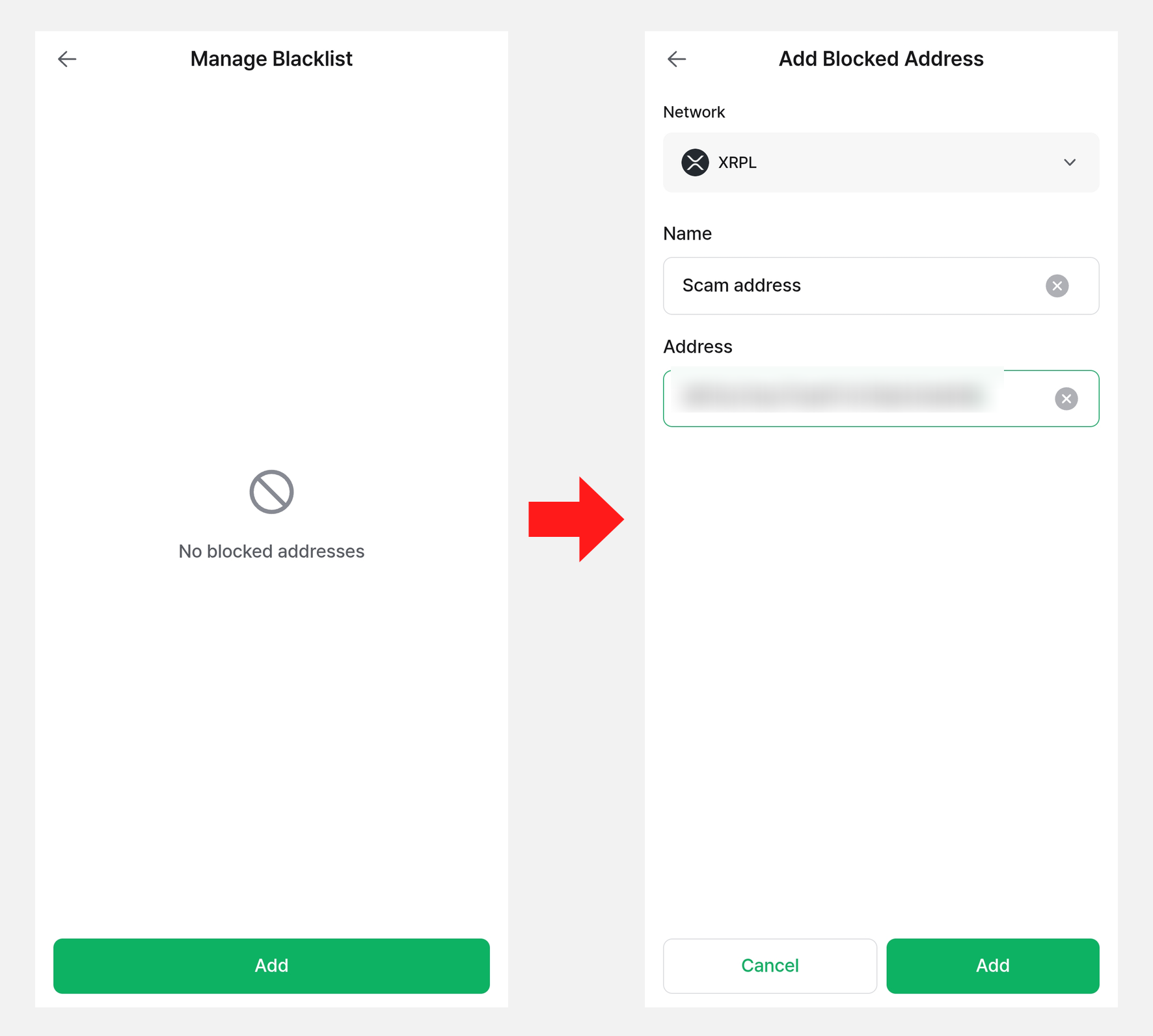
You can register risky addresses—such as spam or phishing addresses—to the blacklist and manage them.
On the Manage Blacklist screen, tap "Add" and enter the network, name, and address to register a blocked address. Registered addresses can be removed from the list with the trash icon.
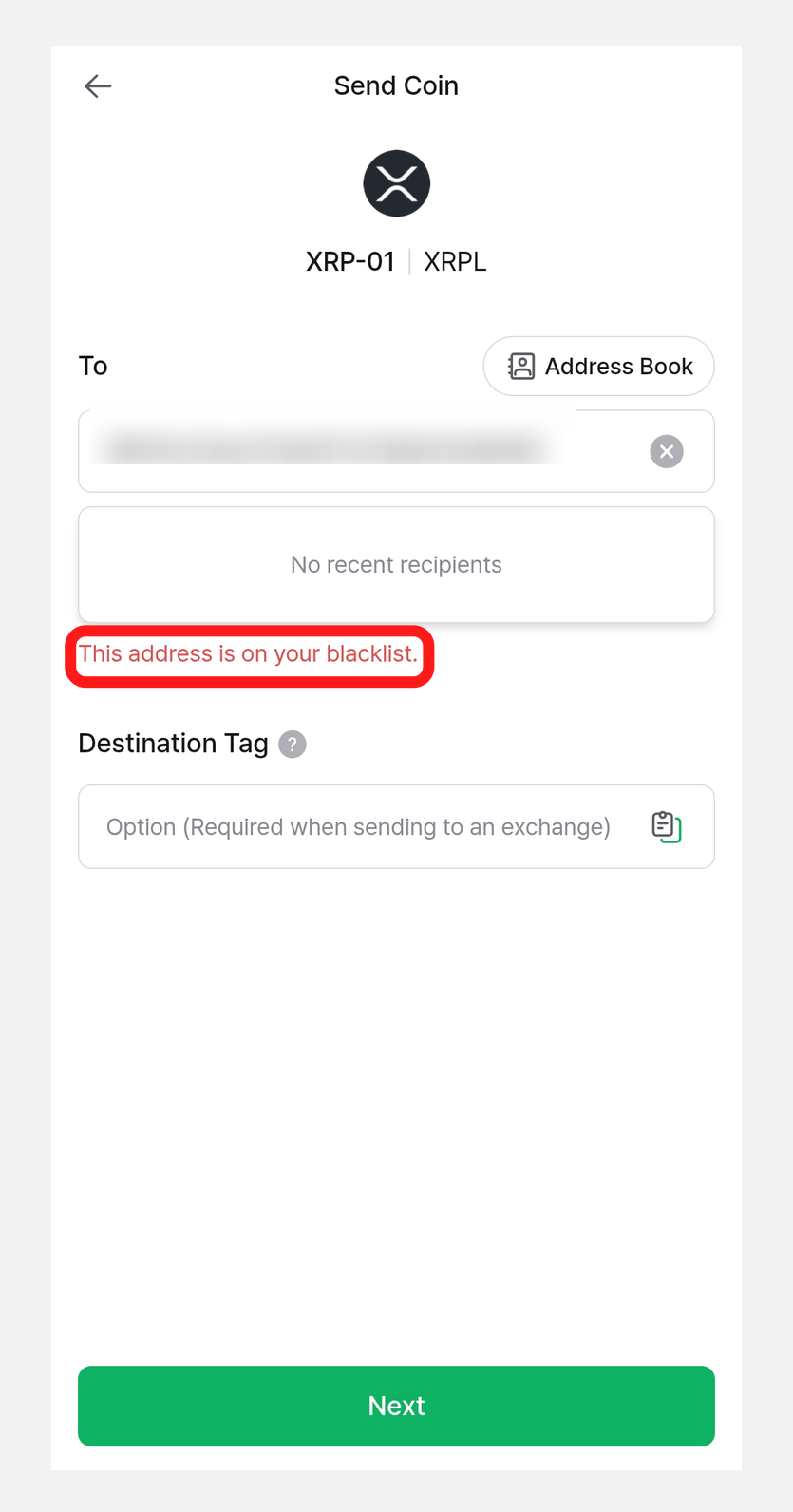
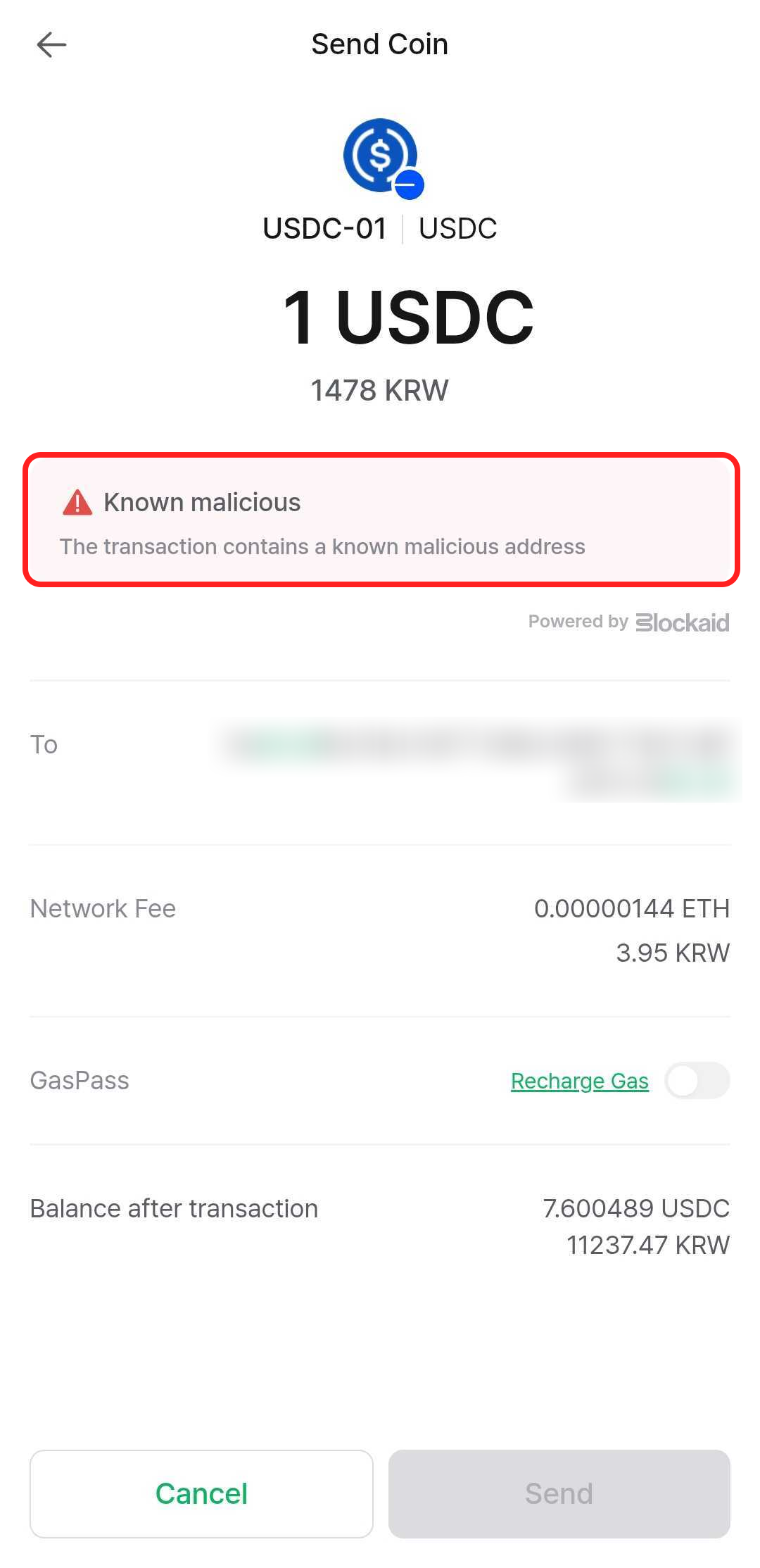
If you try to send coins to a blacklisted address, a warning message appears on the Send Coin screen as shown below.
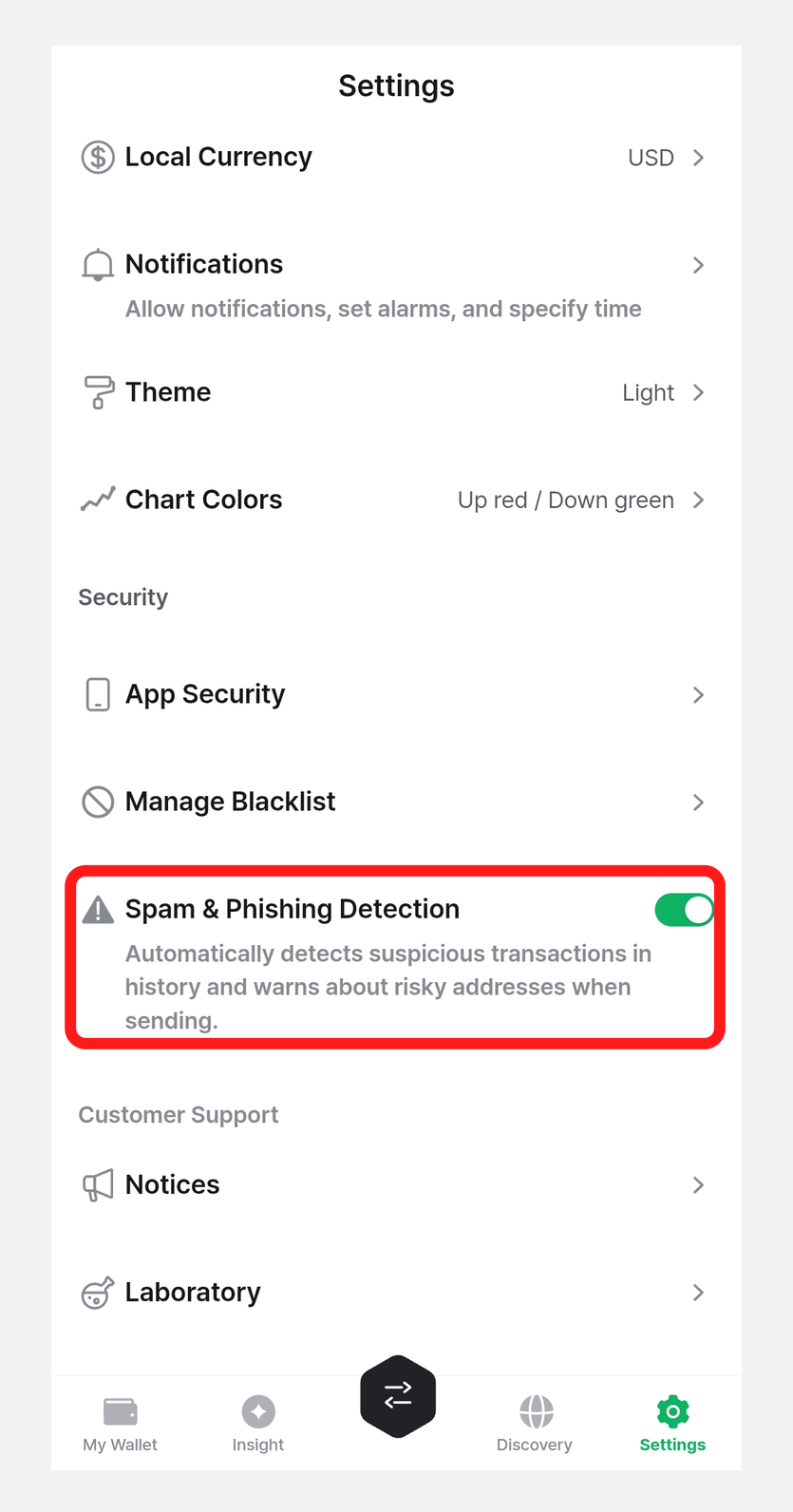
Spam & Phishing Detection
When Spam & Phishing Detection is on, it automatically detects suspicious transactions in your transaction history and warns you about risky addresses when sending coins.
When a suspicious transaction is detected in the history, it is classified as a "risky transaction" that you can Show / Hide.
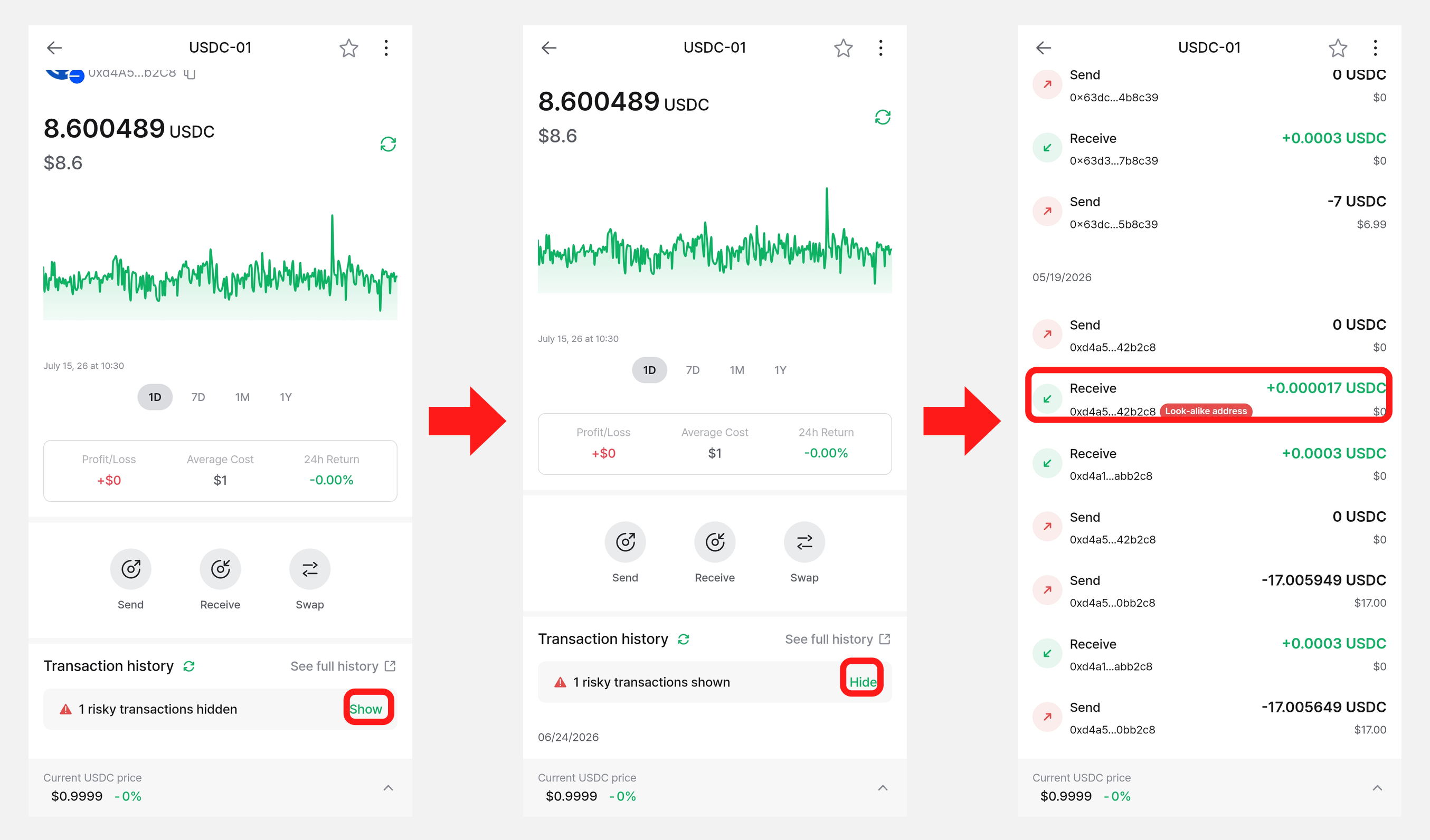
In addition, if the recipient (To) address you enter when sending coins is detected as a risky address, the transaction is blocked.
Laboratory
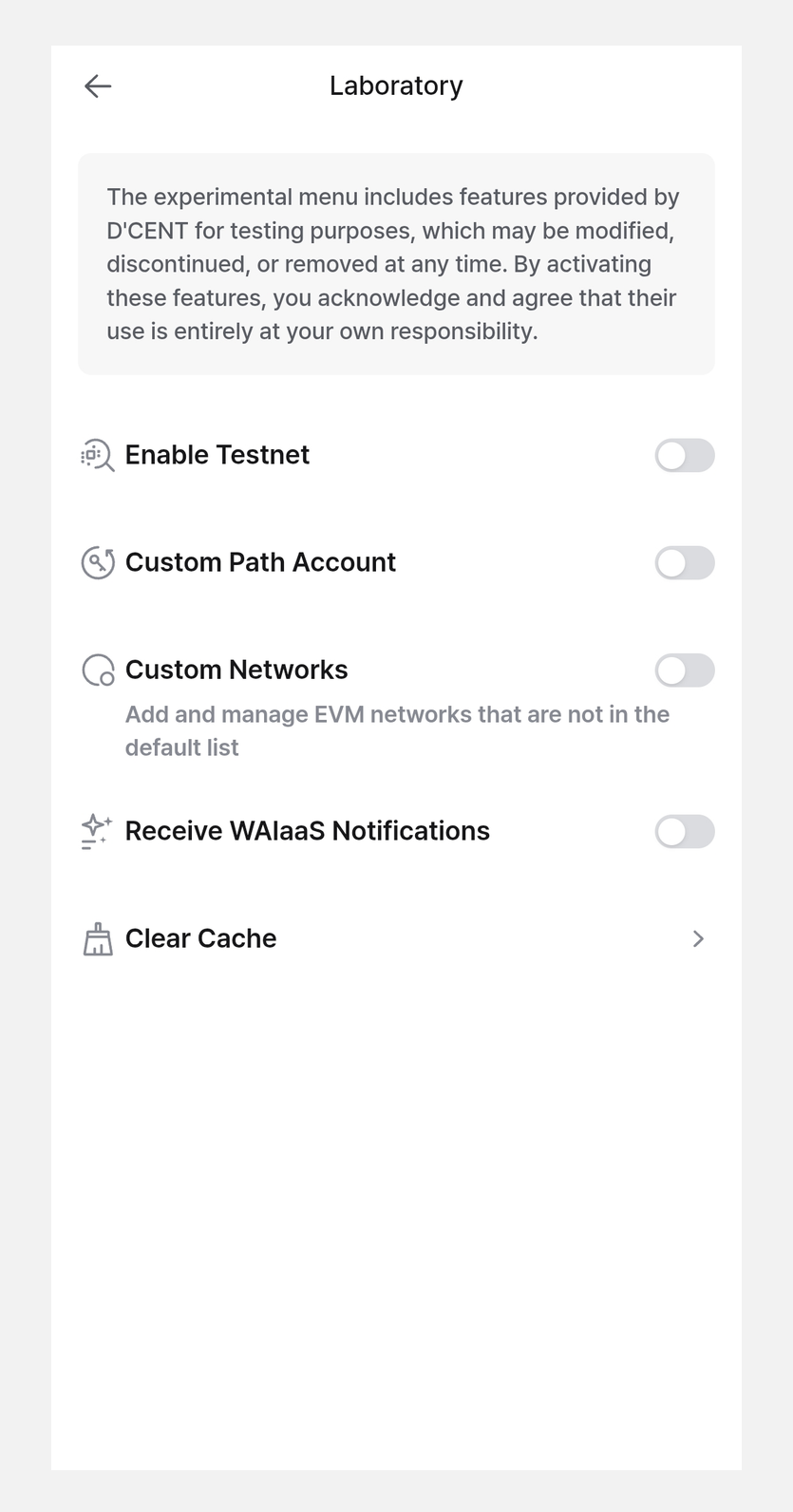
The Laboratory menu offers experimental features developed by DCENT. These features may be changed, paused, or removed at any time, and by turning them on you agree that you are solely responsible for how you use them.
- Enable Testnet: Intended for developers and DApp testing. After enabling it, type
testin the search bar when adding an account to see all available testnets. - Custom Path Account: An advanced feature that helps recover assets sent to the wrong network between EVM-compatible blockchains. Not recommended for general use.
- Custom Networks: Lets you add and use a blockchain network (RPC) of your choice.
- Receive WAIaaS Notifications: Receive notifications related to WAIaaS, where an AI agent requests signatures from your wallet.
- Clear Cache: Deletes the cached data stored by the DCENT mobile app.
Vaulty AI Assistant
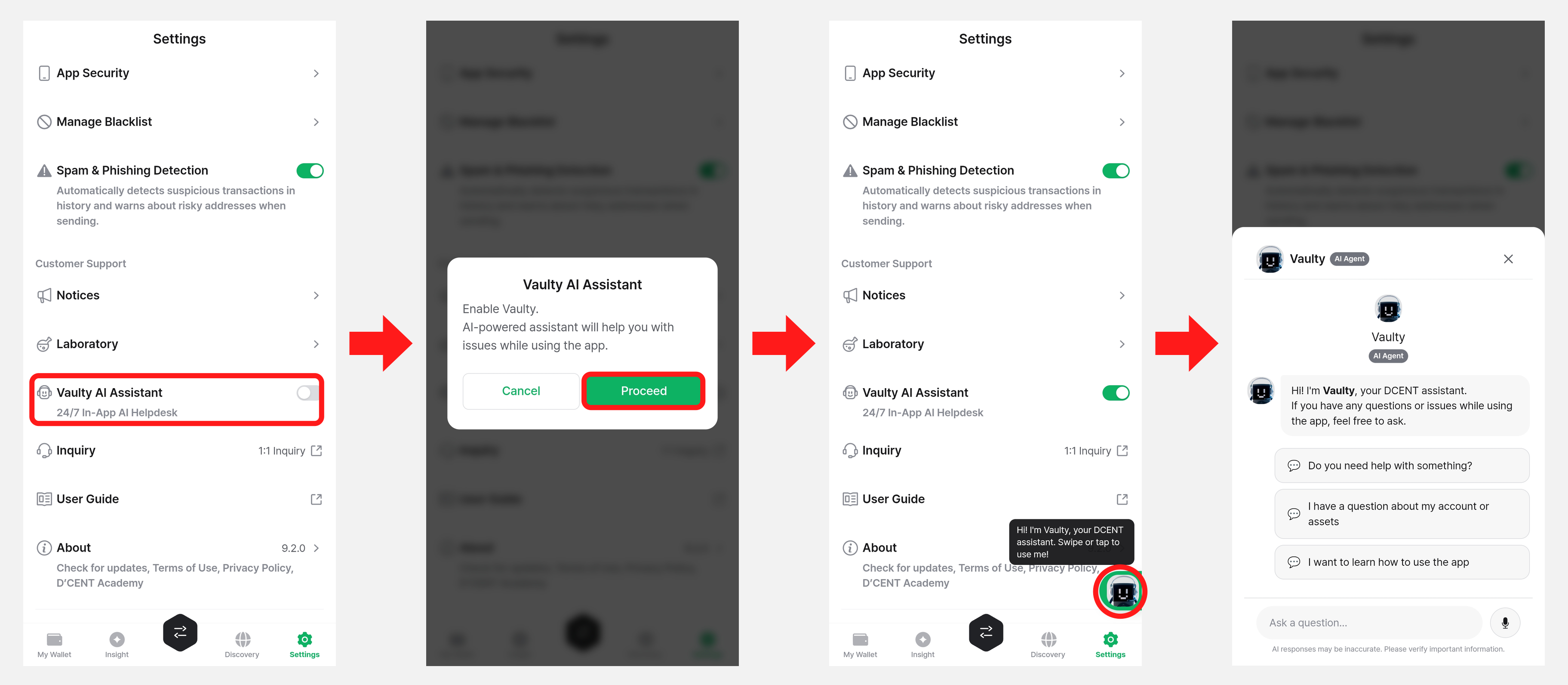
Vaulty is an AI-based assistant available 24/7. You can get help with issues or questions that come up while using the app through a chat interface.
When you turn on "Vaulty AI Assistant", an activation prompt appears. After that, tap the Vaulty call icon that appears at the bottom right of the "My Wallet" screen to ask questions in the chat.
App Info
You can check the version information and policies of the DCENT mobile app.
- Check for updates: Check the currently installed app version and whether it is the latest. If you are on the latest version, "Latest" is displayed; if a new version is available, you can update.
- Terms and Conditions: View the DCENT Wallet terms of service.
- Privacy Policy: View the privacy policy for the collection and use of personal data.
- D'CENT Academy: View learning content about DCENT and blockchain.