Manage All Wallets
This guide is based on DCENT mobile app version 8.1.0.
The Manage All Wallets menu lets you manage every wallet registered in a single DCENT mobile app from one place.
Accessing the Manage All Wallets menu
You can open the Manage All Wallets menu from either the Settings tab or the My Wallet tab in the DCENT mobile app.
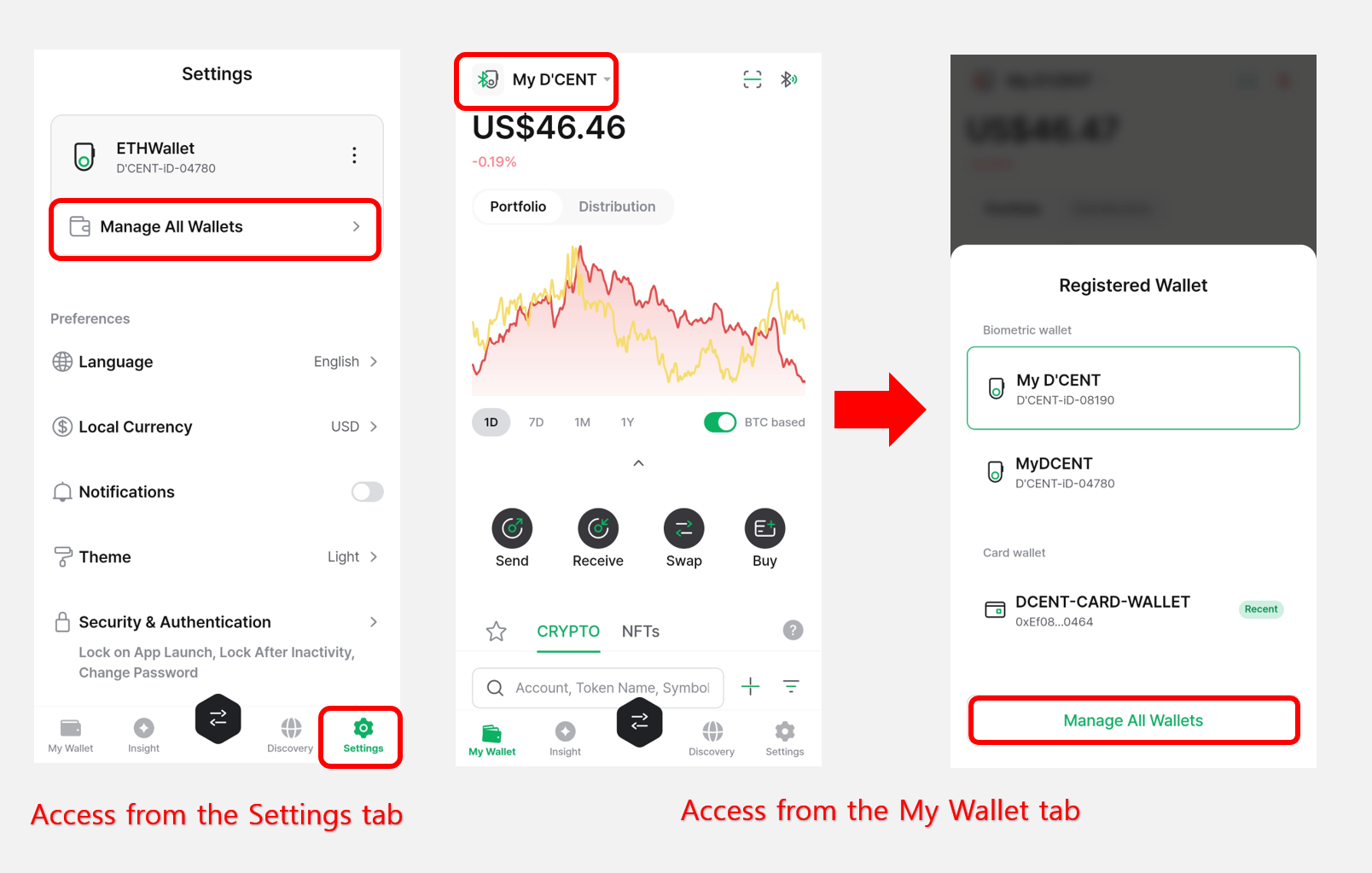
When you open the menu, you'll see a list of every wallet currently registered. Tap the "+ Add" button to register additional wallets.
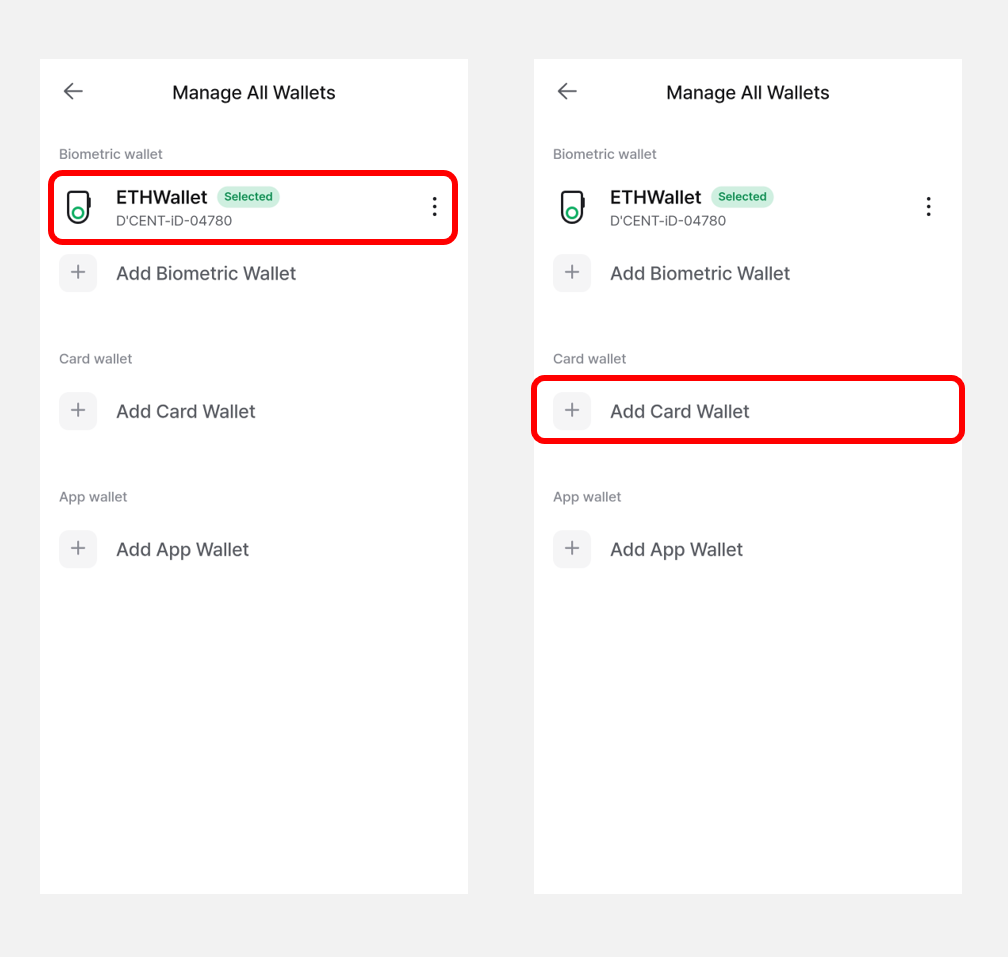
For instructions on how to add each type of wallet, please refer to the user guide below.
- Biometric Wallet (Android)
- Biometric Wallet (iPhone)
- DCENT S Card Wallet
- All-in-One Card Wallet
- App Wallet (Software)
Tap the More (⋮) button next to a registered wallet to open its management menu.
From there, you can view and configure additional information for that wallet, such as firmware details, backup and recovery, and more.
.png)
Menu options for each wallet type
The sections below explain how to use the management menu for each wallet type.