How to use the DCENT S Card Wallet
Add an account
The DCENT S Card Wallet supports multiple chains, and each account is created using the private key securely stored on the DCENT S Card Wallet. Therefore, every time you create an account, DCENT S PIN authentication and card tagging are required, so keep your DCENT S Card Wallet ready before you proceed.
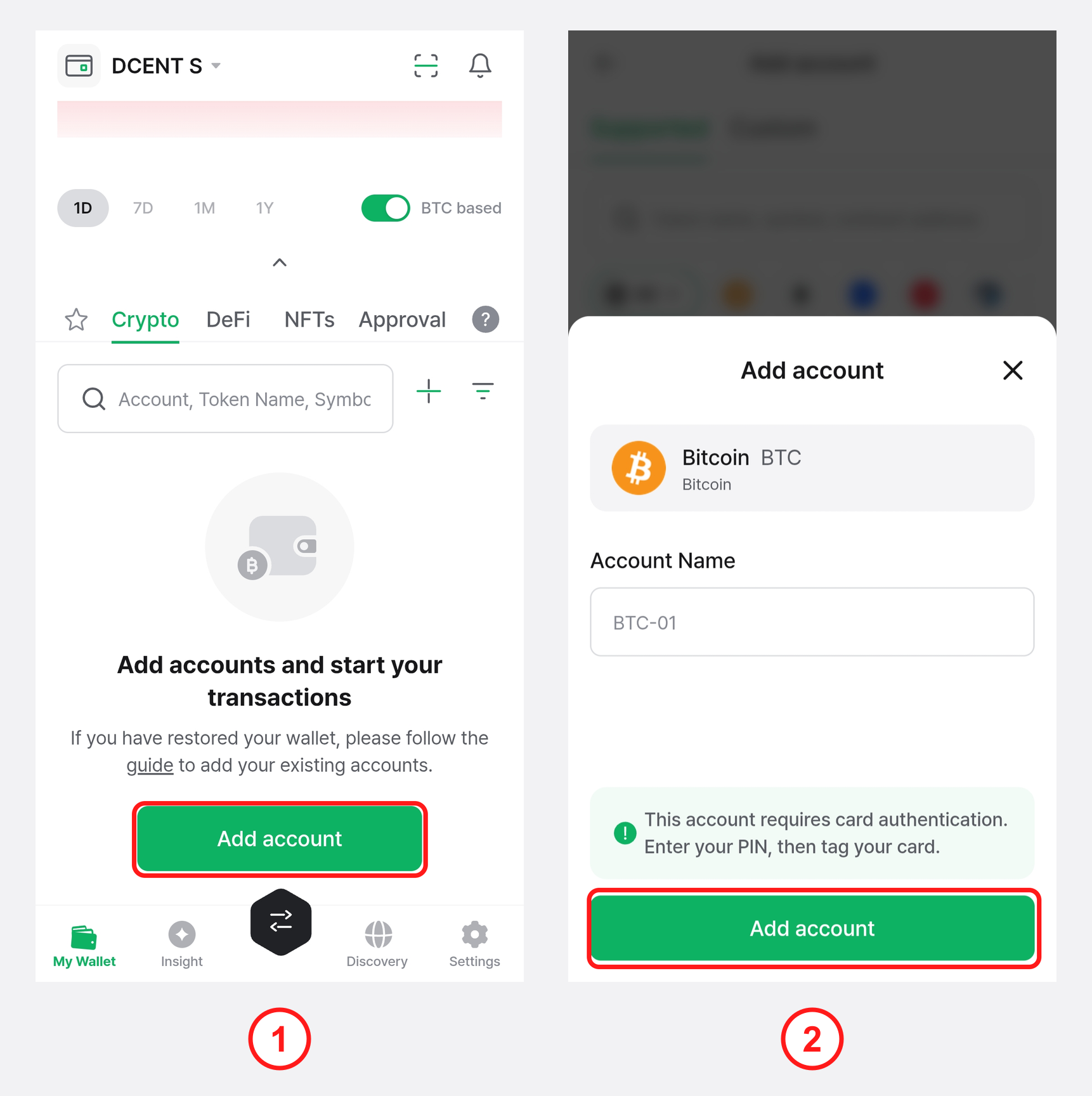
1) On the "My Wallet" tab, tap the "Add account" button or the + button above the account list.
2) From the "Supported" tab list, select the coin/token to add, or search by token name, symbol, or contract address in the search bar at the top.
3) Enter an account name and tap "Add account". If you tap "Add account" without entering a name, a default name (such as BTC-01 or ETH-01) is assigned automatically.
You can find the full list of coins supported by the DCENT S Card Wallet here.
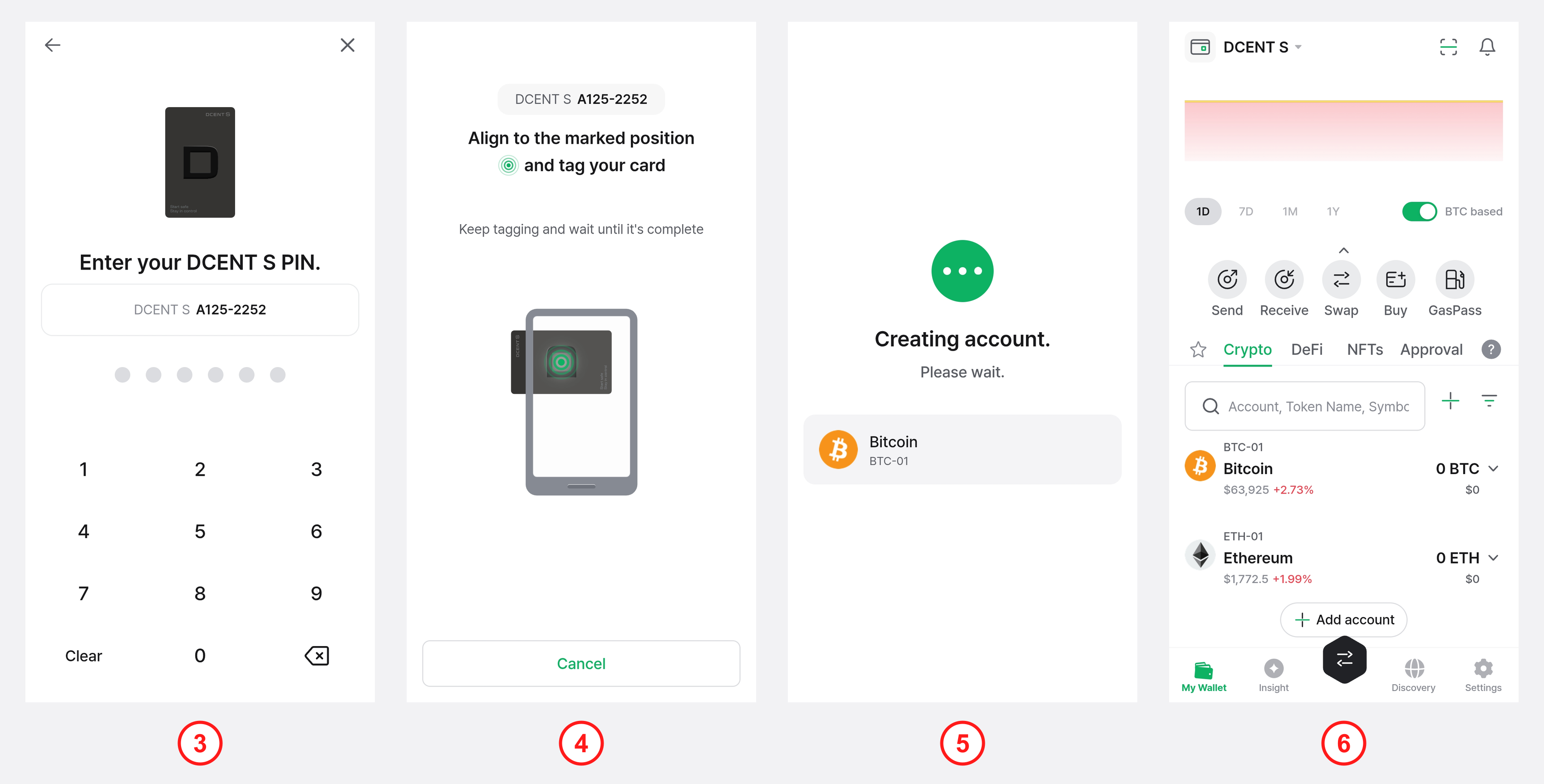
4) To create the account, enter your DCENT S PIN.
5) Tap the DCENT S Card Wallet to the back of your phone. Keep the card tagged until the account is fully added.
6) The message "Creating account. Please wait." is shown, and the account is added. If tokens are detected at the added account address, a "Select tokens to import" prompt appears — select the tokens to import and tap "Import", or tap "Don't add" to skip.
7) The added account appears on the "My Wallet" tab. You can easily add other cryptocurrency accounts in the same way.
All EVM-compatible coins (Ethereum, Base, Optimism, Arbitrum, etc.) use the same address. So once you add your first EVM account, you don't need to enter your DCENT S PIN and tag your card again each time you add another EVM account.
Now try receiving or sending coins with the account you added.
For details such as adding custom tokens, adding custom path accounts, and hiding accounts, see the Add an account document.
🚨 Caution: DCENT S Card Wallet reset
While using the DCENT S Card Wallet, you need to enter the card PIN in situations such as the following:
1) When changing your current PIN to a new one
2) When signing a transaction (sending coins, etc.)
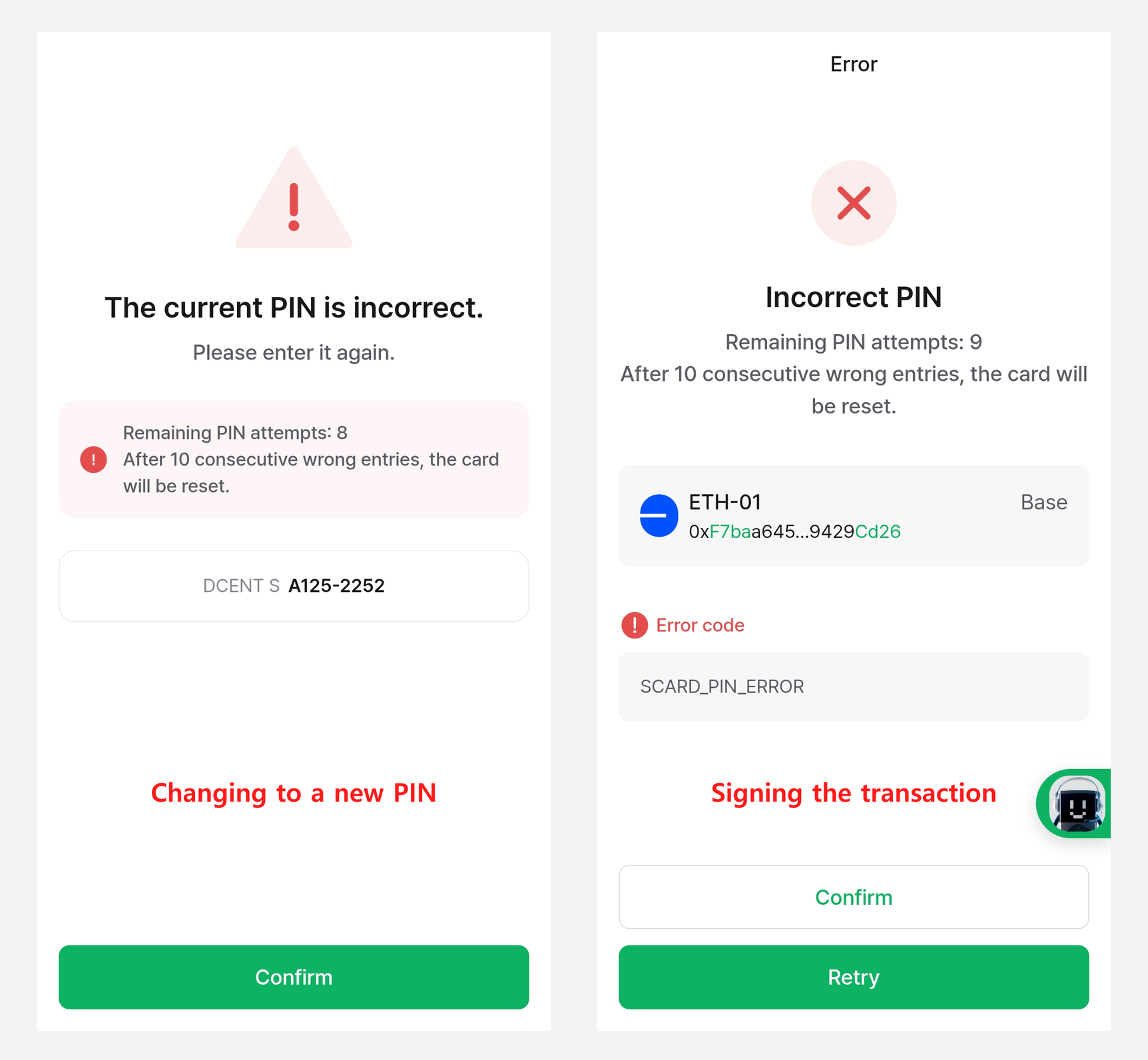
For security, PIN entry is allowed up to 10 times only. The security chipset of the DCENT S Card Wallet keeps counting consecutive wrong PIN entries, and after 10 consecutive wrong entries the card is reset. When the card is reset, the private key stored on the card is erased, so if you have not made a backup you will no longer be able to access your assets.
To prepare for this, be sure to create a backup on the DCENT R3covery Card, or record your mnemonic code and keep it in a safe place. For how to back up, see Back up with the DCENT R3covery Card.
Even if the card has been reset, you can recover your assets as long as you have a backup (an R3covery Card or your mnemonic code) made in advance. For how to recover, see Recover with the DCENT R3covery Card.