Setting menu
The DCENT X Setting menu manages Security, Wallet, R3covery card, Bluetooth, Language, System, Device Info, and About.
Opening the settings menu
On the main screen, open the Control Center and tap the settings (gear) button to enter the Setting menu.
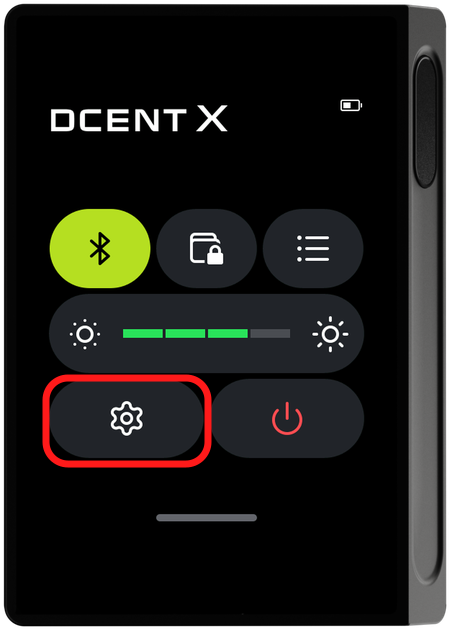
Setting menu screen
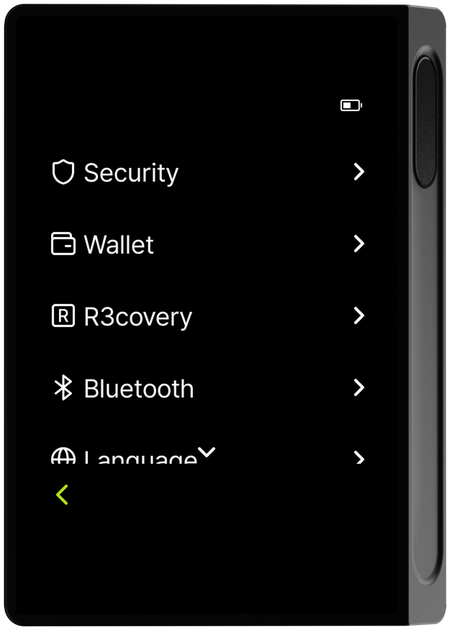
Scroll down in the menu to see the remaining items.
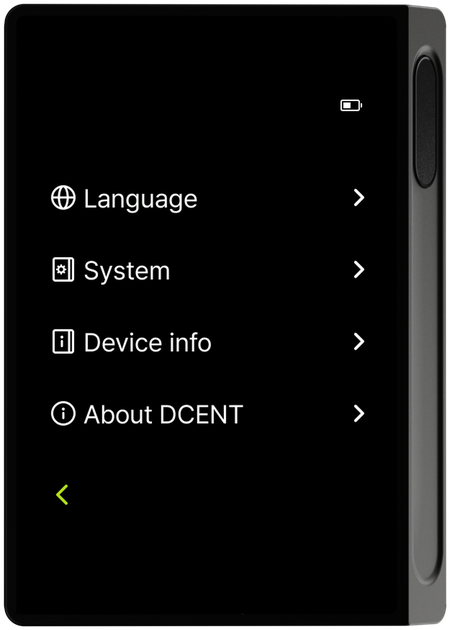
Setting menu structure
The Setting menu is organized into the following 8 top-level categories.
- Security — Change your PIN, register up to two fingerprints, and configure security options such as the randomized PIN keypad.
- Wallet — Set up a permanent passphrase wallet that creates an entirely new set of accounts by adding a passphrase to your mnemonic code.
- R3covery — Manage your NFC backup card (backup, rename, change PIN, reset).
- Bluetooth — BLE pairing with the mobile app.
- Language — Change the device language.
- System — Display, vibration, power management, and factory reset.
- Device Info — Check the firmware version and device details.
- About — About DCENT and links to official stores.