Does DCENT support HD wallet addresses? / What is HD wallet multi-address?
This article explains what DCENT's HD Wallet Multi-Address (address rotation) feature is, how to enable and disable it, and how addresses are shown on different screens.
An HD wallet (Hierarchical Deterministic) is the standard way to systematically generate and manage many addresses from a single seed, used by DCENT and most modern wallets. The HD Wallet Multi-Address (address rotation) feature covered here applies to Bitcoin-family coins.
HD Wallet Multi-Address uses a new address each time you receive Bitcoin-family coins, strengthening your privacy. Compatibility with other wallets that use the same seed (BIP44 standard) is fully maintained.
⚠️ [Lab feature notice] This is a Lab feature that DCENT provides experimentally, and it may change, be paused, or be removed at any time. By enabling it, you are deemed to agree that use of the feature is entirely at your own responsibility.
[Enabling / disabling multi-address (rotation)]
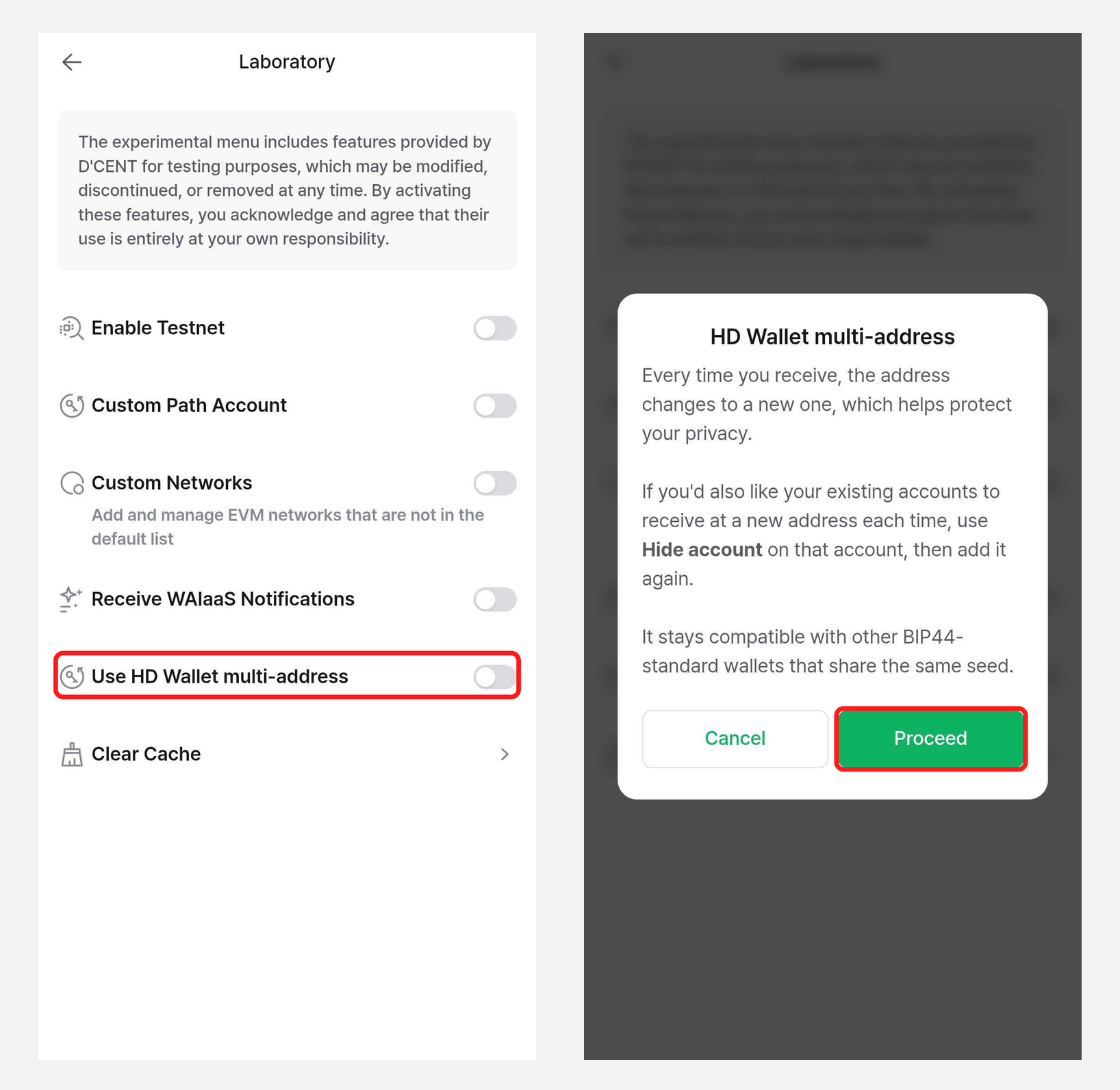
Enabling
- In the DCENT mobile app, go to [Settings] → [Laboratory].
- Turn on "Use HD Wallet multi-address", then tap [Proceed] on the "HD Wallet multi-address" dialog.
- After enabling it, rotation applies to Bitcoin-family accounts you newly create.
- Existing accounts are not converted automatically. To apply it to an existing account, use Hide account on that account and then add it again.
Disabling
- Turn off "Use HD Wallet multi-address" on the same [Laboratory] screen.
- Even when disabled, the account's multi-address set is kept, and only a single primary address is used for receiving.
Checking the current status on the Receive screen
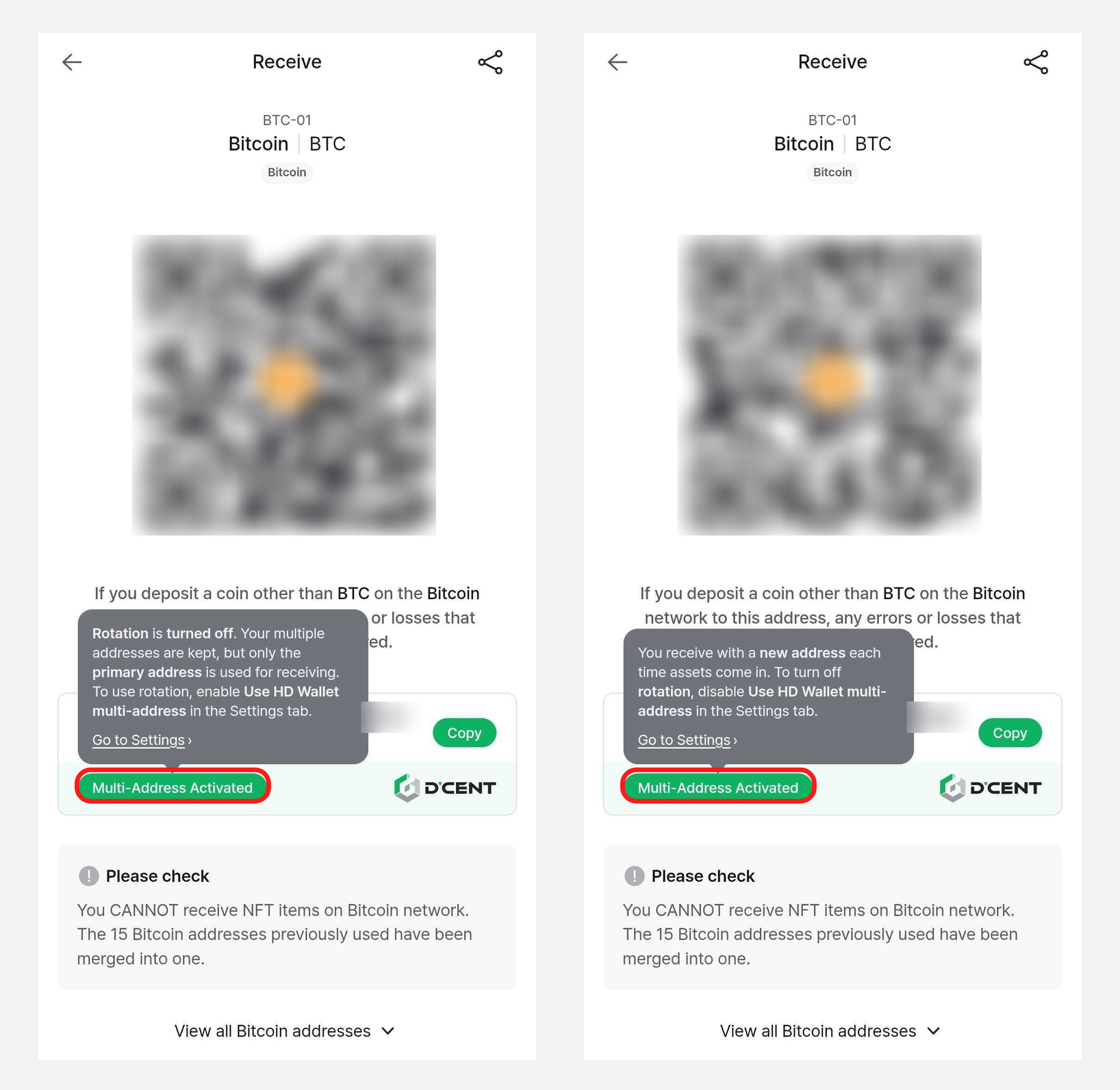
Tap the question mark (?) icon next to "Multi-Address" on the Receive screen to open the "Multi-Address" sheet. The Rotation status badge (Active / Inactive) shows the account's current status. Tapping [Multi-Address settings] on the sheet takes you to the Laboratory settings screen — the actual enabling/disabling is done in [Laboratory], not on the Receive screen.
- Rotation status: Active — a notice tells you that you receive with a new address each time assets come in.
- Rotation status: Inactive — a notice tells you that your multiple addresses are kept, but only the primary address is used for receiving.
[Receive address before vs. after enabling]
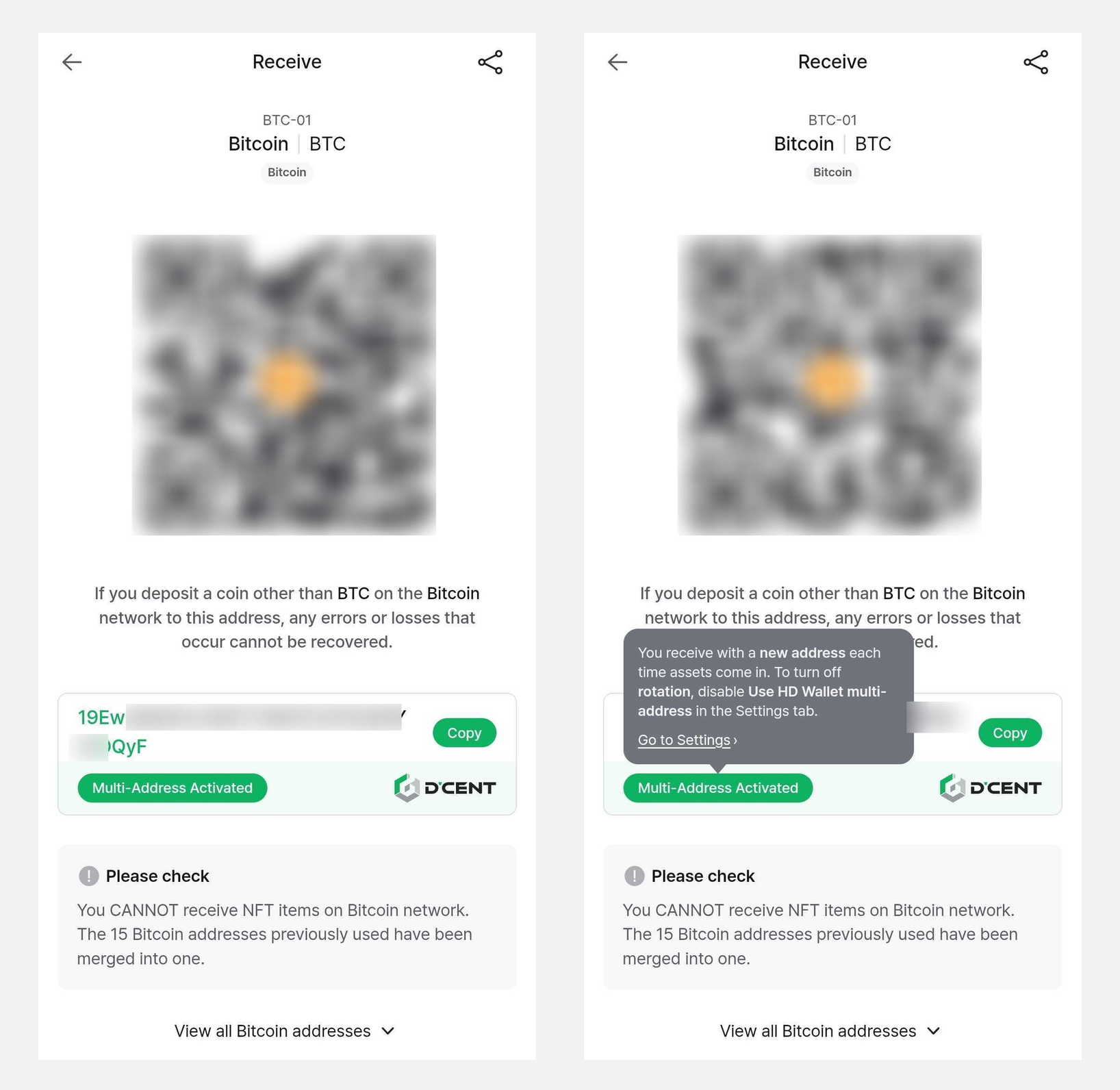
- Before: the Receive screen shows a single, fixed primary address.
- After: a new address is shown each time you receive, with an "Active" badge next to "Multi-Address".
- Once you receive to the shown address, the next time you open the Receive screen it automatically changes to the next new address.
[The address looks different on each screen]
With rotation, the address shown can differ from screen to screen, which is normal.
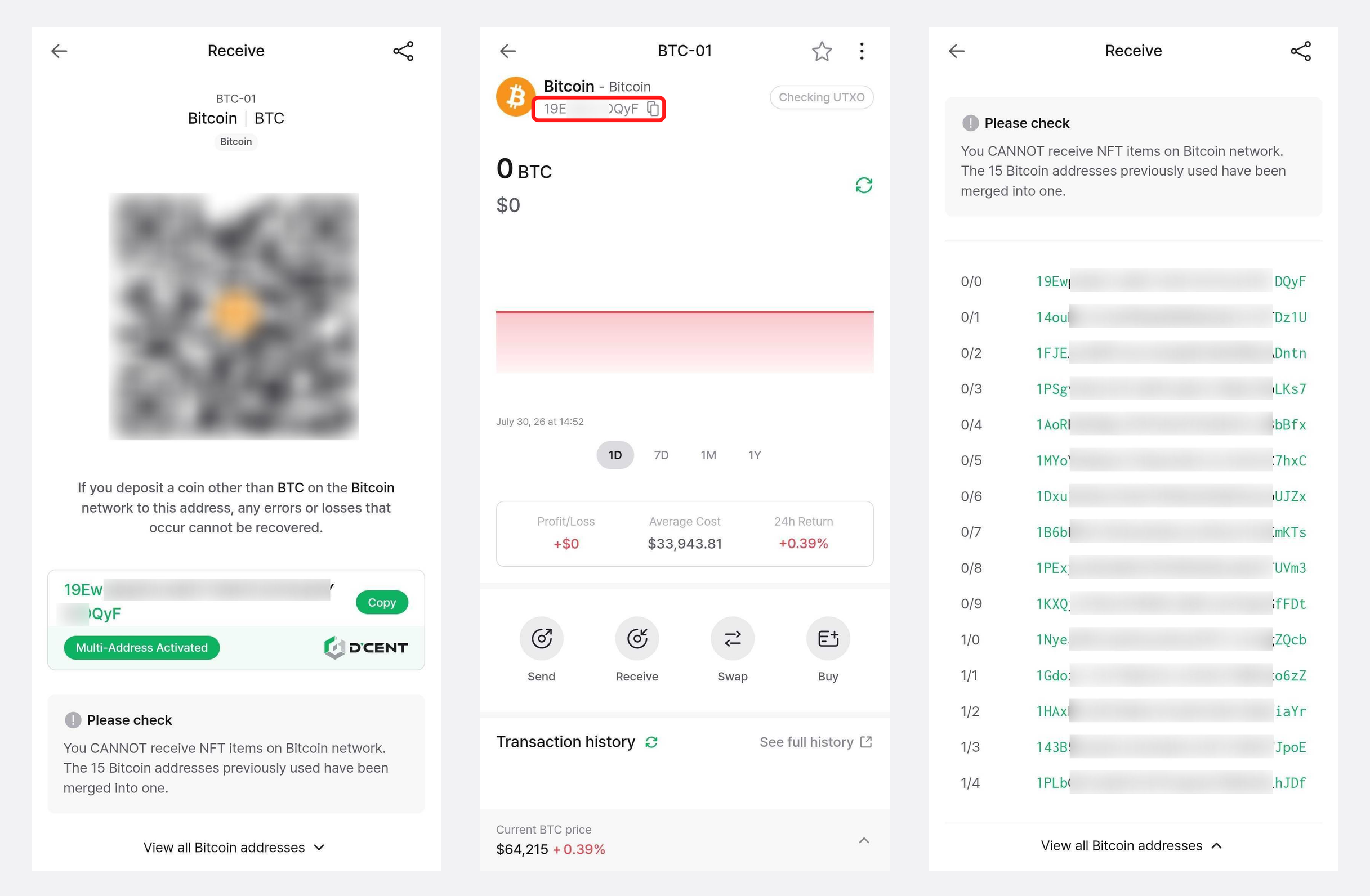
- Receive screen: shows the current rotated (new) address you can receive to right now.
- Top of the account detail screen: shows the account's primary address (fixed) under the account name. This stays the same even as the receive address changes.
- View all Bitcoin addresses: expand "View all Bitcoin addresses" on the "Multi-Address" sheet to see the account's full address list.
[How many addresses are used?]
- A Bitcoin account uses a fixed total of 15 addresses (10 receiving + 5 change).
- When receiving, the next unused address among the receiving addresses is shown in order.
- Once all receiving addresses are used, no new addresses are created — it cycles back and reuses from the first address.
- An address that has ever received coins is not shown as a "new address" again, even after its balance is fully withdrawn.
[What happens when sending?]
- When sending, the wallet aggregates the balances (UTXOs) across your multiple addresses. As a result, the From address in your transaction history may be shown based on the address actually used for that transfer (one of the 15).
- Any remaining amount (change) returns to your own change address.
- For more about UTXOs, see Why is the Bitcoin transaction fee so high? / What is a UTXO?.
[Supported coins (Bitcoin family)]
This feature applies to the following Bitcoin-family coins:
- Bitcoin (BTC) / Bitcoin SegWit
- Bitcoin Cash (BCH)
- eCash (XEC)
- Zcash (ZEC)
- Litecoin (LTC)
- Bitcoin Gold (BTG)
- Dash (DASH)
- DigiByte (DGB)
- Ravencoin (RVN)
- Dogecoin (DOGE)