My DCENT S card won't scan
The DCENT S card communicates with your phone over NFC. When it isn't recognized, it's usually because of the NFC antenna position or something in the surroundings. Please check the following in order.
[Check these first]
- Make sure your phone's NFC is on. On Android, turn on the "NFC tag read/write" option in Settings; on iOS, NFC is on by default.
- Make sure the DCENT mobile app is on the latest version.
- Hold the card flat against the back of your phone — just holding it nearby isn't enough for recognition.
- Don't remove the card too quickly — keep it in place until the completion message appears.
[Remove anything that interferes]
- A thick case on the phone
- A physical card (transit card, credit card, etc.) stored in the case
- A ring holder or a metal/magnetic accessory (MagSafe, etc.)
[Align the card with the NFC antenna]
The NFC antenna is in a different spot on every phone model. Check the exact location in your phone manufacturer's manual, then align the card with that spot.
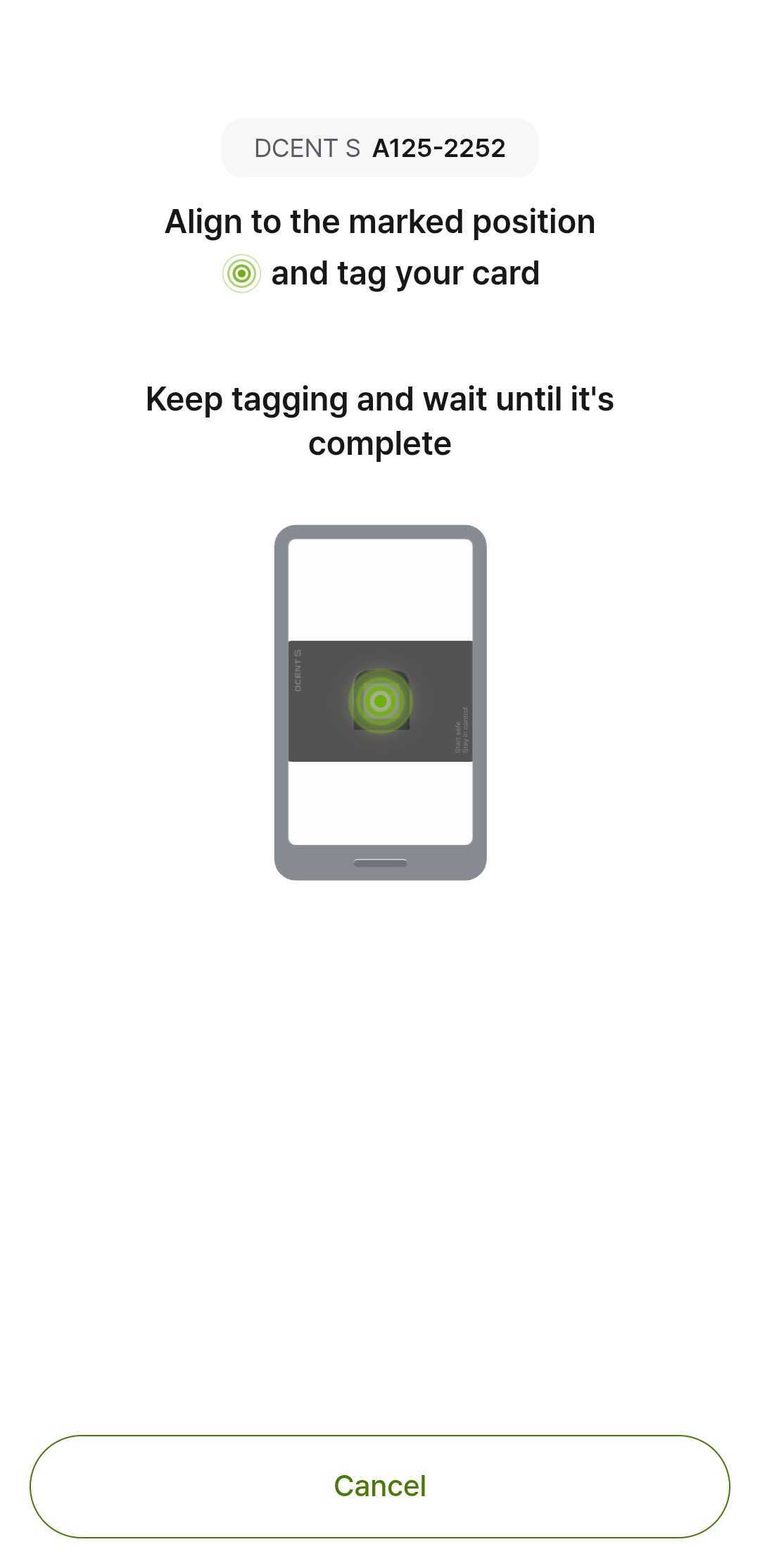
When tagging, hold the card horizontally, just like the scan example in the DCENT app, and place it against the NFC antenna on the back of your phone.
If you're not sure of the exact spot, keep the card flat against the back and move it slightly until it's recognized. As a rough guide, the antenna is often near the center of the back on Android, and near the top (around the camera) on iPhone.
Depending on your phone model, the app may show an approximate NFC antenna position on screen, like the example below. When it does, align the card with that position.
[If you use a foldable phone]
On foldable phones (such as Galaxy Z Fold/Flip), recognition can be tricky because the back isn't flat or the NFC antenna sits in a different spot depending on the model. Check the antenna location in the manufacturer's guide, hold the card flat against the back, and try both folded and unfolded to find whichever position is recognized better.
[If it still isn't recognized]
Try again away from electronics such as wireless chargers. If the problem continues, please contact us with your phone model. Attaching a video of you actually tapping the card helps us pinpoint the cause more accurately.