How is DCENT S backed up? (R3covery card and mnemonic)
[How does the DCENT S back up?]
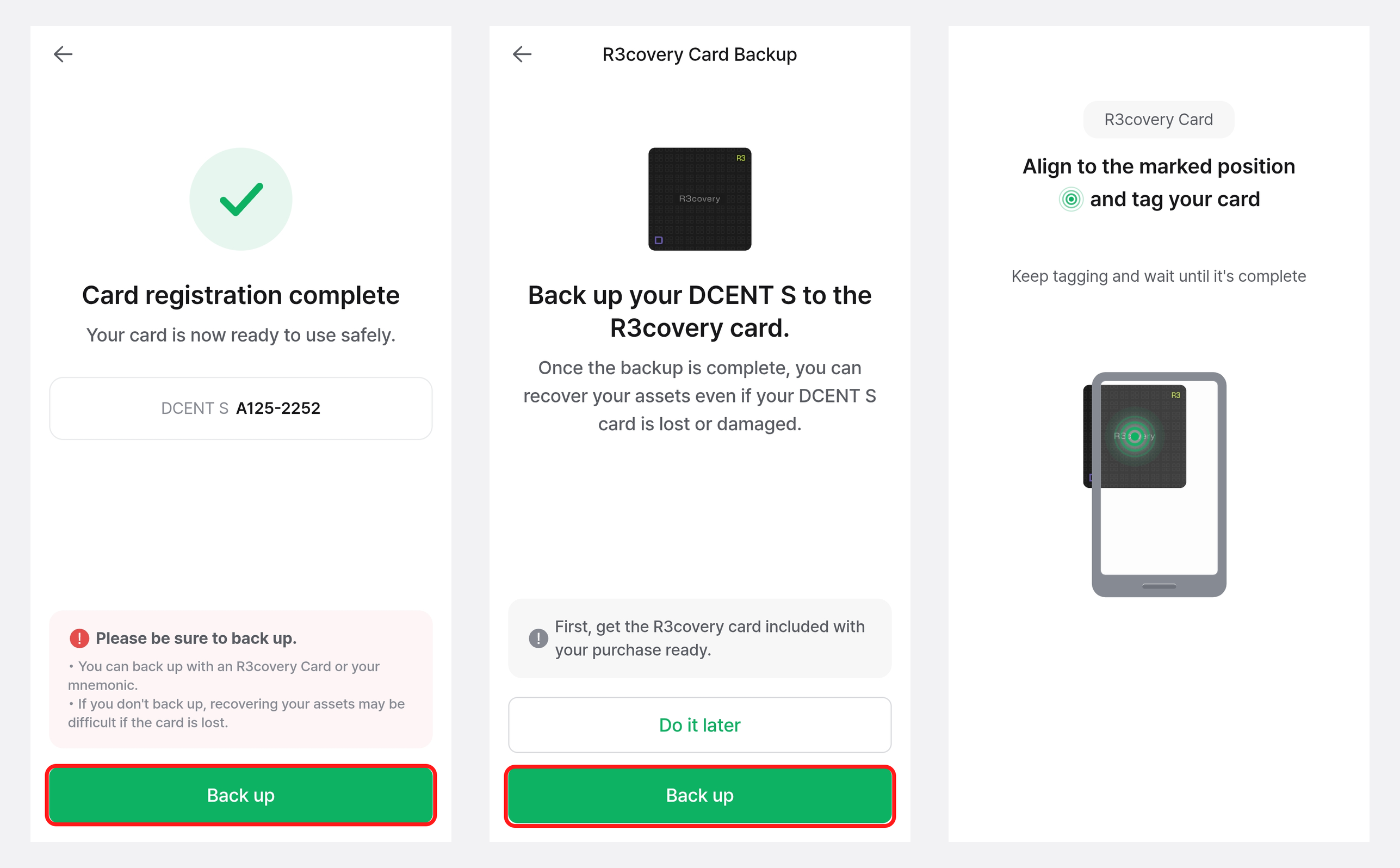
The DCENT S backs up to the included R3covery card. You can also view the backed-up private key as a 24-word mnemonic (recovery phrase).
Notes
- We recommend backing up during setup, in case the card is lost, damaged, or reset after 10 failed PIN attempts.
- The R3covery card used for backup is essential for recovery, so keep it in a safe place.
User Guide
[Does the DCENT S use a mnemonic (recovery phrase)?]
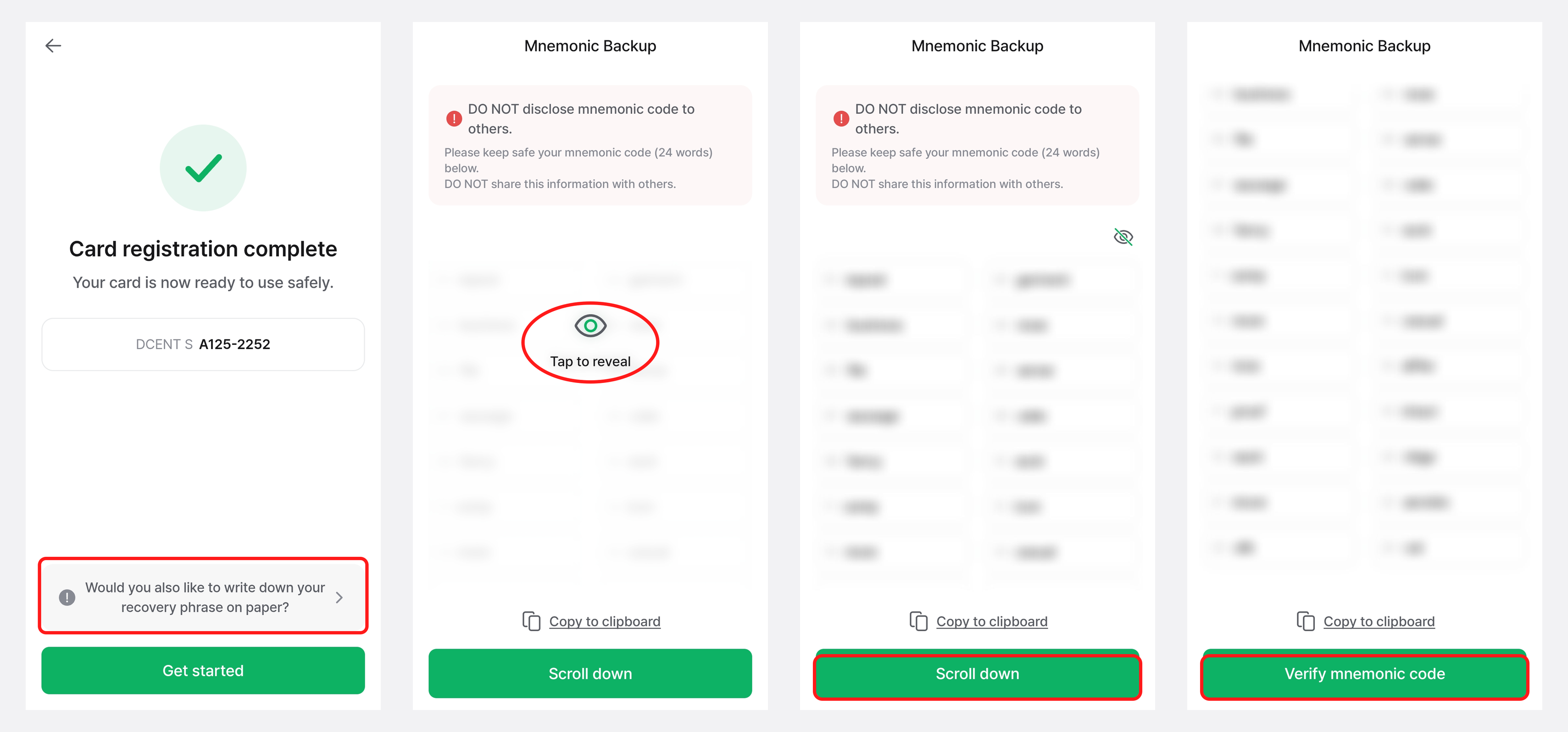
The DCENT S lets you back up your private key quickly and easily with the bundled R3covery Card. As a safeguard for worst-case situations — if you forget both your DCENT S card PIN and your R3covery Card PIN, or lose both cards — you can also back up your private key as a 24-word mnemonic (recovery phrase).
Cautions for storing your mnemonic
- The mnemonic is shown only once in the app, during the backup step of the DCENT S Card Wallet's initial setup, and cannot be viewed again afterward.
- Do not take photos of it or save it to the cloud — always write it down offline (for example, on paper) and keep it safe.
- Never share it with anyone.
User Guide
[Can I create multiple R3covery Cards?]
Yes. You can back up a single DCENT S card to multiple R3covery Cards.
Notes
- Creating multiple R3covery Cards is safer, because even if you lose or damage one, you can recover with another R3covery Card.
- You can share them with family members or store them separately in different locations.
- The R3covery Card is essential for recovering your DCENT S assets, so keep every card you create in a safe place.
User Guide