A message says KYC is required when using a swap service.
If the swap transaction amount is large, or if the transaction is flagged as suspicious based on the policies of the swap service provider, the provider may request KYC (Know Your Customer) verification.
[When 'KYC Needed' is displayed]
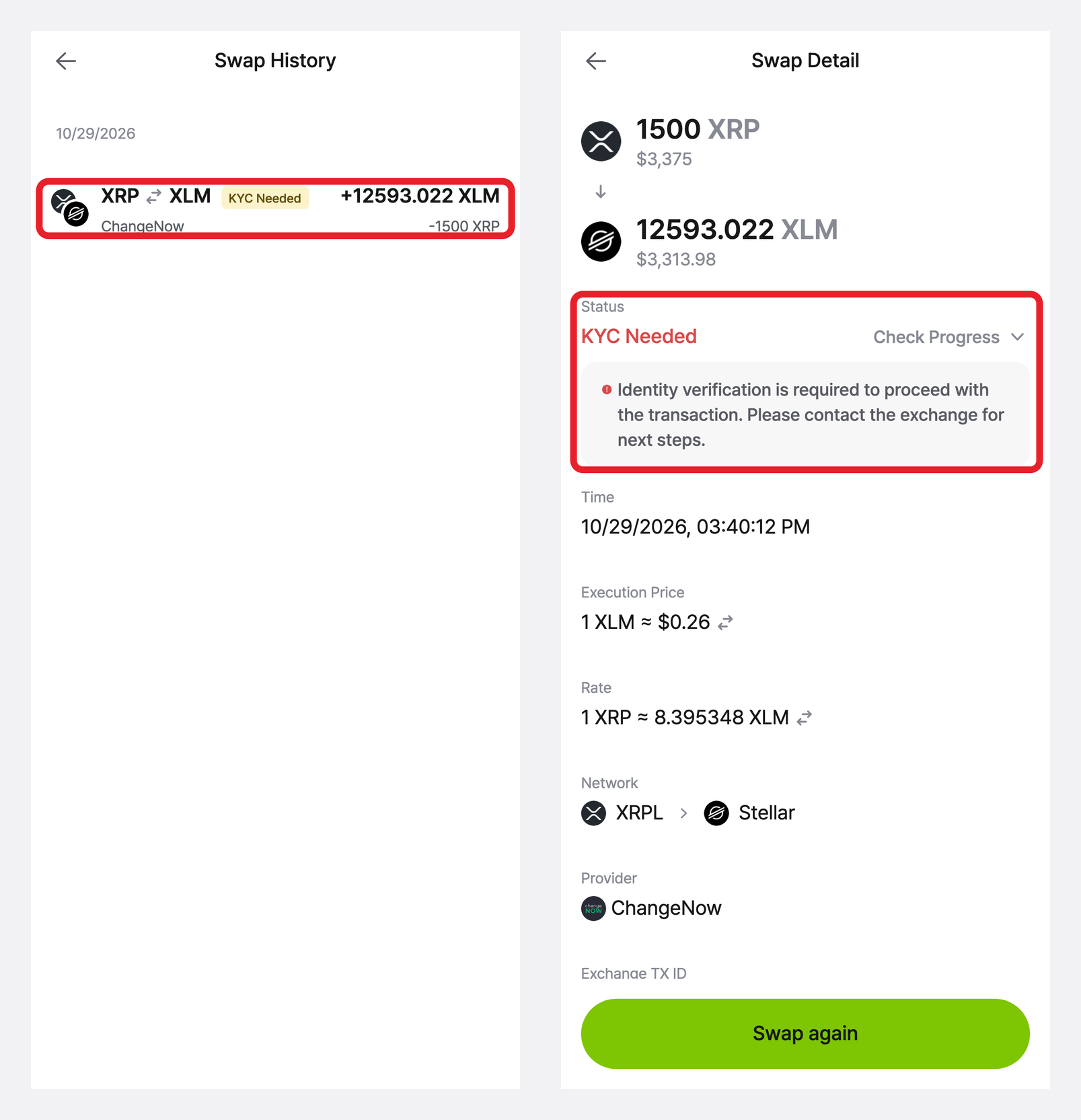
If the swap service provider requires identity verification, the swap transaction history will show a “KYC Needed” status, as shown below.
In this case, KYC cannot be completed through DCENT, and you will need to follow the verification process directly through the swap service provider.
[How to Check Your Swap Service Provider]
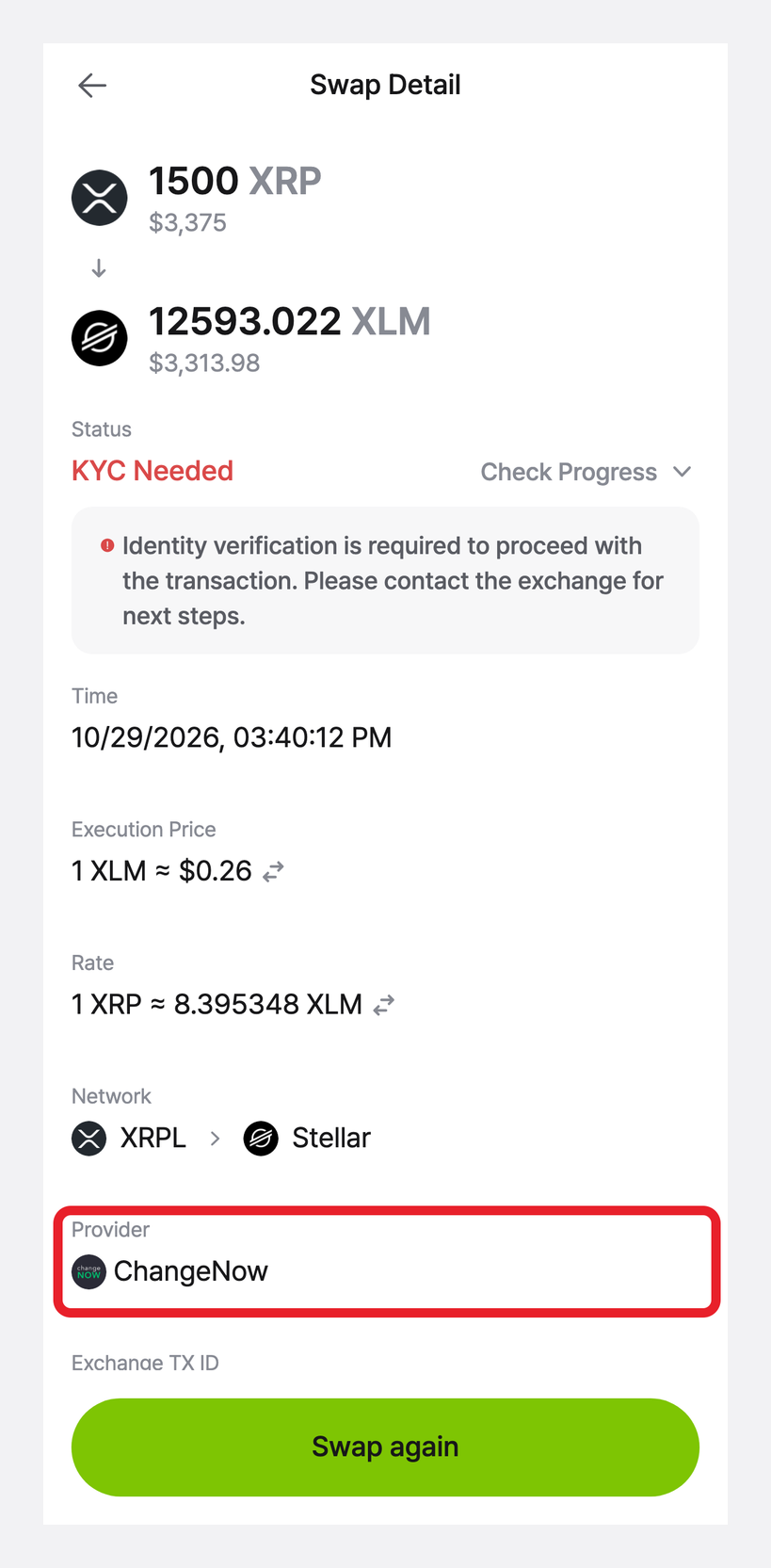
KYC must be completed directly with the swap service provider that processed your swap. You can check which provider it is as follows.
- Open the DCENT app and go to [Swap].
- Tap [View Swap History] in the top-right corner.
- Select the swap with the “KYC Needed” status.
- Check the provider name under [Provider] on the Swap Detail screen.
[Information to Include When Contacting the Provider]
- Exchange ID: [Exchange TX ID] on the Swap Detail screen
- Transfer TXID: [Transfer TX ID] on the Swap Detail screen
- Screenshot of the Swap Detail screen
- Swap request details, such as the date and time, swap amount, and asset pair
(Example: “Around 2026-10-29 15:40 (KST), XRP → XLM swap, 1500 XRP”)
[Swap Provider Support Links]
- ChangeNOW (https://support.changenow.io/hc/en-us)
- Changelly (https://support.changelly.com/en/support/home)
- Exolix (https://exolix.com/contact)
- ButterSwap (https://docs.butterswap.me/contact)
- SushiSwap (Rizwanali@sushi.com)
- Swapscanner (contact@swapscanner.io)
- LiFi (https://help.li.fi/hc/en-us/requests/new)
- Rubic (https://docs.rubic.finance/rubic/contacts/support)
- Uniswap (https://support.uniswap.org/hc/en-us)
- Squid (https://support.squidrouter.com/)
[Important Notes]
- DCENT is a decentralized wallet that does not store or manage user personal information.
- KYC is conducted based on the policies and procedures of the swap service provider, and DCENT cannot act on your behalf.
- As KYC documents and requirements may differ depending on the provider, please contact the swap provider directly for accurate instructions.