Recover Kaia-based assets sent to Ethereum address
Before you begin
You are solely responsible for any outcome that may occur while resolving a mistransmission. Make sure you fully understand the related information before using this feature. If used incorrectly, you may permanently lose the mistransmitted assets.
Kaia accounts created before mobile app v5.3.1 (now shown as "Kaia Legacy" accounts) had a different address from the Ethereum account. So if you sent Kaia-based assets to an Ethereum address, they did not appear in your Kaia account.
Kaia accounts created from v5.3.1 onward have the same address as the Ethereum account. So you can see Kaia-based assets sent to your Ethereum address simply by adding the token account to your Kaia account. There is no need to create a custom path account or move the assets.
The example below assumes oORC (Orbit Bridge Klaytn Orbit Chain), a Kaia-based asset, was mistakenly sent to an Ethereum address. You can follow the same steps for other Kaia-based assets sent to an Ethereum address.
Check assets on the Kaia network
First, check that the mistransmitted Kaia-based assets are still on the Kaia blockchain.
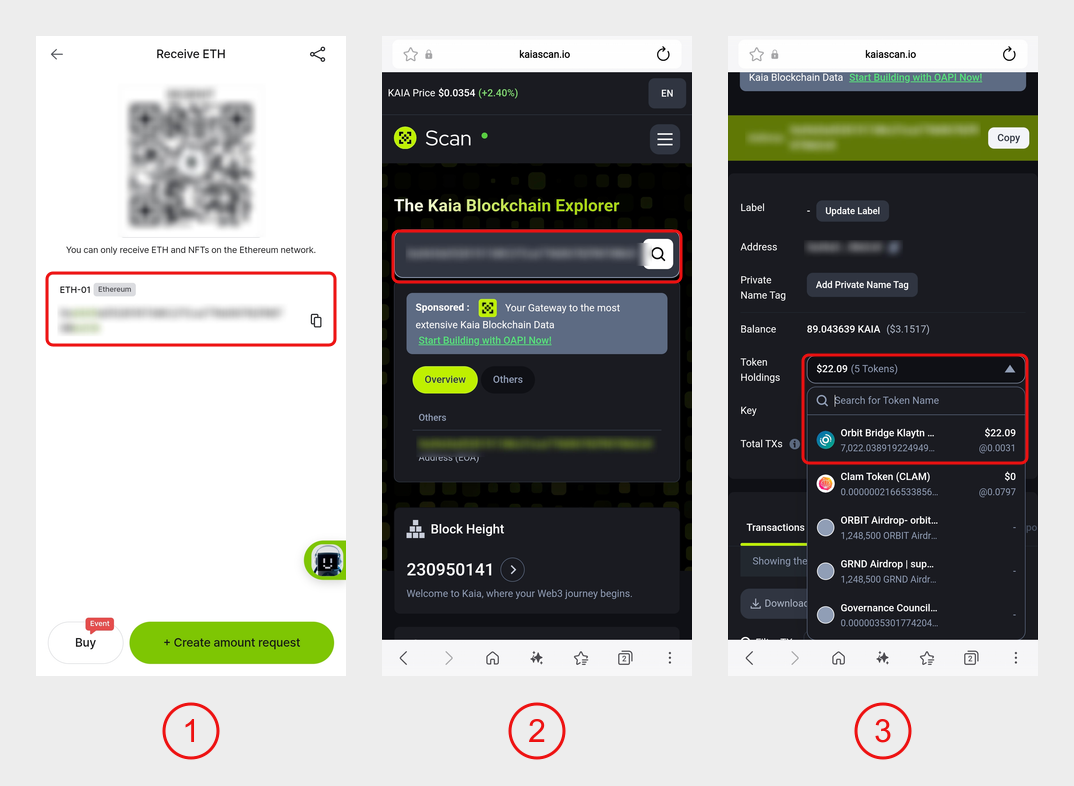
1) In your Ethereum account (e.g., ETH-01), tap 'Receive' and copy the address.
2) Open Kaiascan (https://kaiascan.io) in a web browser and search for the copied address.
3) If the mistransmitted assets appear in the 'Token Holdings' list, you can see them in your DCENT wallet.
Check your Kaia account address
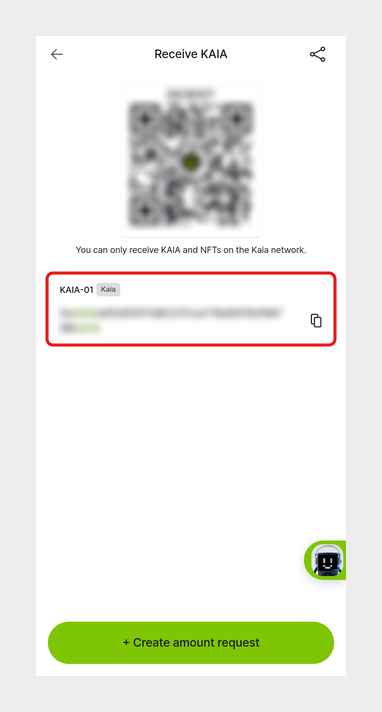
In your Kaia account (e.g., KAIA-01), tap 'Receive' and check that the address is the same as your Ethereum account address.
If the Kaia account name shows "Legacy" or its address is different from your Ethereum account address, it is a legacy account in the format used before v5.3.1. In this case, add a new Kaia account without the "Legacy" label on the Add account screen. The new Kaia account has the same address as your Ethereum account, and you can add the token account to it as shown below.
For more about legacy accounts, see Notes on Wallet Recovery - Legacy account.
Add a token account to your Kaia account
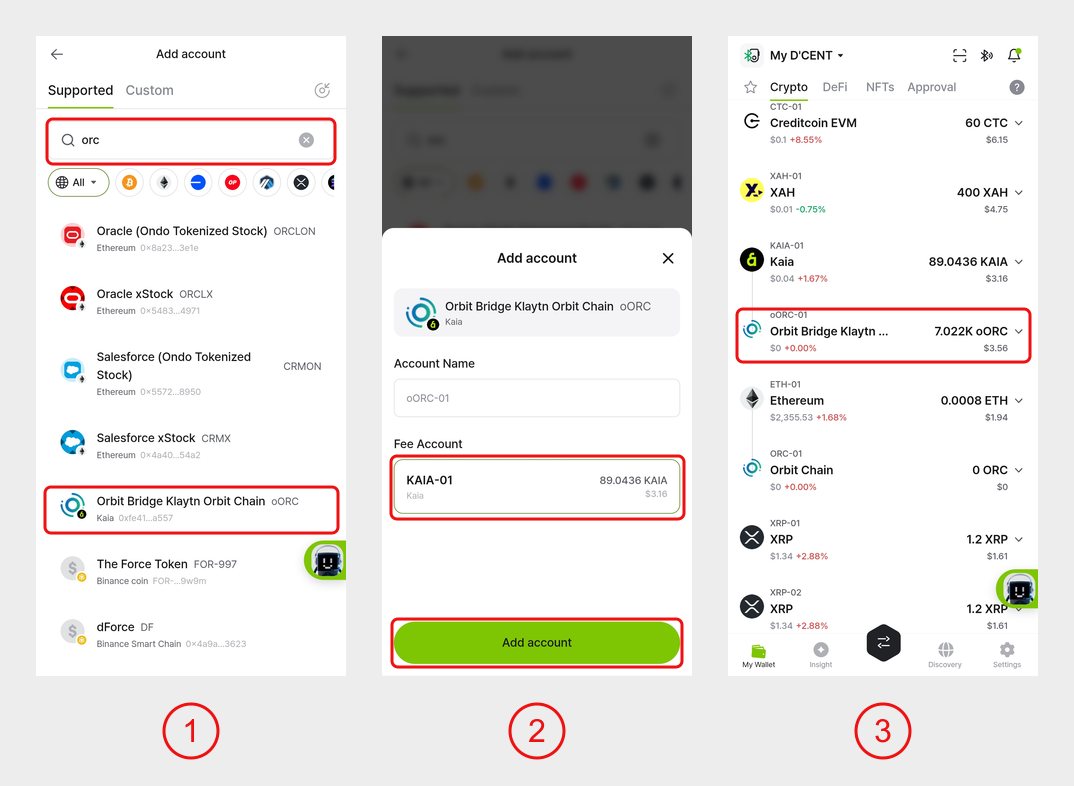
1) In the 'My Wallet' tab, tap the '+' button to open the Add account screen, then enter 'orc' in the search box. Select Orbit Bridge Klaytn Orbit Chain (oORC) with the network shown as 'Kaia'.
2) Select 'KAIA-01' as the Fee Account and tap 'Add account'.
3) The mistransmitted assets appear in the added oORC account.
All recovery steps are now complete. You can use the assets in the added token account as usual.