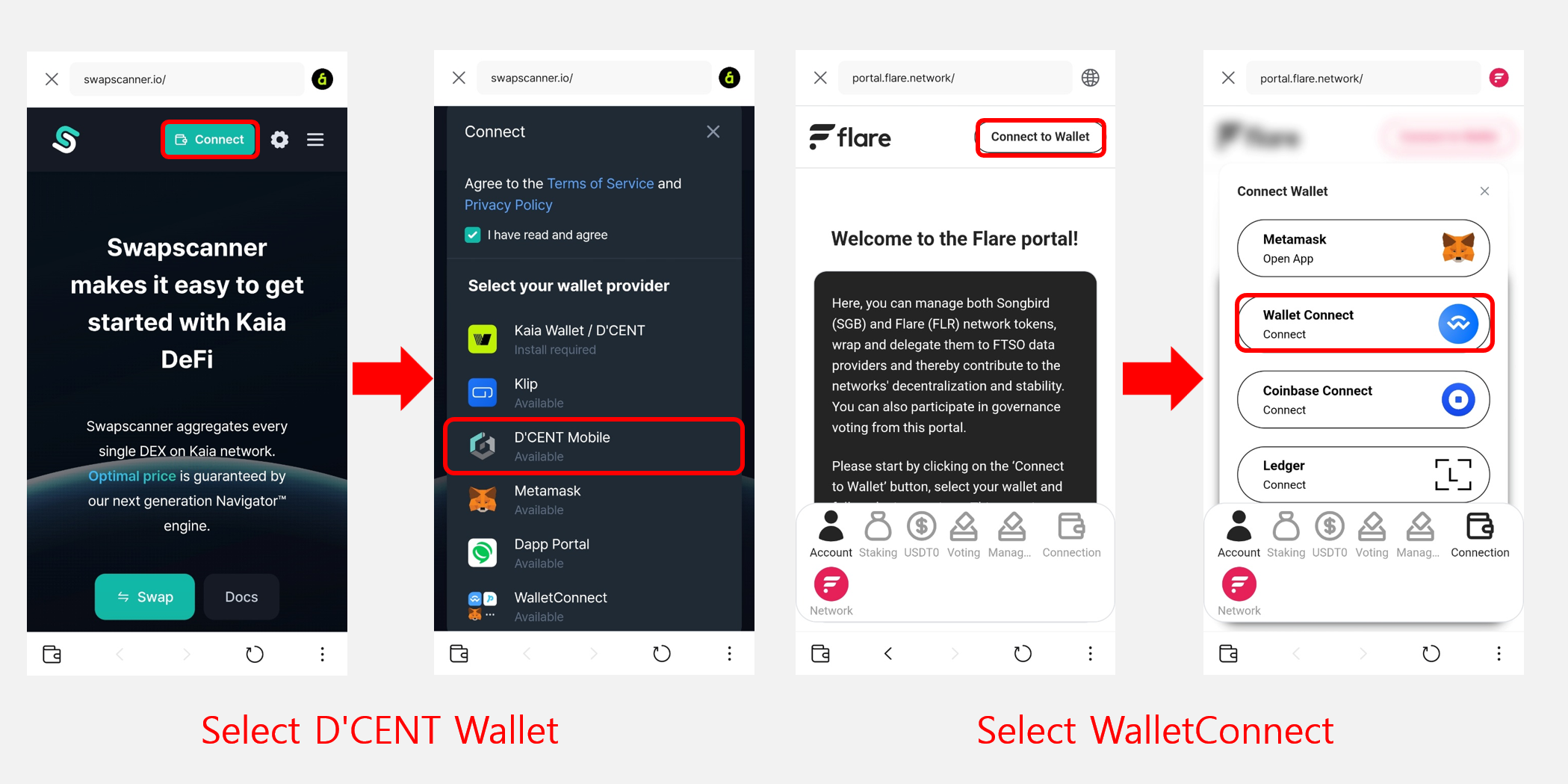
Connecting your wallet to a dApp site
Opening a DApp site
Follow these steps to open a DApp site:
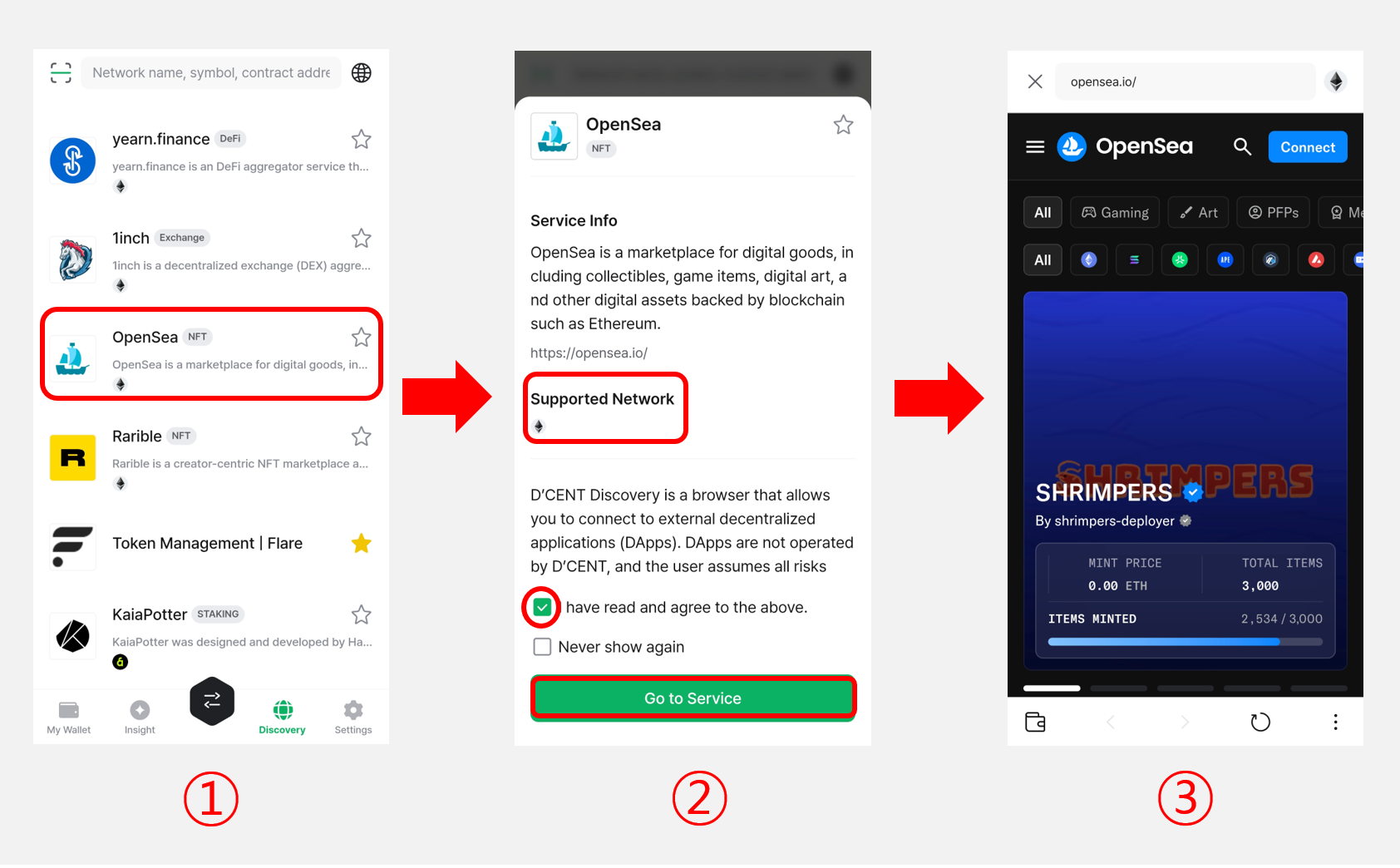
1) Pick a service from the list or search for it in the search bar.
2) Review the service information (such as supported networks) and the notice. Tick the I have read and agree to the above checkbox, then tap Go to Service.
3) Once the DApp site opens, tap the Connect button to link your DCENT wallet.
Connecting your wallet to a DApp site
When you open a decentralized application (DApp) site, the site usually detects your blockchain wallet and triggers a connection request automatically. Review the account that will be connected, then tap Connect to link your DCENT wallet to the site.
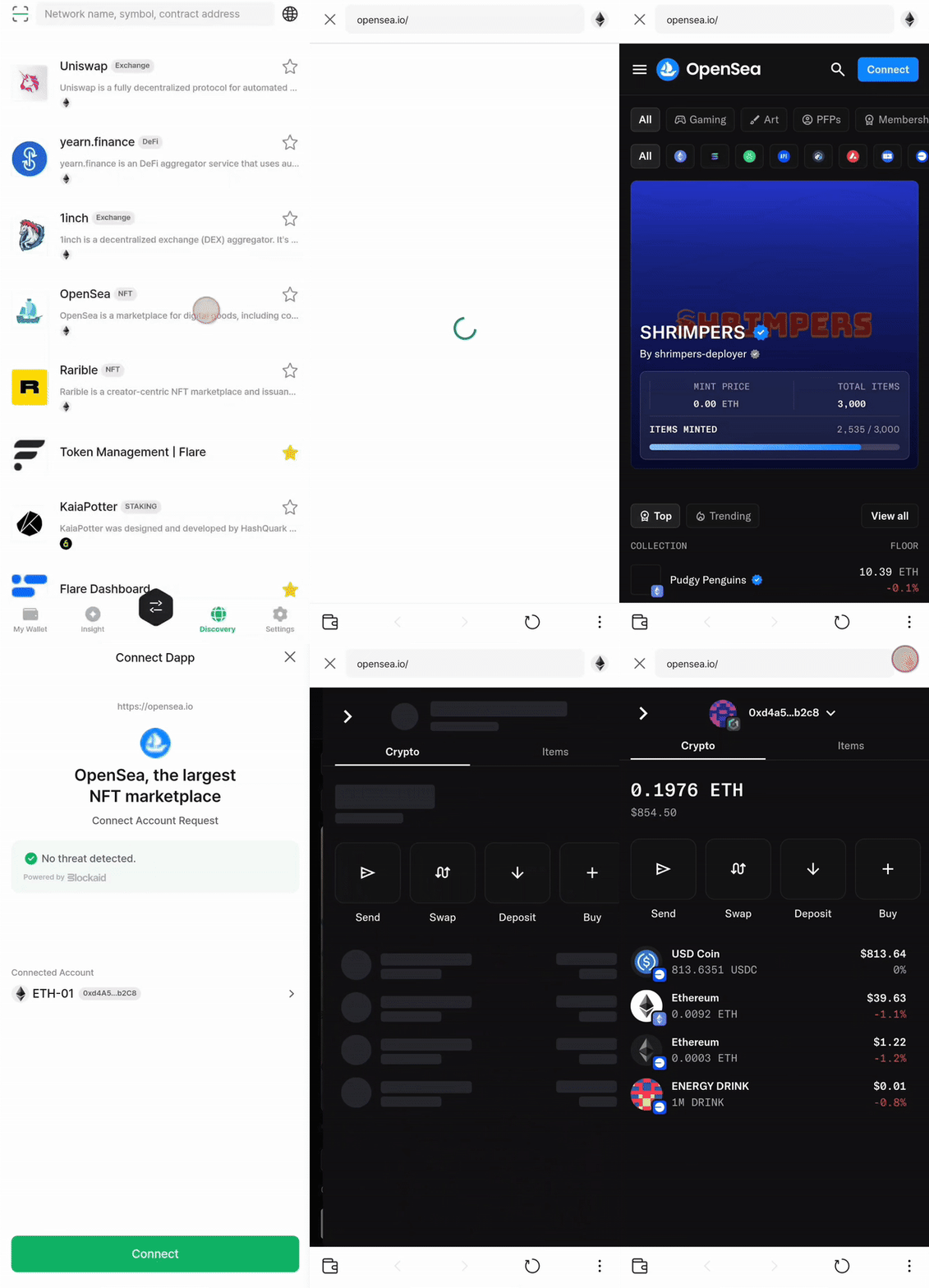
Some DApp sites do not trigger the connection automatically. In that case, tap the Connect or Connect Wallet button in the site's menu, then choose DCENT or WalletConnect from the list of wallet options to link your DCENT wallet.