Exchange
D'CENT Wallet partners with third-party providers (Changelly and ChangeNOW) to offer an in-app Exchange that lets you swap one asset for another. For example, you can trade ETH directly for BTC without leaving the wallet.
The Exchange service is available from the My Wallet tab or the Discovery tab of the D'CENT app.
Exchange is powered by third-party services operated by Changelly and ChangeNOW.
Please review their terms and conditions before using the service.
For any questions, check the provider's help center first:
If you need further assistance, contact the provider's support team with your Exchange (Swap) ID.
How to exchange your cryptocurrency
Follow the steps below to exchange your crypto. In this guide, we will exchange ETH for XRP.
Set up your trade
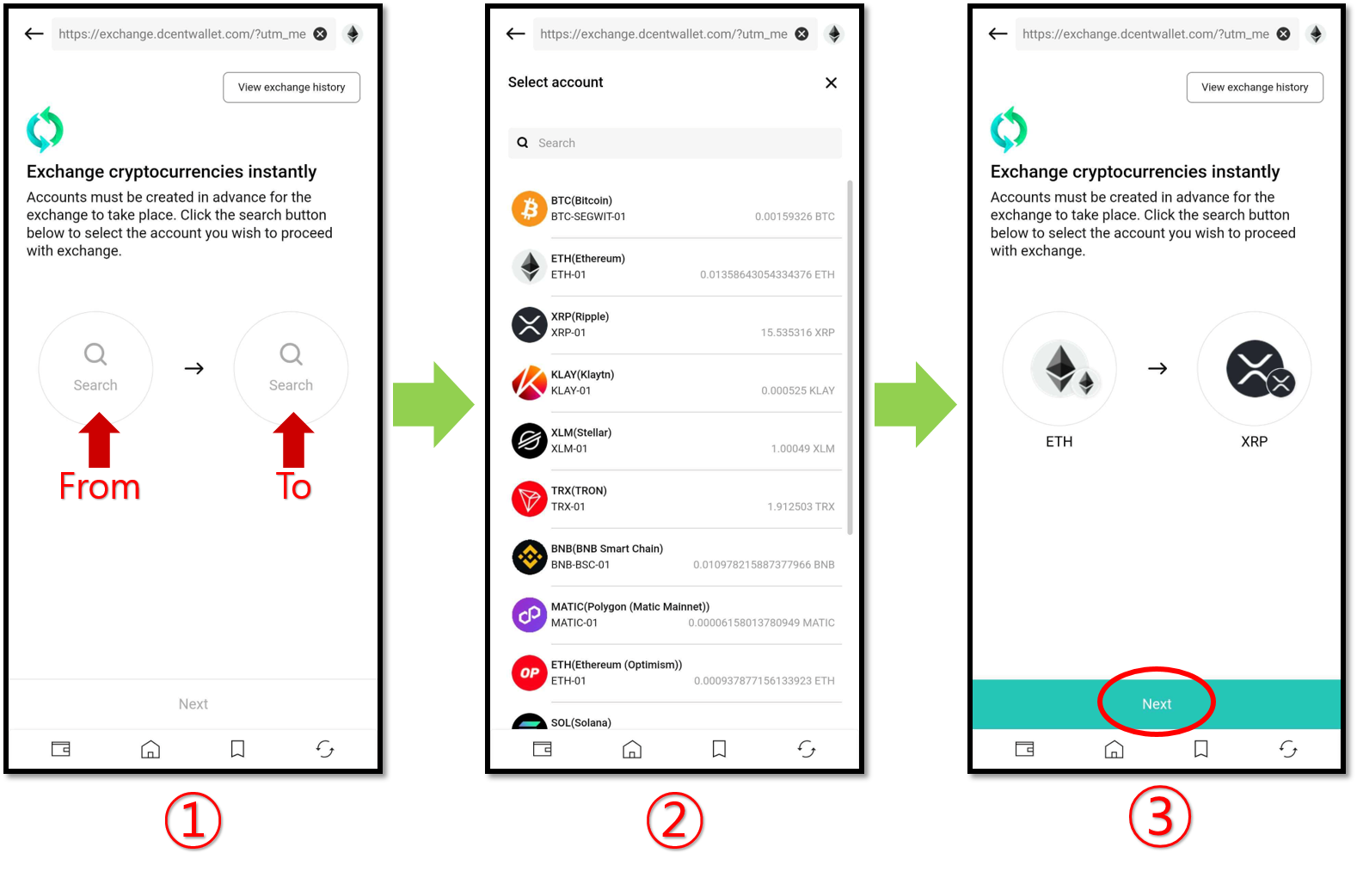
1. Choose the asset you want to send.
2. Select the asset you want to receive from the list.
3. Once both assets are selected, tap "Next".
Enter the amount and choose an exchange provider
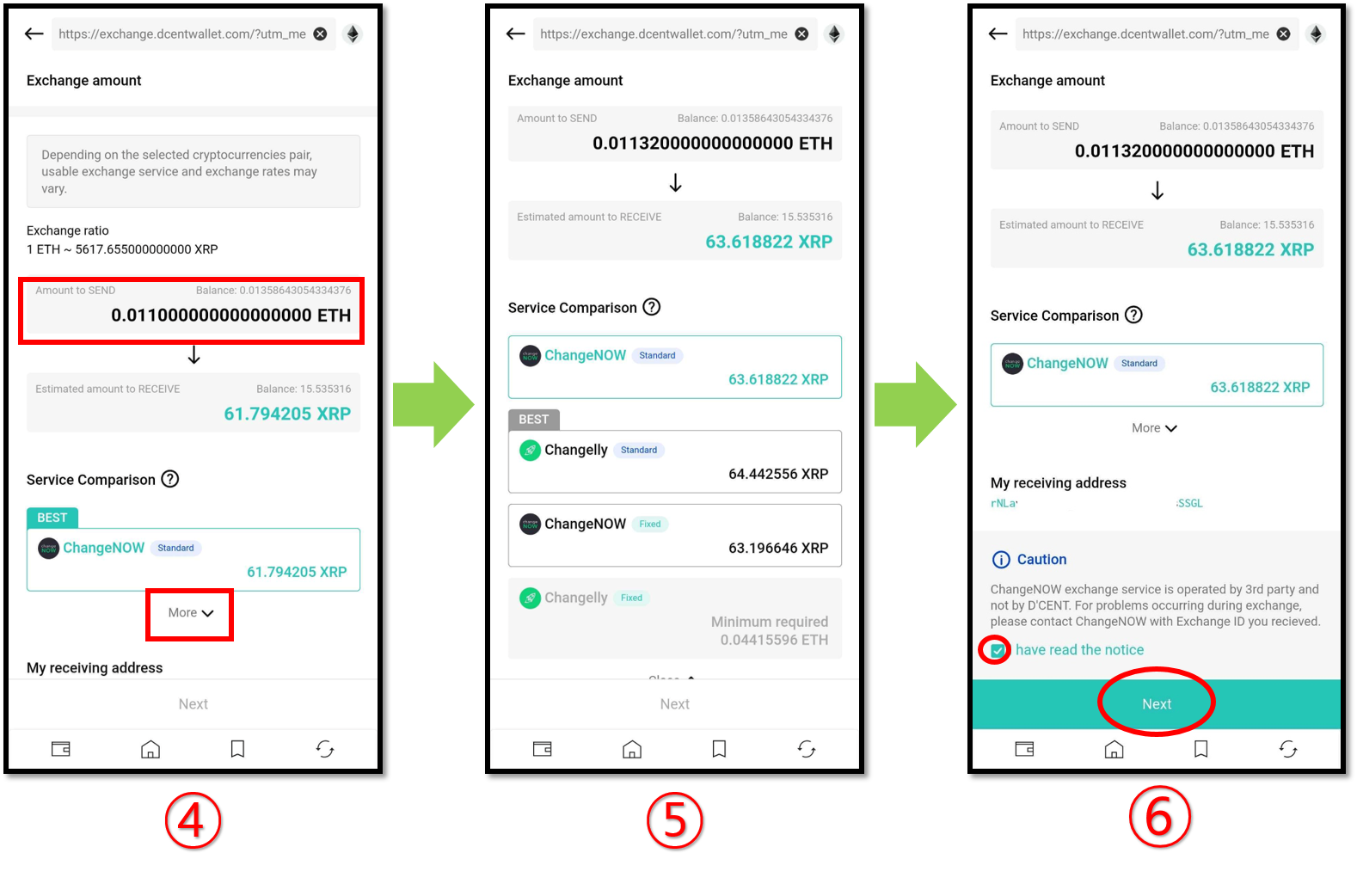
4. Enter the amount you want to exchange. Tap "More" to compare and choose between providers (ChangeNOW or Changelly).
5. The available providers may differ depending on the receiving asset. Each provider offers a different exchange rate and minimum amount.
6. After choosing a provider, scroll down, tick the confirmation checkbox, and tap "Next".
Flexible (Standard) rate: The amount actually received may differ slightly from the displayed estimate.
Fixed rate: You receive exactly the amount shown.
Execute the trade
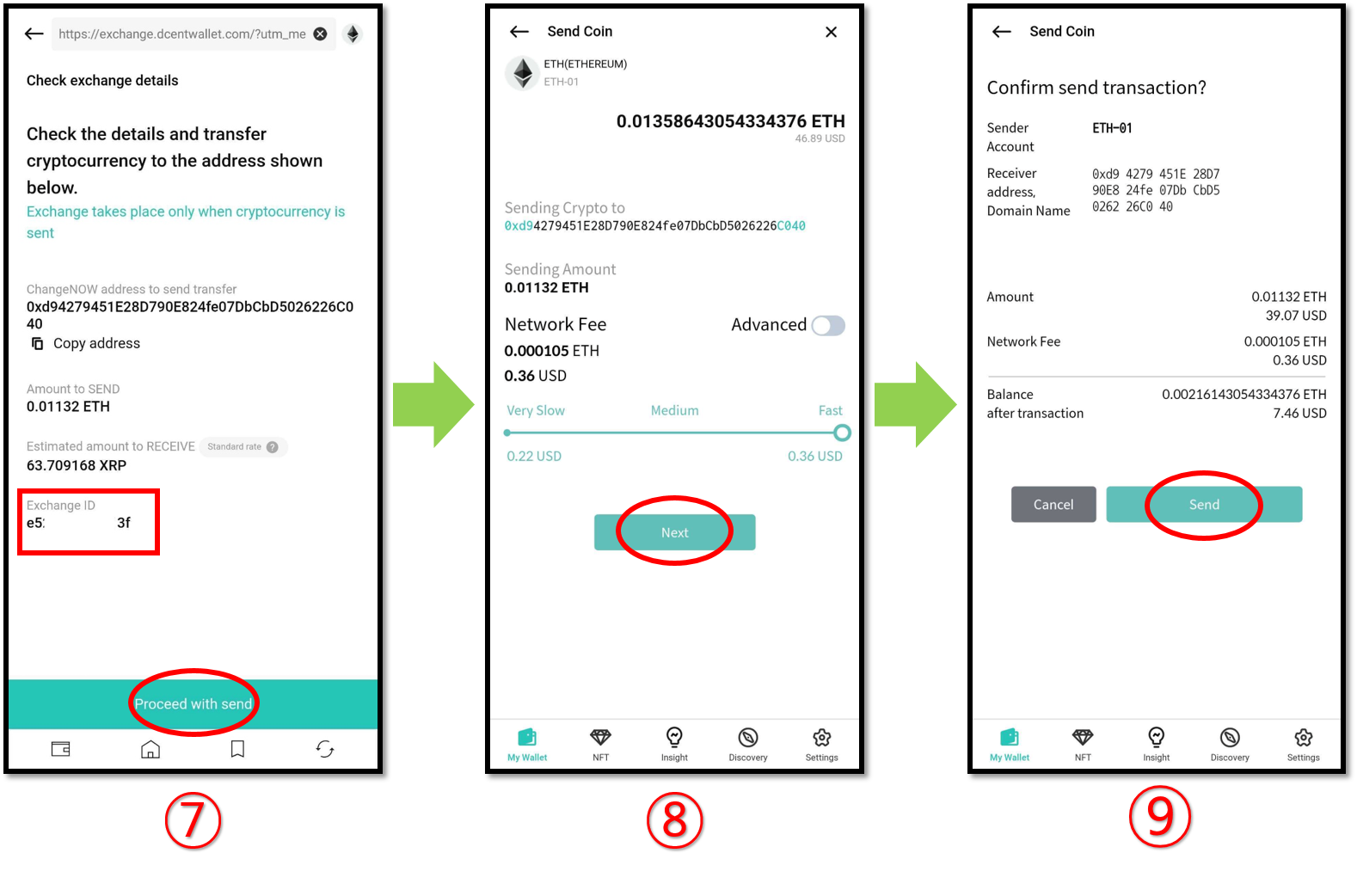
7. The exchange will only run after you send the agreed amount to the provider. Review the transaction details on the screen. The Exchange ID is also shown here.
8. Check the transaction details, set the network fee, and tap "Next".
9. Do a final review and tap "Send" to proceed.
Authorize the trade
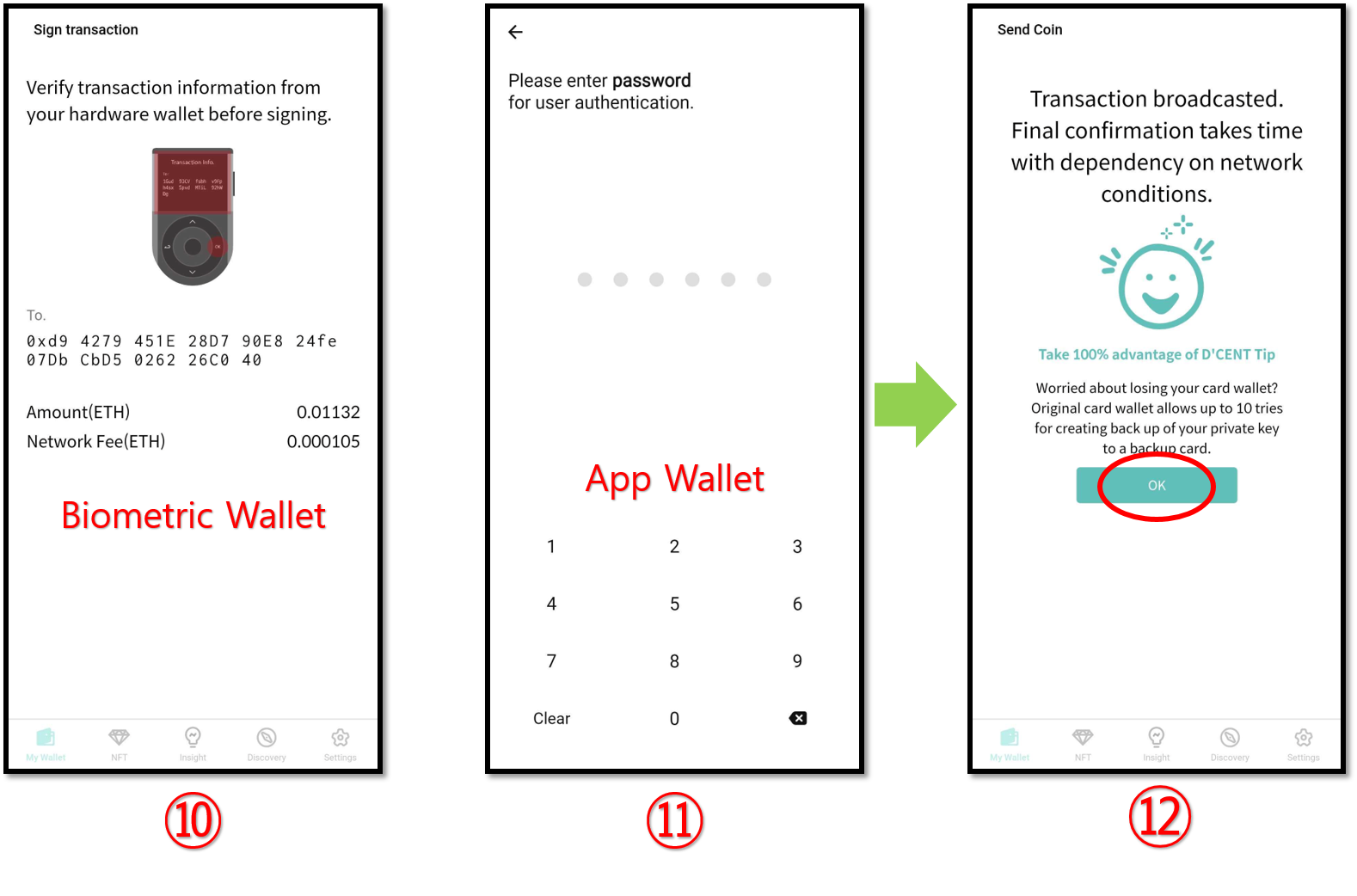
10. Review the details in your wallet and approve the transaction. On the Biometric Wallet, authorize with your fingerprint (or PIN).
11. On the App Wallet (software), authorize with your password (or biometrics).
12. When the completion message appears, tap "OK".
Check the exchange status
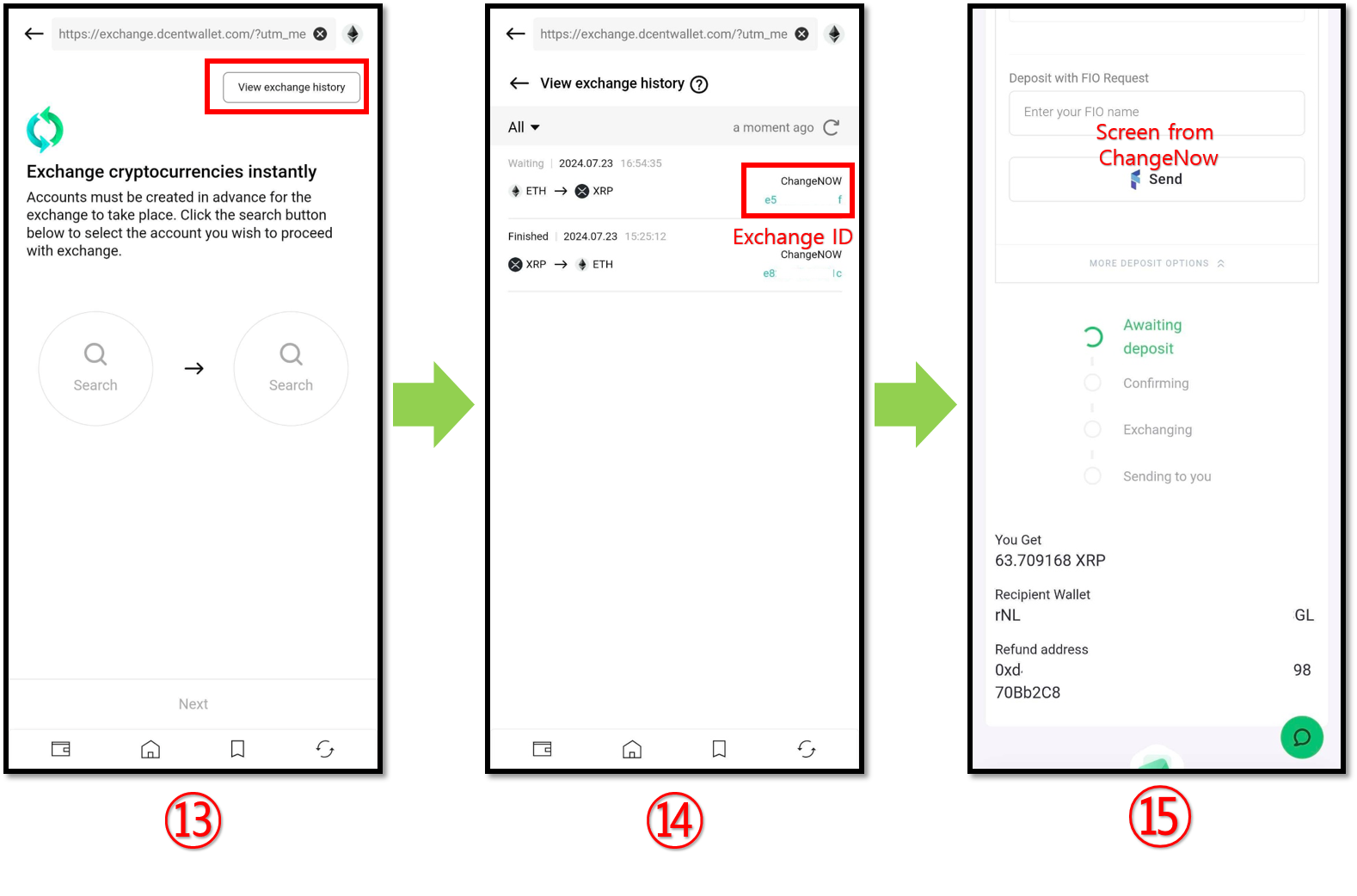
13. Tap "View exchange history" to see your exchange history and progress.
14. You can check the status of each request from the Exchange History tab.
15. Tap the Exchange ID to view full details on the provider's website.
Note on Exchange History
The D'CENT app keeps your Exchange ID and transaction record for 15 days, after which it is deleted. Please back up this information beforehand if you need it for future reference.