FTSO Portal - vote delegation
Introduction to the DCENT FTSO Portal
FTSO Portal lets you use FTSO features on the Songbird and Flare networks. SGB and FLR holders can delegate vote power to their preferred FTSO providers and earn rewards in return.
Accessing the FTSO Portal
You can open the FTSO Portal from the Discovery tab (DApp browser) of the DCENT mobile app.
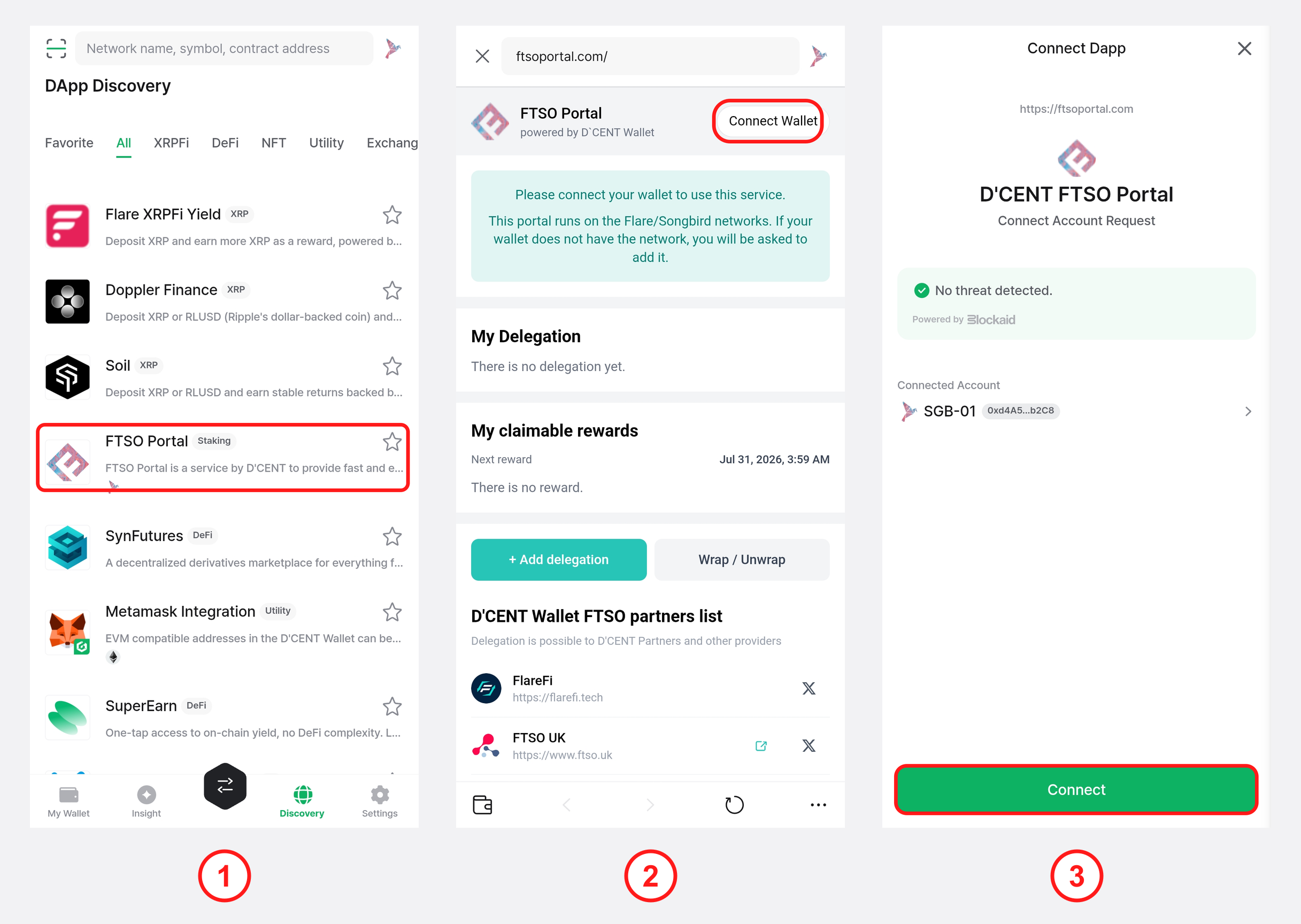
1) Open the Discovery tab and tap FTSO Portal in the list.
2) When the FTSO Portal opens, tap "Connect Wallet" at the top right. The portal runs on the Flare/Songbird networks, and if your wallet does not have the network you will be asked to add it.
3) On the connect request screen, check the SGB account to connect and tap "Connect" to finish connecting on the Songbird network.
Switching to the Flare (FLR) network — after connecting, tap the "Flare" button in the network toggle on the main screen to switch to the Flare network. From there the flow is the same, using SGB → FLR and WSGB → WFLR. (The guide below uses Songbird (SGB) as an example.)
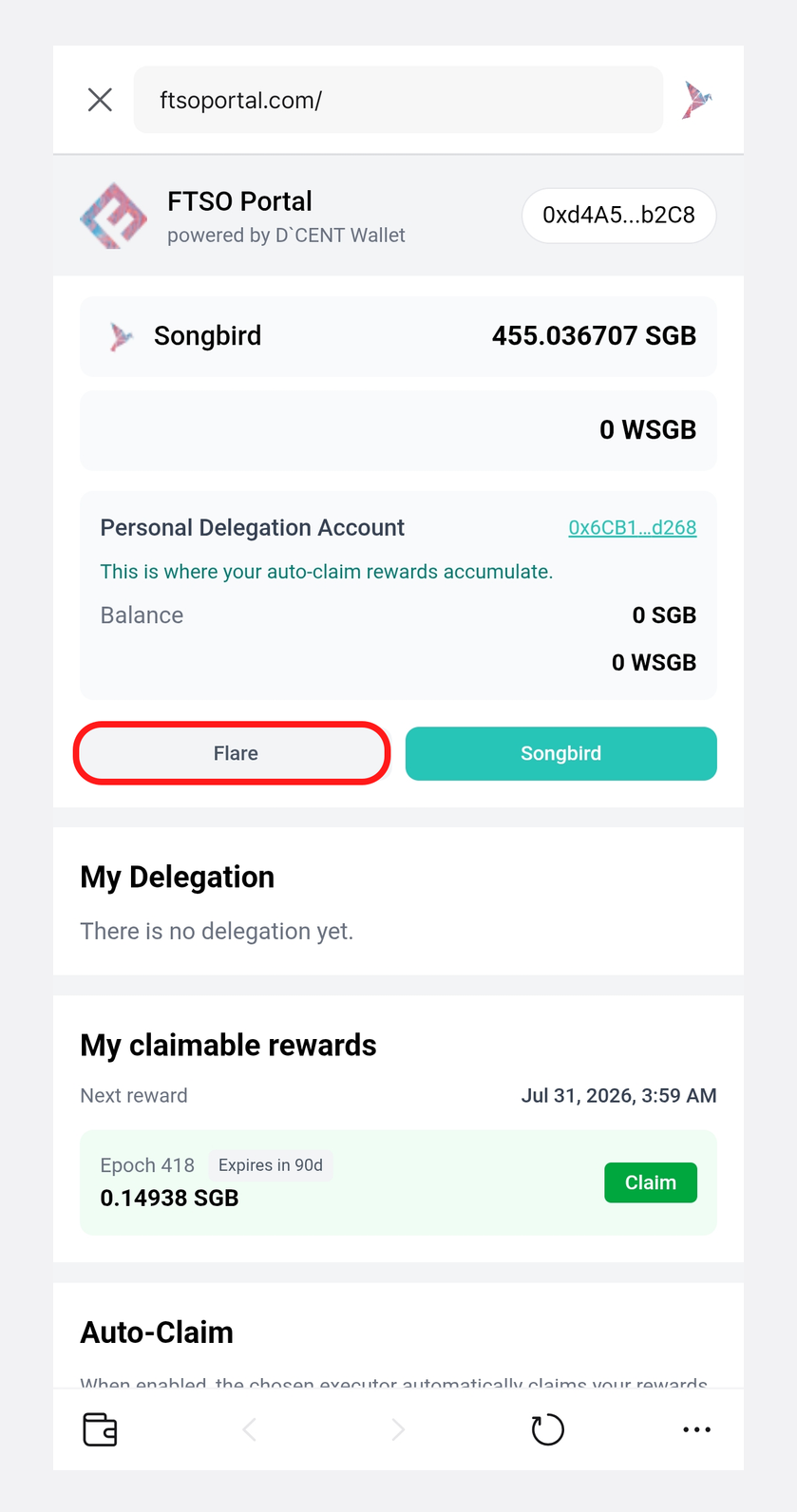
Wrapping SGB or FLR tokens
Before you can delegate vote power, you first need to wrap your SGB (or FLR) tokens into wrapped tokens such as WSGB (or WFLR).
Don't wrap your entire SGB (or FLR) balance — leave some unwrapped. Every later step, including delegating vote power, claiming rewards, and registering auto-claim, incurs a network fee (gas) paid in SGB (or FLR). If you have no spare balance for fees, delegation and reward claims cannot go through, so we recommend wrapping only part of your balance rather than the full amount.
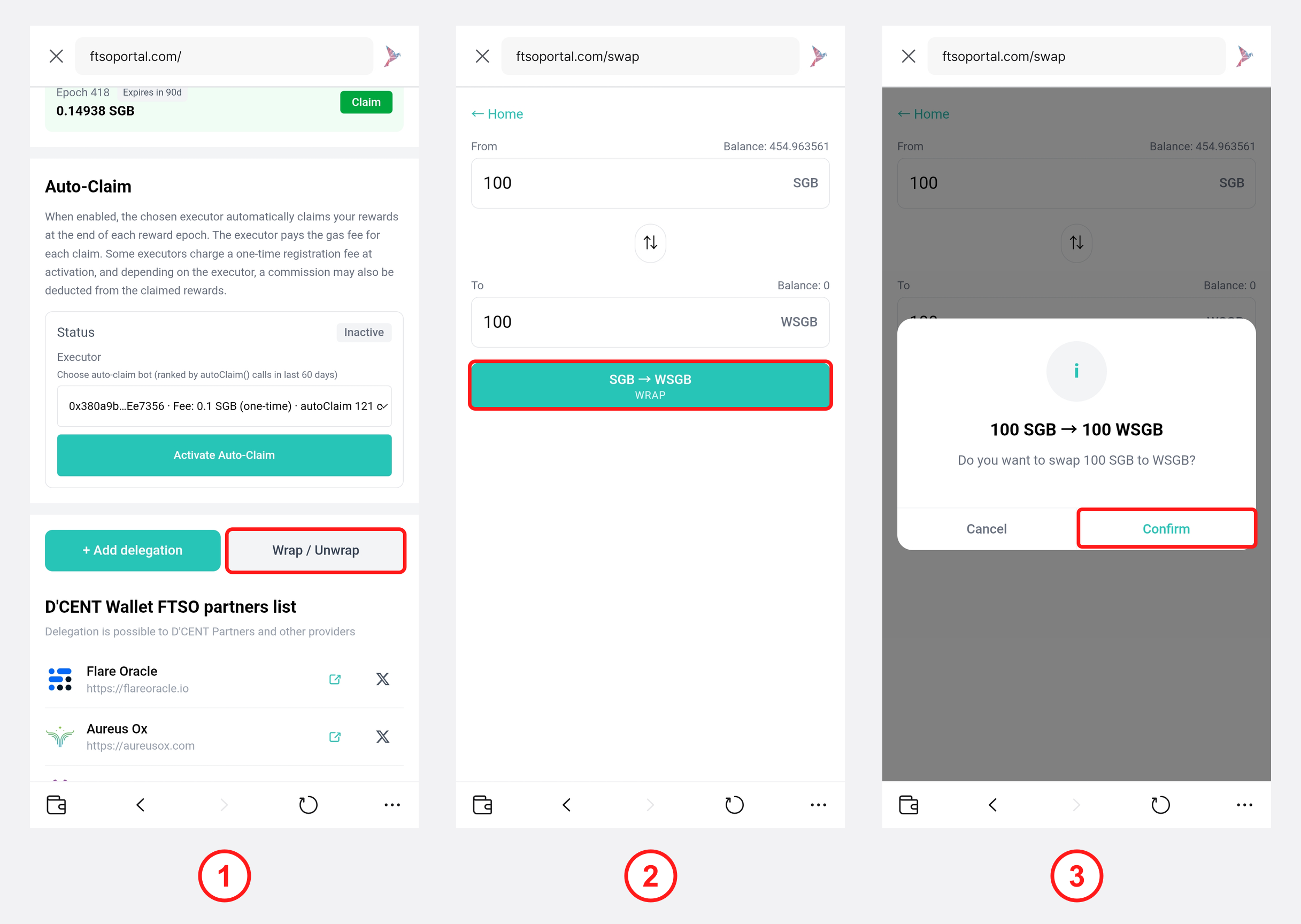
1) On the main screen, scroll down and tap "Wrap / Unwrap".
2) Enter the amount to wrap and tap the "SGB → WSGB (WRAP)" button. (To unwrap, use the middle switch button to reverse the direction and Unwrap instead.)
3) On the confirmation dialog, tap "Confirm".
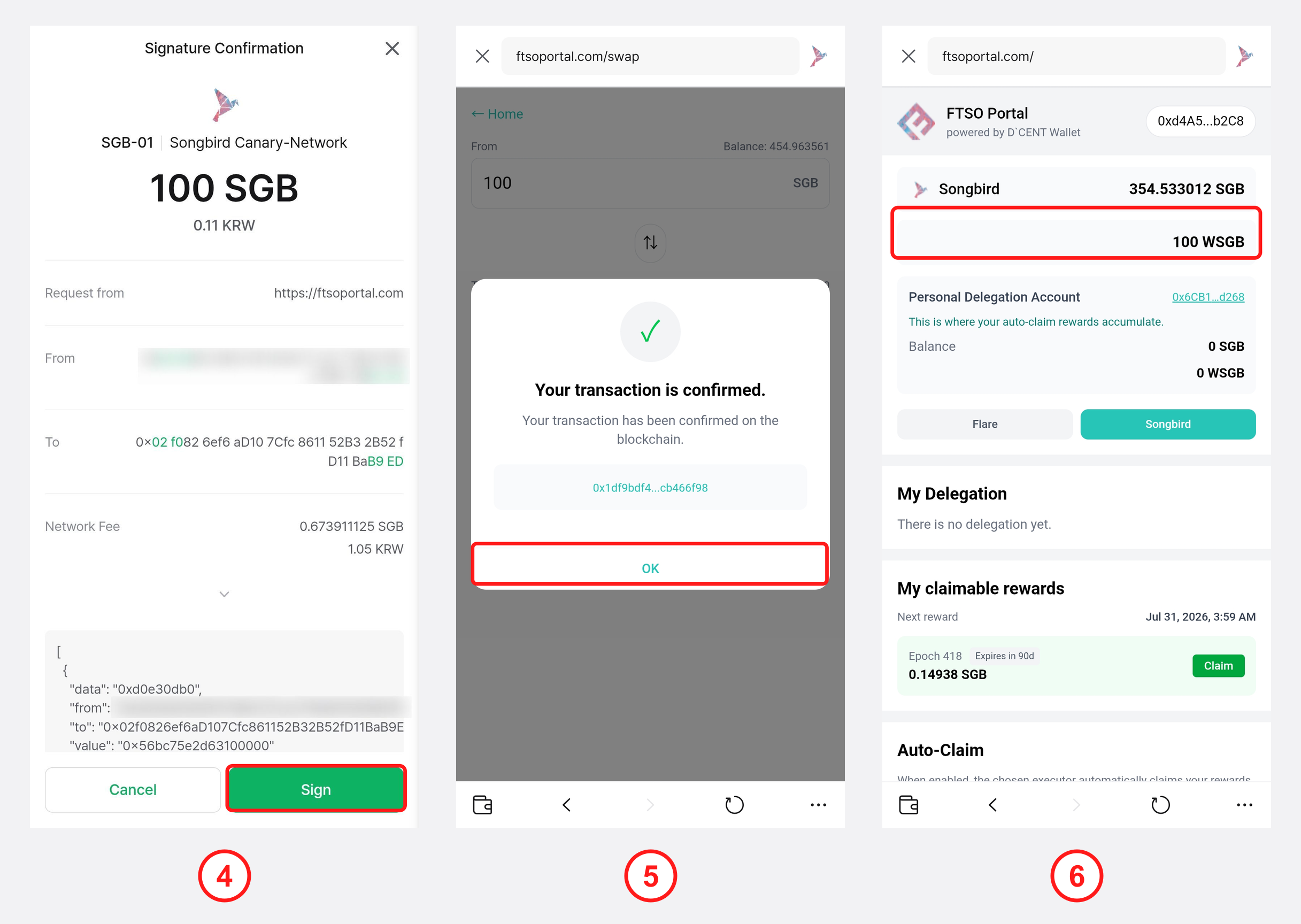
4) On the wallet signature screen, tap "Sign" and authenticate (e.g. with your fingerprint) to sign the transaction.
5) Once the transaction is confirmed, tap "OK".
6) The wrapped WSGB balance appears in the balance (portfolio) section at the top of the main screen.
Delegating Vote Power with WSGB
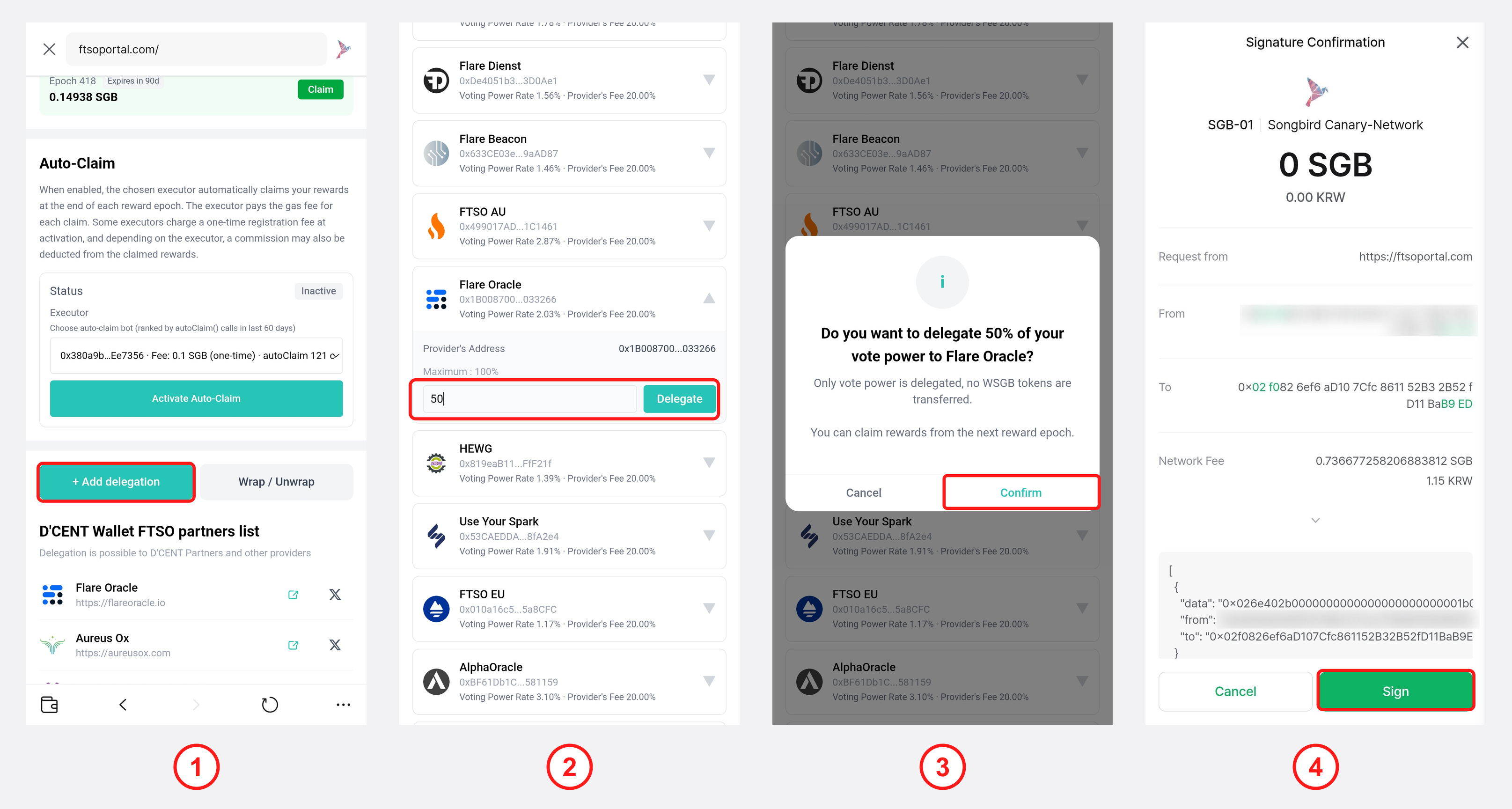
1) On the main screen, scroll down and tap "+ Add delegation". You can add up to 2 delegations at a time.
2) In the provider list, expand the dropdown (▼) for the provider you want, enter the percentage (%) to delegate, and tap "Delegate". For example, if you hold 100 WSGB and enter 50%, you delegate 100 WSGB × 50% = 50 WSGB of vote power. Each provider's vote power share and fee are also shown.
3) On the confirmation dialog, tap "Confirm". Only vote power is delegated — no WSGB tokens are transferred.
4) On the wallet signature screen, tap "Sign" and authenticate (e.g. with your fingerprint) to finish delegating.
Checking your delegation status
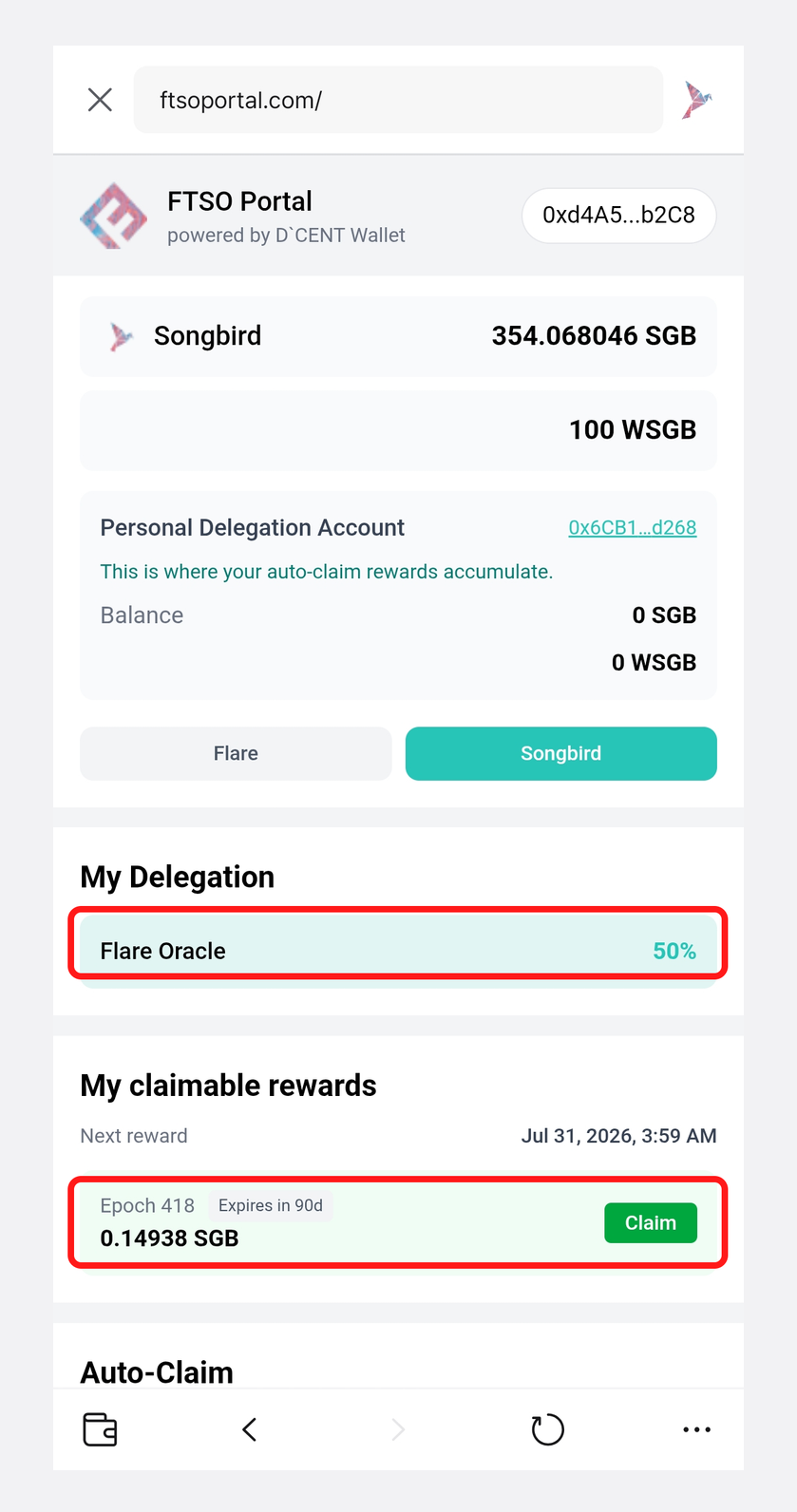
1) Delegating vote power does not move your WSGB — all of your WSGB stays in your wallet.
2) Under "My Delegation", you can see the percentage delegated to each provider (e.g. Flare Oracle 50%).
3) Any rewards available to claim appear under "My claimable rewards" by epoch, and you can claim them directly with the "Claim" button.
🚨 Rewards become claimable at the end of each reward epoch (approximately every 3.5 days), and unclaimed rewards expire after about 90 days. Be sure to claim your rewards regularly. 🚨
Setting up Auto-Claim
If claiming rewards manually every time is inconvenient, you can enable Auto-Claim. When enabled, the executor (auto-claim bot) you choose automatically claims your rewards at the end of each reward epoch. The executor pays the gas fee for each claim, and some executors charge a one-time registration fee or take a commission from the claimed rewards.
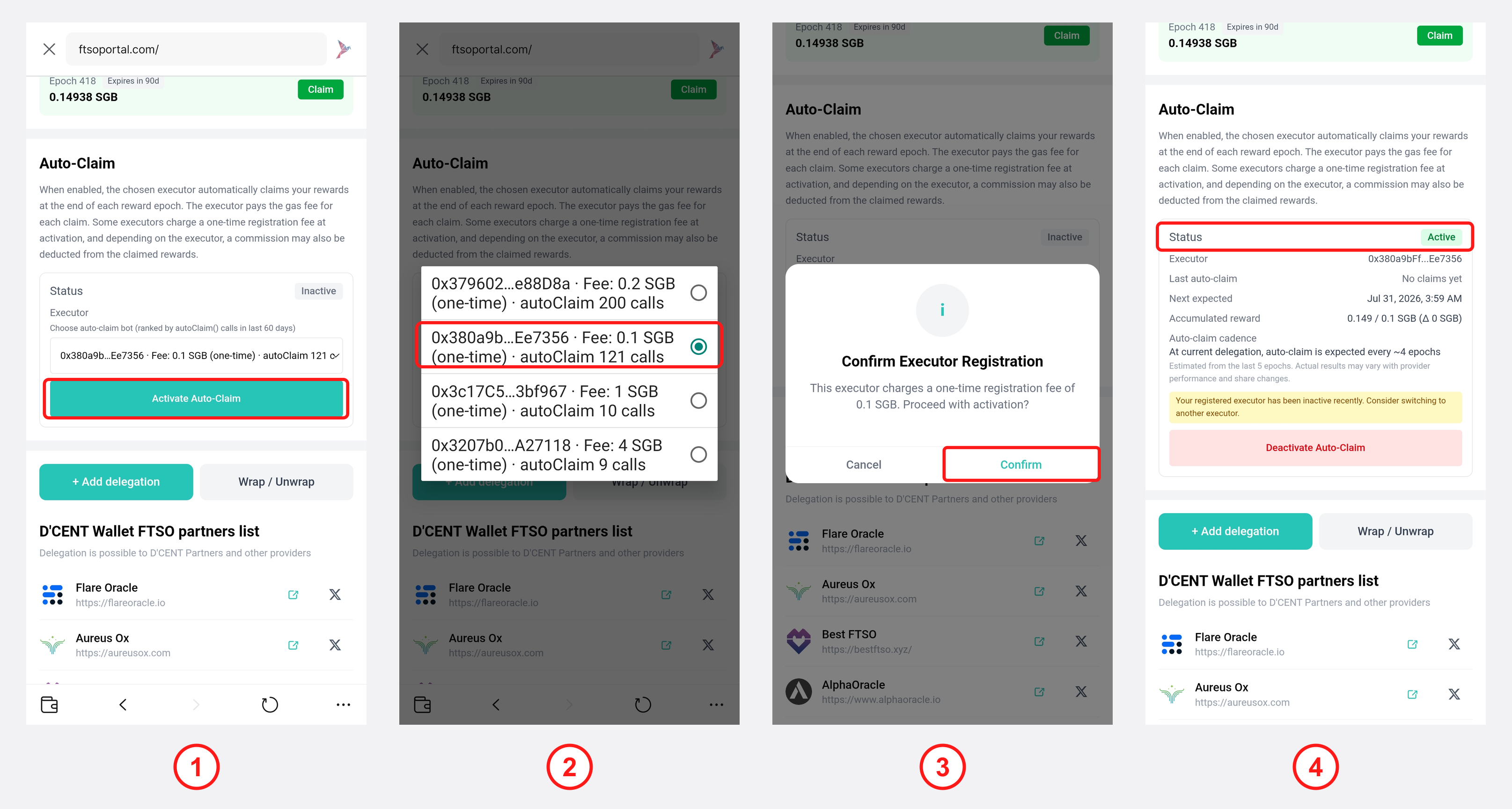
1) In the "Auto-Claim" section of the main screen, tap "Activate Auto-Claim".
2) Choose an auto-claim bot from the Executor dropdown. The list is ranked by the number of autoClaim() calls in the last 60 days, so consider the registration fee and autoClaim count when choosing.
3) On the "Confirm Executor Registration" dialog, check the registration fee and tap "Confirm", then sign on the following screen to complete registration.
4) Once registration is complete, the status changes to "Active", where you can see the executor, last auto-claim, next expected claim, accumulated reward and more.
If you see the notice "Your registered executor has been inactive recently", that executor is not working properly, so we recommend switching to another executor. To turn Auto-Claim off, tap "Deactivate Auto-Claim" on the same screen.
Undelegating Vote Power
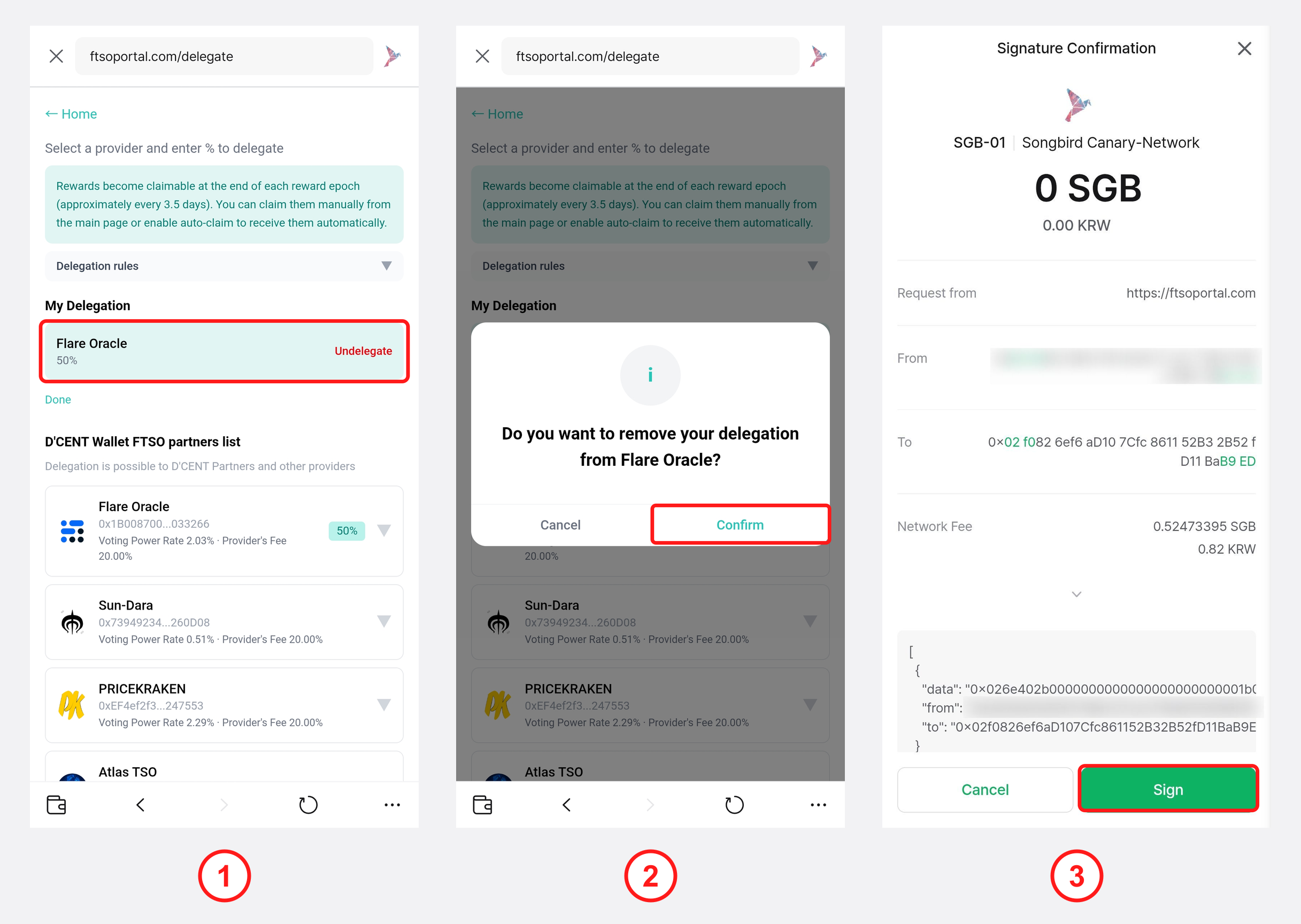
1) Under "My Delegation" on the "+ Add delegation" screen, tap "Undelegate" for the provider you want to remove.
2) On the confirmation dialog, tap "Confirm".
3) On the wallet signature screen, tap "Sign" and authenticate (e.g. with your fingerprint) to finish undelegating.
DCENT FTSO Partners List
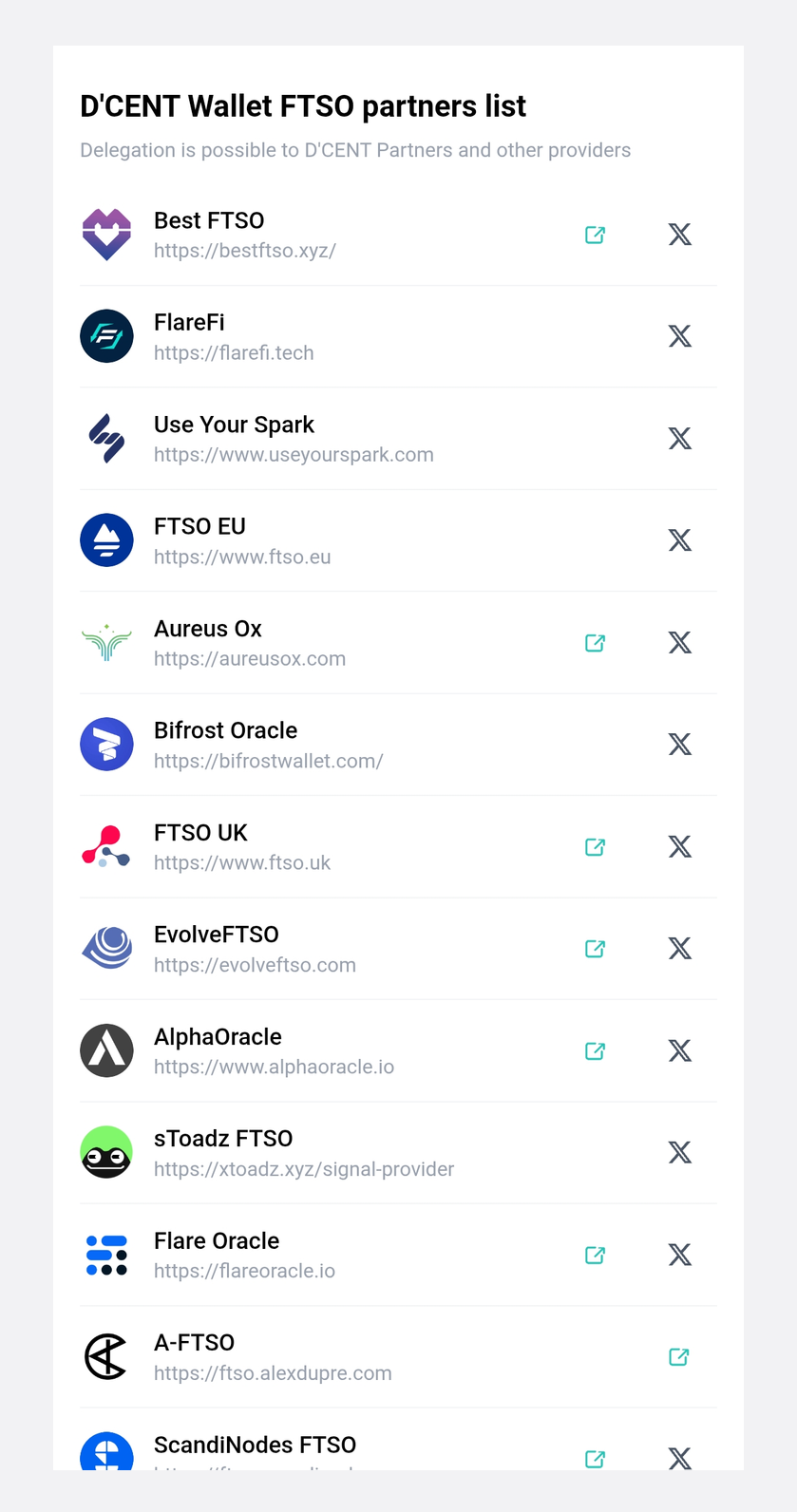
Bifrost Oracle | Aureus Ox | FlareFi | A-FTSO | FTSO EU | ScandiNodes FTSO
FTSO AU | FTSO UK | Use Your Spark | Best FTSO | AlphaOracle | sToadz FTSO | Flare Oracle
And more to join!
The FTSO partners listed above are providers that have integrated with DCENT Wallet to deliver a seamless FTSO experience with an additional layer of security. You are also free to delegate to providers that are not DCENT partners. They are committed to bringing the best possible delegation experience to users in the ecosystem.