Insight
Insight helps you manage your assets by giving you a clear, at-a-glance view of crypto market trends.
Insight shows a real-time Top 7 list of the most searched cryptocurrencies on CoinGecko and CoinMarketCap. You can also check live market trends, price changes, and detailed information for each coin, and buy tokens directly from the app.
Access Insight
1) Tap the Insight tab at the bottom of the DCENT app to open the service.
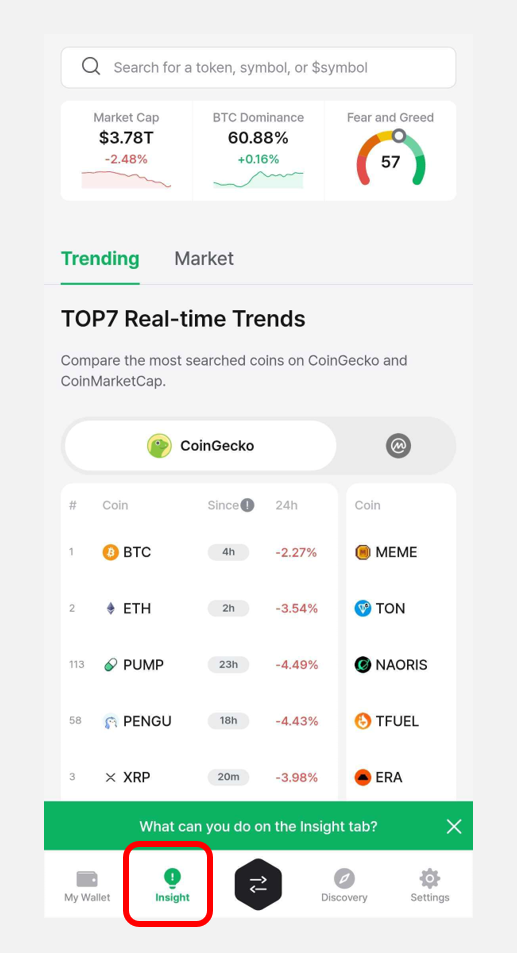
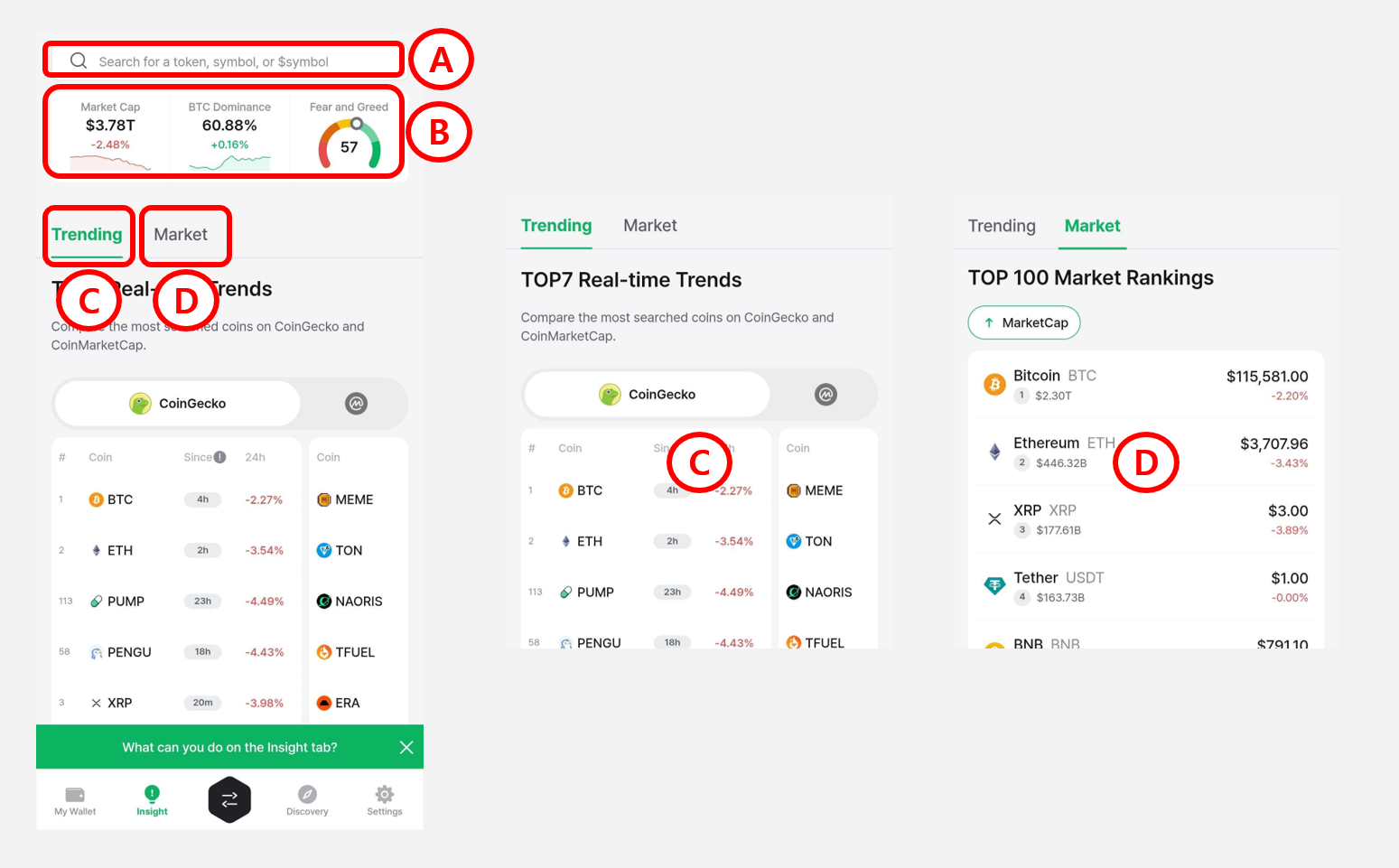
2) The Insight tab is organized as follows:
Ⓐ Token Search Bar: Search for tokens by name, symbol, or ticker (e.g., $BTC).
Ⓑ Market Cap: The total market cap of the global crypto market.
Bitcoin Dominance: Bitcoin's share of the total crypto market cap.
Fear & Greed Index: An indicator of overall crypto investor sentiment.
Ⓒ Trending: Compare the real-time Top 7 trending tokens based on search data from CoinGecko and CoinMarketCap.
Ⓓ Market: The top 100 tokens ranked by market cap.
Top 7 Real-Time Trending List
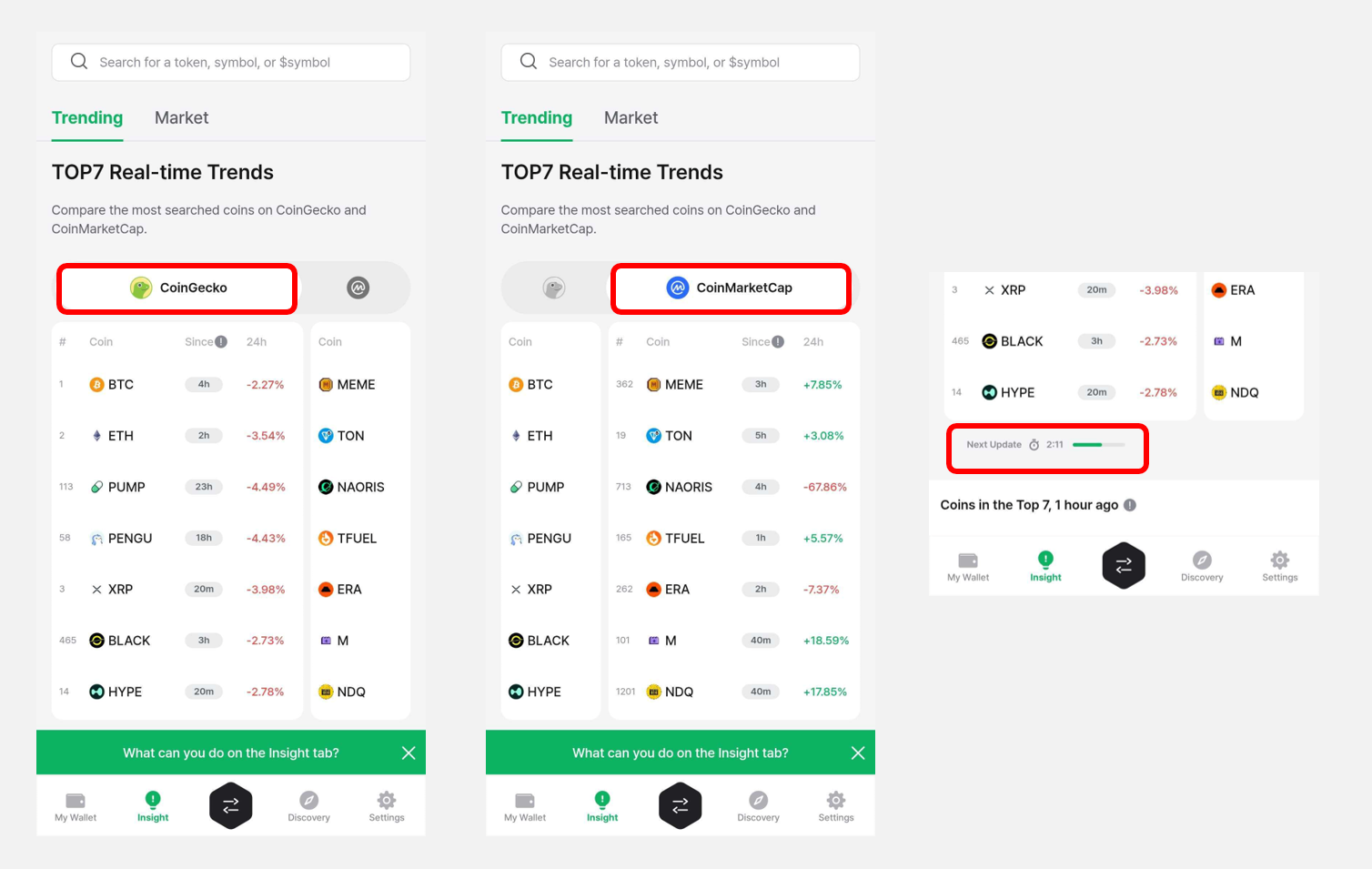
1) When you open the Insight tab, you can see the Top 7 most popular cryptocurrencies right now on CoinGecko and CoinMarketCap. Swipe left and right on the Top 7 screen to switch between the two sources and compare rankings.
The list is updated every 5 minutes on CoinGecko and every 10 minutes on CoinMarketCap.
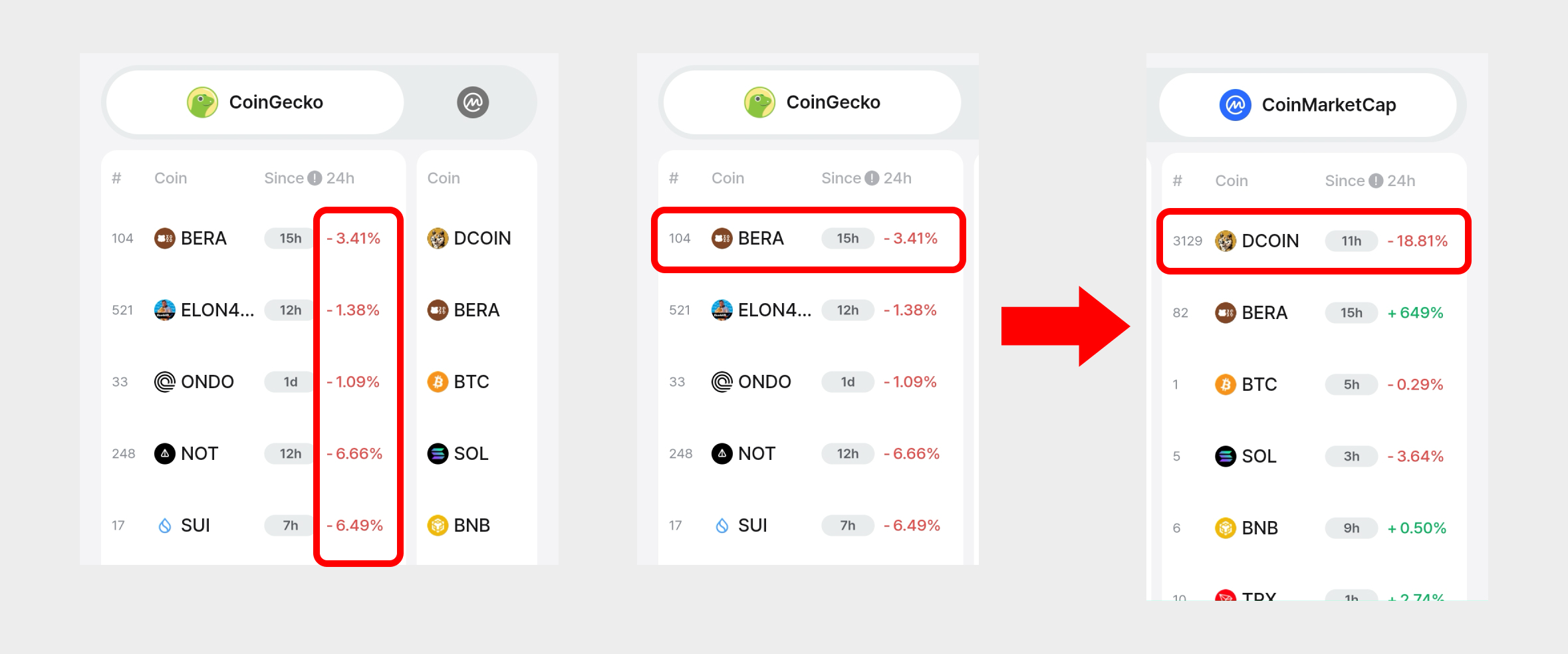
2) The percentage next to each coin shows its price change over the last 24 hours. If the same coin appears in both lists, you can compare its price change across the two sources.
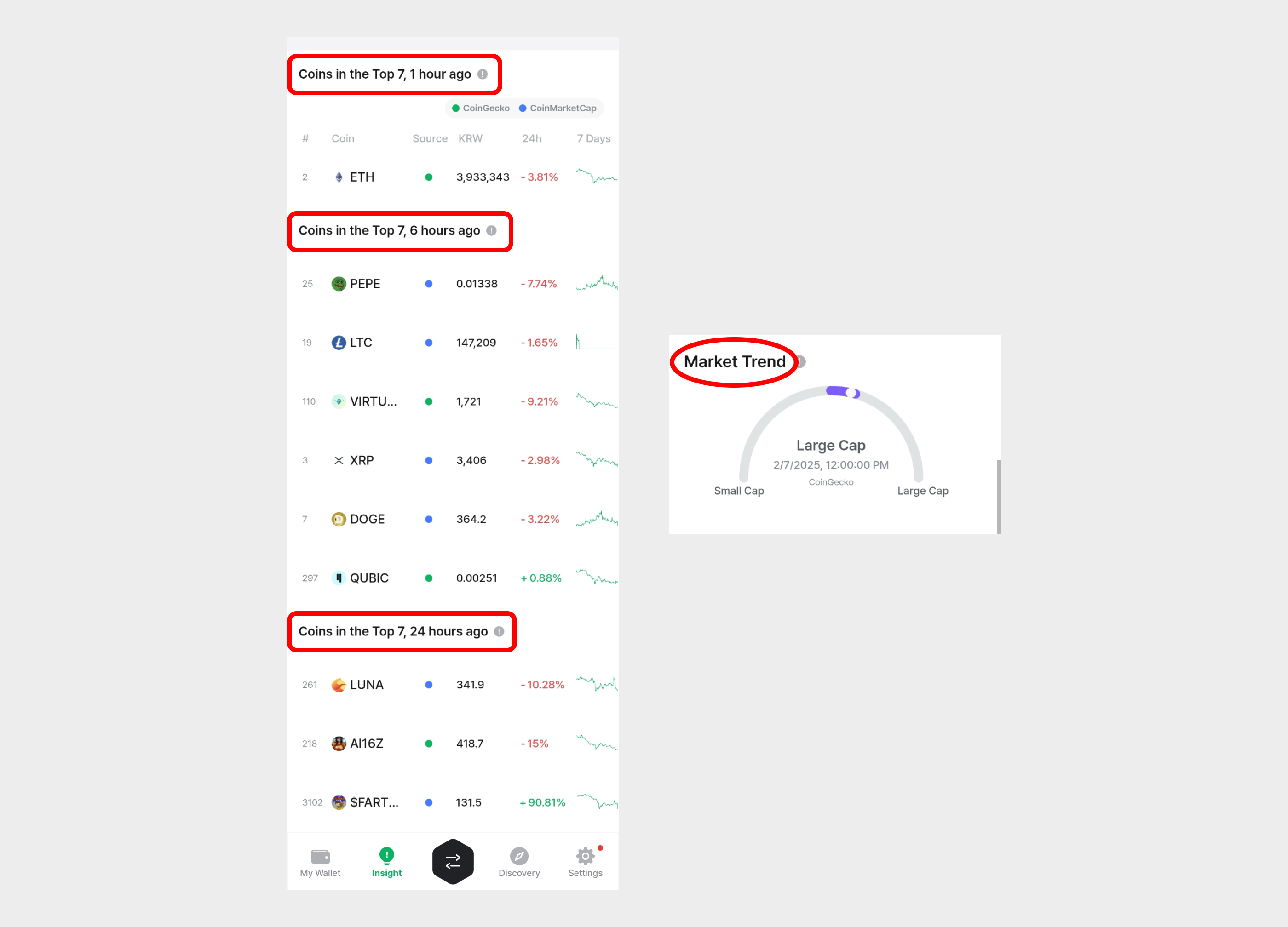
3) Below the Top 7, you can also see coins that ranked in the Top 7 1 hour ago, 6 hours ago, and 24 hours ago.
Market trend indicates whether the coins that entered the trending list in the last 6 hours were mostly Large Cap or Small Cap.
How to view coin details in Insight
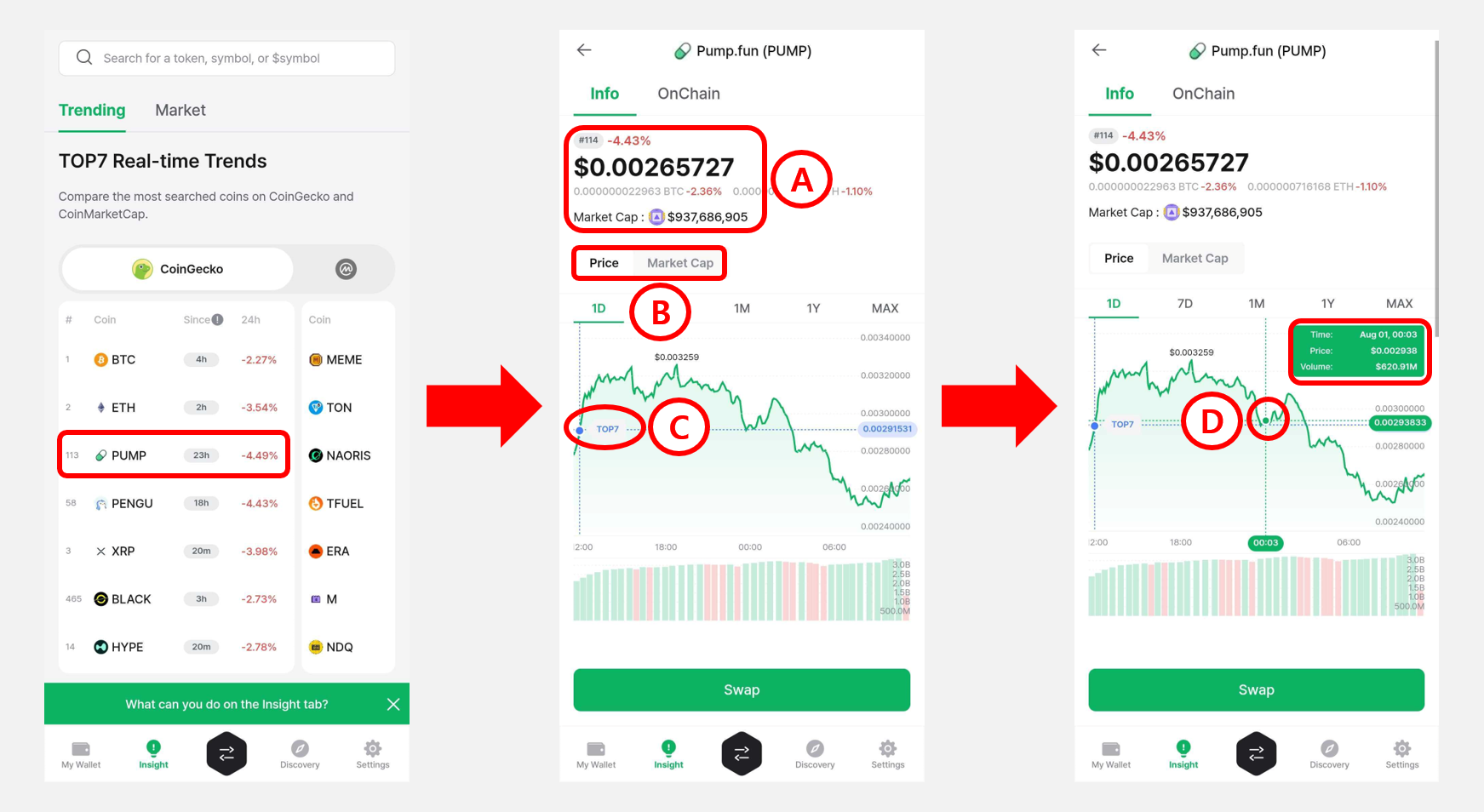
Tap any coin in the Top 7 list to open its detail screen.
1) The Token Info screen is organized as follows:
Ⓐ Current Price & Market Cap: The token's current price and market cap.
Ⓑ Chart Options: Switch the chart below between price and market cap.
Ⓒ Top 7 Entry Point: When the token first entered the Top 7 trending list.
Ⓓ Price Chart Interaction: Tap the chart to see how price and trading volume have changed over time.
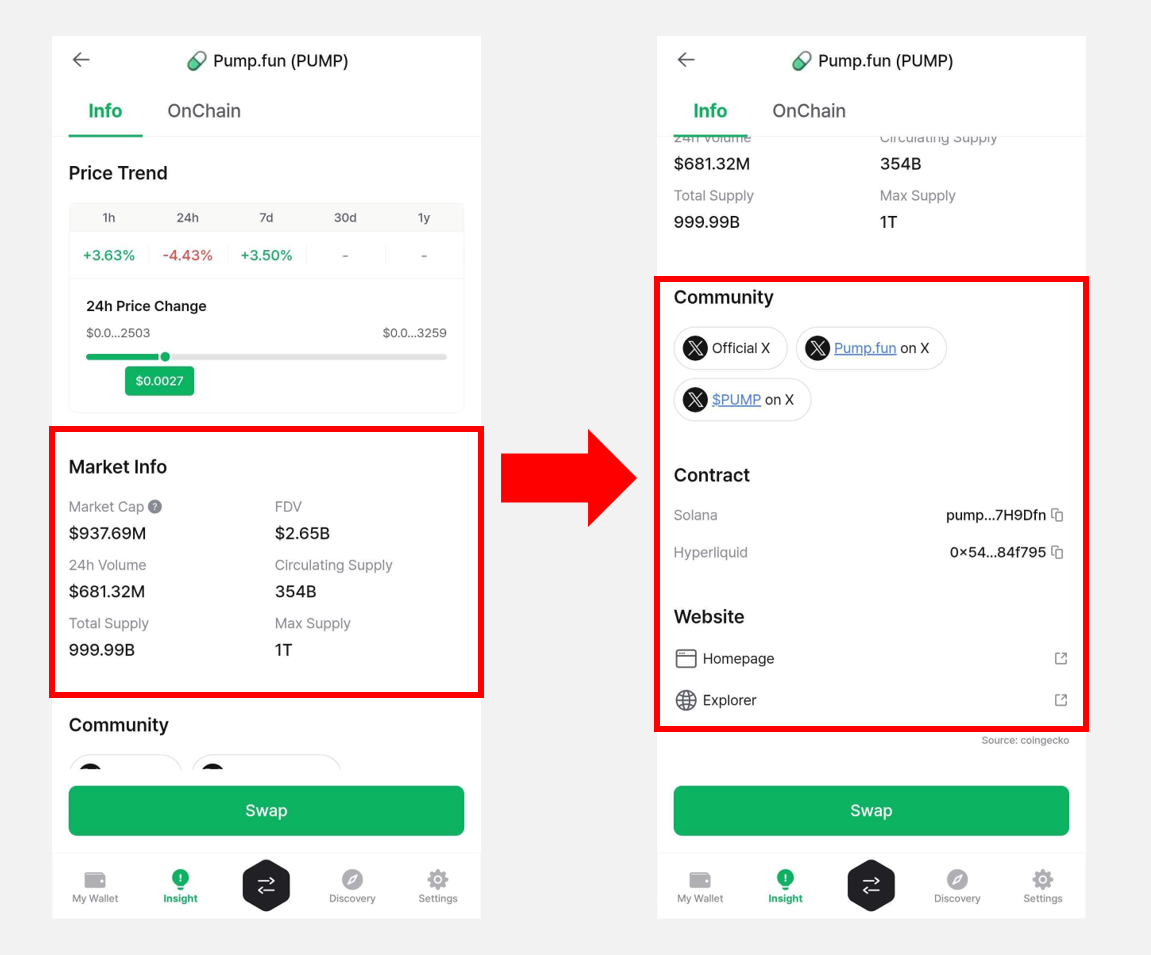
Scroll down to see the token's price movement over the past 24 hours. Under Market Info, you can check the Market Cap, FDV (Fully Diluted Valuation), 24-hour trading volume, Circulating supply, and Total supply, along with links to the token's official community, contract address, and website.
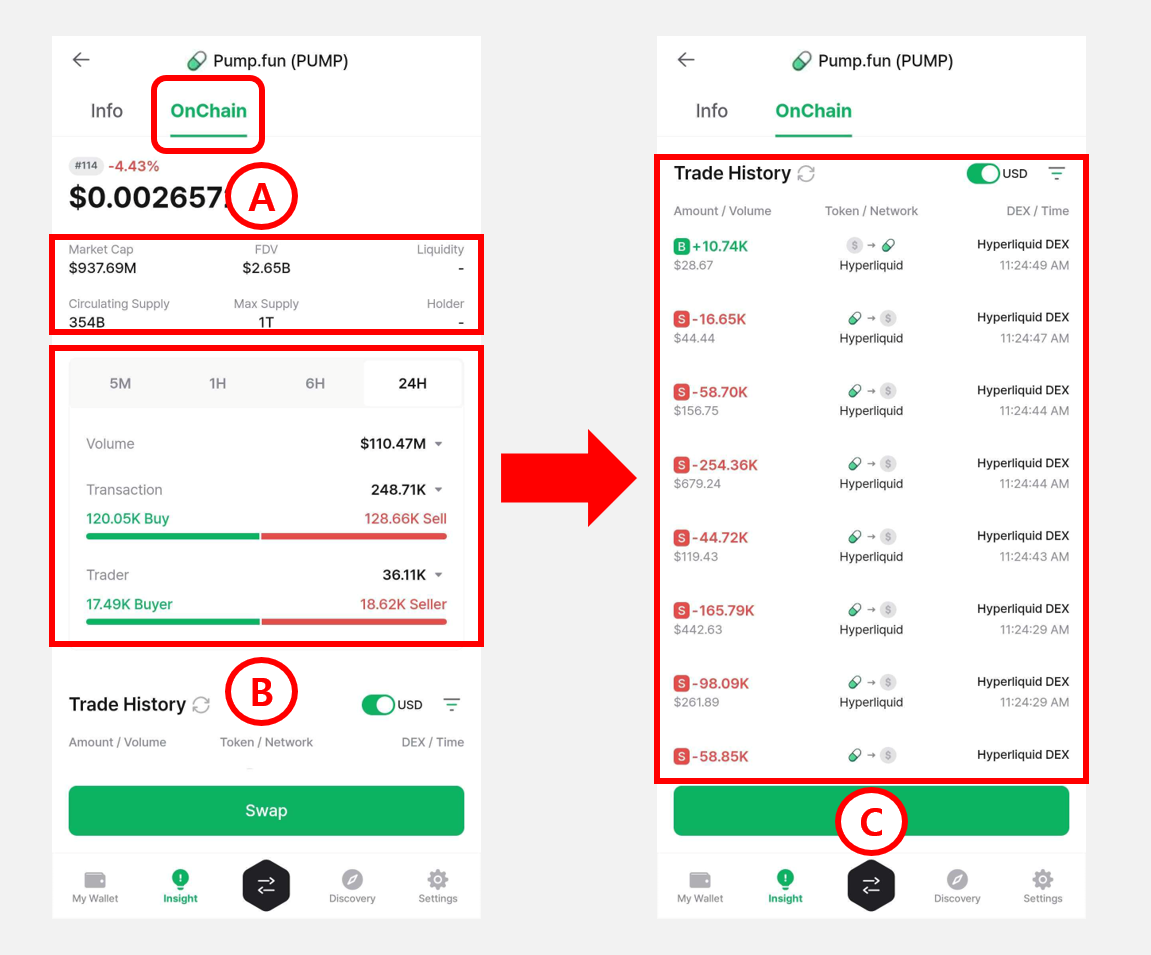
2) Tap the Onchain tab to view on-chain data for the token.
Ⓐ Market Info: Market cap, FDV (Fully Diluted Valuation), circulating supply, and maximum supply.
Ⓑ Trade Volume: Trading volume and count over 5 min / 1 hr / 6 hr / 24 hr intervals.
Ⓒ Trade History: A list of on-chain trades for the selected token, grouped by network.
Buy Tokens via Swap from Insight
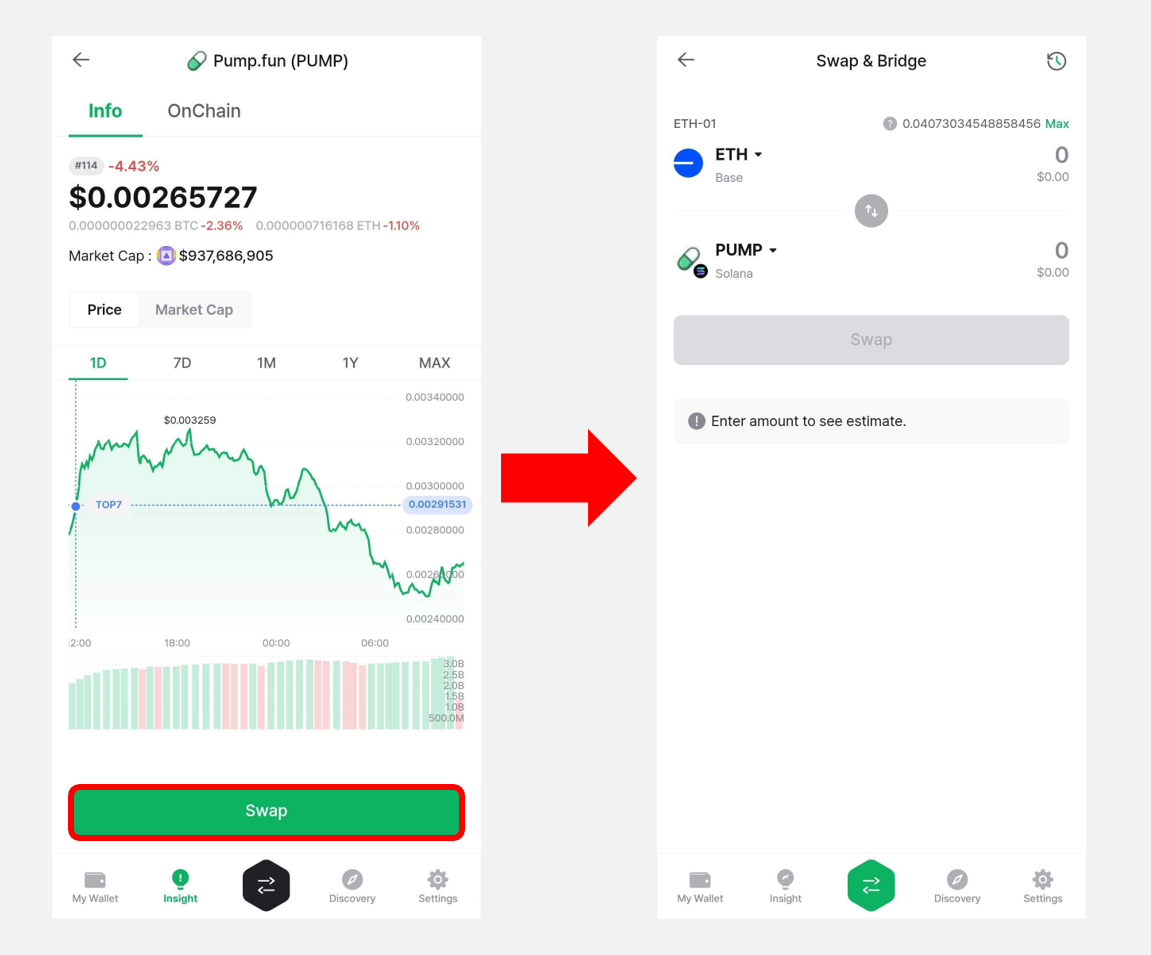
On a token detail screen in the Insight tab, tap the Swap button at the bottom to buy the token directly through the DCENT Swap service.
The Swap button may be disabled depending on the swap provider's policy or current liquidity.
For details on how to use Swap, see the guide below.