Stacks Stacking Delegation Service
Stacks Stacking guide
By stacking Stacks (STX), you can earn rewards in BTC, xBTC (wrapped BTC), or STX.
However, stacking on your own requires holding a fairly large amount of STX, which is not practical for most small holders. Instead, smaller holders can delegate their STX to a stacking pool.
With Stacks delegation, you:
- Delegate your STX to a stacking pool operated by a third party.
- Receive a share of the pool's rewards in proportion to your delegated amount.
Each pool charges a fee, and depending on the pool you may receive STX as rewards instead of BTC or xBTC.
The D'CENT Stacking Service is designed to make delegating STX to a pool simple.
Pool information may change without immediately being reflected in the D'CENT service. Please always check the pool operator's website before delegating.
Stacking basics
- Cycle: STX stacking is managed in time periods called cycles. The exact length depends on the BTC block time but is roughly 2 weeks. The "current cycle" shown in the service indicates when the ongoing stacking period will end.
- Delegated Amount: The total amount you have delegated. If the pool has not yet locked your delegation, you can move your STX freely. However, if your balance falls below the delegated amount, stacking will not proceed correctly.
- Locked Amount: The amount locked (non-transferable) by delegating STX to a pool. Locked funds cannot be moved during the stacking period.
- Indefinite Delegation: You can delegate STX for up to 12 cycles (about 6 months). You can stop indefinite delegation at any time, but your locked amount may remain non-transferable for up to 12 cycles.
Preparing for Stacks delegation
The Stacks stacking delegation service requires App Wallet v5.10.1 or higher, or Biometric Wallet firmware v2.16.7 or higher.
You can find the link to delegate your STX on the Account Details page of your Stacks account. Tapping the link opens the D'CENT Stacking Delegation Service page.
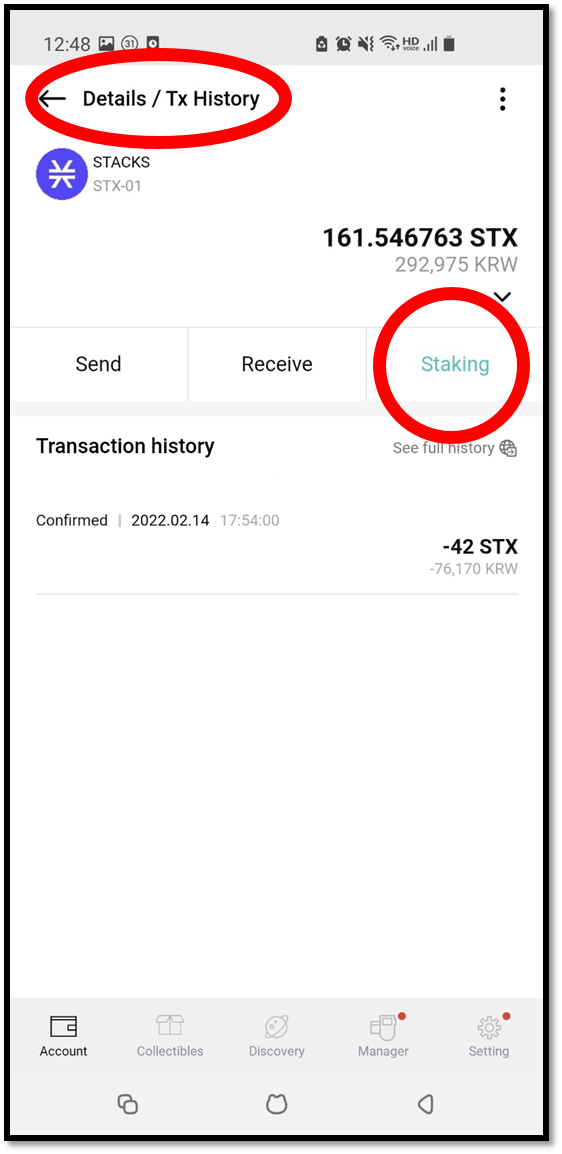
Stacks delegation
Before you start, please read through the checklist at the bottom of the delegation page.
Pool rules vary, but in general your delegation must be completed at least 3 days before the end of the current cycle so the pool can stack your funds in the next cycle.
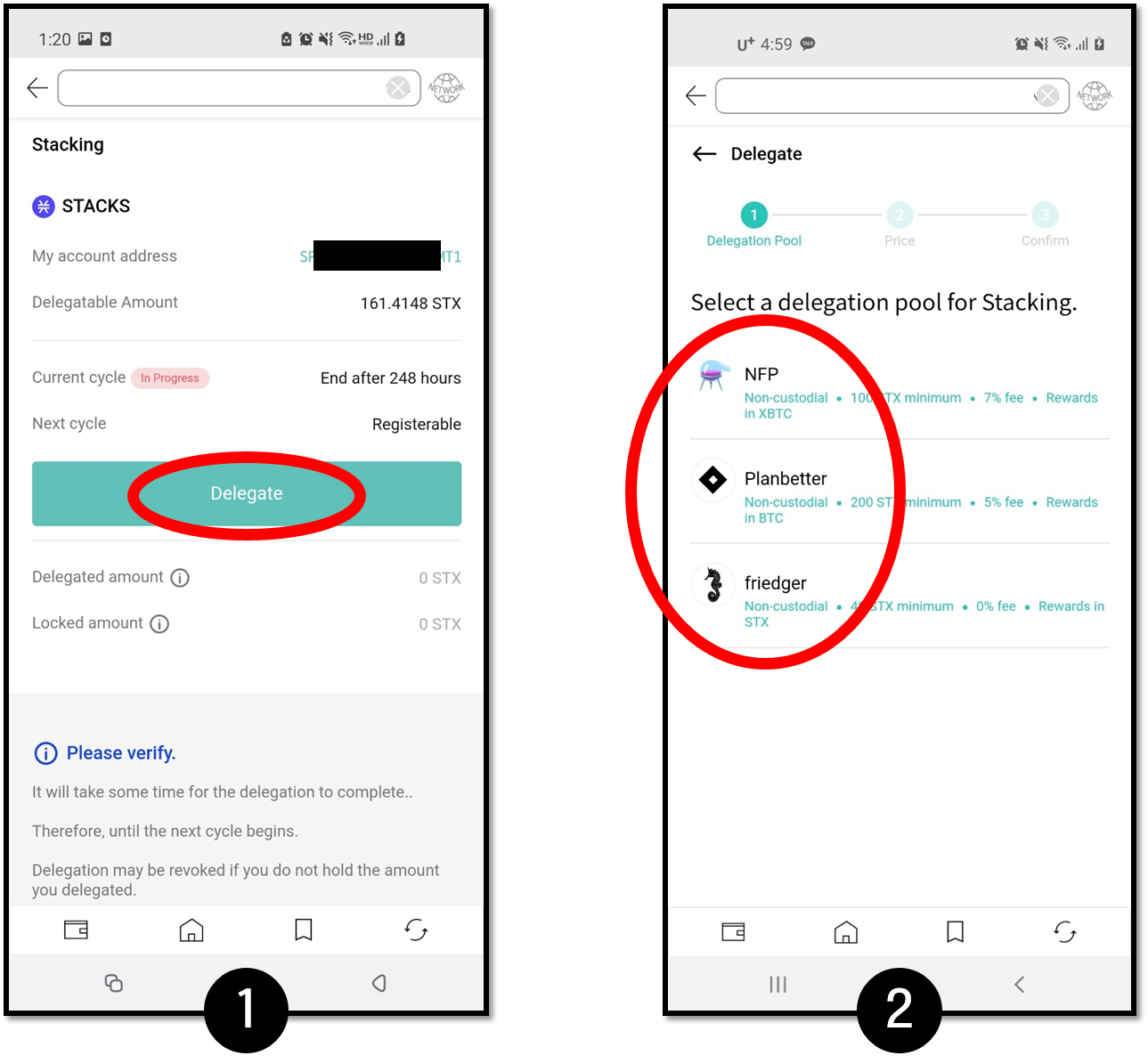
1. Tap the Delegate button to start the delegation flow.
2. Choose a pool. Three pools are currently listed. Visit each provider's website for full details, and check it regularly for updates.
- NFP Studio (https://app.nfpstudio.io/stacking)
- Planbetter (https://planbetter.org/)
- Friedger (https://pool.friedger.de/)
Each pool has its own minimum delegation amount, so prepare slightly more than the minimum. For example, the Friedger pool requires at least 40 STX, so you should hold around 41 STX to cover transaction fees.
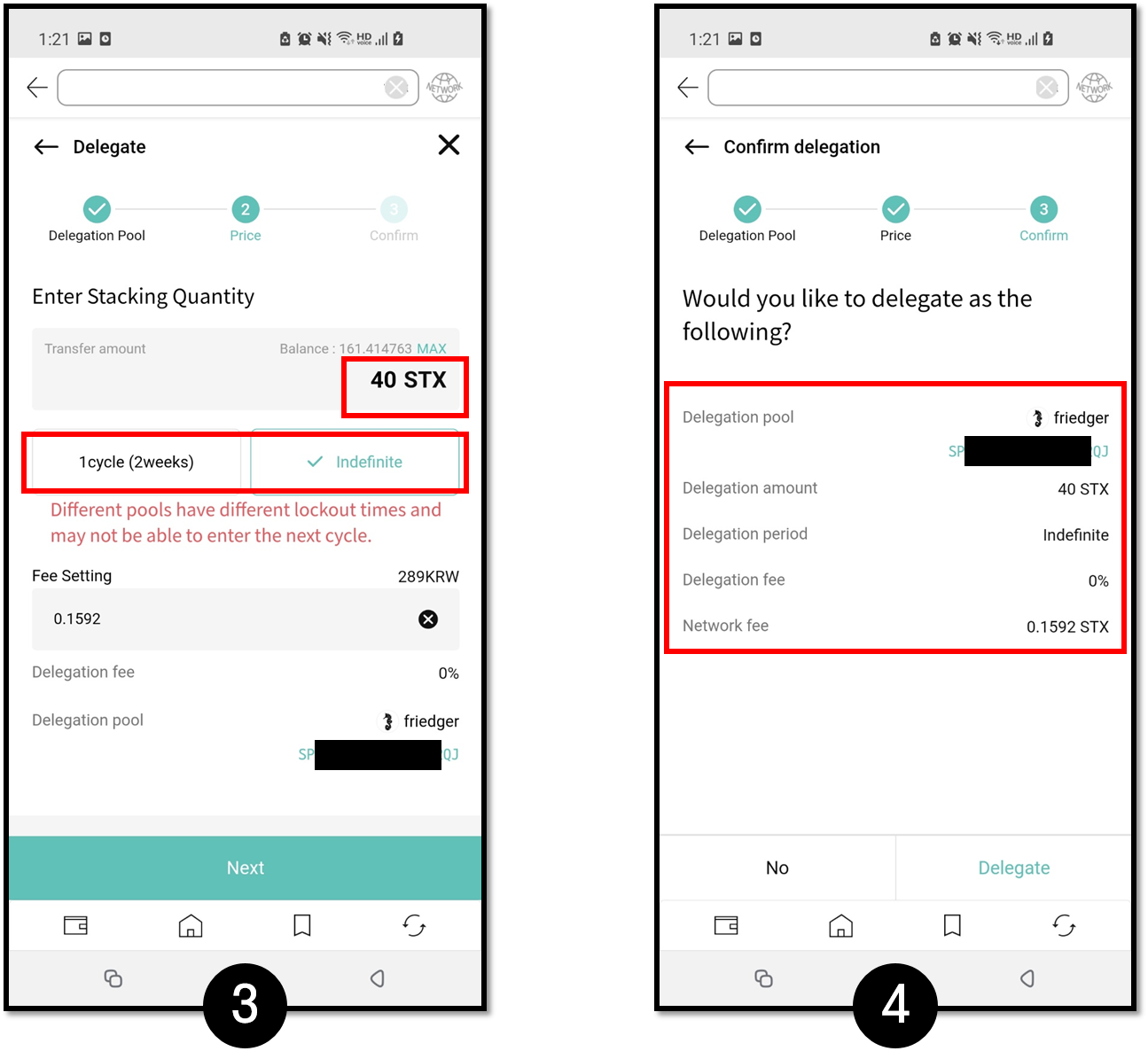
3. Set the delegation amount and period. Make sure your amount meets the pool's minimum, and double-check the fee.
A 1-cycle delegation cannot stack again during the 2-week cooldown that follows. For maximum rewards we recommend indefinite delegation, but be aware that STX can stay locked for up to 6 months.
We check pool information periodically, but a pool may change its address without notice. Always confirm that the pool information shown matches the latest details on the pool's website.
4. Review the delegation amount and period before signing.
The delegation transaction usually takes 30 minutes to 1 hour to process. Once it succeeds, you can see the delegated amount on the page.
To refresh the page, pull down on the screen.
How to check your Stacks delegation information
1. Once your funds are locked successfully after delegation, the delegation pool information is shown as in the image below.
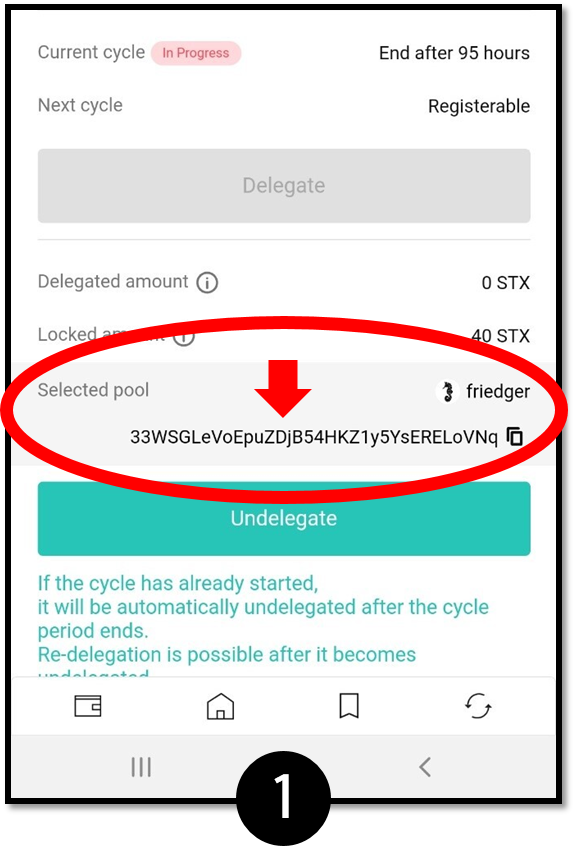
2. Tap Stacking Club or open https://stacking.club at the bottom of the Stacking page.
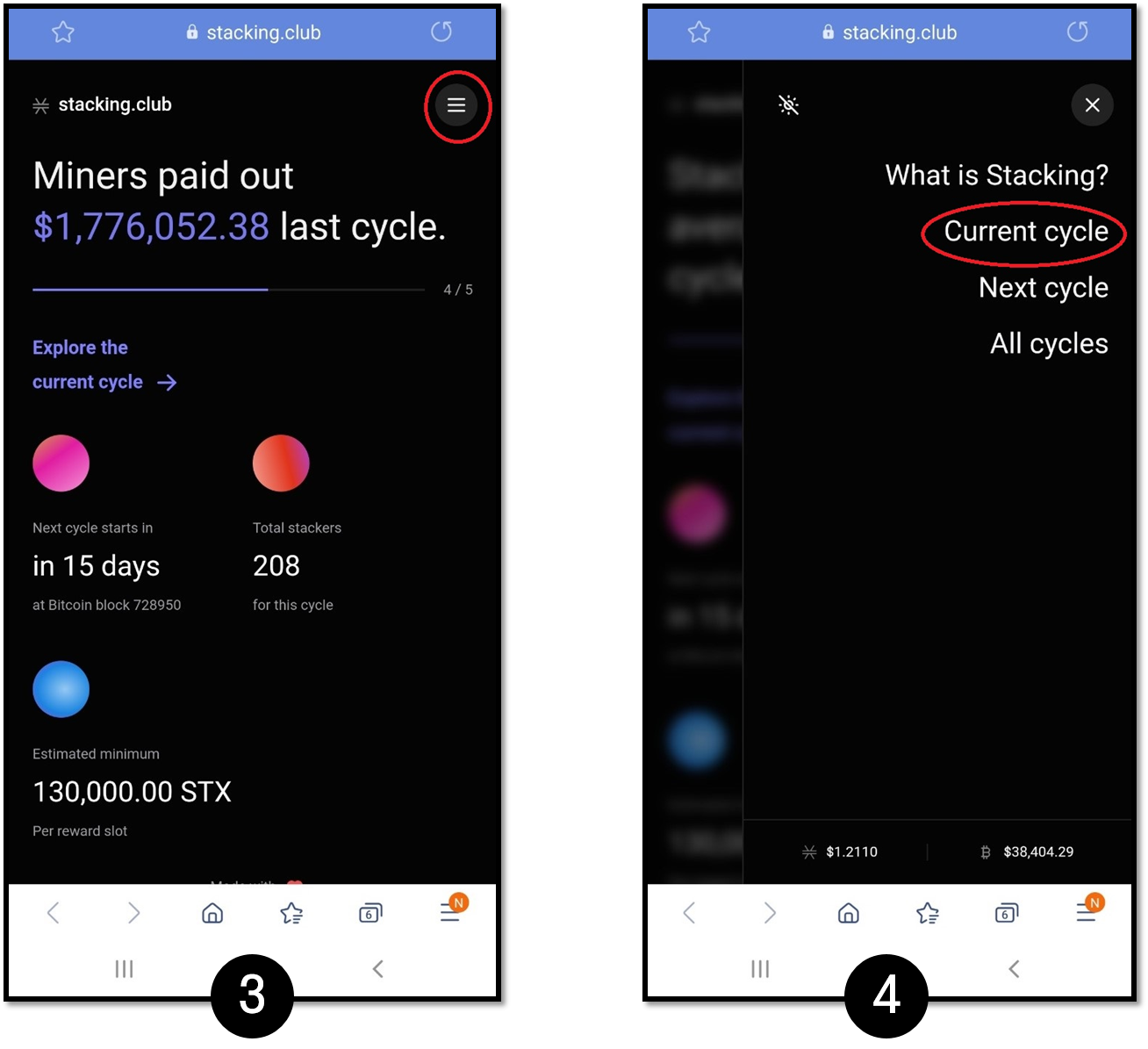
3. Tap the menu button at the top right of the Stacking Club site.
4. Tap Current cycle.
5. Tap Pools. Search for and select the pool address you delegated to (for example, the one shown in image 1).
6. Look for your STX address. Tap Show all stackers at the bottom to see the full list.
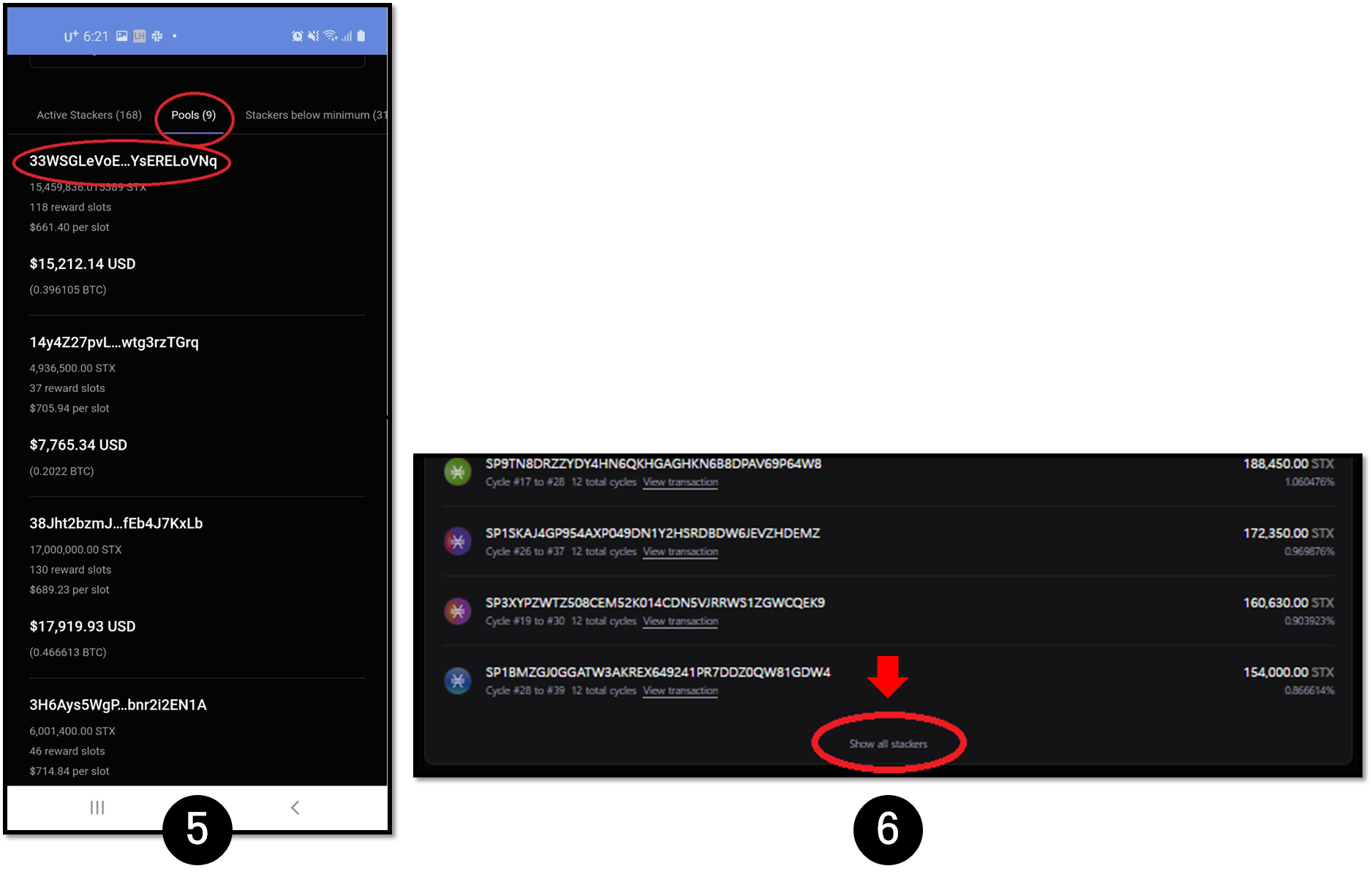
7. Once you find your STX address, you can check details such as the cycle you entered and when the cycle ends for undelegation.
-a563a9fb3fd54fdd0f5d8054124d44dc.png)
Stacks undelegation
You can undelegate your funds at any time. However, while stacking is in progress (the locked amount still exists), the portion of your wallet balance equal to the delegated amount cannot be used until the lock period ends, even after you undelegate. Likewise, rewards are still paid out at the end of the cycle in the manner defined by the pool operator.
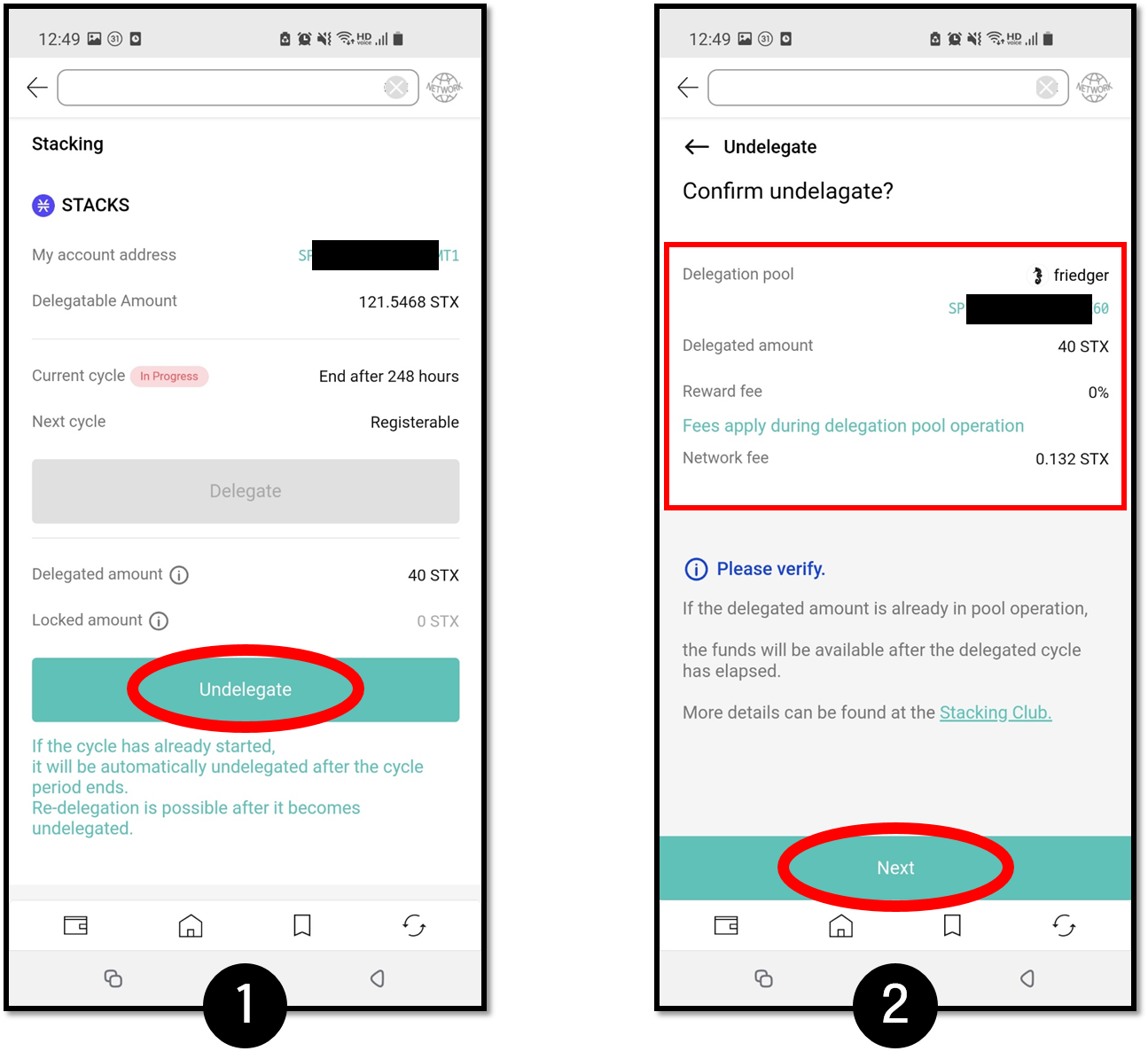
1. Tap Undelegate.
2. Review the information before signing.
How to create a custom account for BTC rewards
For pools that pay rewards in BTC, you can create a custom BTC account as follows:
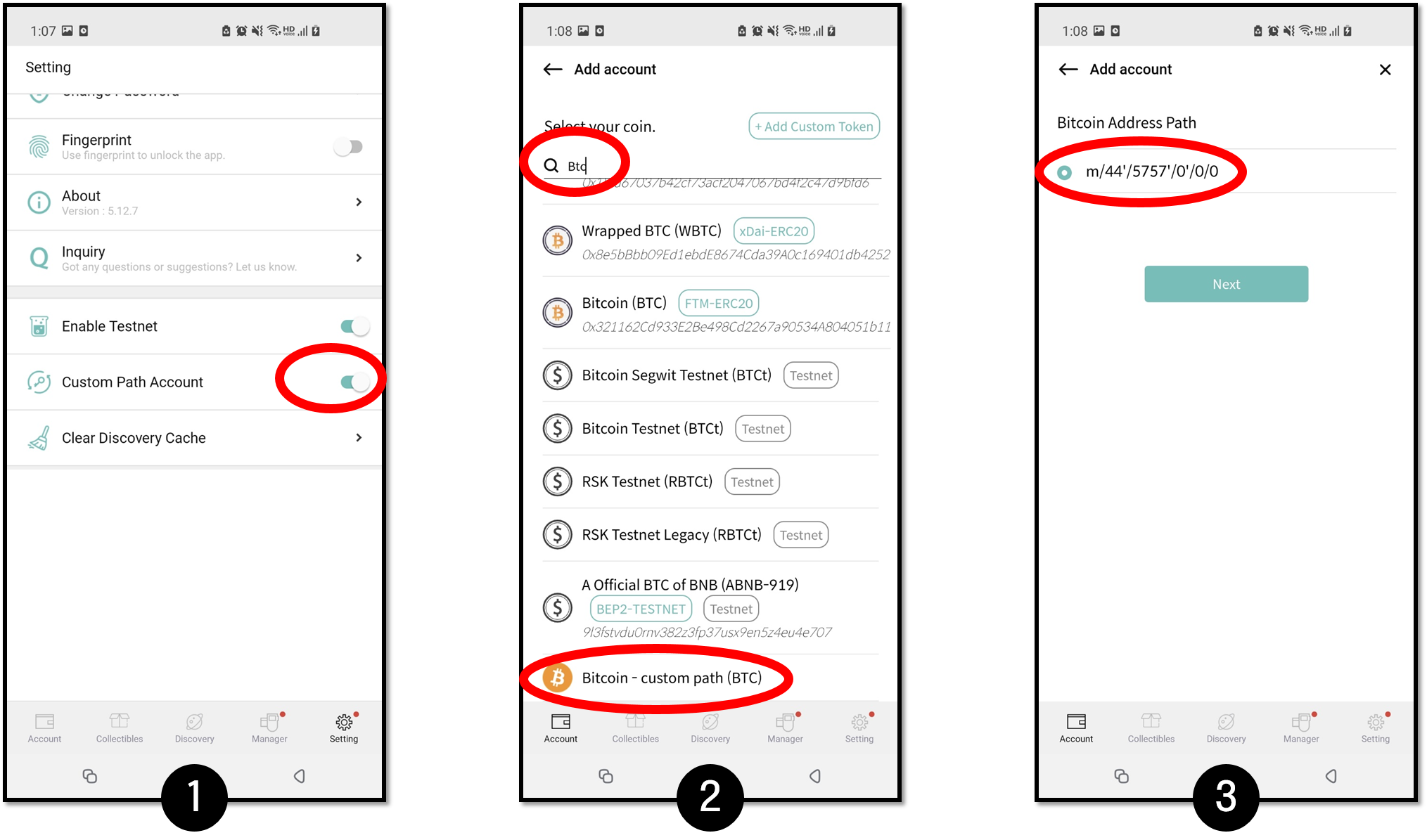
1. In the Settings tab, enable Custom Path Account.
2. Add a new account by searching for BTC. Choose Bitcoin – custom path (BTC) at the bottom of the list.
3. Use the address path m/44'/5757'/0'/0/0 for the BTC reward account.
For details on creating a custom path account, see this guide.