Back up with the DCENT R3covery Card
This guide is for the DCENT S Card Wallet. If you're using DCENT X, see DCENT X — Back up with the R3covery Card.
If you skipped the backup when setting up your DCENT S Card Wallet, be sure to back up with the DCENT R3covery Card to prepare for losing or damaging the card, or for the card being reset after 10 or more failed PIN attempts.
By backing up the private key of your DCENT S Card Wallet to the DCENT R3covery Card, you can recover your assets even if your DCENT S Card Wallet is lost or reset. If you skipped the backup during the initial setup, follow the steps below to back up.
Start the backup
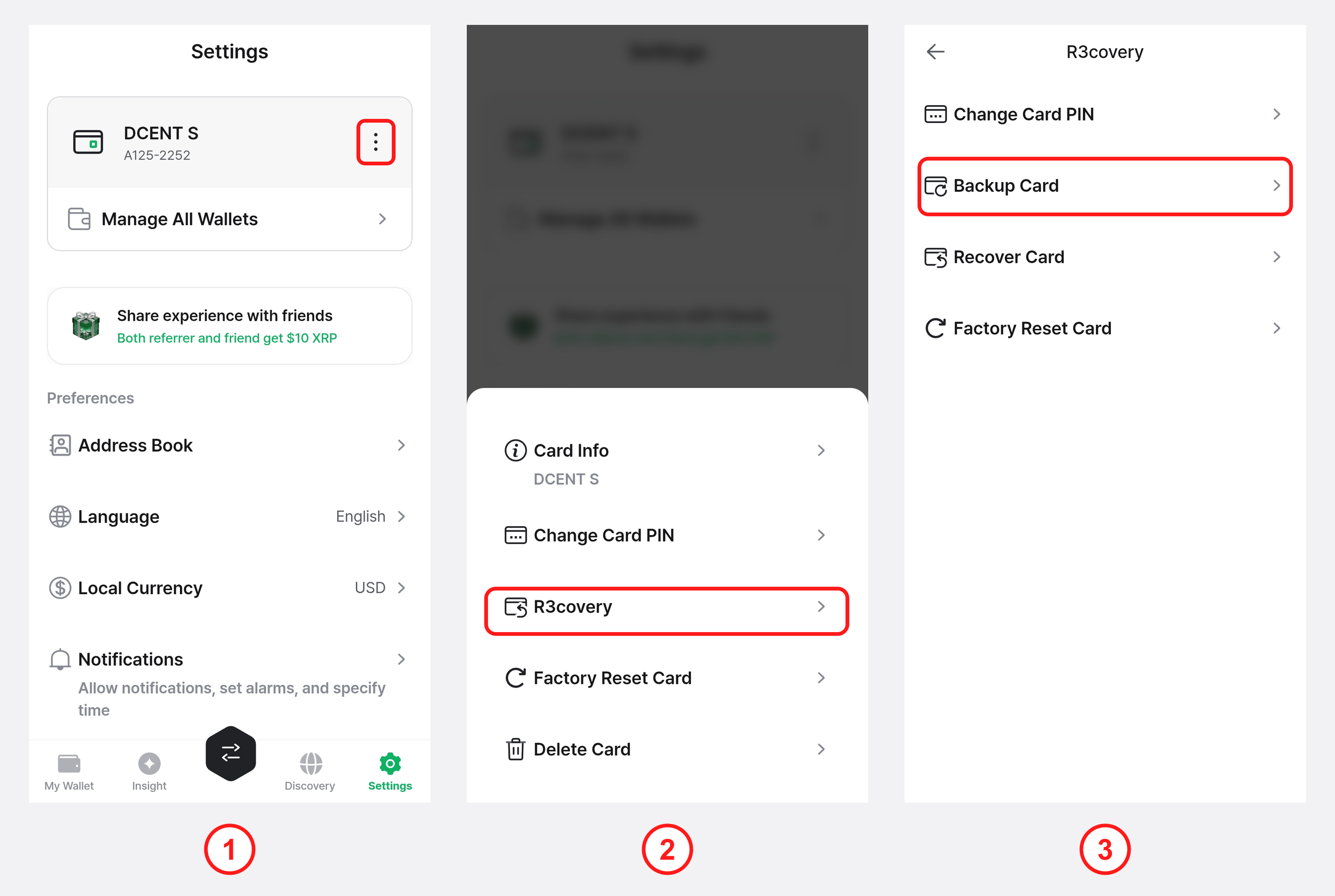
1) In the DCENT mobile app, open the "Settings" tab and tap the More (⋮) button on the DCENT S card.
2) Select "R3covery".
3) Select "Backup Card".
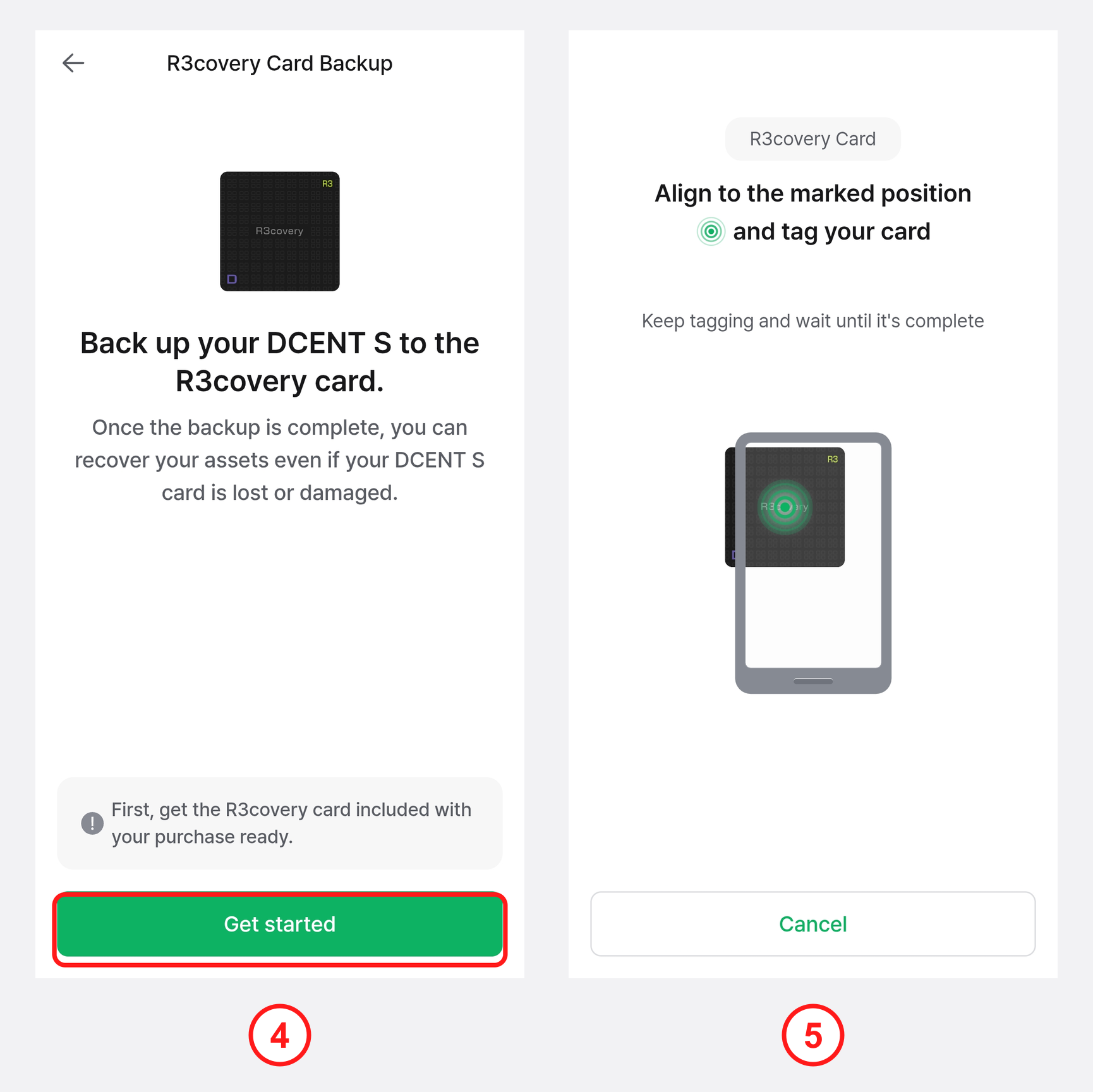
4) Prepare the DCENT R3covery Card included with your purchase and tap "Get started".
5) Following the on-screen instructions, tap the DCENT R3covery Card to the back of your phone.
If the R3covery Card is already in use (another wallet is backed up on it), a "card already in use" notice appears. To reuse this card, first perform a Factory Reset Card, then continue the backup.
Complete the backup
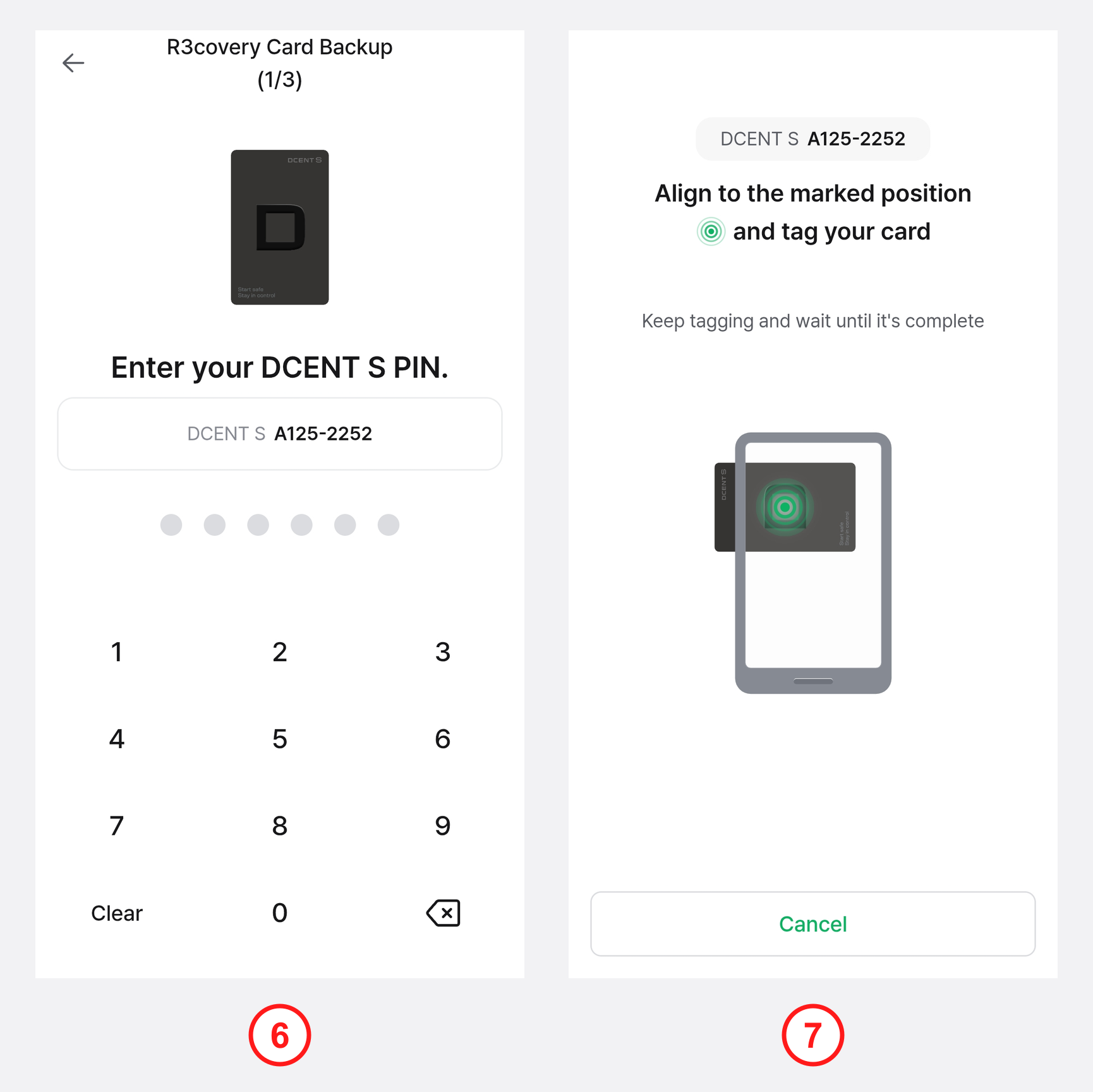
6) Enter your DCENT S PIN to authorize the backup.
7) Tap the DCENT S Card Wallet to the back of your phone to extract the private key.
At this step, you must enter the PIN of the DCENT S Card and tag the DCENT S Card — not the R3covery Card.
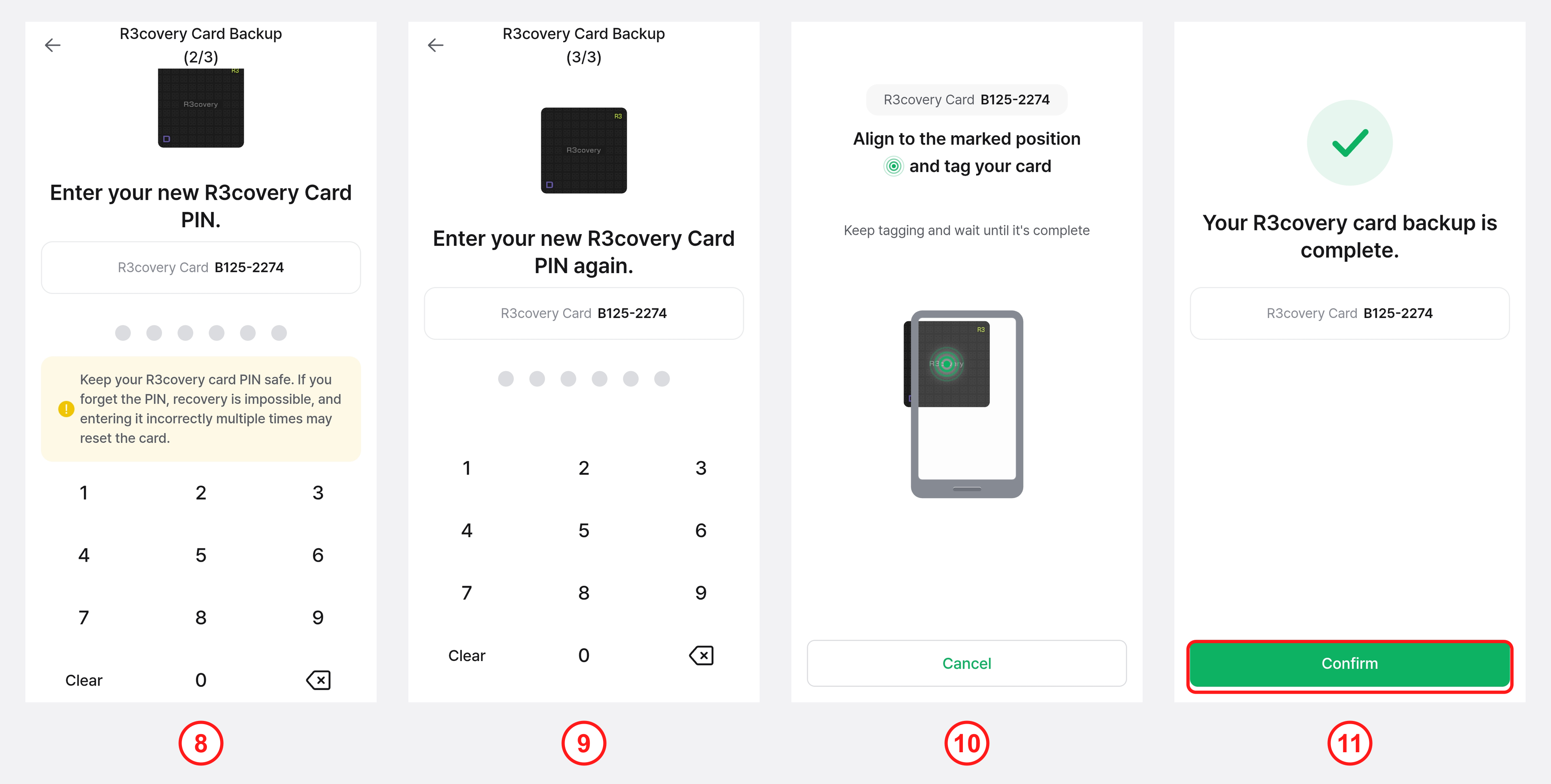
8) Enter a new R3covery Card PIN to protect the R3covery Card.
9) Enter the same R3covery Card PIN once more to confirm.
10) Following the on-screen instructions, tap the R3covery Card to save the backup data.
11) When "Your R3covery card backup is complete" appears, tap "Confirm" to finish the backup.
You can set the R3covery Card PIN to be the same as your DCENT S PIN, but if you set a different number, be careful not to confuse it with your DCENT S PIN.
The R3covery Card PIN also allows up to 10 attempts; entering it incorrectly 10 or more times may reset the card, so be sure to remember the PIN you set.
The R3covery Card used for backup is essential for recovering your assets if the card is lost or stolen, so keep it in a safe place. For how to recover with the R3covery Card, see Recover with the DCENT R3covery Card.