Recover with the DCENT R3covery Card
This guide is for the DCENT S Card Wallet. If you're using DCENT X, see DCENT X — Recover with the R3covery Card.
If your DCENT S Card Wallet is lost or damaged, or the card was reset due to failed PIN attempts, you can recover your assets using the information you backed up.
Recover with the R3covery Card
Recovery with the R3covery Card is only possible onto a newly purchased or reset (empty) DCENT S Card Wallet. You cannot recover onto a DCENT S Card that is already in use (contains another wallet).
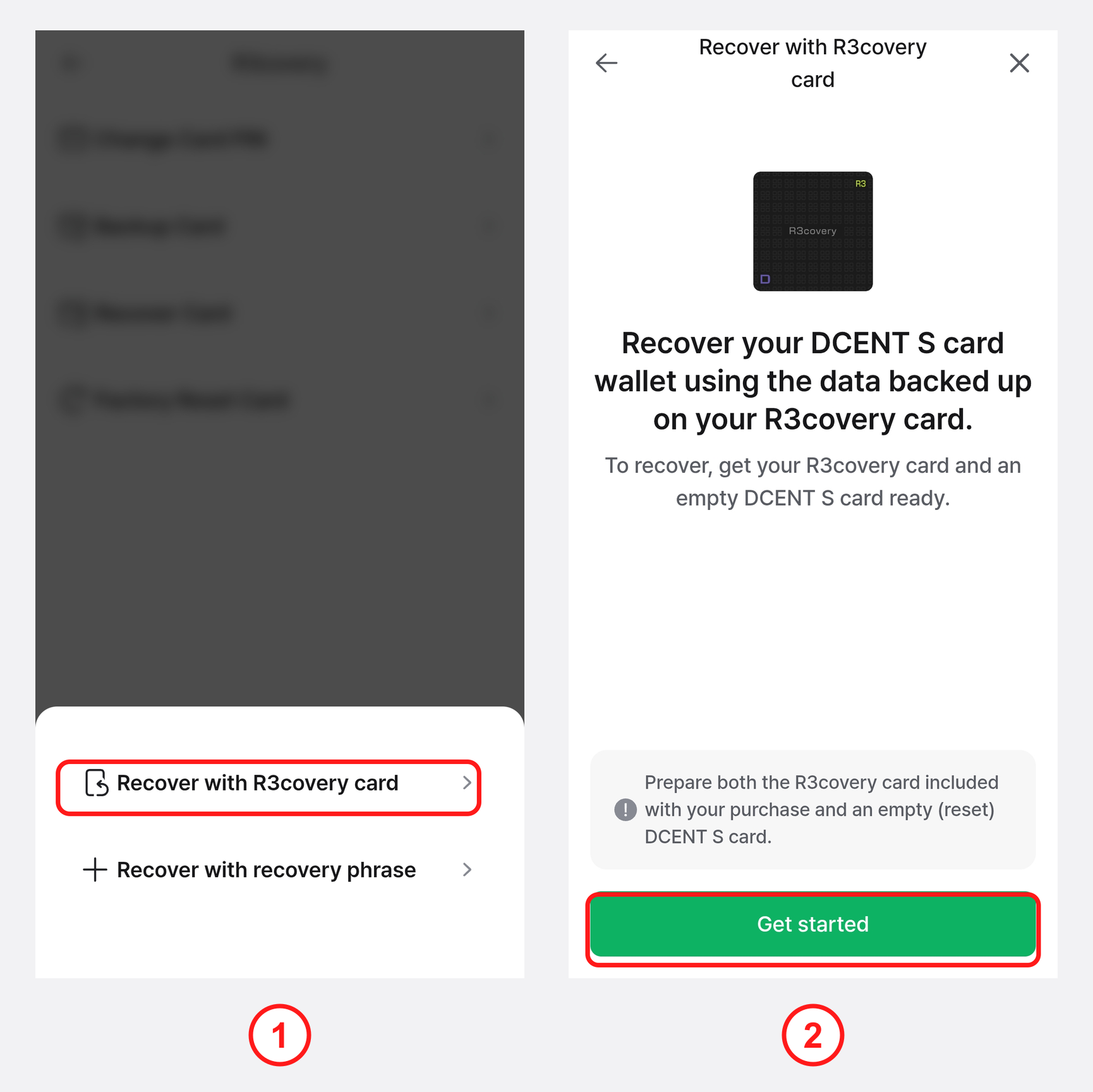
1) In the DCENT mobile app, open the "Settings" tab, tap the More (⋮) > "R3covery" > "Recover Card" on the DCENT S card, then tap "Recover with R3covery card".
2) Prepare the DCENT R3covery Card and a newly purchased or reset (empty) DCENT S Card. When the "Do you have an empty DCENT S to recover onto?" screen appears, select "Yes, I have an empty DCENT S".
3) On the "We'll proceed with recovery using the R3covery Card" screen, tap "Start recovery".
To recover onto a DCENT S Card that is already in use, first perform a Factory Reset Card on it to make it empty.
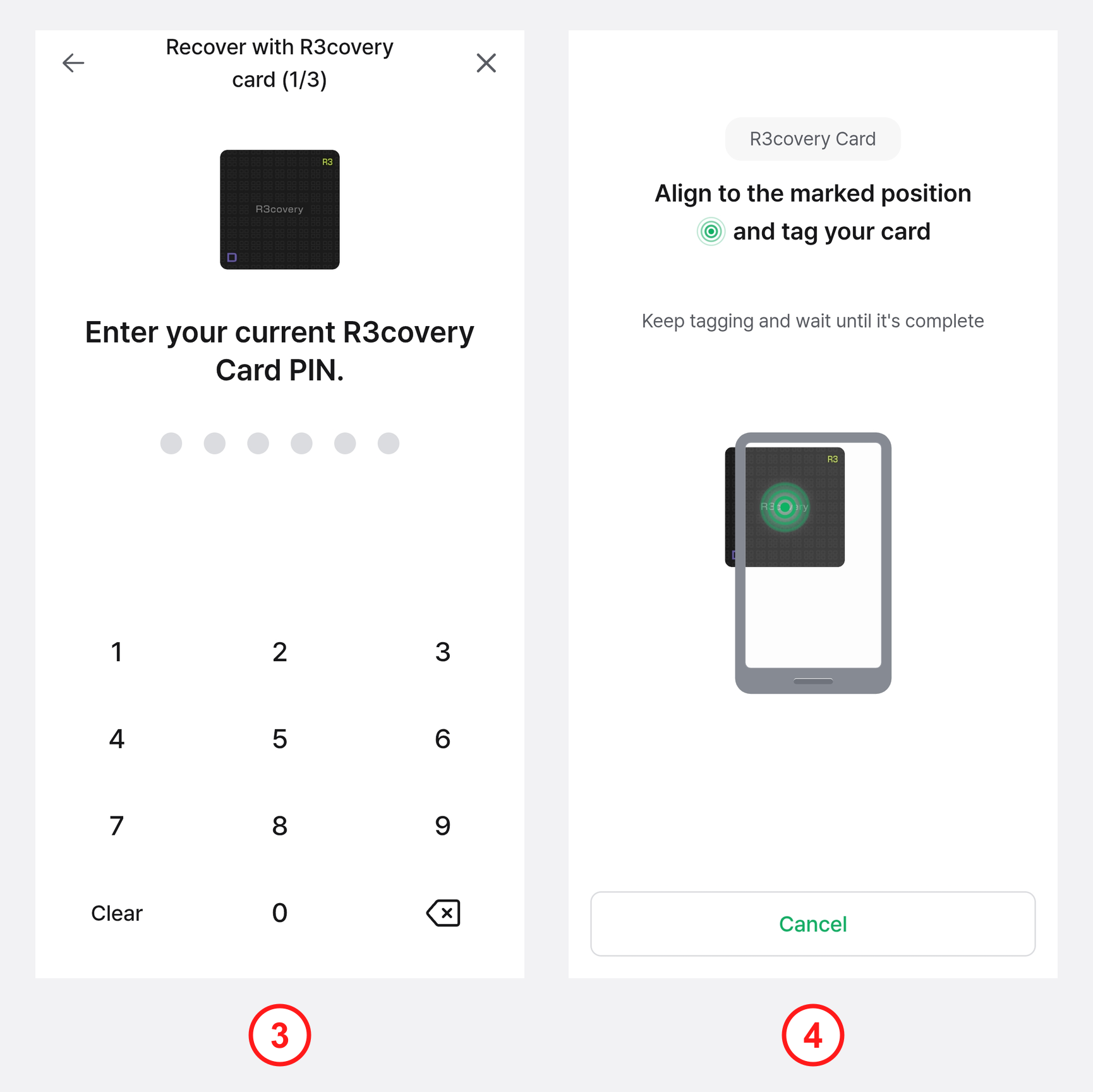
4) Enter the existing R3covery Card PIN you set during backup.
5) Tap the R3covery Card to the back of your phone to load the private key stored on it.
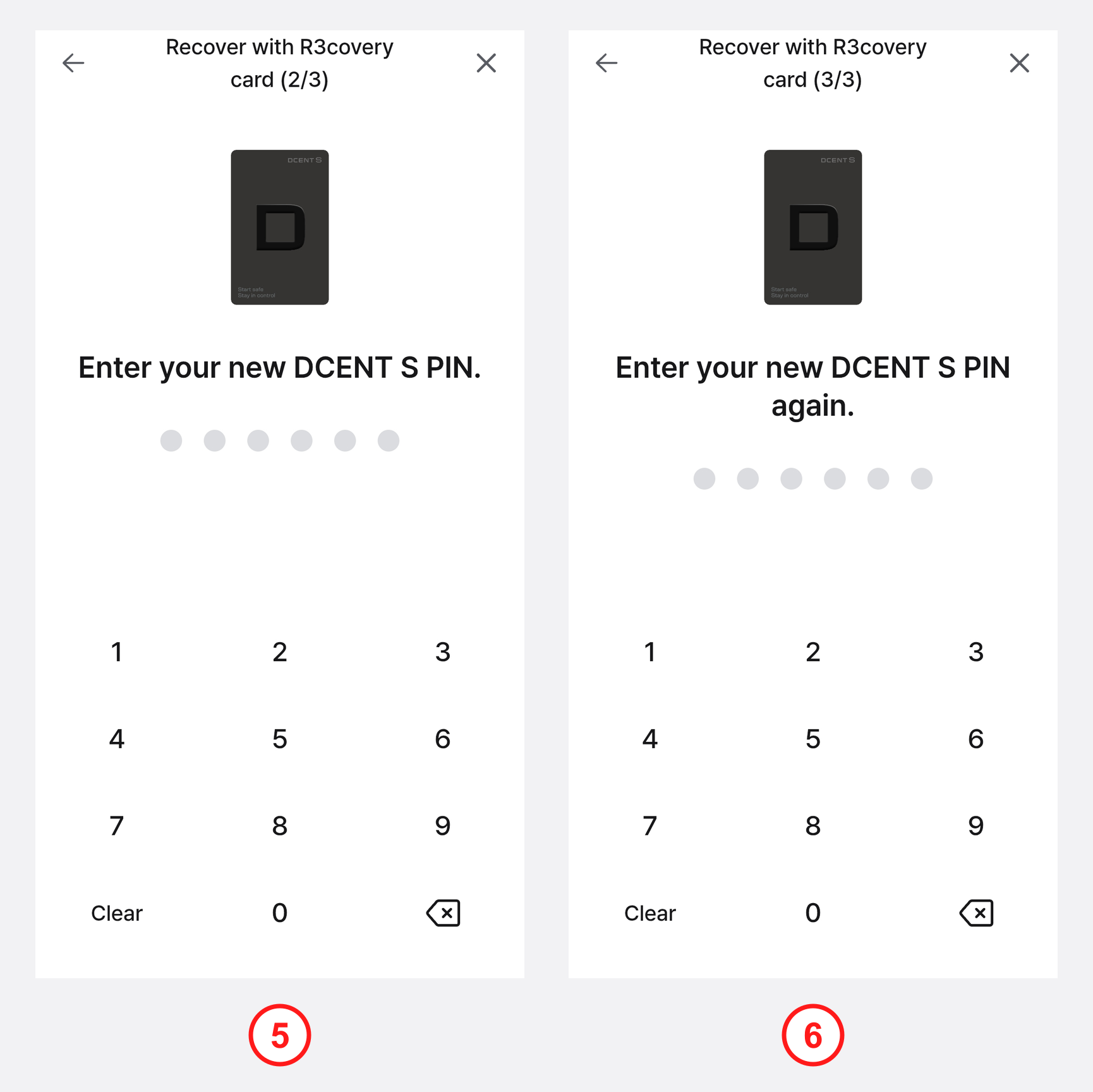
6) Enter a new DCENT S PIN to set on the DCENT S Card Wallet being recovered.
7) Enter the same DCENT S PIN once more to confirm.
If you forget your DCENT S PIN, you cannot send coins. For security, PIN entry is allowed up to 10 times; entering it incorrectly 10 or more times may reset the card, so be sure to remember the PIN you set.
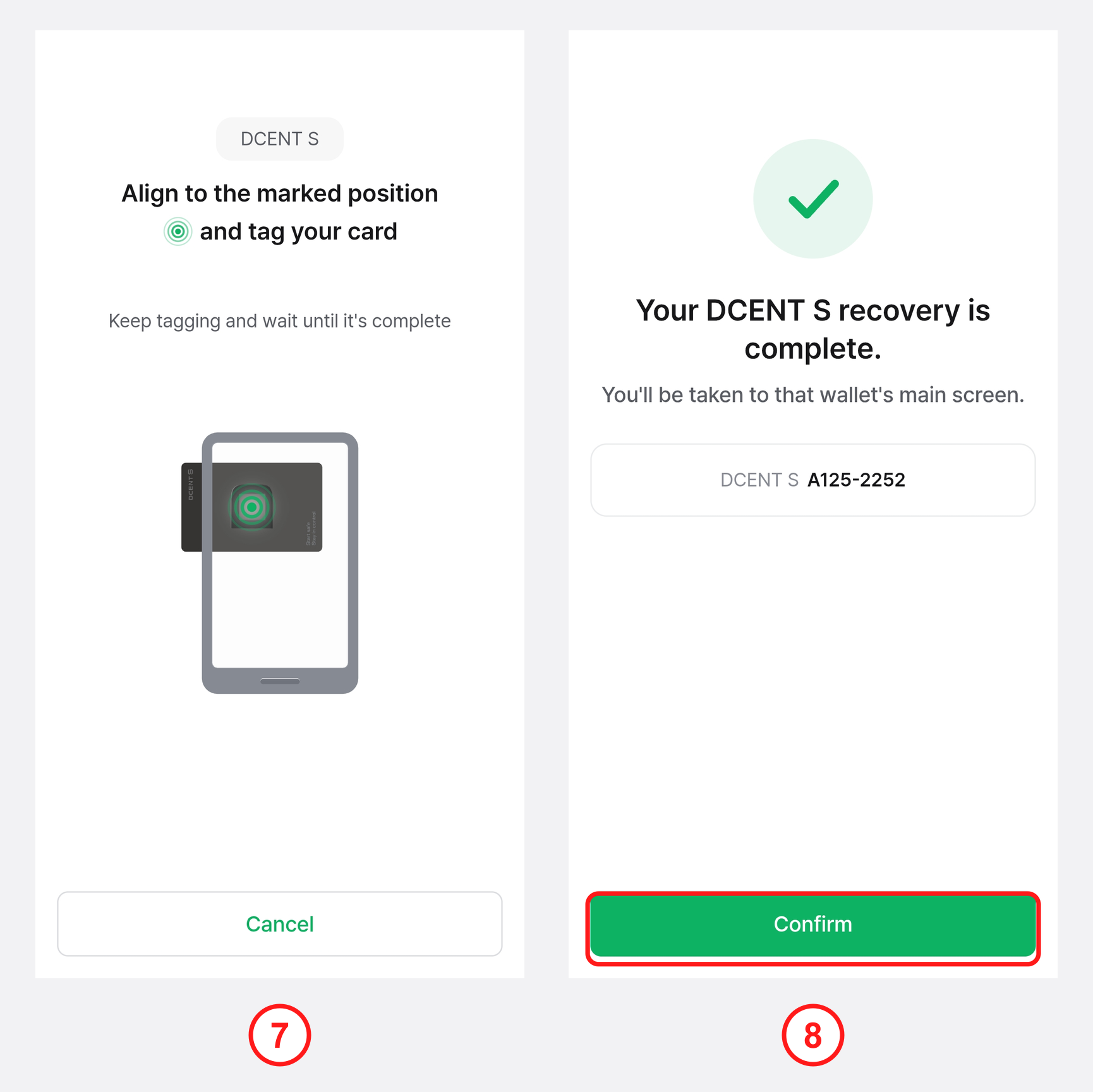
8) Following the on-screen instructions, tap the DCENT S Card to the back of your phone.
9) When "Your DCENT S recovery is complete" appears, tap "Confirm" to finish the recovery.
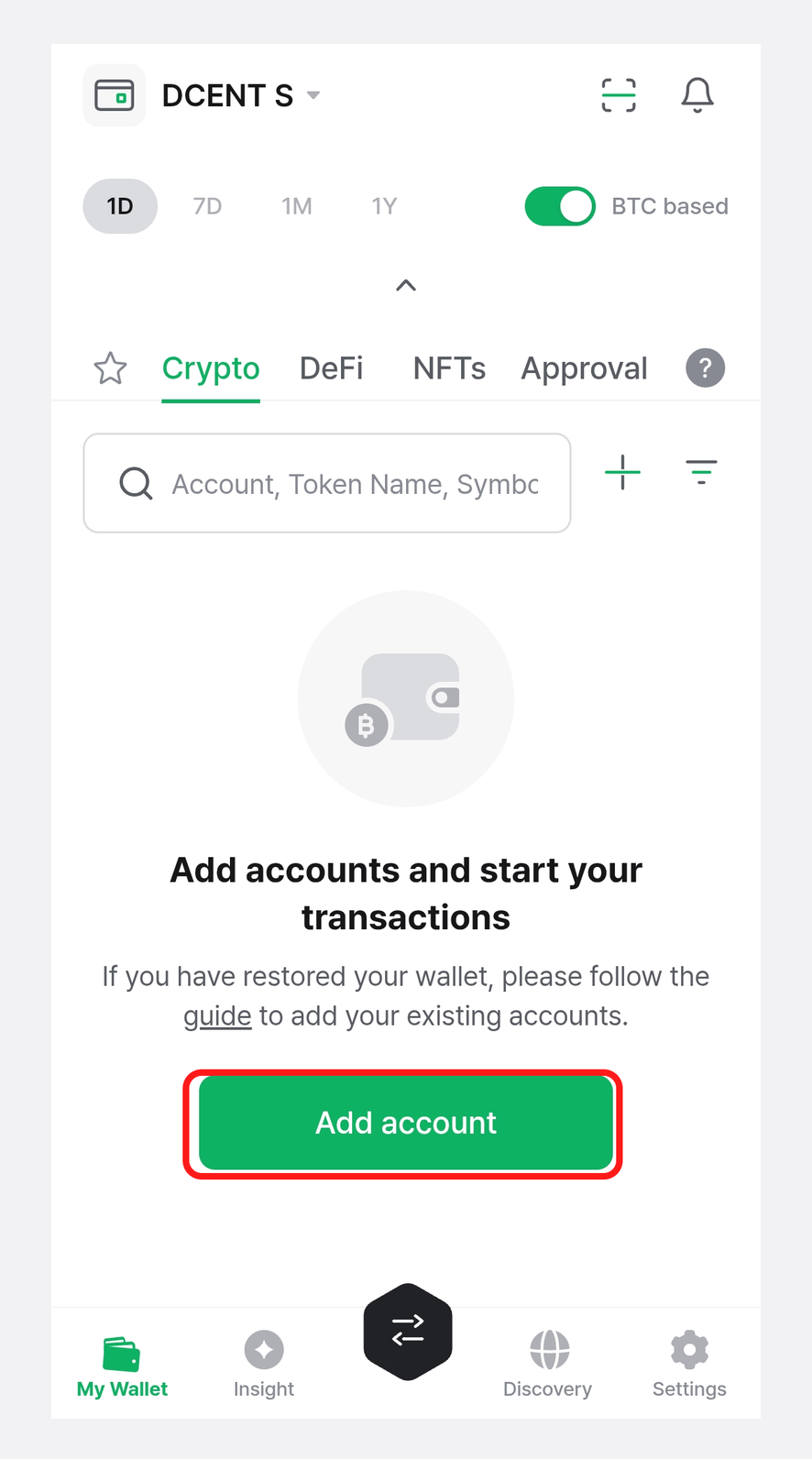
10) Once recovery is complete, on the "My Wallet" tab, tap "Add account" or the + button to add back the accounts you previously managed.
For how to add accounts, see How to use the DCENT S Card Wallet — Add an account.
Recover with the mnemonic code
If you have forgotten your R3covery Card PIN or lost the R3covery Card itself, you can recover your assets using the mnemonic code you recorded during backup.
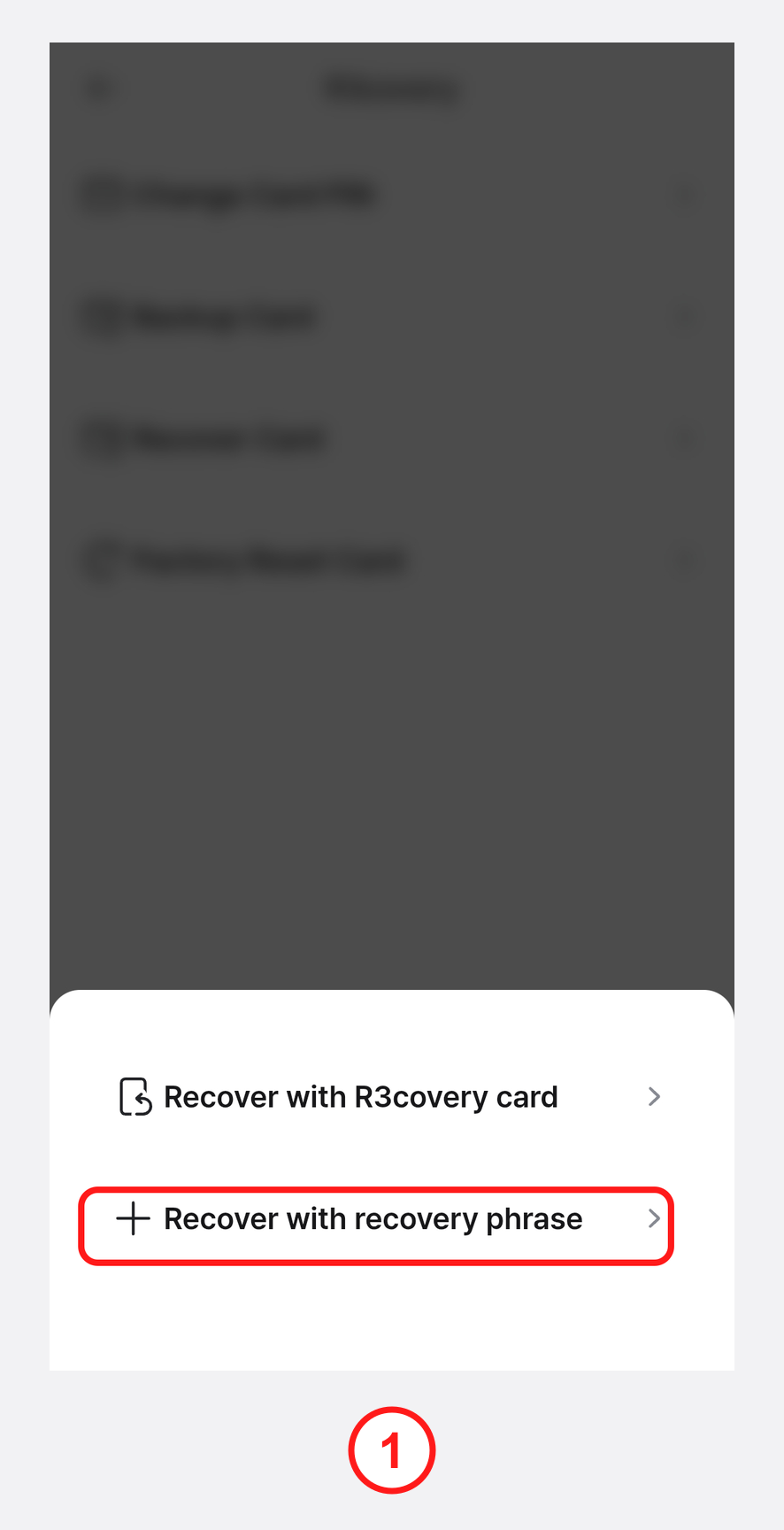
1) In the DCENT mobile app, open the "Settings" tab, tap the More (⋮) > "R3covery" > "Recover Card" on the DCENT S card, then tap "Recover with recovery phrase".
To recover onto a DCENT S Card that is already in use, first perform a Factory Reset Card on it to make it empty.
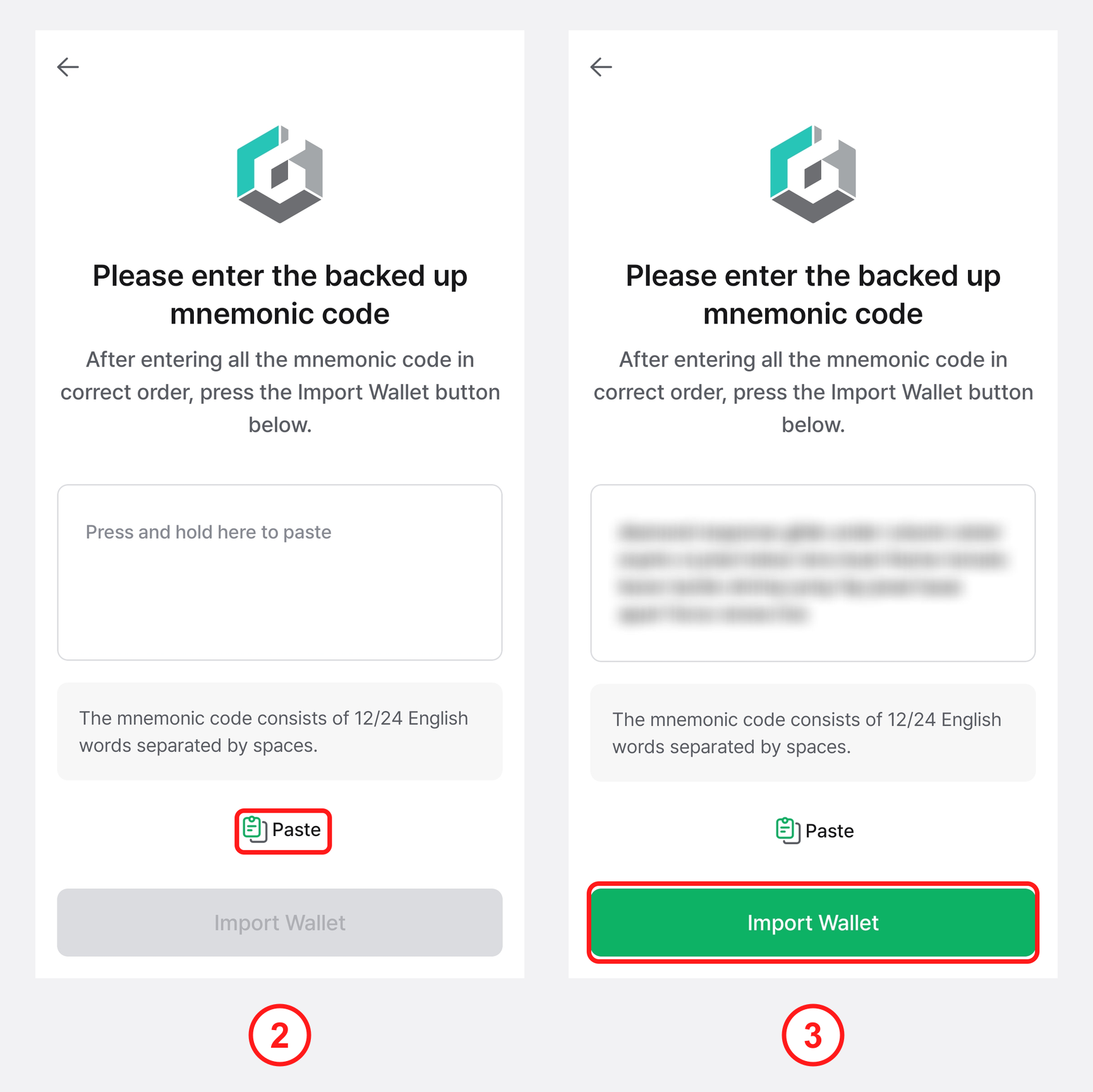
2) Enter all of the mnemonic code you recorded during backup, separated by spaces and in the exact order. If you copied the mnemonic code to your clipboard, you can press and hold the input field or tap "Paste" to enter it.
3) After confirming that the entry is correct, tap "Import Wallet".
Never share your mnemonic code with anyone. If your mnemonic code is exposed, your assets can be stolen.
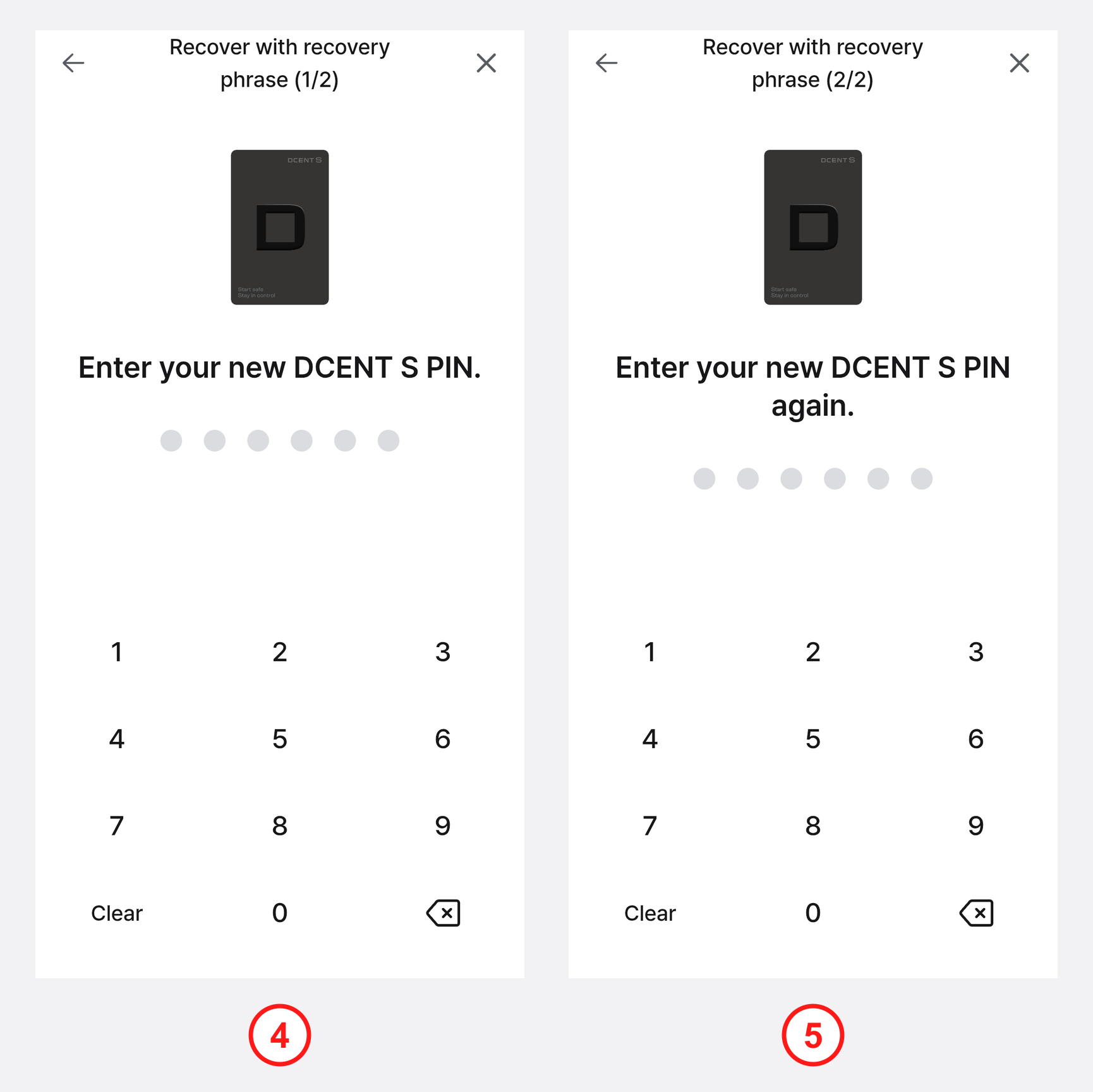
4) Enter a new DCENT S PIN to set on the DCENT S Card Wallet being recovered.
5) Enter the same DCENT S PIN once more to confirm.
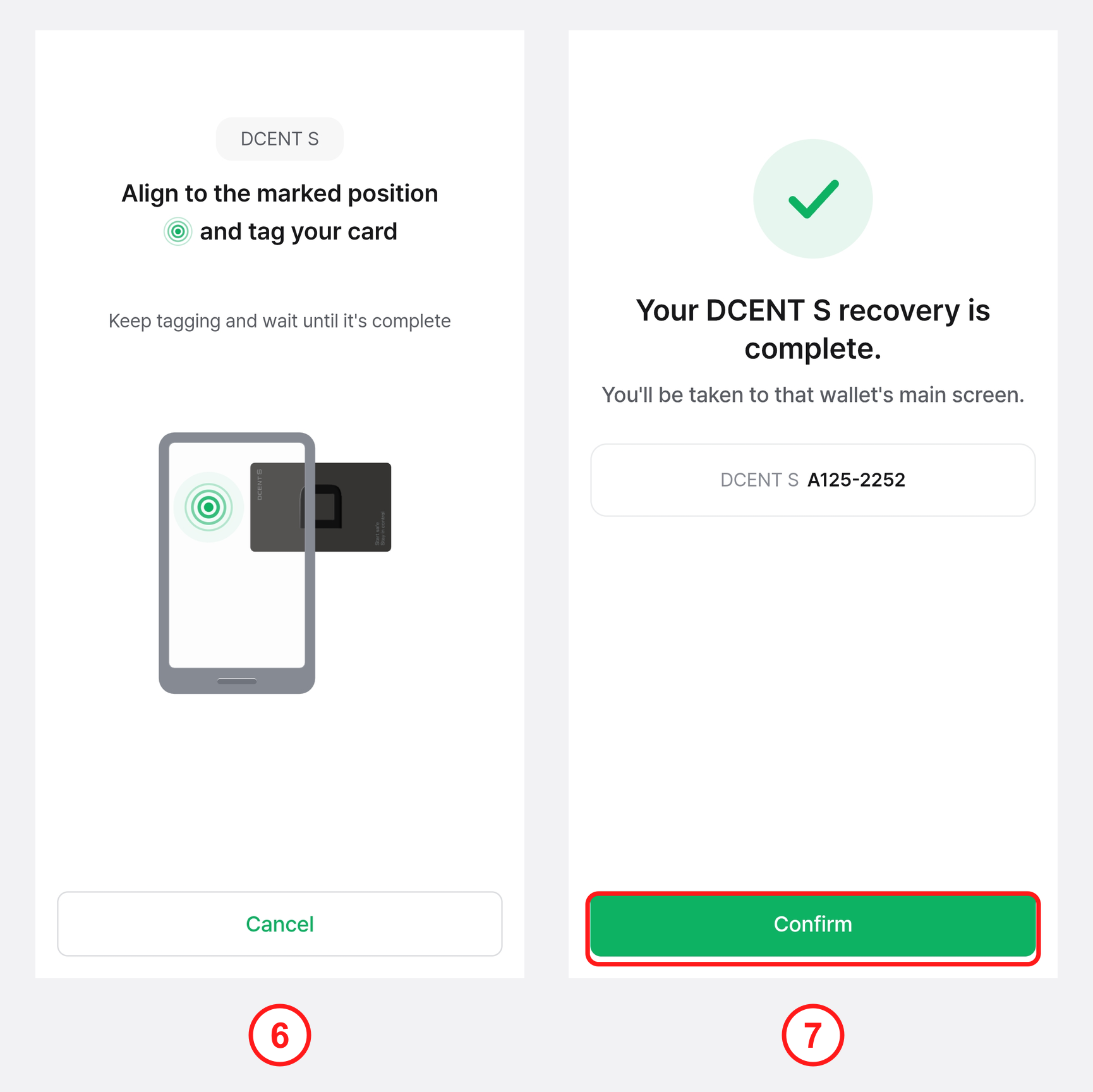
6) Following the on-screen instructions, tap the DCENT S Card to the back of your phone.
7) When "Your DCENT S recovery is complete" appears, tap "Confirm" to finish the recovery.
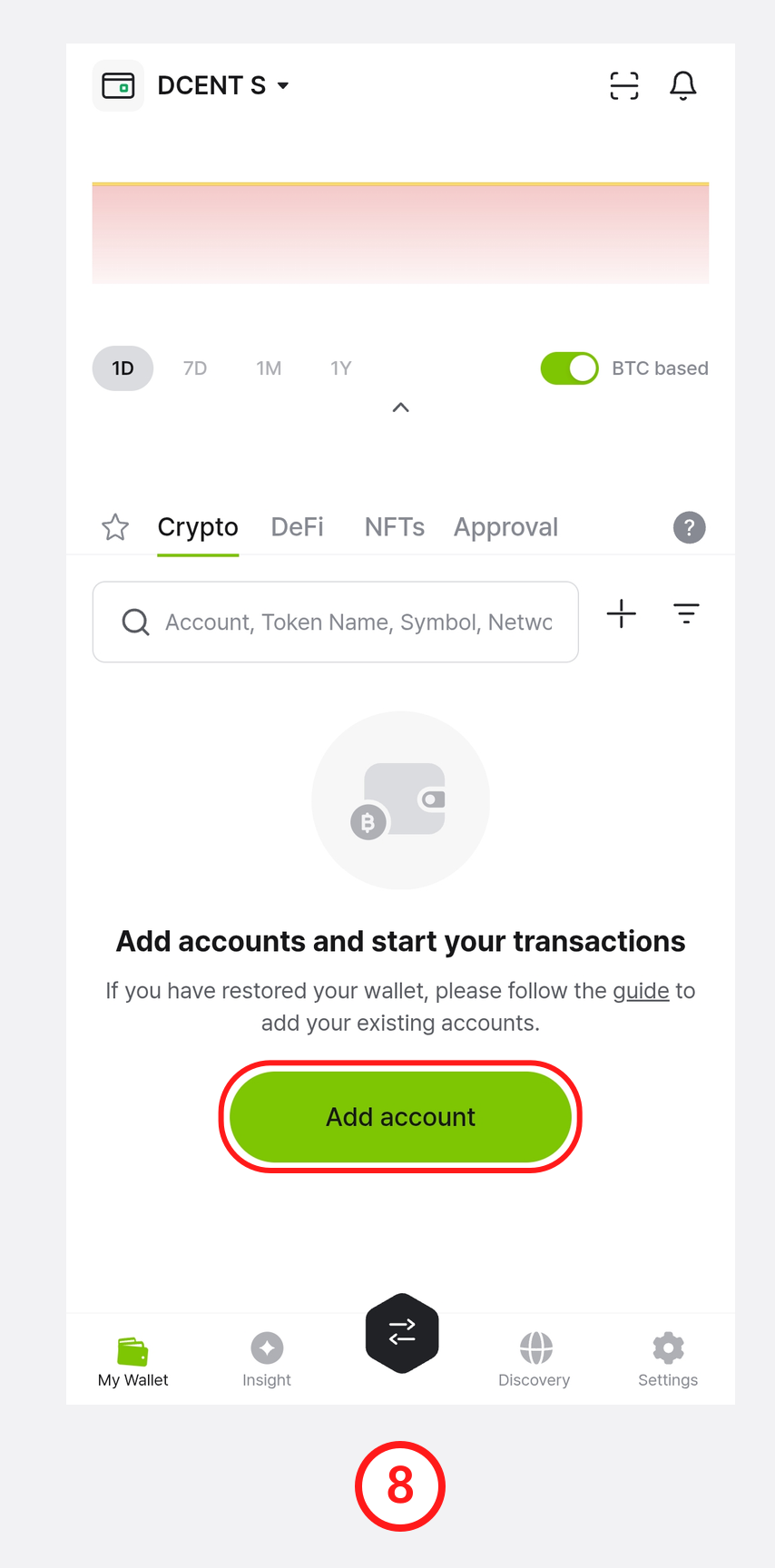
8) Once recovery is complete, on the "My Wallet" tab, tap "Add account" or the + button to add back the accounts you previously managed.
For how to add accounts, see How to use the DCENT S Card Wallet — Add an account.